TL;DR
- An IT technician keeps other people working: fixing hardware, software and network problems, setting up equipment and accounts, and recording everything on a ticketing system. The National Careers Service gives “help desk technician, IT service engineer, service desk analyst” as alternative titles and describes the role as giving “technical help to computer users by identifying and fixing hardware, software and network problems”.
- The advert should say which line the role sits on. First line takes the contact and fixes the common things; second line takes what first line escalates; third line is specialist and usually a different job title. O*NET's occupation, Computer User Support Specialists, covers those who answer questions or resolve problems “in person, via telephone, or electronically”.
- Two parts of the job rarely appear in adverts and take up much of the week: joiners, movers and leavers, and the access that comes with the role. The NCSC's guidance is a useful frame, “understanding who or what needs access, and under what conditions, is just as important as knowing who needs to be kept out”, and the policy should consider “all potential types of user including full and part-time staff, contractors, volunteers, students and visitors”.
An IT technician is the first person a new starter meets and the person everyone contacts on their worst morning. The job is judged on whether other people can work, which makes it one of the most consequential junior roles in an organisation and one of the most poorly advertised.
This article sets out an IT technician job description: nine duties, how the support lines differ, the ticket, the account work that fills the week, the access the role carries, what to measure, routes in and a template. It is general information about the role.
The technician who sets up a new starter's laptop is doing half of onboarding, whether or not anyone calls it that. See how New Dynamics onboarding gives every new starter the same first weeks.
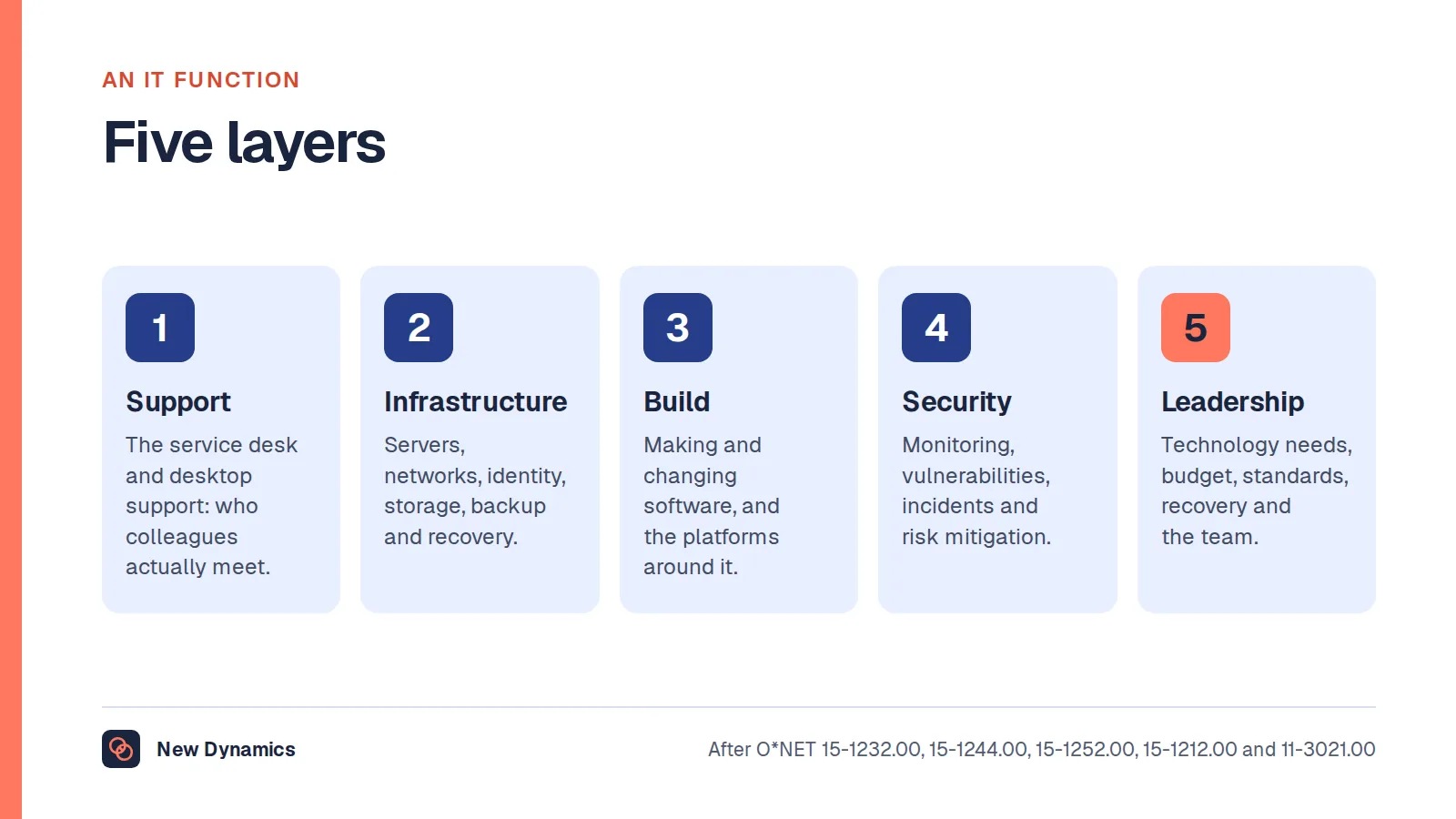
For the whole function this role sits in, see our hub on IT job descriptions.
What an IT technician is
The National Careers Service's IT support technician profile describes the role as giving "technical help to computer users by identifying and fixing hardware, software and network problems", and gives the alternative titles: "help desk technician, IT service engineer, service desk analyst".
O*NET files the occupation as Computer User Support Specialists, who "provide technical assistance to computer users" and "answer questions or resolve computer problems for clients in person, via telephone, or electronically", possibly covering "the use of computer hardware and software, including printing, installation, word processing, electronic mail, and operating systems". Its reported titles include Desktop Support Technician, Help Desk Analyst and Computer Technician.
First, second, third line

Most confusion in IT support adverts comes from not saying which line the job is.
- First line. Takes the contact (phone, chat, walk-up, portal) logs it, fixes the common things, and escalates the rest. High volume, high interruption, and the line that sets what users think of IT.
- Second line. Takes what first line cannot fix: deeper diagnosis, desktop engineering, hands-on work with devices, small projects. Fewer contacts, longer each.
- Third line. Specialists (servers, network, applications, security) usually with different job titles. Our system administrator and network engineer posts cover two of them.
An advert should say the line, the contact channels, the rough volume and who the escalation goes to. Candidates can tell the difference; adverts often cannot.
Nine duties
- Respond. "Respond to customers' requests for IT help" across the channels the organisation uses, and set expectations about what happens next.
- Record. "Record details of issues on a tracking system", and "maintain records of daily data communication transactions, problems and remedial actions taken, or installation activities".
- Diagnose. "Read technical manuals, confer with users, or conduct computer diagnostics to investigate and resolve problems", and "enter commands and observe system functioning to verify correct operations and detect errors".
- Fix or route. "Find and fix faults, or assign tasks to the correct team", and "refer major hardware or software problems or defective products to vendors or technicians for service".
- Set up equipment. "Set up equipment for employee use, performing or ensuring proper installation of cables, operating systems, or appropriate software", and "install and perform minor repairs to hardware, software, or peripheral equipment".
- Accounts and access. "Set up and manage user accounts and security", the duty with the widest consequences, covered below.
- Install and upgrade. "Install new IT systems and upgrade existing ones", and "prepare evaluations of software or hardware, and recommend improvements or upgrades".
- Maintain the estate. "Maintain and service printers, projectors and cabling", and "oversee the daily performance of computer systems".
- Document and teach. "Update online knowledge bases for staff to refer to", "show people how to use new software, both face-to-face and online", and "develop training materials and procedures, or train users in the proper use of hardware or software".

The ticket
Everything in this job runs through a ticket, and most of the difference between a good technician and a fast one shows up there.
- Log it at the time, not at the end of the day. Retrospective tickets are guesses.
- Write what the user said, and what you found. They are often different, and the second is what helps next time.
- Record the fix in a way a colleague can repeat. "Rebooted, fine now" teaches nobody anything.
- Close it with the user, not at them. A ticket closed without confirmation reopens as a complaint.
- Feed the knowledge base. The third identical ticket is an article waiting to be written.
Joiners, movers and leavers
This is the part almost no advert mentions and a large part of the week in any growing organisation.
- Joiners: account, mailbox, groups, licences, device, software, phone, and a first-day setup that actually works.
- Movers: the harder case. Access for the new role gets added; access for the old one is often never removed, which is how people end up with permissions nobody intended.
- Leavers: accounts disabled on the right day, devices returned, data handled properly.
The NCSC's identity and access management guidance is the frame worth borrowing. It says that "access to data, systems and services need to be protected", and that "understanding who or what needs access, and under what conditions, is just as important as knowing who needs to be kept out". The policy should set out "who should have access to which systems, data or functionality, why, and under what circumstances", and should consider "all potential types of user including full and part-time staff, contractors, volunteers, students and visitors". It also expects the policy to cover "what and how audit records are acquired, and how they are safeguarded against tampering".
For the job description, that means saying plainly: does this role create and disable accounts, and against what process? If yes, the role is a control in the organisation's security, not just a helper.
The access, and what comes with it
An IT technician can usually reset passwords, log into devices and see files that most colleagues cannot. Three things follow, and all three belong in the description:
- Acceptable use of privileged access, what the technician may look at, when, and with whose authority.
- What to do when they see something they were not looking for, and who to tell.
- Audit. Privileged actions are logged, and the technician should know that and be comfortable with it.
Saying this at the outset is not distrust. It protects the technician as much as the organisation.
What to measure

Ticket counts are the obvious measure and the misleading one: they reward closing quickly and discourage the fix that stops the ticket recurring.
Better:
- First-contact resolution for first line, alongside time to resolve.
- Reopened tickets, which catch closing things that were not fixed.
- Repeat causes eliminated, the problem that stopped generating tickets this quarter.
- Knowledge base contributions, which are how one person's fix becomes everyone's.
- What users say, sampled, rather than a survey nobody completes.
Skills, routes in and progression
The National Careers Service lists the skills: knowledge of computer operating systems, hardware and software; analytical thinking; customer service skills; thoroughness and attention to detail; the ability to work well with others; excellent verbal communication; flexibility and openness to change; the ability to use judgement and make decisions; and confident use of a computer and the main software packages.
Note how many are not technical. The ability to tell someone their file is gone, calmly and without condescension, is the skill the job actually turns on.
The profile also sets out the working environment, an office, a client's business or a contact centre, with evening and weekend shift work possible, and progression: senior IT support technician, IT project manager or departmental manager; with further training, network engineer, database administrator, systems analyst or IT security co-ordinator; or freelance contracting and consultancy.
Entry routes are typically an apprenticeship, a college course, or starting in another role and moving across. Vendor certifications are common and an advert should say which are required, preferred and funded.
An IT technician job description template
Job title: IT technician [first line / second line]
Reports to: [IT manager / service desk lead]
Support model: [channels], [hours and shift pattern], [approximate users supported], [escalation route]
Purpose: Keep colleagues working by resolving IT issues promptly and recording them properly, and by setting up people and equipment correctly in the first place.
Responsibilities
- Respond to IT requests across the supported channels and log them accurately on the ticketing system.
- Diagnose and resolve hardware, software, account and connectivity problems, escalating where required.
- Set up, configure and deploy devices, peripherals and software for new and existing users.
- Create, amend and disable user accounts and access in line with the organisation's access policy.
- Support joiners, movers and leavers to the agreed process and timescales.
- Install and upgrade systems, and maintain printers, cabling and other shared equipment.
- Maintain the knowledge base and produce guidance for colleagues.
- Show colleagues how to use new software and systems.
- Work within the organisation's security and acceptable use policies, including the handling of privileged access.
You will need: [experience and certifications, with which are funded]; patience and plain explanation; accurate record keeping.
Hours: [pattern, including any evening, weekend or on-call cover].
Frequently asked questions
What does an IT technician do?
Gives technical help to computer users: responding to requests, logging them on a tracking system, diagnosing and fixing hardware, software and network faults or escalating them, setting up equipment and software, creating and managing user accounts and access, installing and upgrading systems, maintaining shared equipment such as printers and cabling, updating the knowledge base and showing people how to use new software.
What is the difference between first line and second line IT support?
First line takes the initial contact, logs it, resolves the common issues and escalates the rest; the work is high volume and frequently interrupted. Second line takes what first line cannot resolve: deeper diagnosis, device engineering and small pieces of project work, with fewer but longer jobs. Third line is specialist and usually carries a different job title.
What skills does an IT technician need?
The National Careers Service lists knowledge of operating systems, hardware and software, analytical thinking, customer service skills, thoroughness and attention to detail, working well with others, excellent verbal communication, flexibility, and judgement and decision making. In practice the customer-facing skills decide who is good at it.
Is an IT technician the same as a help desk technician?
Broadly yes. The National Careers Service gives help desk technician, IT service engineer and service desk analyst as alternative titles for IT support technician. Employers use them differently, so the advert should describe the line, the channels and the escalation route rather than rely on the title.
How should an IT technician's performance be measured?
Not mainly on tickets closed, which rewards speed over fixing the cause. Use first-contact resolution and time to resolve, reopened tickets, repeat causes eliminated, contributions to the knowledge base, and sampled user feedback.
What career progression is there from IT technician?
The National Careers Service describes progression to senior IT support technician, IT project manager or departmental manager, and with further training into network engineering, database administration, systems analysis or IT security coordination, as well as freelance contracting or consultancy.
Your next step: write the line into the advert
- Say which support line the role is, on what channels, for roughly how many users.
- Put joiners, movers and leavers in the responsibilities, with the process named.
- State what privileged access the role holds and what governs its use.
- Set objectives on resolution and repeat causes rather than on tickets closed.
For the first-day setup this role owns half of, read and download our employee onboarding guide. The guide is free to read, and the PDF uses our short download form.
Want onboarding tasks, objectives and check-ins in one place, so a new starter's kit and accounts are ready before they arrive? Book a New Dynamics demo and bring your current starter checklist. You can also email contact@new-dynamics.com.