TL;DR
- An access level is a rule about which records a person can open, not a job title. UK law treats it as one of the “appropriate technical and organisational measures” Article 32 requires, so a generous access model is a compliance problem rather than a configuration preference.
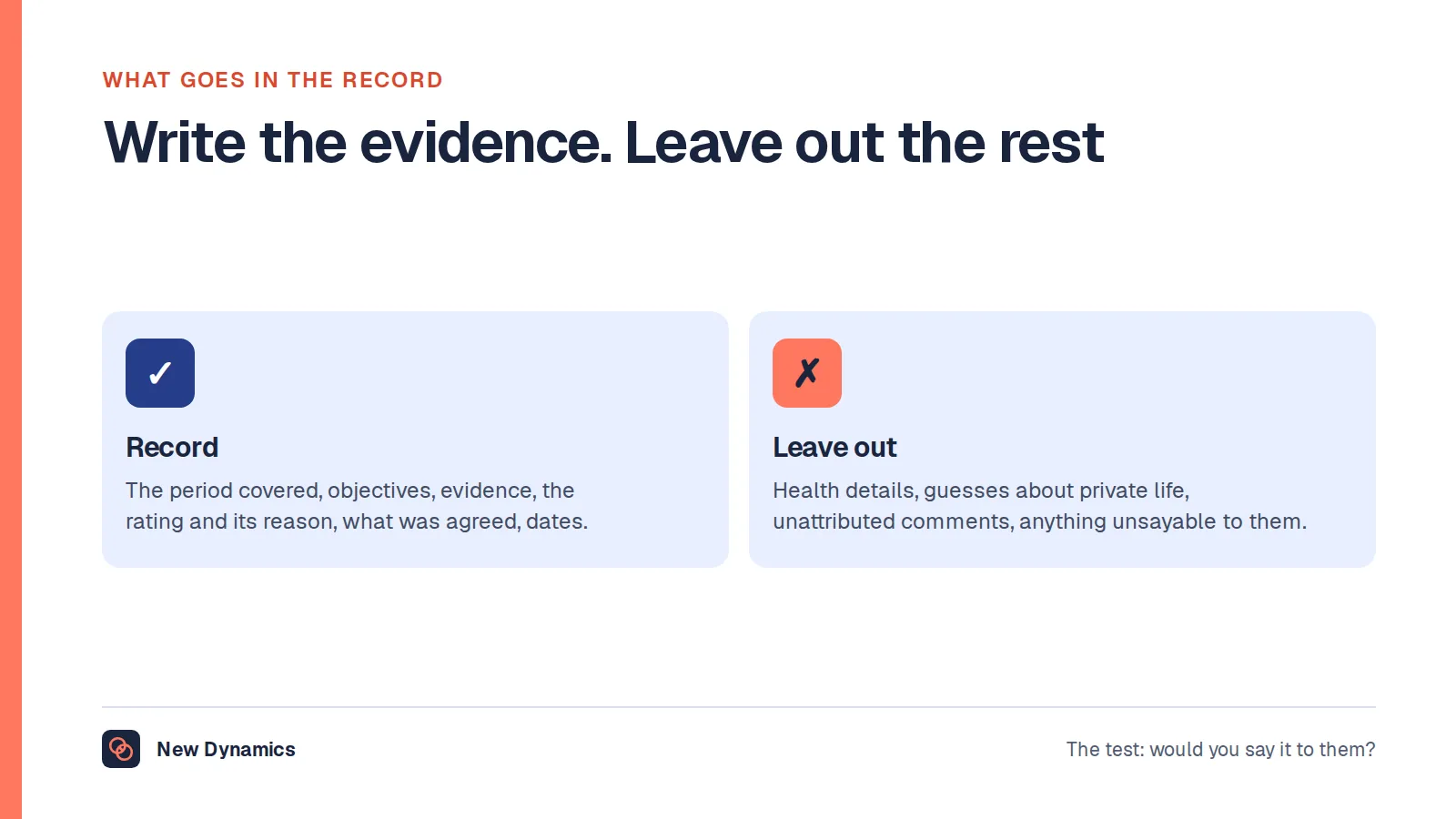
- The ICO is specific about the outcome: employment records must “only be accessed, altered, disclosed or deleted by those who are authorised to do so”, and its own example limits the records system to HR staff, with managers given only the information they need to meet their obligations.
- The classic failure is a manager who can read a sickness record rather than an absence record. The ICO separates the two and says you “should not use sickness or injury records when you only need information about the length of an absence”.
Most HR systems are configured once, quickly, by whoever held the admin password. Everyone who asked for something got it, and nobody took anything away. Two years later a finance assistant can open a sickness record and a leaver's login still works. That is not a software problem. It is an access model nobody wrote down, and in the United Kingdom it is a legal exposure as well, because an HR system holds health information, trade union membership and ethnicity alongside names and bank details.
This article covers what an access level is, the four tiers most HR systems use, what each should and should not see, the sickness record mistake that catches almost everyone, audit logging, and what happens to access when someone changes role or leaves. It describes the position in the United Kingdom and is general information rather than legal advice.
A manager's reach usually follows the reporting line, so the line has to be right before any permission means anything. See how New Dynamics org charts hold line management, project teams and review participation in one structure, with permissions attached to each relationship.
What an access level actually is
An access level is a rule that answers one question: for this person, which records can be opened, and how much of each record. It is not a job title and it is not a login. Two people with identical titles can need different access, and one person holds several levels at once, seeing their own full record, a summary of their team's, and nothing at all for anyone else.
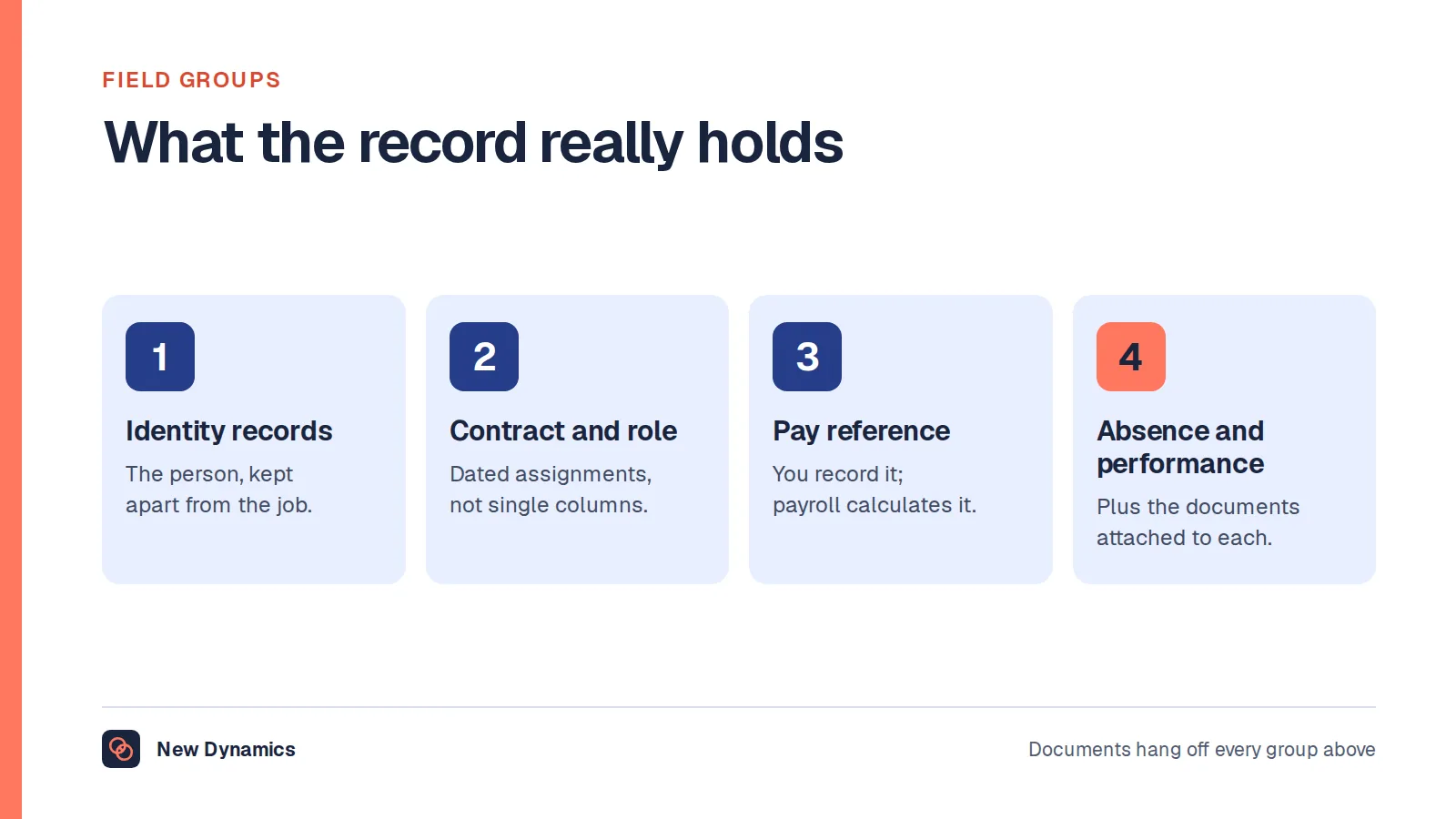
Keep three ideas apart. Authentication is proving who someone is. Authorisation is what they may then do. Audit is the record of what they actually did. An access level is the middle one, which is why strong passwords do nothing about a model that lets forty people read a diagnosis. And the useful picture is not a ladder but a grid: record types down one side, roles across the top, a deliberate decision in each cell. Most organisations have never drawn it, which is why the honest answer to "who can see sickness reasons?" is usually "we would have to look".
What UK law requires
The security principle sits in Article 5(1)(f) of the UK GDPR. Personal data must be "processed in a manner that ensures appropriate security of the personal data, including protection against unauthorised or unlawful processing and against accidental loss, destruction or damage, using appropriate technical or organisational measures". The phrase that matters is "unauthorised or unlawful processing", because reading a record you had no business reading is processing it.
Article 32 says what to do about it. The controller and the processor "shall implement appropriate technical and organisational measures to ensure a level of security appropriate to the risk", including "the ability to ensure the ongoing confidentiality, integrity, availability and resilience of processing systems and services". Article 32(2) names the risk: "unauthorised disclosure of, or access to personal data transmitted, stored or otherwise processed". An access model is therefore one of the measures the law asks for, not a preference IT might get round to.
Article 32(4) adds the part people miss. You must "take steps to ensure that any natural person acting under the authority of the controller or the processor who has access to personal data does not process them except on instructions from the controller". Granting access is not the end of the duty: you also have to define what the person may do with it, and show they stayed inside that. Article 5(1)(c) pushes the same way, requiring data to be "adequate, relevant and limited to what is necessary", and Article 5(2) makes the controller "responsible for, and be able to demonstrate compliance with" the lot. That is the legal reason a log exists.
Why HR systems are a special case
Article 9 prohibits, as a starting point, processing "personal data revealing racial or ethnic origin, political opinions, religious or philosophical beliefs, or trade union membership", along with "data concerning health", unless a condition in Article 9(2) applies. For employers that is usually Article 9(2)(b), processing necessary for obligations and rights "in the field of employment". Now look at an ordinary HR record: occupational health notes and sickness reasons are health data, union deductions through payroll reveal trade union membership, and diversity monitoring holds ethnicity, religion and sexual orientation. The ICO states the conclusion for absence directly, that holding sickness or injury records "therefore involves processing special category data".
The ICO's guidance on collecting and keeping employment records turns that into a design instruction. You "must choose a level of security appropriate to the nature of the information you are protecting and the level of harm that might result from misuse or loss". Records must "only be accessed, altered, disclosed or deleted by those who are authorised to do so (and that those people only act within the scope of the authority you give them)", and its own example of what that looks like is "ensuring that access to employment records systems is limited to HR staff only, and that managers only have access to the information they need to meet their obligations". For special category information it adds that you should think carefully about security, "limiting access only to those who need to see it". That page carries a standing note that the guidance "is under review and may be subject to change" following the Data (Use and Access) Act 2025, so check it before writing a policy around it. The Articles above are unchanged on these points.
The four tiers most HR systems use

Nothing in UK law prescribes this structure. It is the model most HR systems arrive at, and a reasonable starting grid.
Employee: their own record, in full
Someone should be able to see what you hold about them without asking. That is not generosity, it is alignment with the right of access, and it reduces the number of formal requests you answer. What does not belong here is anyone else's anything, and notes written for a different purpose, such as case notes in a live investigation.
Manager: only what managing requires
This is the tier that goes wrong, and it goes wrong the same way every time. Managers are given the HR administrator view scoped to their team, which is far more than managing requires. What a manager genuinely needs is short: who reports to them, absence dates and patterns, holiday balances and approvals, goals and review history, and any workplace adjustment they are responsible for delivering. What they usually should not hold is bank details, diversity monitoring responses, grievance files where they are not the decision maker, and the clinical content of a health record.
On the last of those the ICO is direct: you "should not make the sickness, injury or absence records of individual workers available to others, unless it is necessary for them to do their jobs". That is a test rather than a blanket ban, and the same guidance accepts that "a manager can access a worker's sickness record to investigate repeated or long-term absence". Necessity is judged against a purpose, and the purpose changes.
HR administrator: the broadest reach, the tightest logging
HR needs to see most things to run payroll, absence, cases and recruitment. The mistake is treating "HR" as one level. A recruitment coordinator does not need salary history, a payroll administrator does not need grievance files, and a business partner covering one division does not need the other three. Granularity inside HR is where most of the available improvement sits, because this tier holds the volume and the sensitivity in the same place.
System owner: grants access, does not read records
The highest technical level should be the narrowest in practice. A system owner configures the model, creates and removes accounts, and can usually bypass everything, which is why it belongs to a named, small group, used from a separate account where the software allows it and logged for someone else to review.
The ICO's worked example of a need-to-know decision belongs here. An organisation collecting health and disability information "determines which members of staff need to know this information (certain staff in Human Resources and workers' line managers) and makes sure no other staff have access to the records". Someone has to make that determination and write it down. That is the system owner's real job.
The classic failure: a sickness reason instead of an absence record

If you fix one thing, fix this. The ICO draws a distinction most HR configurations do not. A sickness record "is a record which contains details of the illness or condition responsible for a worker's absence". An absence record "may give the reason for absence as 'sickness' or 'accident' but does not include any reference to specific medical conditions". Of the second, the ICO notes these "are generally less intrusive to workers' privacy" and that "a simple absence record, without any details of a worker's health condition is not likely to be special category data".
Almost every absence form in use asks for a reason, the reason lands in a free-text field, and the field appears on the manager's screen next to the dates. The manager now reads health data as a matter of routine to approve a return to work. The guidance says to separate the two: keep records containing details of a worker's illness or medical condition "separate from other less sensitive information", which "helps ensure that staff are not accessing information on a worker's health when they only need information on absence", and do not use sickness or injury records "when you only need information about the length of an absence". The ICO also warns about the other end of this, where absence data escapes any access model at all. An employer "must not publish 'league tables' of sickness absences of individual workers where everyone can see a person's sickness, injury or absences", which a dashboard shared with a whole department can do without anyone intending it.
The fix has three parts. Stop collecting a diagnosis where you only need a duration. Put clinical detail somewhere narrower when you do need it, for instance to deliver an adjustment. And tell the people with access what the access is for, which the ICO asks of you directly: you "should make it clear to those accessing sickness, injury and absence records when it is and is not necessary to access the full sickness or injury records".
Audit logging, and why it settles disputes
An access level says what should be possible. A log says what happened. The question that arrives in a grievance is never "what were the permissions?" but "who opened my file in March?".
The ICO and the National Cyber Security Centre publish joint security outcomes that are unusually concrete. Under identity and access control you should "appropriately constrain legitimate access and ensure there is an appropriate audit trail", and "prevent users from downloading, transferring, altering or deleting personal data where there is no legitimate organisational reason to do so". Under security monitoring you "record user access to personal data" and "monitor user access to personal data, including anomalous user activity".
A log earns its keep three ways. It is the only way to answer an allegation, because without one you cannot show that a manager did not read a grievance file, and you cannot show that they did. It supports a breach assessment, where permissions tell you the worst case and the log tells you what occurred. And it is the only thing that catches deliberate snooping, which is not a minor policy matter: section 170 of the Data Protection Act 2018 makes it an offence for a person "knowingly or recklessly" to "obtain or disclose personal data without the consent of the controller". A defence exists where the person "acted in the reasonable belief that the person had a legal right" to do it, which is another reason to make the boundary of each access level explicit rather than assumed.
Logging has a cost worth naming. An access log is itself personal data about your staff, and reviewing it continuously starts to resemble monitoring, with its own duties. Our post on employee monitoring software covers those, including when an impact assessment is required. The proportionate middle ground is to log everything, review by exception, and tell people the log exists.
Leavers, movers and revocation

Access models decay at three moments, and only one is the one people plan for.
Leavers. The ICO and NCSC outcome is plain: access rights must be "limited to those users who reasonably need such access to perform their function and removed when no longer needed", and you should "remove or suspend unused accounts". A leaver's access should end when their employment does, which means the leaver process has to reach the HR system itself rather than only the email account. The ICO's employment guidance adds a point that pulls the other way and is easy to get wrong. You "should also ensure you still have access to information if staff leave or change roles", and the suggested fix is structural: "store employment records centrally rather than locally, so you are not dependent on the availability of individual managers for access". Revoke the person, keep the record.
Movers. A promotion, transfer or secondment adds access and almost never subtracts it, which over a few years produces people who can still see three former teams. Treat a role change as a revocation event as well as a grant.
Temporary access. Access granted for an investigation, a restructure or a migration is the most dangerous kind, because it is granted in a hurry for good reasons and has no end date. Give it one at the moment you grant it.
Then check. The ICO and NCSC ask you to "undertake activities to check or validate that the technical system permissions are consistent with your documented user access rights". Two documents that agree are worth less than one test that passes. Export the permissions, compare them with the model you wrote down, and investigate every difference.
What the ICO does not tell you
Plenty of published advice invents a standard here, so this is worth saying plainly. The ICO does not say how many access tiers an HR system should have. It publishes no naming convention, no permissions matrix, no review frequency and no deadline for revoking a leaver's access. There is no official four-tier model, and the four tiers above are a common pattern rather than a rule.
What the regulator sets is the outcome. Access must be limited to those authorised, authorisation must be tied to a purpose, special category data needs tighter handling than the rest, there must be an audit trail, and you must be able to demonstrate all of it. How you get there is your design decision, and the reasoning behind it is what you will be asked for.
The access model decides what a subject access request can find
An access model is usually discussed as a way of keeping people out. It also decides what you can get out. When a subject access request arrives you must respond, as the ICO puts it, "without delay and within one month of receiving the request", with an extension of up to two months for a complex request or a number of requests. You must make "a reasonable and proportionate search", and the ICO's right of access guidance, updated on 8 December 2025, asks you to "ensure that your information management systems are well designed and maintained, so you can efficiently locate and extract requested information and, where necessary, redact third-party information".
A tidy access model and a searchable record are the same project. If a person's information is spread across a system, nine manager inboxes and a shared drive, you have an access problem and a one-month deadline you will struggle to meet. Our post on employee records retention covers the other half, which is deleting what you no longer need so there is less to search. And one more point from the same guidance, because it catches managers out: you "should make sure that managers in your organisation are aware that a worker going through disciplinary or grievance proceedings still has the right to access their personal information". Access levels do not restrict the data subject. They restrict your own staff.
Frequently asked questions
What is an access level?
An access level is a rule about which records a person can open in a system and how much of each record they can see. It is set by the purpose someone has for the information rather than by their job title, so two people with the same title can hold different access.
What are the levels of access control in an HR system?
Most HR systems settle on four: an employee who sees their own record, a manager limited to what managing their team requires, an HR administrator with wide reach across records, and a system owner who configures access rather than reading records. UK data protection law prescribes neither this structure nor any number of tiers.
Should a manager be able to see an employee's sickness reason?
Usually not. The ICO distinguishes a sickness record, which contains details of the illness or condition, from an absence record, which gives the reason as sickness or accident without naming a medical condition. Its guidance says you should not use sickness or injury records when you only need information about the length of an absence. A manager investigating repeated or long-term absence may need more, and that is tied to a purpose rather than a standing permission.
Does UK GDPR require access levels?
Not in those words. Article 32 requires appropriate technical and organisational measures to ensure a level of security appropriate to the risk, and Article 5(1)(f) requires protection against unauthorised or unlawful processing. An access model is one of the measures that delivers those outcomes in an HR system.
How long should we keep HR system access logs?
No official UK source sets a period for access logs specifically. Storage limitation applies to them as to everything else, so you set a period you can justify from the purpose, which is usually the window in which a dispute about access could still arise.
When should a leaver lose access to the HR system?
The ICO and the National Cyber Security Centre say access rights should be removed when no longer needed, and that unused accounts should be removed or suspended. No specific deadline is published. In practice revocation belongs in the leaver process alongside the final payroll run, and removing the person's access must not remove the organisation's access to the records they held.
Your next step: draw the grid for one record type
- Pick absence, because it is where health data and everyday management meet.
- List every role that can currently see it, by exporting the permissions rather than asking people.
- Write one sentence of purpose for each role. Any role without a sentence loses the access.
- Separate the duration from the diagnosis, and give the diagnosis a narrower home.
- Check that the log records who opened what, and name the person who reviews it by exception.
Then repeat for pay, for case files and for diversity monitoring. The exercise usually takes an afternoon per record type and removes more access than anyone expects.
For the policy this sits inside, read and download our employee data protection guide. The guide is free to read, and the PDF uses our short download form. Our HR compliance post covers the wider duties, and the statistics hub collects the published figures we use across the site.
Want one record per person, with access defined by relationship and a log behind it? Book a New Dynamics demo and bring your current permissions export. You can also email contact@new-dynamics.com.