TL;DR
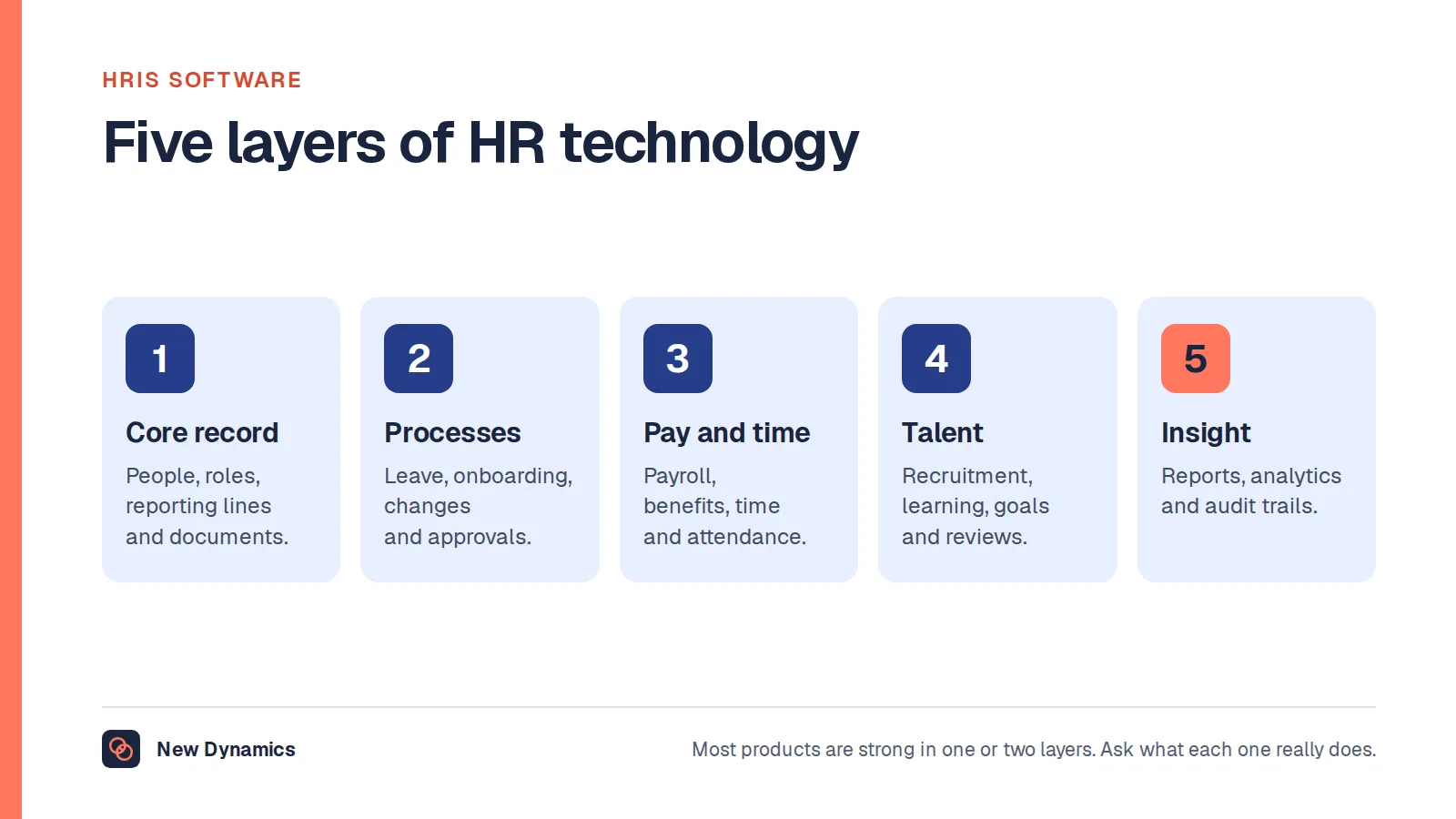
- An employee management system holds six field groups: identity, contract and role, pay reference, absence, performance, and the documents attached to each. Most of the value is in the joins between them, not in any single field.
- History matters more than current state. A system that overwrites a job title, a salary or a manager can answer what is true today and nothing about what was true when a decision was made, which is exactly what you need when a claim, an audit or a pay review arrives.
- The single most important design point is that an HR database holds special category data. Health and absence reasons, trade union membership and sometimes ethnicity are not ordinary fields, so access control, a documented condition for processing and built-in retention come before any feature.
Two very different people search for this. One has been asked to replace a spreadsheet that has outgrown itself and wants to know what an employee management system should contain. The other has been asked to build or specify one, often as a project or a first internal tool, and wants to know what the database behind it looks like. This article is written for both, because they need the same thing: an honest account of what the records are, how they change over time, and which of them carry obligations that ordinary application data does not.
Most of the difficulty is not in the screens. It is in the fact that employee data is historical, sensitive and legally constrained at the same time. Get the shape right and the system is useful for a decade. Get it wrong and you will have a tidy list of today's facts and no way to answer a question about last year. Process is where that usually breaks, so if your records fall over at handovers and leavers rather than at the point of decision, see how New Dynamics workflows give each step an owner and a due date.
One disclosure first. New Dynamics, whose blog this is, is a performance management platform for goals, feedback, recognition, reviews and onboarding, and it is not a core HR system of record. No products are named below, ours included, no prices are quoted and nothing here is a ranking. This article describes the position in the United Kingdom and is general information rather than legal advice.
What an employee management system actually holds

Strip away the branding and six field groups do nearly all the work.
Identity. The person, separately from the job. Legal name, any name they use at work, date of birth, contact details, emergency contact, national insurance number, right to work evidence. These change rarely but they do change, and a name change must not break the link to everything that came before it. This is also the group most likely to be duplicated, because the same human can arrive twice: as a candidate, as a contractor, then as an employee.
Contract and role. Start date, employment type, hours, notice period, probation end, location, cost centre, job title, grade, reporting line. This is the group people most often model as a single set of columns on the employee record, and it is the group where that choice does the most damage. Almost every field here is a period, not a value. Someone held a title from one date to another, reported to one manager and then another.
Pay reference. For most organisations, the employee management system is not the payroll engine. It holds the reference data payroll needs: salary or rate, pay frequency, pay grade, bank details if the system owns them, and the effective date of each change. Keep it clear which system calculates and which system records, and keep the direction of travel between them written down.
Absence. Leave entitlement, bookings, balances, carry-over, and sickness. Sickness is the point where an ordinary HR table turns into something else, because absence reasons are health data. Our post on absence management covers the process side.
Performance. Objectives, review cycles, completed forms, ratings if you use them, feedback, one-to-one notes, probation outcomes, development plans. This group is overwhelmingly historical: a review from two years ago is the record, and its value comes from still existing in the form it was signed off in.
Documents. Every group above has attachments. Contracts and variation letters hang off the contract group, fit notes and occupational health reports off absence, signed appraisal forms off performance, right to work evidence off identity. Attachments inherit the sensitivity of whatever they are attached to, which is why storing them all in one undifferentiated folder is a decision you will regret.
The data model: why an employee is not one row
For the half of this cluster that is designing a database rather than buying one, this is the section that matters.
The instinct is one table called employees, one row per person, a column for each fact. It demos well and it fails on the first real question anybody asks.
An employee is better modelled as a stable person record plus a set of dated, append-only period tables around it. One table for employment periods, one for job assignments, one for salary records, one for reporting lines, each row carrying a valid-from date and a valid-to date that is empty while the row is current. A change is a new row, not an update. You end up with more rows and far fewer arguments.
Three reasons this is worth the extra work.
History is the asset. Current state is cheap: anyone can tell you who the manager is today. The expensive question is who the manager was in March, what the job title was when the pay rise was approved, and which grade applied when the bonus was calculated. A system that overwrites a job title loses exactly the thing you most need later. The overwrite feels harmless on the day it happens and is irrecoverable afterwards, because nobody writes down what was there before.
People are not linear. Rehires, internal transfers, secondments, maternity leave, a period as a contractor, two concurrent part-time roles, a dotted-line manager alongside a line manager. Every one of these breaks a one-row-per-person model. A person with two employment periods and three job assignments is ordinary, not an edge case.
Reporting lines are a graph with a timestamp. Org charts are not a single parent column. They are assignments valid between two dates, which is what lets you redraw last year's structure for a restructure, a pay audit or a review cycle that ran under different managers. If you are modelling cycles that involve more than one manager, keep the assignment and the cycle separately joined rather than copying the manager onto the cycle.
Two practical rules follow. Never hard-delete; mark a row inactive and let retention handle removal properly. And give every change a created-at timestamp and an actor, because a data model without an audit trail cannot tell you whether a field was wrong or was changed.
Special category data: the design point that outranks everything else

This is the one thing to take from this article. An HR database is not a customer database with different column names. It holds special category data, and that changes what you are allowed to build.
The Information Commissioner's Office defines special category data as including "personal data revealing racial or ethnic origin; personal data revealing political opinions; personal data revealing religious or philosophical beliefs; personal data revealing trade union membership; genetic data; biometric data (where used for identification purposes); data concerning health; data concerning a person's sex life; and data concerning a person's sexual orientation". Its guidance on what is special category data explains why: "These types of data merit special protection because their use can create significant risks to people's fundamental rights and freedoms."
In an employee management system this is not hypothetical. Sickness absence reasons are health data. Occupational health reports and fit notes are health data. A deduction for union subscriptions reveals trade union membership. Equal opportunity monitoring holds ethnicity, religion, disability and sexual orientation. Dietary requirements and accessibility adjustments frequently reveal health or belief. None of this is an ordinary field, and a free-text "notes" box next to an absence record will collect all of it whether you intended that or not.
The practical consequence is that you need a documented reason for holding each of these, not just a general lawful basis. The ICO's employment records checklists put it as a direct test: "If we want to collect special category information from our workers, we identify a special category condition (under Article 9 of the UK GDPR)", and "We have identified and documented a special category condition for collecting information about workers' ethnicities, religion, disability or sexual orientation."
Access control and the need-to-know principle
The same checklist states the access rule in one line: "We make sure that only those staff who need it have access to workers' records."
Need to know is a design requirement, not a policy sentence. In a database it means the sensitive groups live in their own tables with their own permissions, so that a manager who can see a job title and a review history cannot see an absence reason or an occupational health report. The ICO's guidance on using employment records applies the same principle to pension and insurance scheme data: "You should ensure that the only people in your organisation who have access to this information are those who need it to run the scheme." For equal opportunity monitoring it says you "should make sure any staff with access to this information are aware of its sensitivity and the need to keep it secure and confidential".
Four things that make this real rather than aspirational. Role-based permissions assigned to a role, not to a person. Field-level and record-level restriction, because a manager needs their own team, not everyone. Logged access to the sensitive groups, so you can answer who looked. And a review of access whenever someone changes role, because permissions accumulate and nothing removes them automatically.
If you are specifying this, write the access matrix before the screens. It is cheap at design time and expensive afterwards, and it is the part that a spreadsheet can never do: a workbook with a password is a single permission for the whole file.
Retention and deletion built in, not bolted on
Most systems can add a record. Fewer can remove one on a schedule, and that is a functional requirement rather than an afterthought. The ICO's checklist again: "We periodically review the personal information we hold on our workers, and erase or anonymise it when we no longer need it", and "We have clear retention policies in place setting out how long we keep different categories of our workers' personal information."
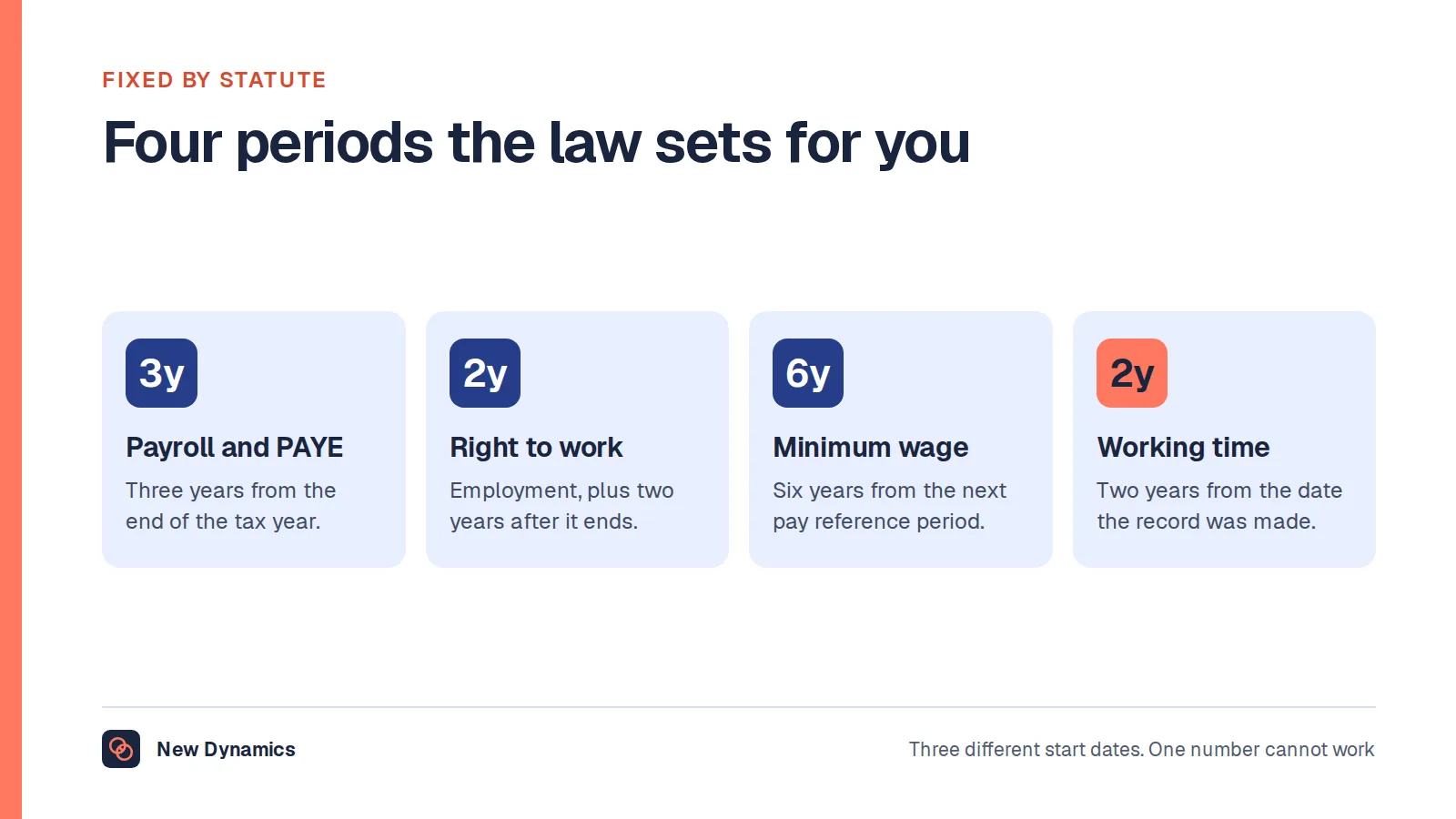
What that means in a data model is a retention period attached to each category of record, a date from which it runs, an owner, and a job that actually executes. Different categories run on different clocks, so one global setting is not enough: payroll references, right to work evidence, recruitment records for unsuccessful candidates and health records all behave differently. Our post on employee records retention sets out which periods are fixed by statute and which are judgement calls you have to be able to justify.
Two design details that get missed. Deletion has to reach the attachments and the backups, or you have deleted an index entry and kept the document. And deletion has to be distinguishable from an accident, which means logging that it happened and why, without keeping the deleted content in the log.
Buying against building

Three honest positions, in order of headcount.
A spreadsheet is still defensible when the organisation is small, the list is short, the file is access-controlled and encrypted, sensitive fields are kept out of it entirely, and one named person maintains it. Plenty of organisations run this way legitimately. The test is not size alone; it is whether you could answer a request from an employee for everything you hold about them, and whether anyone outside the one or two people who should see the file can open it.
It stops being defensible when any of these is true: the file has copies, versions and emailed extracts; absence reasons or health notes are in it; access cannot be limited by column or row; nobody can say who changed a cell or when; or the history has been overwritten because the sheet only has room for the current value. At that point the spreadsheet is not a cheap database, it is an unlogged one.
Building your own is reasonable for a project, a very specific internal need, or where no product fits. Be clear about what you are taking on. You own the access control, the encryption, the backups, the audit trail, the retention job, the subject access response and the breach response, personally and permanently, and you own them in a year when the person who wrote it has moved on. A student project that models periods properly is a genuinely good piece of work. A production HR database maintained by one developer with no documented access matrix is a liability that looks like a saving.
Integration and the single source of truth
Whatever you buy or build, it will not be the only system holding people data. Payroll, identity and access, rotas, learning, hiring and performance all keep their own copies, and the question that decides whether the estate works is which one is authoritative for the people list and the reporting lines.
Decide that first, write it down, and then make every other system take its list from that one in a stated direction with a stated frequency. Two systems that both accept edits to a job title will diverge, and the divergence will surface in the worst possible place, usually a pay or a review decision. Our post on HR software selection covers how to narrow the category before you shortlist anything, and HRIS software describes what sits inside a system of record.
For the builder: do not sync whole records. Sync the few fields you have agreed, one direction per field, with an identifier you control rather than an email address, because email addresses change and people have two of them.
What goes wrong
- A system nobody updates. The most common failure by a distance. If updating the record is a separate task from doing the thing, the record will be stale within two cycles. Make the update a by-product of the process, and name an owner for the data rather than only for the software.
- Free-text fields holding things that should never be written down. A notes box next to an absence record will accumulate diagnoses, suspicions and opinions. Replace free text with structured fields where the answer should be structured, and keep health detail in its own restricted place.
- No audit trail. Without who changed what and when, you cannot distinguish a correction from a dispute, and you cannot answer the question a grievance will ask.
- Access never reviewed after a role change. Permissions are granted at joining and on promotion, and removed almost never. Tie an access review to every role change, and run a full review on a schedule.
- Overwriting instead of versioning. The quiet one. Nothing appears to break on the day it happens; it breaks eighteen months later when nobody can reconstruct what was true.
- Compliance treated as a later phase. Retention, access and the audit trail are cheap in the schema and very expensive to retrofit. Our post on HR compliance covers the wider obligations.
Frequently asked questions
What is an employee management system?
It is the system that holds employee records and the processes attached to them: identity, contract and role, pay reference data, absence, performance, and the documents that belong to each. Some organisations run one system for all of it, most run a system of record plus specialist tools for payroll, hiring and performance.
What tables does an employee database need?
At minimum a person table for the stable identity, an employment period table, a job assignment table carrying title, grade, manager and location with valid-from and valid-to dates, a salary record table, absence tables, performance records and a documents table. Keep the sensitive groups separate so they can carry their own permissions.
Why should an employee database store history rather than current values?
Because the questions you need to answer later are about the past. Who approved this, under which manager, at which grade, on what date. If a change overwrites the previous value, those questions become unanswerable, and they are the ones that arise in audits, pay reviews and claims.
Is employee data special category data?
Parts of it are. Health information, including sickness absence reasons and occupational health reports, trade union membership, and monitoring data covering ethnicity, religion, disability or sexual orientation all fall into the special category definition. The ICO expects you to identify and document a condition under Article 9 before collecting any of it, and to limit access to those who need it.
Can we still run staff records on a spreadsheet?
Sometimes, if the organisation is small, the file is encrypted and access-controlled, one named person maintains it, sensitive fields are kept out of it, and history is not being overwritten. It stops being defensible once copies circulate, health or absence reasons appear in it, or nobody can say who changed what.
Should we build our own employee database or buy one?
Build if the need is genuinely specific, the project is scoped and you accept that you own the security, access control, audit trail, retention and breach obligations for as long as the system runs. Buy if what you need is a maintained record with permissions and retention already in it, which is most of the time.
Your next step: write the access matrix and the retention table first
- List the six field groups and mark which of your fields are special category data. Be strict about free-text boxes.
- Write the access matrix: for each group, who can read it, who can edit it, and who is logged.
- Write the retention table: a period, a start date and an owner for each category, and say what runs the deletion.
- Decide which system is authoritative for the people list and reporting lines, and in which direction each field flows.
- Only then compare a build against a product, and compare it on history, permissions and retention rather than on screens.
For the data protection groundwork behind all of this, read and download our employee data protection guide. It is free to read, and the PDF uses our short download form.
If what is actually failing is the review cycle rather than the record, book a New Dynamics demo and send the form you use today. You can also email contact@new-dynamics.com.