TL;DR
- Most ATS training teaches the buttons, and the things that go wrong are not buttons. They are the record that was never written, the rejection that never went out, the candidate data kept for years and the AI shortlist nobody questioned.
- Train three groups to three different depths: recruiters who live in the system daily, hiring managers who touch it a few times a year, and interviewers who need one screen and one habit. The same session for all three wastes everyone's time and teaches nobody.
- Judge the training by what the system looks like four weeks later: stages that match reality, decisions with reasons attached, no candidate stuck without an answer, and someone who can say why the shortlist is the shortlist. This article describes the position in the United Kingdom and is general information, not legal advice.
Someone in HR has bought an applicant tracking system, the implementation call has happened, and twelve people now have logins. Three months later the pipeline shows candidates at "interview scheduled" who were rejected in the spring, two managers are still emailing CVs as attachments, and nobody can say why the shortlist for the last vacancy looked the way it did.
That is not a software problem. It is a training problem, and the training that usually gets delivered is a tour of the screens.
This article sets out an ATS training plan you can run yourself: who needs training and at what depth, what the first session has to cover, the duties that arrive with the system, how to handle its AI features honestly, how to tell whether the training worked, and the failure modes that make an applicant tracking system worse than the spreadsheet it replaced.
The system's job ends at the offer, and that is where a new starter's experience begins. See how New Dynamics onboarding turns an accepted offer into tasks, early goals and manager conversations. New Dynamics does not include an ATS, so this article is general background and names no products.
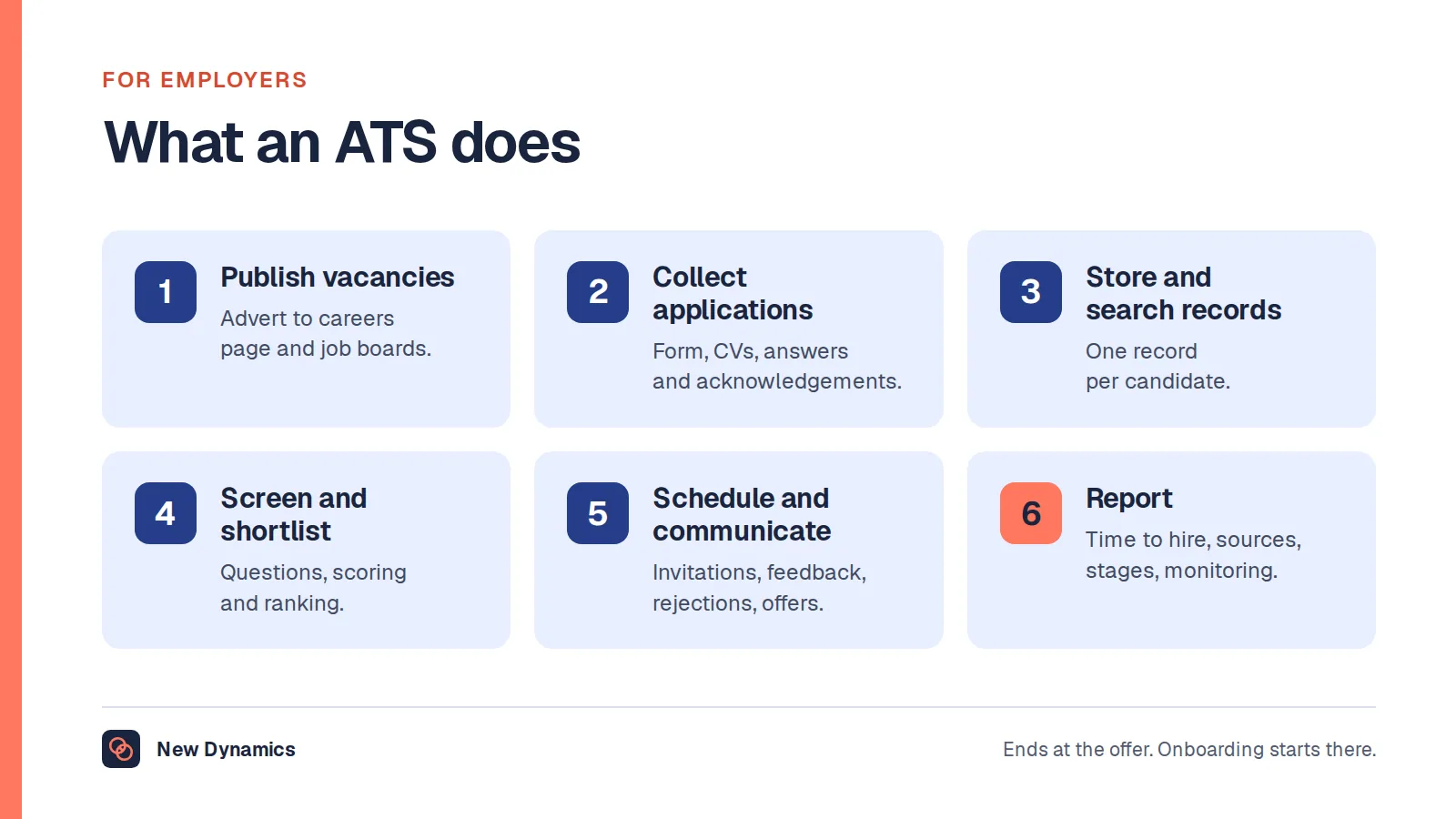
If the people you are training are not clear what the system is for in the first place, our post on what an ATS is covers the six things it does and where its job stops.
Why "we had a demo" is not training
A vendor demo shows the system working. Training has to cover the system failing, which is where the damage happens: the candidate who replies to a no-reply address, the manager on holiday when a requisition needs approval, the duplicate record created because someone applied twice, the rejection that sat in draft.
Three things make ATS training different from training on, say, a finance tool.
The data is about people who have not been hired. Everyone in the system is a candidate, most will be rejected, and their records carry legal duties from the moment the application arrives.
The process has to be consistent to be fair. Acas is blunt that there is no single legally required process, but that one is still owed: "There are no set processes that are required by law. But employers must follow a fair process." The system is where that consistency either happens or visibly does not.
Occasional users outnumber daily users. Hiring managers use an ATS a handful of times a year and forget it in between. Training that assumes weekly practice will not stick for them.

Train three groups, to three depths
Recruiters and coordinators: the full workflow. They need every stage, the templates, the bulk actions, the search, the reporting, and the data duties in detail. Budget a half day, then a follow-up session after the first live vacancy, because the questions that matter only arrive once real candidates are in the system.
Hiring managers: four things. Raise a requisition, review a shortlist, record interview feedback, make a decision. Nothing else. Sixty minutes, with a one-page reminder they can find again in six months. Resist the urge to show them reporting they will never open.
Interviewers: one screen and one habit. Where the feedback form is, and that it is completed on the day rather than from memory. Fifteen minutes inside an existing meeting is enough.
Anyone who sees candidate data at all: the retention rule. That includes the person who covers reception when candidates arrive and the executive who is sent a CV by email.
A fifth audience is easy to forget: the administrator who will own the configuration after go-live. If that person is not trained to change a stage, a template or a permission, every small change becomes a support ticket and the process silently drifts to fit the tool.
The first session: a working agenda

Run it on a real vacancy, not a sandbox with example names. People remember the work, not the walkthrough.
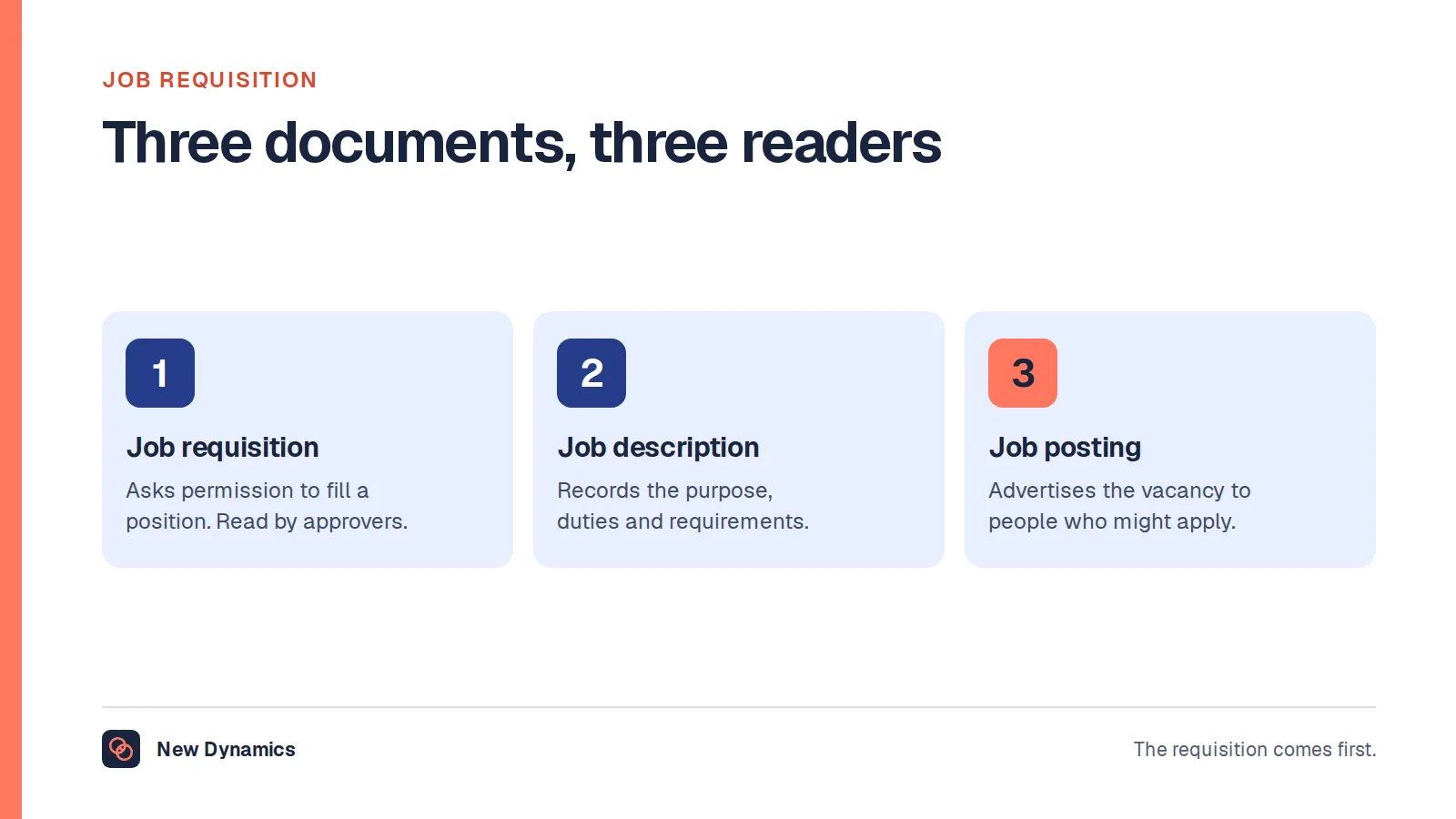
- One vacancy, end to end. Raise the requisition, publish, let an application land, screen it, shortlist, schedule, record feedback, decide, communicate. Twenty minutes of narration beats an hour of screens, and the approval step upstream is worth covering properly: our post on the job requisition explains why it exists.
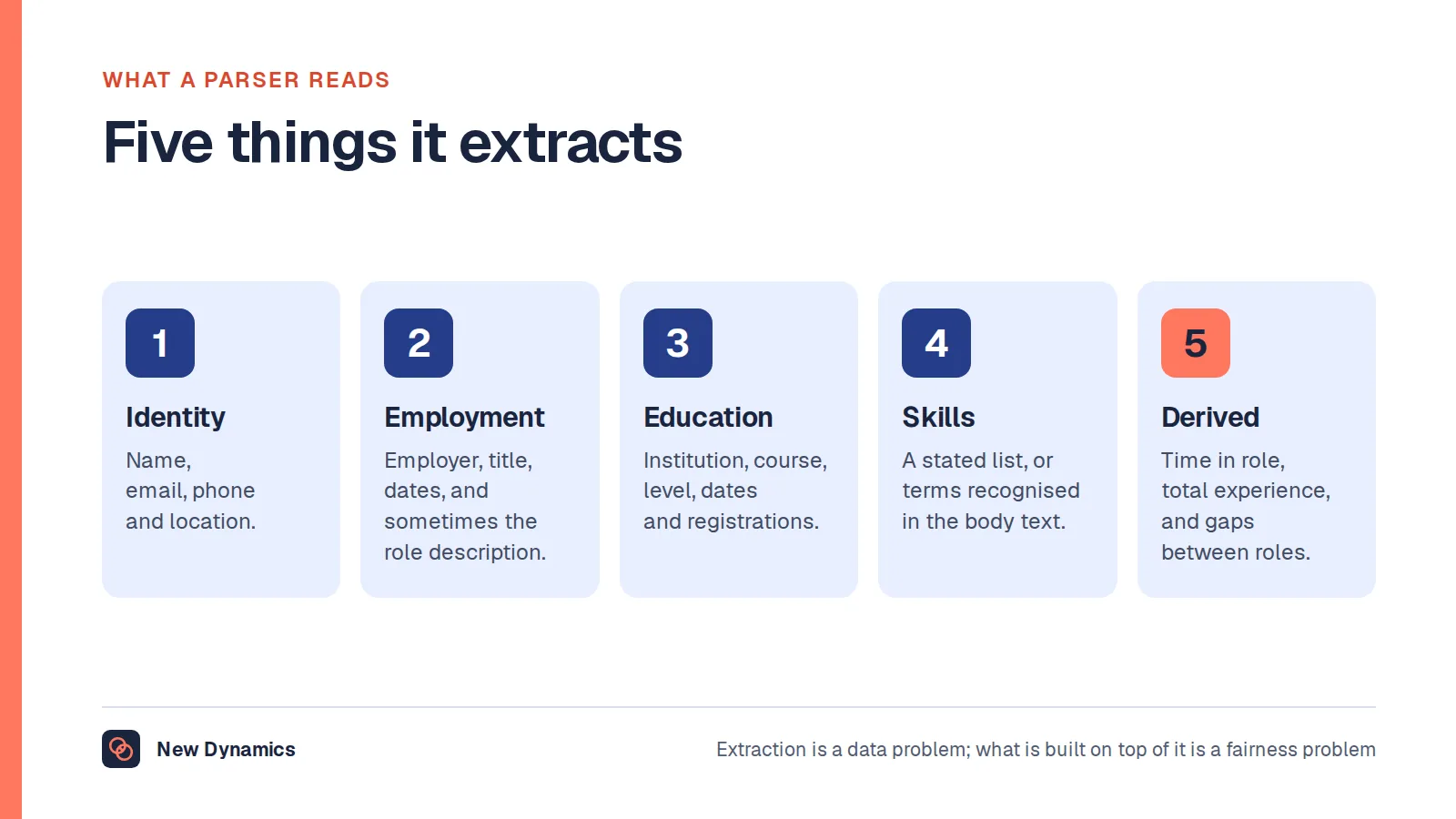
- What the machine reads first. Applications are parsed before a person sees them, and the fields recruiters trust are the ones parsing filled in. Our post on resume parsing covers what that extracts and what breaks it, which is also the honest answer to candidate questions about formatting.
- The record, not the memory. Every decision gets a reason in the system, in a sentence a stranger could follow. This is the single habit that most improves a hiring process, and the one most often left to "we discussed it".
- Messages and silence. Who sends the rejection, when, and what happens to a candidate who replies. Train the rejection path as carefully as the offer path, because it is used far more often.
- Data duties in plain terms. Where candidate data lives, who can see it, how long it is kept and what happens when a candidate asks. The Information Commissioner's Office puts the retention rule simply: "You must not keep information for longer than you need to."
- Where to get help. One named person, one channel, and the answer to "what do I do if I think I have broken something".
The duties that arrive with the system
This is the part vendor academies skip, and it is the part that creates risk. Cover it explicitly, and write down the answers for your own organisation. The position described here is the United Kingdom one, and it is general information rather than legal advice.
- Retention. Decide how long applications are kept after a decision, say so in the privacy information candidates receive, and configure the system to match. "Forever, in case someone good applies" is not a retention period, and the ICO expects you to be able to justify the period you choose and to have told candidates if you keep their details for a future role.
- Access. Hiring managers see the candidates for their own vacancies, not the whole database. Permissions are a training topic because the person configuring them has to understand why.
- Consistency. Same questions, same scoring, same stages, so that a decision can be explained later. The system makes this easy and makes the absence of it obvious.
- Subject access and correction. Someone will ask what you hold about them. Everyone handling candidate records should know who to pass that to, and that it has a deadline.
- Notes are part of the record. Train people that anything typed into a candidate record can be disclosed. "Not a good fit culturally" in a free-text box is a sentence that gets read out later.
AI features: oversight is the training topic
Many systems now rank, score or summarise applications. If yours does, the training has to cover what the feature does, what it does not do, and who is accountable for the decision.
The government's guidance on responsible AI in recruitment is explicit that deployment includes preparing people, telling organisations to assess "what additional educational resources, training or skills may be needed" and that "Employees must be able to meaningfully engage with the outputs of a system". It also expects the watching to continue: "An AI system in live operation requires continuous monitoring to ensure that it performs as intended."
In practice that means three habits in the training room:
- Name the ranking for what it is. An ordering produced from the text of an application, not an assessment of a person.
- Require a reason that does not refer to the score. If the only argument for a shortlist is that the system put those nine at the top, there is no human decision to defend.
- Sample against the grain. Have recruiters read a handful of applications the system ranked low, on every vacancy, and record what they found. It is the cheapest bias check available and it keeps the skill of reading an application alive.
Our AI recruitment guide covers the questions to ask a provider before any of this reaches a candidate.
How to tell whether the training worked

Course completion tells you nothing. Look at the system four weeks after go-live and check five things.
- Do the stages match reality? Pick five candidates at random and ask whether their stage is where they actually are.
- Does every decision have a reason attached? Count the shortlist and rejection decisions with no sentence. That number is your training backlog.
- Is anyone waiting without an answer? Applications older than your promised response time with no message sent.
- Can a manager explain their shortlist without the system's help? Ask one. If the answer is "the system put them at the top", go back to the AI section above.
- Is anything happening outside the system? CVs in inboxes and interview notes in private documents are the reliable sign that training failed, usually because the system was slower than the workaround for one specific task. Find that task and fix it rather than repeating the training.
A sixth check is worth running once a quarter: pull the retention report and confirm that records past their period have actually gone.
Five failure modes, and the fix
- Everyone trained together. The managers switch off during the recruiter content, and the recruiters learn nothing new. Split the audiences.
- Training before the configuration is finished. People learn a process that then changes, and they trust neither version. Configure, then train, then go live.
- No training for the second wave. A new manager arrives and is handed a login. Keep the sixty-minute session and the one-pager, and make them part of the manager induction.
- No named owner. Without one person who owns the configuration and answers questions, the process drifts into whatever the tool does by default.
- Treating adoption as compliance. Chasing people for using the system is a symptom. Ask what the workaround was faster at, and fix that instead.
Frequently asked questions
What is ATS training?
ATS training is teaching the people involved in hiring to use an applicant tracking system as part of a fair, consistent recruitment process. It covers the workflow from requisition to offer, the habit of recording decisions with reasons, the data protection duties that come with candidate records, and oversight of any ranking or screening features the system includes.
How long does ATS training take?
Plan a half day for recruiters and coordinators, sixty minutes for hiring managers, and fifteen minutes for interviewers, then a follow-up session for the recruiters after the first live vacancy. The follow-up matters more than its length suggests, because the questions that reveal gaps only appear once real candidates are in the system.
Who needs ATS training in an organisation?
Recruiters and coordinators, hiring managers, interviewers, the administrator who owns the configuration after go-live, and anyone else who sees candidate data. Each group needs a different depth: the full workflow, four tasks, one screen and one habit, the settings, and the retention rule respectively.
Do you need a certificate or a course to use an ATS?
No. Competence with an applicant tracking system is demonstrated by the state of the records and the quality of the decisions in it, not by a certificate. Vendor academies are useful for the mechanics of one product, but the parts that cause problems are process and legal duties, which an employer has to train on itself.
What should ATS training cover about candidate data?
Where candidate records live, who can see them, how long they are kept, what candidates have been told, and who handles a request from a candidate about their data. The ICO's guidance is that information must not be kept for longer than it is needed, so the retention period your system is configured with should be one you can justify and have disclosed.
How do you train hiring managers who use the system twice a year?
Teach four tasks only, run the session on a real vacancy, and give them a one-page reminder they can find again months later. Then accept that they will forget, and build the refresher into the start of their next vacancy rather than treating the forgetting as a discipline problem.
How should training handle AI shortlisting in an ATS?
Explain what the feature actually produces, require a reason for every decision that does not simply cite the score, and have recruiters read a sample of low-ranked applications on every vacancy. Government guidance on responsible AI in recruitment expects staff to be able to engage meaningfully with a system's outputs and expects monitoring to continue while it is in use.
Your next step: run the four-week check
- Write down which of the five audiences above exist in your organisation, and who owns the configuration.
- Book the three sessions, at the three depths, on a real vacancy rather than a sandbox.
- Decide your retention period and your promised response time before go-live, then configure the system to match them.
- Four weeks after go-live, run the five checks and treat anything happening outside the system as a design problem rather than a discipline one.
For the questions to ask before any AI-assisted screening touches a candidate, read and download our AI recruitment guide. The guide is free to read, and the PDF uses our short download form.
Want the handover after the offer to be as organised as the hiring? Book a New Dynamics demo and bring your current onboarding checklist. You can also email contact@new-dynamics.com.