TL;DR
- An employer's health and safety duties follow the work into someone's home. HSE states that you have the same responsibilities for people working at home as for any other worker, and the display screen equipment regulations apply to permanent, long-term and hybrid homeworkers.
- A remote arrangement is usually a change to the employment contract rather than an informal favour. Acas says any change must be agreed by both the worker and employer, and that agreed changes go in writing within one month.
- The management half is where remote working succeeds or fails: judge output rather than presence, protect one-to-ones, watch for the opportunity gap that opens around people who are not in the room, and run half-in-the-room meetings deliberately.
Most organisations settled their remote and hybrid arrangements quickly and never went back to write them down properly. The pattern works, more or less, until someone asks who assessed the chair, who agreed the two days, or why the person at home was not considered for the project.
This article is about the practice rather than the numbers: the duties an employer still carries when the work happens in a spare room, the equipment and expenses questions that come up every time, and the management habits that decide whether a remote arrangement is fair. It describes the position in Great Britain and is general information rather than legal advice. Health and safety law in Great Britain is enforced by the Health and Safety Executive, and the flexible working rules differ in Northern Ireland.
Remote and hybrid teams are often reviewed by more than one person, because the manager who sets the work is rarely the only one who sees it. See how New Dynamics multi-manager reviews gather evidence from every manager involved.
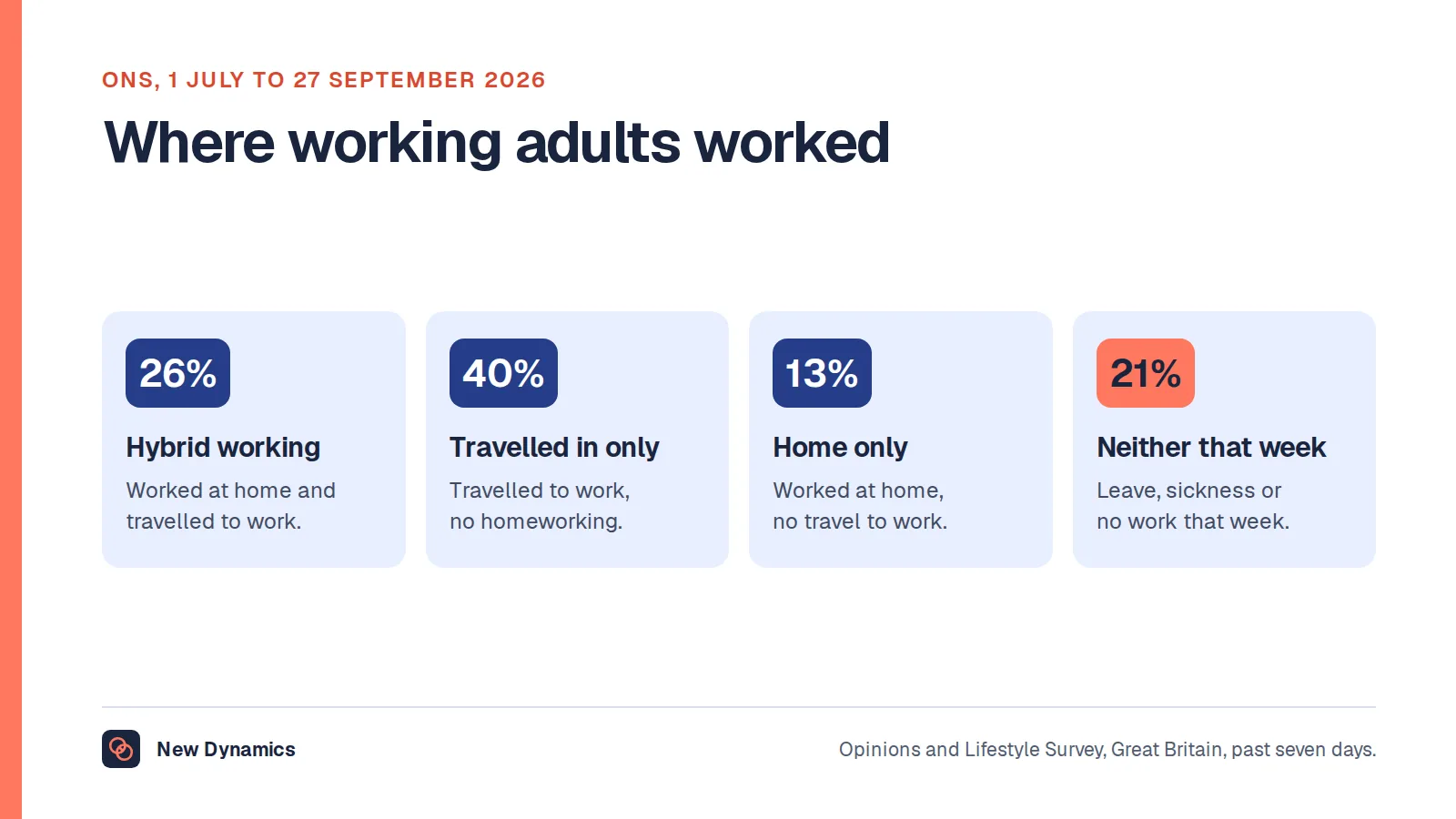
For how many people actually work this way, and the official figures behind the debate, see our post on hybrid working statistics. This article does not repeat them.
The duties that follow the work home
The most common mistake is treating homeworking as a private arrangement that happens outside the employer's reach. It is not. HSE's guidance on managing home workers' health and safety puts it in one sentence: "As an employer, you have the same health and safety responsibilities for people working at home as for any other worker."
That page also asks employers to consider, as part of managing homeworking, "stress and poor mental health", "using equipment like computers and laptops safely" and workers' "working environment". It adds a point that policies rarely acknowledge: "You should talk to your workers about their arrangements, as working from home may not be suitable for everyone." Some people have nowhere quiet to work. Some would rather be on site for their own wellbeing. A policy that assumes home is always the easier option will miss both.

Display screen equipment
The display screen equipment rules are the duty most often assumed to have been suspended. HSE's guidance on display screen equipment at home sets out who is covered: "workers who work at home on a permanent or long-term basis" and those who "routinely split their time between their workplace and home (sometimes called hybrid working)". Hybrid working is explicitly inside the scope. The exception is narrow: "The regulations don't apply to workers who use DSE occasionally or only for short periods of time at home."
A worker counts as a display screen equipment user if they "work on DSE daily, for continuous periods of an hour or more", which covers most desk jobs. Three practical points follow from the same guidance. You do not have to turn up at someone's house: "In most cases you do not need to visit them to carry out the assessment", and workers "may complete a self-assessment provided they have been given suitable training". Where someone splits their week, "the assessment should cover both situations", so one assessment of the office desk is not enough. And training is a duty rather than a nicety: "You must provide workers with training in the use of their workstation and DSE equipment. This should include advice on achieving good posture, and on good working practices." Employers must also "plan work so there are breaks or changes of activity for workers".
The duty to assess risks
Underneath all of it sits the general duty. HSE's guidance on managing risks and risk assessment at work states that "As an employer, you're required by law to protect your employees, and others, from harm", and that "Under the Management of Health and Safety at Work Regulations 1999, the minimum you must do is: identify what could cause injury or illness in your business (hazards), decide how likely it is that someone could be harmed and how seriously (the risk), take action to eliminate the hazard, or if this isn't possible, control the risk".
Nothing in that wording depends on where the work happens. Acas makes the same connection from the other direction in its guidance on working from home, noting that as part of considering a request "the employer might need to carry out a risk assessment for working at home" to "check that it's suitable and safe to work there". The point worth holding on to is that the employer remains responsible for the work even when it happens in someone's home, and the assessment is the mechanism by which that responsibility is exercised rather than a form to file.
The formal route: flexible working, not a favour
A remote arrangement is usually a change to where someone works, which is usually a change to their contract. GOV.UK's guide to flexible working defines it as "a way of working that suits an employee's needs, for example having flexible start and finish times, or working from home", confirms that "All employees have the legal right to request flexible working" from their first day of employment, and lists what can be requested: the number of hours they work, when they start or finish work, the days they work, and where they work. It also records that "Flexible working rules are different in Northern Ireland."
Acas's guidance on hybrid working defines the arrangement as "splitting your time between: the workplace" and "working remotely, for example from home or another location", and is clear about the consequence: "If a change is agreed, this usually changes the terms of your employment contract", and "your employer must put the changes in writing within one month of agreeing them." On the decision itself, "Employers can accept, partially accept or reject a statutory request. An employer can only reject the request if there's a genuine business reason."
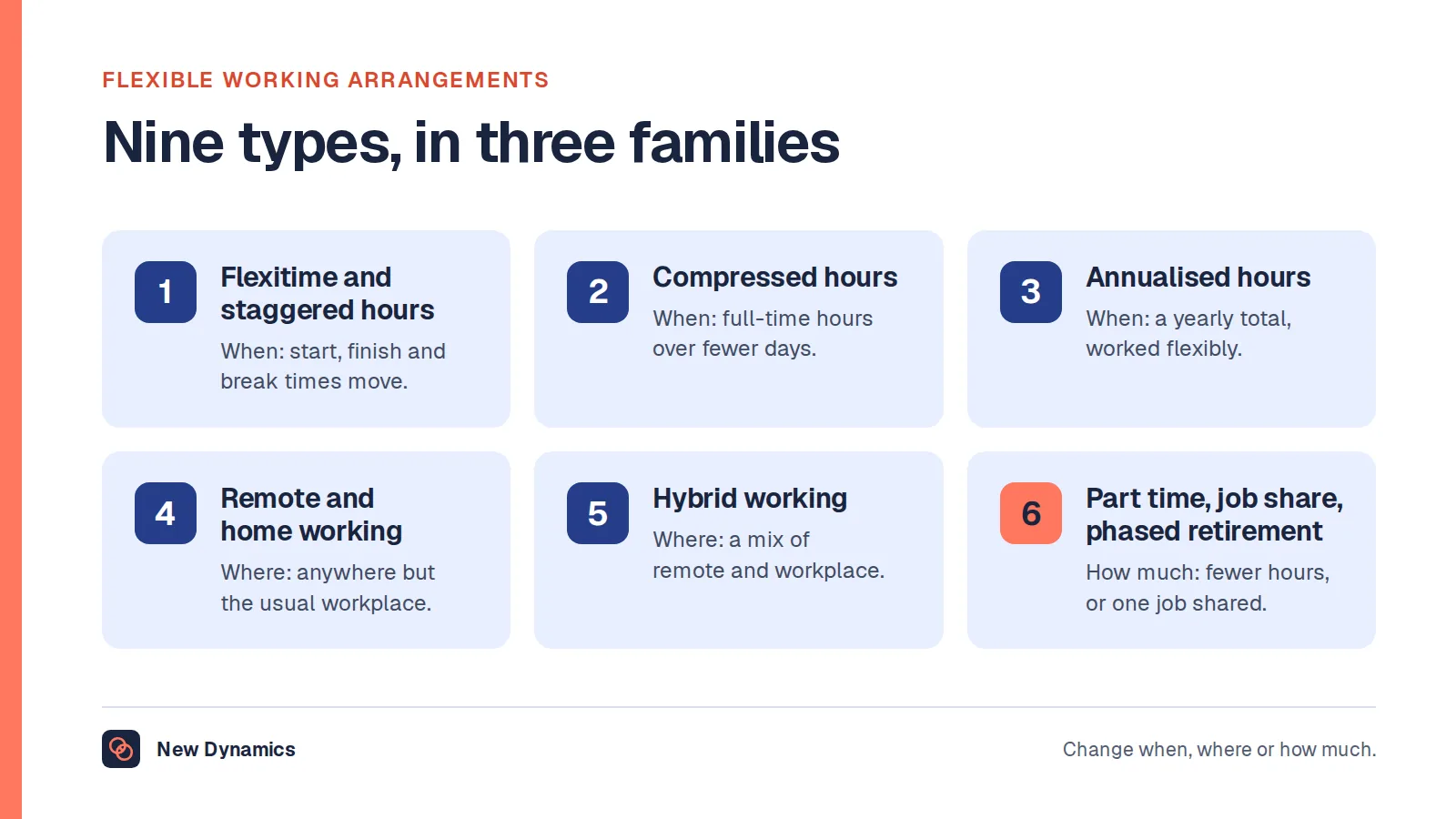
Our post on flexible working arrangements covers the types and the full statutory process. The practical instruction here is shorter: if the arrangement is permanent, run it through the formal route and write it down, so that both sides know what was agreed and on what basis it could change.

Equipment and expenses
Two questions arrive in every remote policy conversation: who buys the chair, and who pays for the electricity.
On equipment, the sensible position follows from the duties above. If the display screen equipment regulations apply to someone, the employer carries the assessment and training duties, so the employer should be providing what the assessment says is needed rather than leaving it to the worker's own budget. In practice that usually means the laptop, a separate screen, a keyboard and mouse where a laptop alone is being used all day, and a chair that supports the posture the training describes. Software and access belong on the same list: the collaboration tools, the file access and the security arrangements that let someone do the whole job from outside the building.
On expenses, be careful not to invent a rule. GOV.UK's guidance on expenses and benefits for homeworking describes homeworking expenses as "equipment, services or supplies you provide to employees who work from home (for example computers, office furniture, internet access, pens and paper)" and "additional household expenses, such as gas or electricity charges, for employees who need to work from home", and states that "As an employer providing homeworking expenses for your employees, you have certain tax, National Insurance and reporting obligations." The amounts, exemptions and reporting requirements are set out on that guidance and change from time to time, so check the current position for your own case rather than copying a figure from an article. Payroll should confirm the treatment before a policy promises anything.
The management half
This is where remote working is actually won or lost, and it is the part no regulation will do for you.
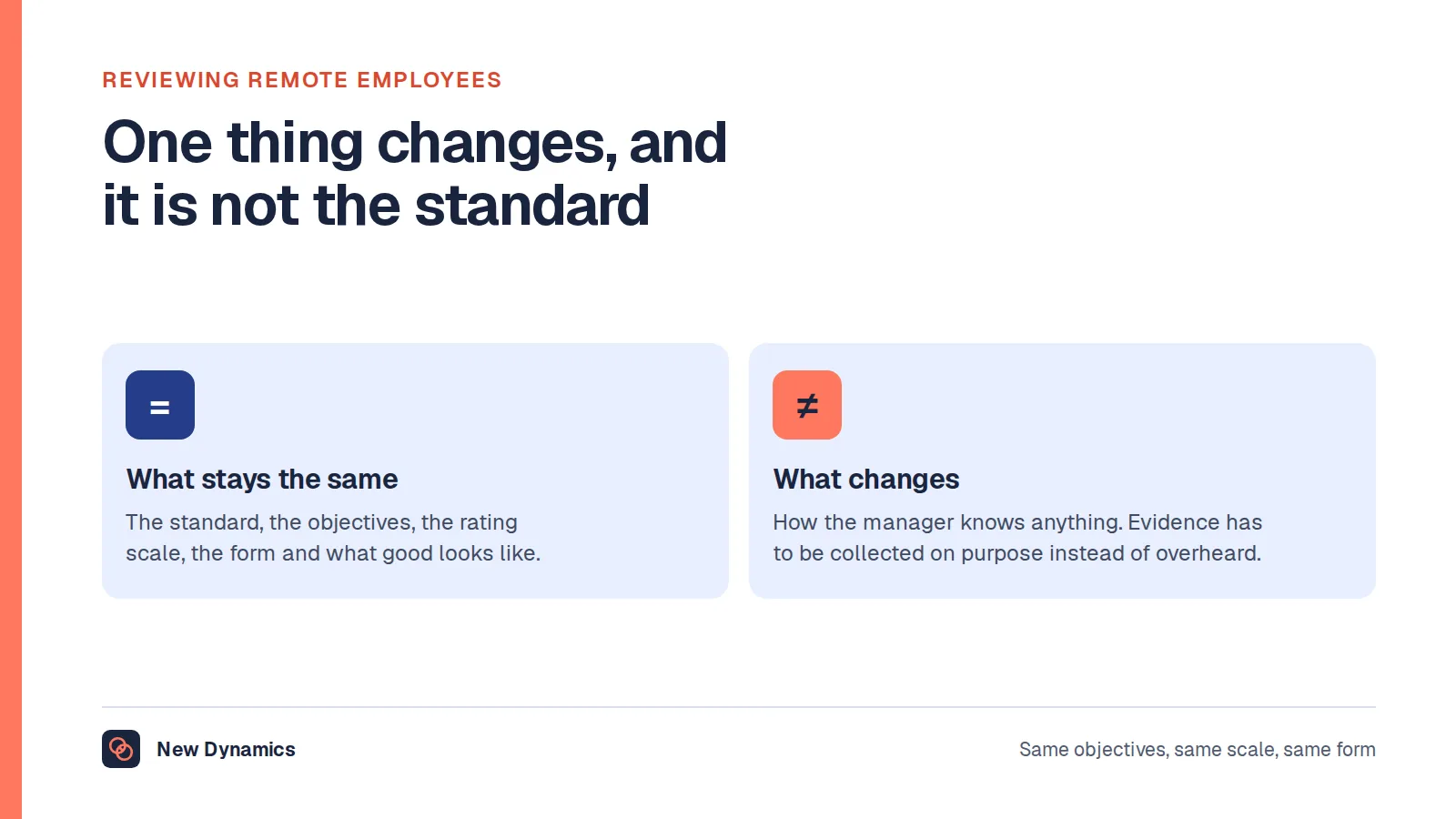
Judge output rather than presence. A manager who can see people measures effort by proxy and rarely notices they are doing it. Remotely those proxies vanish, and the temptation is to replace them with digital versions: the status light, the response time, the hours logged. Each of those measures availability, not contribution. Write objectives that name an outcome, a measure and a date, and that could be verified by someone who was not there. Our post on the performance review for remote employees covers how the evidence is gathered when nobody watched the work happen.
Keep the one-to-ones. In an office, a great deal of management happens in corridors, kitchens and the three minutes after a meeting. Remove the building and that disappears, so the scheduled conversation carries far more weight. Keep it short, keep it regular, and keep it even when the week is busy, because cancelling it is the clearest possible signal about priority. Write a few lines afterwards. Those notes are the only durable record of a remote employee's year.
Watch for proximity bias. The risk is not that remote people are rated unfairly in a single review; it is that they are offered less. The interesting project, the visiting client, the stand-in slot while a manager is away, the quiet mention in a succession conversation: these are allocated in the moment, and the moment usually happens where people are standing. Over a year the gap shows up as a difference in experience, then in progression. The defence is to make allocation deliberate. List the development opportunities going out this quarter and check who got them by working pattern before anyone argues about it.
Run hybrid meetings on purpose. The hardest format is not the fully remote call. It is four people round a table and two on a screen. The room gets the side conversations, the whiteboard and the shared understanding; the screen gets the formal agenda. Two habits fix most of it. When anyone is remote, have everyone join individually from their own device, so the meeting has one floor rather than two. And write down whatever is decided before the meeting ends, because a decision that lives only in the memory of the room is a decision the remote half cannot act on.

Return to office mandates
Attendance requirements are normal and often reasonable. The difficulty is in how they are introduced.
What an employer can require depends on two things: what the contract says about where the work is done, and what has been agreed through the flexible working process. If someone's contract places them at a named workplace and the home arrangement was only ever informal, an instruction to attend is usually within the employer's gift. If the remote or hybrid pattern was agreed, in particular through a statutory flexible working request, it is a contractual term, and changing it is a change to the contract.
Acas's guidance on changing an employment contract is short on this point: "Any changes must be agreed by both the worker and employer." It also says "Employers should avoid 'fire and rehire'" and that they "must consult before dismissal".
So a mandate imposed without either a contractual basis or a proper process is two problems at once. It is a legal exposure, because an employer is varying agreed terms unilaterally. And it is a trust problem, because the people most affected are often those whose arrangement was agreed for a reason: a disability, a health condition, a caring responsibility, a commute built around the pattern they were given. Consult, explain the business reason in the same terms you would have to give to refuse a request, deal with individual arrangements individually, and give people enough notice to rearrange their lives. A mandate announced by email on a Friday will cost more in goodwill than it recovers in attendance.
What usually goes wrong
- Monitoring used as a substitute for management. Screenshots and activity scores answer the question "is this person at their desk", which was never the question. They also raise data protection duties of their own. Our post on employee monitoring software sets out what it actually measures.
- Informal arrangements nobody wrote down. They work until the manager changes, and then nobody can say what was agreed, by whom, or on what basis.
- A hybrid policy that quietly disadvantages the people not in the room. Anchor days that only half the team keeps, meetings scheduled around the people on site, opportunities handed out in the moment. None of it is deliberate, which is exactly why it needs checking.
- One display screen assessment of the office desk, when the guidance asks for the home setup too.
- A policy that assumes home is easier. For some people it is the harder option, and HSE asks employers to talk to workers about their arrangements rather than assume.
Frequently asked questions
Does an employer have health and safety duties for people working from home?
Yes. HSE states that an employer has "the same health and safety responsibilities for people working at home as for any other worker", and asks employers to consider stress and poor mental health, the safe use of equipment such as computers and laptops, and the worker's working environment. This is general information about the position in Great Britain rather than legal advice.
Do display screen equipment rules apply to homeworkers?
They apply to workers who work at home on a permanent or long-term basis and to those who routinely split their time between the workplace and home. HSE says the regulations do not apply to workers who use display screen equipment only occasionally or for short periods at home. Where someone works in both places, the assessment should cover both.
Does an employer have to visit someone's home to assess their workstation?
In most cases, no. HSE says that in most cases you do not need to visit a home worker to carry out the assessment, and that workers may complete a self-assessment provided they have been given suitable training. The duty to provide that training, including advice on good posture and good working practices, stays with the employer.
What equipment should an employer provide for remote working?
Provide what the job and the workstation assessment require. For a desk job that usually means the computer, a separate screen, keyboard and mouse, a suitable chair, and the software and access needed to do the whole role off site. GOV.UK treats equipment, services and supplies provided to homeworkers as homeworking expenses with tax, National Insurance and reporting obligations attached, so check the current treatment for your own case.
Can an employer force staff back to the office?
It depends on the contract and on what has been agreed. Where the remote or hybrid pattern is a contractual term, often because it was agreed through a flexible working request, changing it is a change to the contract, and Acas says any changes must be agreed by both the worker and employer. Consult, give a genuine business reason and handle individual arrangements individually.
What does RTO mean at work?
RTO stands for return to office: an employer requirement or expectation that staff attend a workplace for some or all of the working week, usually expressed as a number of days. It is a policy term rather than a legal one, and whether a particular requirement can be imposed depends on the contract and the flexible working process.
Your next step: write down what you are already doing
- List every person working remotely or hybrid, and next to each one write what was agreed, when, by whom and whether it is in their contract. The blanks are your real risk register.
- Check your display screen equipment assessments cover the home setup as well as the office desk, and that everyone asked to self-assess was trained first.
- Confirm with payroll how your current equipment and expenses arrangements are treated, using the GOV.UK guidance rather than a figure someone remembers.
- Pull this quarter's development opportunities and split them by working pattern. If the pattern is one-sided, fix the allocation, not the people.
- Remove one presence measure from how you manage, and replace it with one written outcome.
For the practices behind all of this in one place, read and download our remote work guide. The guide is free to read, and the PDF uses our short download form.
Want objectives, feedback and review evidence that work the same whether someone is at a desk or at a kitchen table? Book a New Dynamics demo and bring your current remote working policy. You can also email contact@new-dynamics.com.