TL;DR
- Onboarding software does four jobs: the paperwork, the provisioning, the plan for the first ninety days, and the check-ins that catch problems early. Most products are strong on the first two and thin on the last two, which is where retention is actually won.
- Some of the paperwork is not optional. In the United Kingdom an employer must give employees and workers a written statement of the main conditions of employment, with the principal statement due on the first day.
- Judge a system on what a new starter sees on day one, whether the manager has to be chased, and what the thirty and ninety day check-ins produce. This article describes the United Kingdom position and is general information, not legal advice.
The offer is accepted, the laptop is ordered, and a task list with forty items appears in someone's inbox. Three weeks later the new starter still has no access to the main system, has met four people, and cannot describe what good looks like in their job.
Onboarding software fixed the task list. It did not fix the onboarding.
This article sets out what onboarding software has to do: the paperwork that is legally required, the provisioning nobody owns, the ninety-day plan most products treat as an afterthought, the check-ins that catch early problems, what to measure, and the questions worth asking in a demo. It names no products.
See how New Dynamics onboarding handles the part after the paperwork: tasks, early goals and the manager conversations that make them real.
If recruitment is the gap rather than the start, our guide to recruiting software covers what a hiring system has to do.
Four jobs, and only two get demonstrated

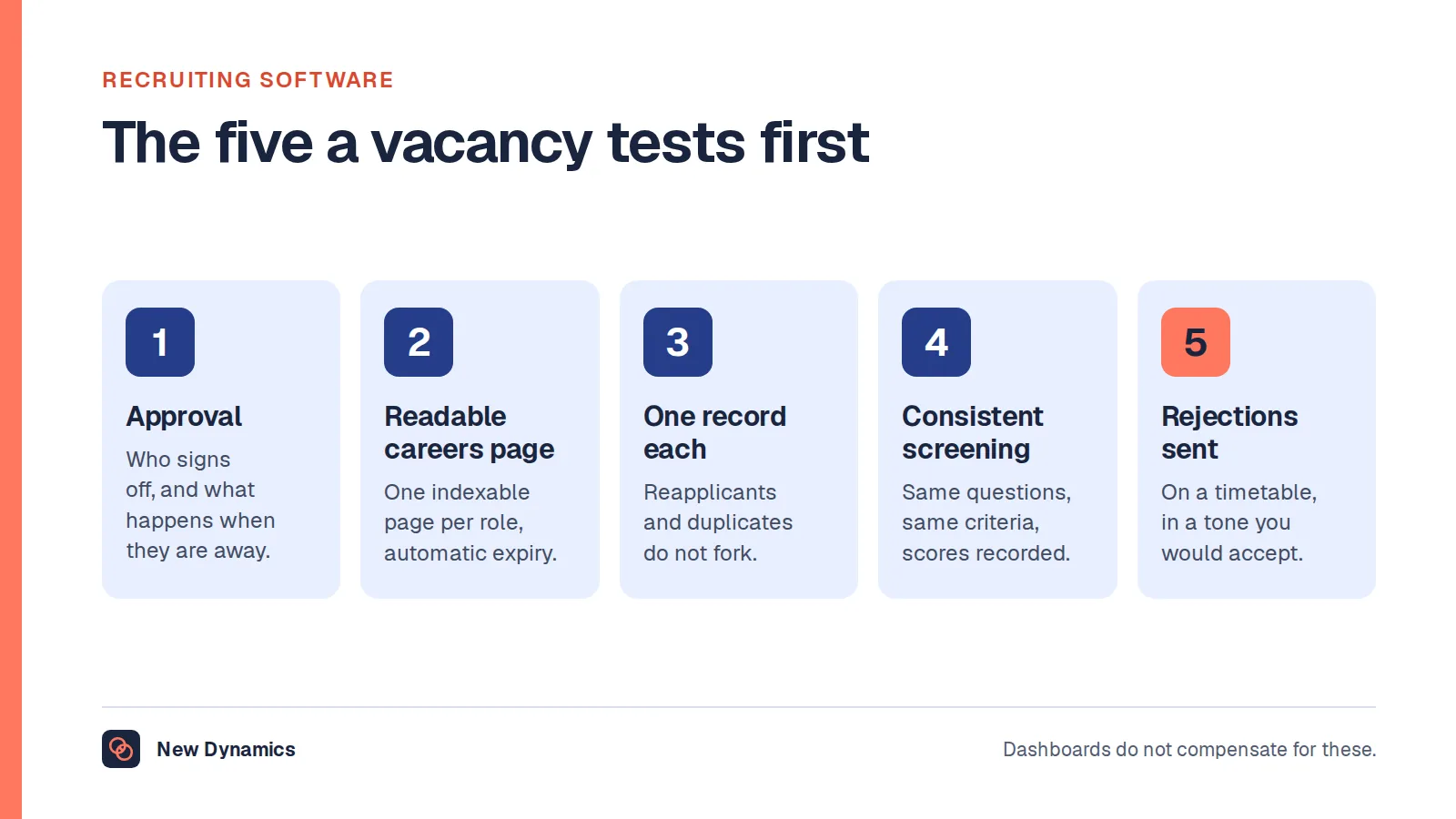
- Paperwork. Contract, written statement, right to work, bank and tax details, policies read and acknowledged.
- Provisioning. Accounts, access, equipment, building passes, and the handful of systems that take a week if nobody chases.
- The plan. What the person is here to do, what good looks like at thirty, sixty and ninety days, and who they need to meet.
- The check-ins. Short structured conversations that surface problems while they are still cheap to fix.
Demos concentrate on one and two, because they look impressive and complete. Three and four are where people decide whether to stay, and they need a manager rather than a workflow.
The paperwork that is not optional
In the United Kingdom this is a legal duty with a deadline attached. Government guidance states that "An employer must give employees and workers a document stating the main conditions of employment when they start work", with the principal statement due on the first day of employment and the wider written statement within two months.
The principal statement has to cover specifics including pay and how often it is paid, hours and days of work and whether they vary, holiday entitlement, where the person will work, and "how long any probation period is and what its conditions are".
What that means for the software:
- Can it issue the statement, or does it only store one that somebody writes elsewhere?
- Does it evidence the date it was provided, and keep a copy the employee can reach later?
- Does it handle variations, for people whose hours or location change?
- Does it keep right to work evidence separately, with its own retention rule, rather than in a general document folder?
The right to work check itself is a separate duty with its own timing: government guidance states that "You must check that a job applicant is allowed to work for you in the UK before you employ them", and that an employer "could face a civil penalty" for employing someone without a correct check. Onboarding software can store the evidence, but it cannot do the check for you.
A system that cannot show you when a document was issued and acknowledged is a filing cabinet with a progress bar. This is general information rather than legal advice, and the position differs outside the United Kingdom.
Provisioning: the unglamorous half of retention
The most common first-week complaint is not culture, it is access. A new starter who cannot log in spends their first week watching other people work.
Three things separate a system that helps:
- It triggers on the accepted offer, not on the start date, so the slow requests begin early.
- It names an owner and a due date for each item, with escalation when the date passes.
- It tells the manager and the new starter what is outstanding, rather than hiding it in an administrator's view.
Ask the provider to show you what happens when an IT ticket is not completed two days before the start date. The answer is usually revealing.
The plan and the check-ins

This is the part that changes whether someone stays, and the part most products treat as a template with three headings.
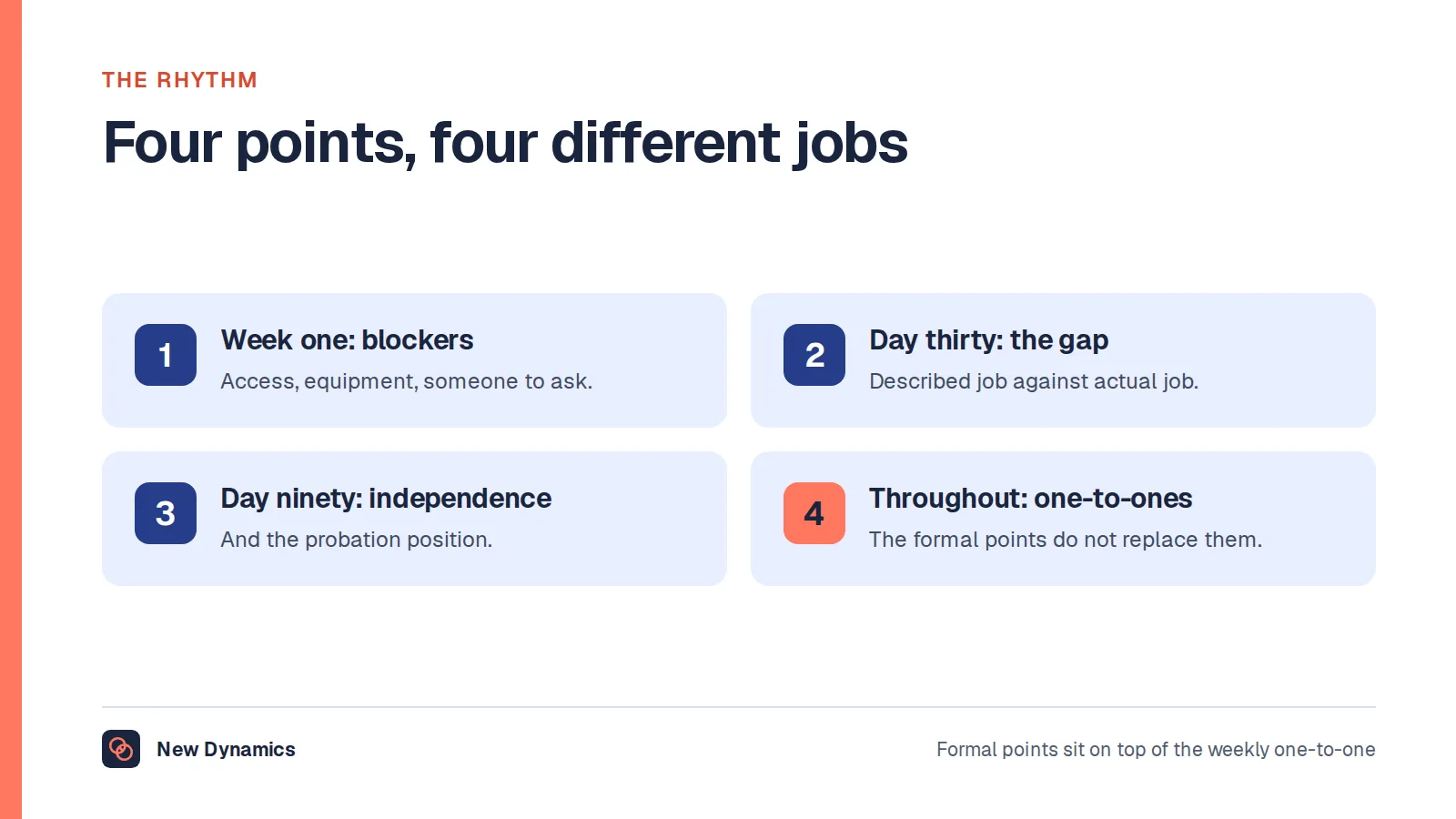
- Set two or three objectives for the first ninety days, written as outcomes rather than activities, and visible to both the manager and the new starter.
- Name the people to meet, and why, rather than issuing a list of job titles.
- Say what good looks like at thirty days, in plain terms, so the first review is not a surprise.
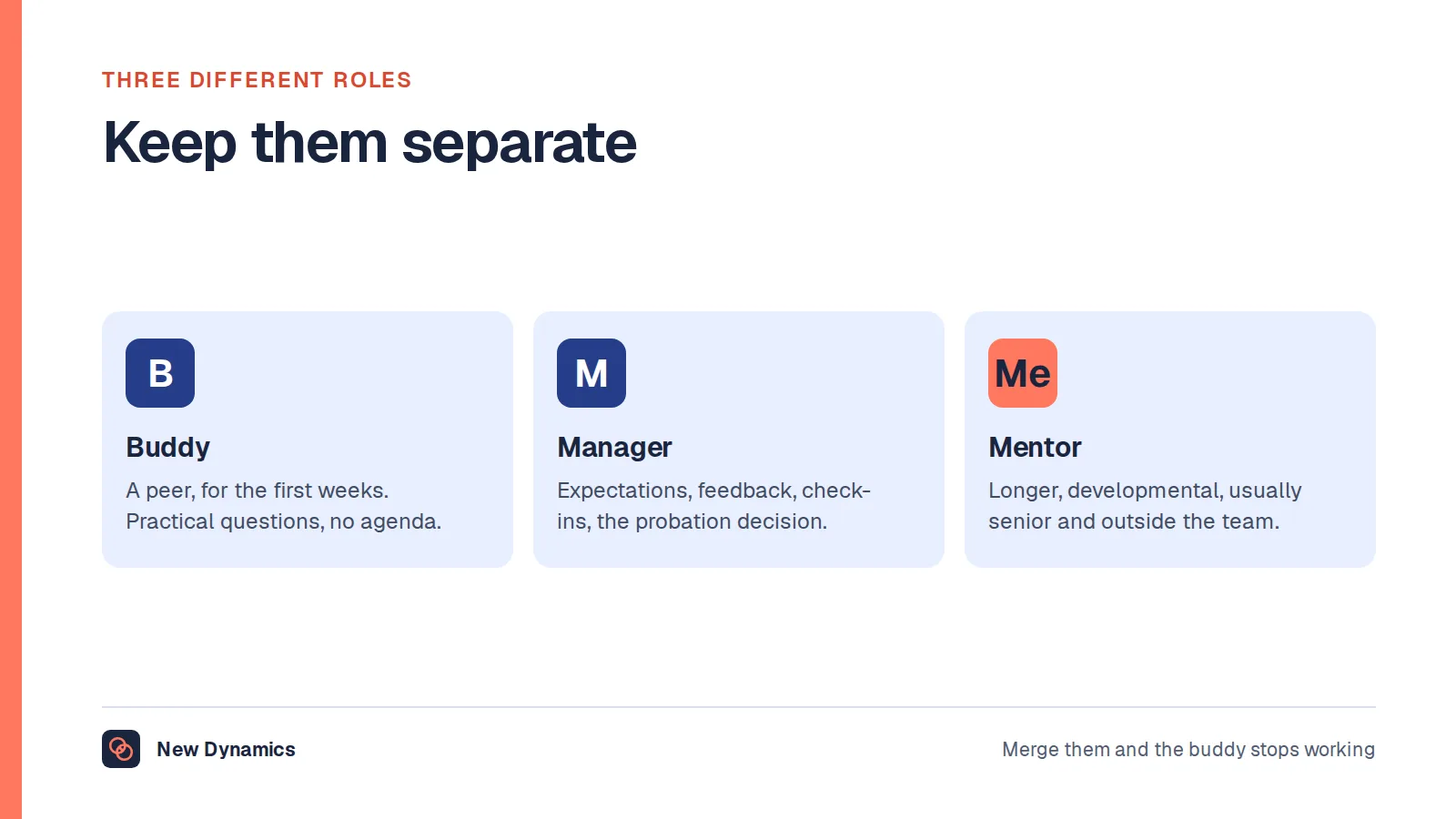
- Give the new starter somewhere to ask questions that is not their manager's inbox. Our post on the onboarding buddy covers that role properly.
- Hold the check-ins. Structured, short, and recorded. Our post on onboarding check-ins sets out the questions that actually surface problems.
A product that cannot carry the plan and the conversations will end up as the paperwork half of your onboarding, with the important half living in someone's notebook.
What to measure
- Access ready on day one. Percentage of new starters with everything working. This is the number that changes first.
- Written statement issued on the first day, every time, with no exceptions.
- Check-ins held, not just scheduled, at thirty, sixty and ninety days.
- Early leavers. Anyone leaving within ninety days, and why, gathered honestly.
- The new starter's own view, asked at two weeks and ninety days, with the questions kept stable so the trend means something.
Questions for the demo

- Show me day one from the new starter's phone, before they have a work account.
- Show me a provisioning item that is late, and what the manager sees.
- Show me the written statement being issued and acknowledged, with the date evidenced.
- Show me the ninety-day plan and a check-in record, not a template gallery.
- What happens for a rehire, an internal mover and a contractor?
- What does the manager have to do, in minutes, in week one?
- What do we export, and what is deleted, when someone leaves?
What usually goes wrong
- Onboarding starts on day one. The useful work happens between offer and start, which is also when a candidate is most likely to accept a counter-offer.
- Everything assigned to HR. Managers are the people a new starter actually needs, and a system that routes everything past them produces a tidy, lonely first month.
- A hundred-item checklist. Length is not thoroughness. Ten items that happen beat a hundred that are ticked.
- No owner for the plan, so it becomes a document nobody opens after the first week.
- The same journey for every role, so a shift worker gets a process designed for a desk job.
Frequently asked questions
What is onboarding software?
It is a system for everything between an accepted offer and the end of someone's first few months: contracts and the written statement, right to work and payroll details, equipment and access, a plan for the first ninety days, introductions, and structured check-ins. Some products stop at the paperwork.
What paperwork must a new employee receive in the UK?
An employer must give employees and workers a document stating the main conditions of employment, with the principal statement due on the first day. It covers pay, hours, holiday, place of work, job title and the length and conditions of any probation period, among other items.
When should onboarding start?
At offer acceptance, not on the first day. The gap between offer and start is when provisioning can be arranged, paperwork completed and contact kept, and it is also when people are most likely to change their minds.
Does onboarding software improve retention?
Only the parts of it that involve people. Faster access and complete paperwork remove frustrations, but what changes whether someone stays is a clear plan, a manager who shows up, and early conversations where problems can be raised. Buy software that supports those rather than replacing them.
What should you measure in onboarding?
Access ready on day one, the written statement issued on time, check-ins actually held at thirty, sixty and ninety days, leavers within ninety days, and the new starter's own view at two weeks and at ninety days with stable questions so the trend is meaningful.
Do small employers need onboarding software?
Often not. A written plan, a checklist owned by one person and diarised check-ins achieve most of it. The argument for software grows when several people start each month, when provisioning crosses teams, or when you need evidence that the required documents were issued on time.
Your next step: check day one
- Ask your last three starters what did not work in their first week, and write down the answers.
- Check that the written statement went out on the first day in every case.
- Put two or three ninety-day outcomes in writing for the next person who joins.
- Diarise the thirty, sixty and ninety day check-ins before their start date.
For a complete first-ninety-days structure you can run with or without software, read and download our employee onboarding guide. The guide is free to read, and the PDF uses our short download form.
Want the plan and the check-ins in the same place as goals and feedback? Book a New Dynamics demo and bring your current onboarding checklist. You can also email contact@new-dynamics.com.