TL;DR
- The duty is owed to users, not to every person with a monitor. Regulation 1(2) defines a user as an employee who “habitually uses display screen equipment as a significant part of his normal work”, and HSE reads that in practice as working on DSE “daily, for continuous periods of an hour or more”.
- The eye test rule is narrower than most employers assume. HSE states that the employer “must also pay for the test”, but that employers “only have to pay for glasses for DSE work if the test shows an employee needs special glasses prescribed for the distance the screen is viewed at”. An ordinary prescription is not the employer's bill.
- A self-assessment checklist can satisfy the duty, but only with training behind it and a trained assessor reading the results. HSE is explicit that assessment software “is not an assessment on its own”.
Most organisations have a display screen equipment form. Fewer can say who was supposed to fill it in, when it was last reviewed, or what happened to the answers. The result is a pile of completed checklists and an unanswered question: has the duty actually been met?
This article answers that in order: who counts as a user, what the assessment has to cover, whether a self-assessment satisfies it, what the employer must pay for on eye tests, and how the rules reach homeworkers, laptops and phones. It covers the position in Great Britain and it is general information, not legal or medical advice. Northern Ireland has its own health and safety legislation and its own regulator, and a specific case should go to a professional.
The administrative half of this is a chasing problem rather than a legal one. See how New Dynamics workflows let you shape the stages, forms, participants and reminders around a process you already run, so an assessment has an owner and a date rather than a spreadsheet.
The law, and when it came into force
The governing instrument is the Health and Safety (Display Screen Equipment) Regulations 1992, SI 1992/2792. The full text on legislation.gov.uk records that they were made on 5 November 1992 and came into force on 1 January 1993, and that the current text is the version as amended on 17 September 2002 by the Health and Safety (Miscellaneous Amendments) Regulations 2002, SI 2002/2174.
Five regulations carry the duties: regulation 2 (analysis of workstations), regulation 3 (requirements for workstations), regulation 4 (daily work routine of users), regulation 5 (eyes and eyesight), and regulations 6 and 7 (training and information).

Who counts as a DSE user
This decides whether anything else applies, so separate the legal test from the practical one.
The legal test is in regulation 1(2). A "user" means "an employee who habitually uses display screen equipment as a significant part of his normal work". An "operator" is the self-employed equivalent, defined in the same words. Habitually means a pattern rather than an occasional event; significant means a real part of the job.
The practical reading is HSE's. Its guidance on working safely with display screen equipment states that the Regulations "apply to workers who use DSE daily, for continuous periods of an hour or more", that "We describe these workers as 'DSE users'", and that the Regulations "don't apply to workers who use DSE infrequently or only use it for a short time". HSE's leaflet INDG36rev4, published 04/13, joins the two: the Regulations "only apply to employers whose workers regularly use DSE as a significant part of their normal work (daily, for continuous periods of an hour or more)".
So the hour is not in the Regulations. It is HSE's reading of what habitual and significant mean in an ordinary office job, and it is the test an inspector will use. Treat it as the line, and be ready to explain anyone you place on the other side of it. The place is wider than a desk: HSE says the law applies if users are, for example, "at a fixed workstation", "mobile workers", "home workers" or "hot-desking", and that hot-deskers "should carry out a basic risk assessment if they change desks regularly".
What a display screen equipment assessment has to cover
Regulation 2(1) requires every employer to "perform a suitable and sufficient analysis" of the workstations used by users and operators, "for the purpose of assessing the health and safety risks to which those persons are exposed in consequence of that use". Regulation 2(2) requires that assessment to be reviewed where "there is reason to suspect that it is no longer valid" or "there has been a significant change in the matters to which it relates". Regulation 2(3) requires the employer to "reduce the risks identified in consequence of an assessment to the lowest extent reasonably practicable".
The scope is set by regulation 1(2)(e), and it is not the screen. A workstation is an assembly comprising the display screen equipment, "any optional accessories", "any disk drive, telephone, modem, printer, document holder, work chair, work desk, work surface or other item peripheral to the display screen equipment", and "the immediate work environment around the display screen equipment". The chair, the desk, the lighting and the space are inside the assessment by definition.
Regulation 3 then requires the workstation to meet the Schedule, which sets minimum requirements under equipment (screen, keyboard, work desk, work chair), environment (space, lighting, reflections and glare, noise, heat, radiation, humidity) and the interface between computer and user, including that "software must be suitable for the task". HSE's own DSE workstation checklist, series code CK1, published 2013, "lists risk factors in six areas, with 'yes'/'no' tick boxes: keyboards, mouse and trackball, display screens, software, furniture and work environment". That maps onto the Schedule, which makes it a better shape for a form than a vendor template.
HSE's guidance on workstations and assessment adds what to look at beyond the furniture: "the whole workstation, including equipment, furniture, and work conditions", "the job being done", and "any special requirements of a member of staff, for example a user with a disability".
When the assessment has to be done again
HSE lists four triggers: "a new workstation is set up", "a new user starts work", "a change is made to an existing workstation or the way it's used", and "users complain of pain or discomfort". The last two get missed. A new laptop, a second screen, a move to a different floor or a change in the task all count, and a complaint of discomfort is not a wellbeing conversation to be logged, it is a trigger for a fresh assessment.

Does a self-assessment checklist satisfy the duty?
It can, with two conditions attached. HSE's guidance on display screen equipment at home accepts self-assessment directly: workers "may complete a self-assessment provided they have been given suitable training, for example by explaining how to use an ergonomic checklist or self-assessment tool". The training is the condition, not an optional extra.
The second condition is what happens to the answers. On assessment software, HSE is blunt: "Software packages can help train users and help them take part in assessments. But the software is not an assessment on its own." It adds that "You should always make sure a trained assessor looks at user assessment results (whether these are software or paper based)", and that the assessor "should clear up any doubtful points, provide feedback to users and make sure problems are put right".
That is the gap in most DSE programmes. The form goes out, the responses come back, nobody competent reads them, and nothing changes. A completed checklist with an unaddressed "no" on it is evidence against the employer, not for it.
Breaks and changes of activity
Regulation 4 requires every employer to plan the activities of users "that their daily work on display screen equipment is periodically interrupted by such breaks or changes of activity as reduce their workload at that equipment". It sets no interval and no duration, and HSE's guidance on work routine and breaks confirms it: "There is no legal guidance about how long and how often breaks should be for DSE work. It depends on the kind of work you are doing." Its practical advice is "Take short breaks often, rather than longer ones less often. For example 5 to 10 minutes every hour is better than 20 minutes every 2 hours", and "Ideally, users should be able to choose when to take breaks."
A change of activity counts, which is why most jobs need no formal rest break: HSE notes that "In most jobs it is possible to stop DSE work to do other tasks, such as going to meetings or making phone calls", and that where there are no natural changes, "employers should plan rest breaks". Software that nudges people to stand up does not move the duty: "employers are still responsible for making sure work activities are properly planned and that users take suitable breaks".
Eye and eyesight tests: what the employer pays for
This is where policies are most often wrong, usually by being more generous than the law requires in one direction and silent in the other.
The test. Regulation 5(1) requires the employer, "if requested by that person", to ensure that "an appropriate eye and eyesight test is carried out on him by a competent person". Regulation 5(2) sets the timing: as soon as practicable after the request for an existing user, and before the person becomes a user where they are about to become one. HSE's guidance on eyes and eyesight testing states the cost position plainly: "An employer must provide an eyesight test for a DSE user if they request one. The employer must also pay for the test." It specifies the standard, "a full eye and eyesight test by an optometrist or doctor, including a vision test and an eye examination", and leaves delivery open: "they could let users arrange the tests and reimburse them for the cost later, or they could send all their DSE users to one optician".
Repeat tests. Regulation 5(3) requires further tests "at regular intervals" after the first. Regulation 5(6) limits that: nothing in 5(3) requires a test "against that employee's will". Regulation 5(4) adds an extra test on request where a user "experiences visual difficulties which may reasonably be considered to be caused by work on display screen equipment".
Glasses, which is the narrow part. Regulation 5(5) requires "special corrective appliances appropriate for the work being done by the user concerned" only where both conditions are met: "(a) normal corrective appliances cannot be used; and (b) the result of any eye and eyesight test which the user has been given in accordance with this regulation shows such provision to be necessary". HSE translates that into the sentence worth putting in a policy: "Employers only have to pay for glasses for DSE work if the test shows an employee needs special glasses prescribed for the distance the screen is viewed at. If an ordinary prescription is suitable, employers do not have to pay for glasses."
So the employer always pays for the test, and pays for glasses only where the test shows a prescription specific to the screen viewing distance. A general update to someone's everyday prescription is not the employer's cost under these Regulations. Many employers contribute anyway, which is a benefits decision rather than a legal one. Write it down as one, so nobody mistakes a discretionary voucher for a right.

Training and information
Regulation 6(1) requires adequate health and safety training "in the use of any workstation upon which he may be required to work", regulation 6(1A) requires it "before he becomes a user", and regulation 6(2) requires further training whenever a workstation "is substantially modified". HSE's guidance on training and information lists the content: good posture, adjusting chairs and other furniture, arranging desk space, "adjusting screens and lighting to avoid reflections and glare", breaks and changes of activity, risk assessments, and "how to report problems". Employers "should also tell users about the general arrangements they have made for health and safety in their DSE work, and how they can apply for an eye test".
Regulation 7 is the information duty, and regulation 7(3) covers the regulation 5 measures. That is where the right to ask for an eye test has to be communicated. A right nobody has been told about is the commonest failure in this set.
Homeworkers, hybrid workers, laptops and phones
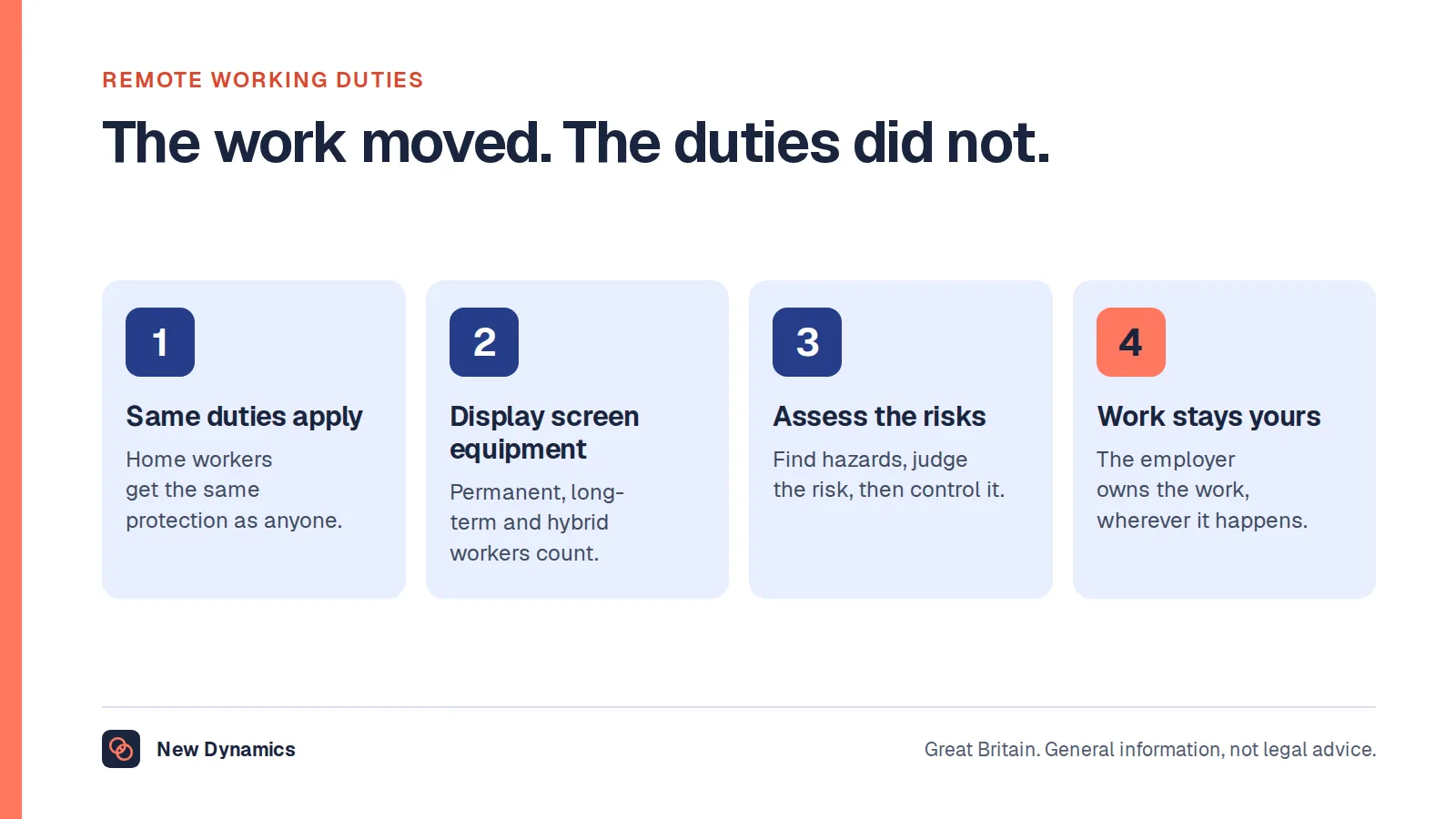
HSE's position on homeworking is current, not a pandemic relaxation. The Regulations "can apply to workers who work at home on a permanent or long-term basis" and to those who "routinely split their time between their workplace and home (sometimes called hybrid working)", while "The regulations don't apply to workers who use DSE occasionally or only for short periods of time at home". Our post on remote working in practice covers the homeworking mechanics, including the self-assessment route and whether a visit is needed, so this post does not repeat them. One point from the same guidance decides budgets: "Where your DSE workstation assessment indicates you need to take some action, for example providing a piece of DSE equipment, your workers cannot be charged for this."
On devices, regulation 1(2)(a) is deliberately neutral: display screen equipment "means any alphanumeric or graphic display screen, regardless of the display process involved". HSE names "PCs, laptops, tablets and smartphones", and INDG36 describes DSE as including "display screens, laptops, touch screens and other similar devices". The exclusion is regulation 1(4)(d): nothing in the Regulations applies to "portable systems not in prolonged use". That phrase does the work. A laptop used all day at a desk is squarely covered; a phone glanced at between tasks is not. The test is the use, not the form factor. If people work on their own hardware, read this alongside our post on a BYOD policy, because regulation 2(1)(a) covers workstations used by users "regardless of who has provided them".
What the published figures show
HSE's accredited official statistics release Work-related musculoskeletal disorders statistics in Great Britain, 2025, published on 20 November 2025 with data up to March 2025, reports "511,000 workers suffering from work-related musculoskeletal disorders (new and long-standing) in 2024/25" and "7.1 million working days lost due to work-related musculoskeletal disorders in 2024/25", citing the Labour Force Survey annual estimate for 2024/25. The same release records that "In the latest year 41% of self-reported Musculoskeletal disorders affected the upper limbs and neck, 43% affected backs and 15% affected the lower limbs", and lists keyboard work or repetitive action among the main causal factors identified.
HSE does not publish a figure for how many of those cases trace to a screen workstation specifically, and we will not estimate one. The wider numbers are in our HR statistics hub, and the people side sits in our post on employee wellbeing at work.
Frequently asked questions
Who needs a display screen equipment assessment?
Anyone who is a DSE user. Regulation 1(2) defines a user as an employee who habitually uses display screen equipment as a significant part of their normal work, and HSE reads that as working on DSE daily for continuous periods of an hour or more. People who use a screen infrequently or only briefly fall outside it.
Is a DSE self-assessment legally enough?
It can be. HSE accepts that workers may complete a self-assessment provided they have been given suitable training, for example on how to use an ergonomic checklist. The condition is that a trained assessor then looks at the results, clears up doubtful points, gives feedback and makes sure problems are put right.
Does my employer have to pay for an eye test?
In Great Britain, yes, where you are a DSE user and you ask for one. HSE states that an employer must provide an eyesight test for a DSE user if they request one, and that the employer must also pay for the test. It should be a full eye and eyesight test by an optometrist or doctor. This is general information, not legal or medical advice.
Does my employer have to pay for glasses?
Only in a narrow case. Regulation 5(5) requires special corrective appliances where normal corrective appliances cannot be used and the test shows the provision to be necessary. HSE puts it as paying for glasses only if the test shows special glasses prescribed for the screen viewing distance are needed. If an ordinary prescription is suitable, the employer does not have to pay.
How often are DSE breaks required by law?
The law sets no interval. Regulation 4 requires the employer to plan work so that daily screen work is periodically interrupted by breaks or changes of activity. HSE says there is no legal guidance on length or frequency, and gives 5 to 10 minutes every hour as better than 20 minutes every 2 hours.
Do the DSE Regulations cover laptops and mobile phones?
The definition covers any alphanumeric or graphic display screen regardless of the display process, and HSE names PCs, laptops, tablets and smartphones. The limit is regulation 1(4)(d), which excludes portable systems not in prolonged use. A laptop used all day is covered; a device glanced at occasionally is not.
When does an assessment have to be redone?
HSE names four triggers: a new workstation is set up, a new user starts work, the workstation or the way it is used changes, and users complain of pain or discomfort. Regulation 2(2) also requires a review where there is reason to suspect the assessment is no longer valid.
Your next step: make the duty a process, not a form
- Draw the line. Decide who your DSE users are against the habitual and significant test, write down the reasoning, and keep the list current as people change roles.
- Rebuild the form around HSE's six areas: keyboards, mouse and trackball, display screens, software, furniture and work environment.
- Name the assessor who reads every returned checklist, and give them authority to approve a change.
- Publish the eye test route, including exactly what you pay for and what you do not, so the regulation 7 information duty is met.
- Put the four re-assessment triggers into whatever system owns joiners, movers and equipment requests, so a new user or a new screen generates a task rather than a gap.
Homeworking and hybrid arrangements are where most of this comes unstuck. Read and download our remote work guide for the arrangements to settle in writing, including equipment and the duties that follow the work home. The guide is free to read, and the PDF uses our short download form.
Want assessments, reminders and sign-off to live in the same place as your joiners, movers and one-to-ones? Book a New Dynamics demo and bring your current DSE form. You can also email contact@new-dynamics.com.