TL;DR
- HRIS software is the system of record for an organisation's people: who they are, what they do, who they report to and what they are paid. Other HR tools depend on it.
- HRIS, HRMS and HCM overlap and suppliers use them loosely. Compare what a product does in five layers: the core record, HR processes, pay and time, talent and insight.
- There is no single best HRIS. Write down your own scenarios, shortlist by type, test with real data and check security, data protection and the cost of leaving.
Most HR teams reach a point where the spreadsheets stop coping. Holiday records live in one file, salaries in another and the organisation chart in somebody's head. HRIS software exists to fix that, by giving the organisation one reliable record of its people.
This article explains what an HR system is, how the confusing labels differ, what the main modules and types are, and how to build a shortlist. It names examples of systems without ranking them, and we explain why below.
If your processes do not fit a standard template, see how New Dynamics workflows let you shape forms, stages and approvals around the way you work.
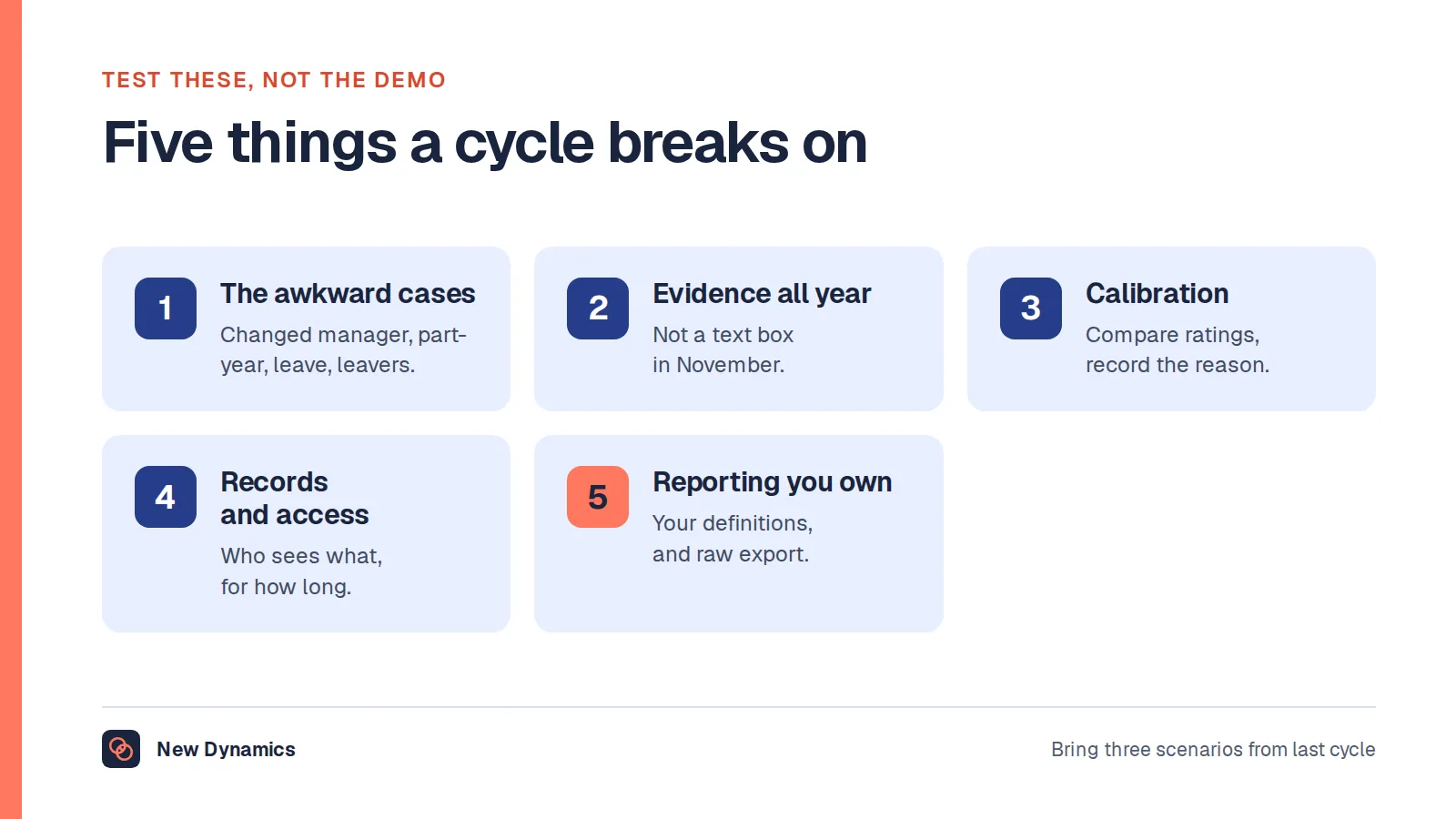
For the performance module specifically, our post on choosing a performance management system covers the requirements a real cycle breaks on and the data questions to ask.
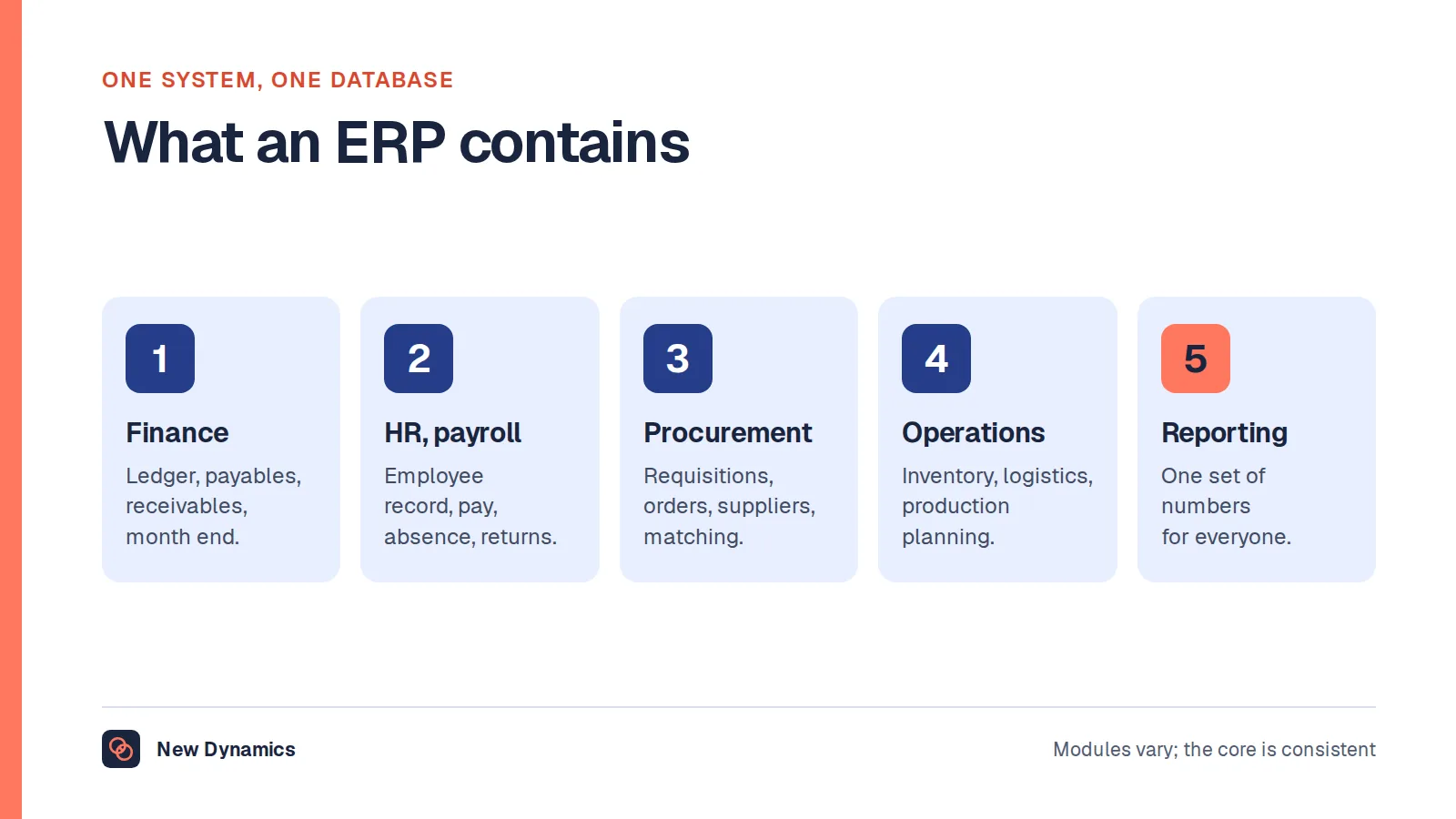
Where the employee record sits inside a wider back-office platform, our post on the ERP system covers what that platform contains and where its HR module stops.
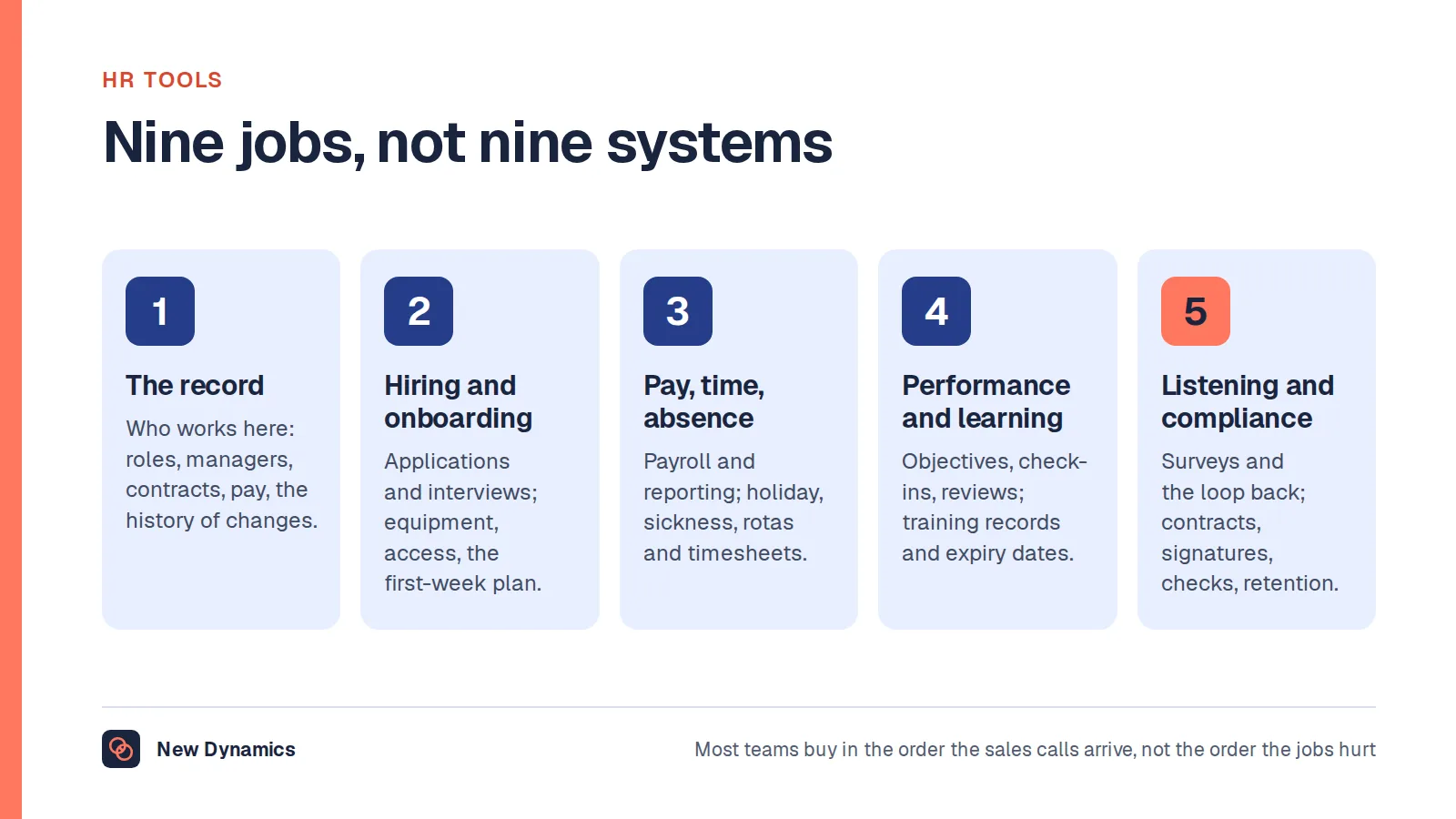
For the wider stack around the HR system, our guide to HR tools maps the nine jobs software does and what each size of organisation actually needs.
What is an HR system?
An HR information system, or HRIS, is software that stores and manages information about an organisation's employees. It is the system of record for people data: who works here, in which role, reporting to whom, on what terms.
A basic HRIS replaces spreadsheets and paper files. A fuller one also runs HR processes such as leave requests, onboarding and contract changes, and gives employees and managers self-service access to their own information.
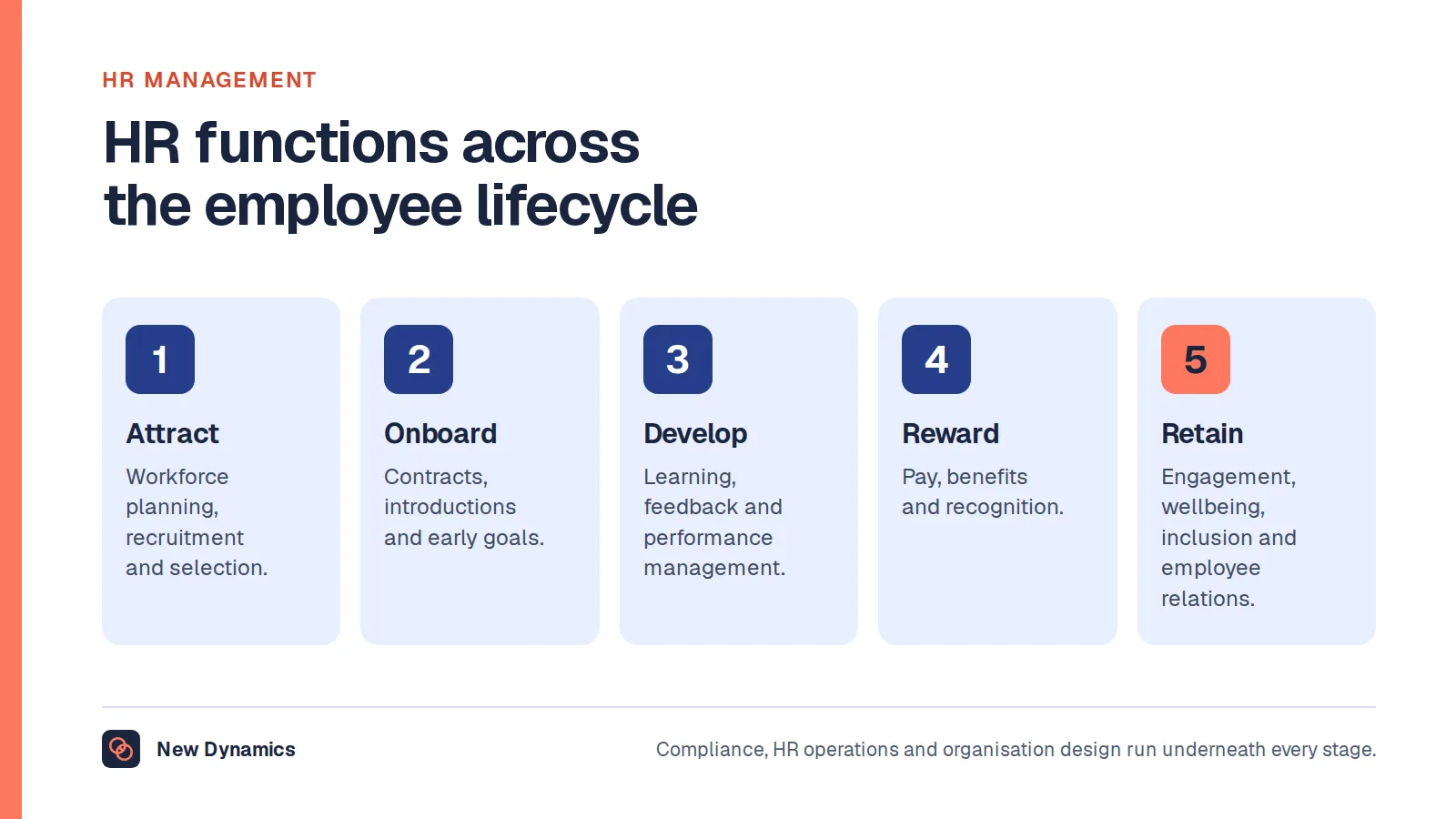
Almost every other HR tool depends on it. Payroll, recruitment, learning and performance systems all need an accurate list of people and reporting lines, and they usually take it from the HRIS.
HRIS vs HRMS vs HCM
You will meet three labels. In everyday use they overlap, and suppliers often choose whichever sounds best.
| Term | Stands for | Usual emphasis |
|---|---|---|
| HRIS | Human resources information system | The employee record, core HR administration and reporting |
| HRMS | Human resources management system | The HRIS plus payroll, time and attendance |
| HCM | Human capital management | A broader suite that adds talent: recruitment, learning, performance, succession |
Do not rely on the label. Two products called “HRIS” can differ more than an HRIS and an HCM suite from the same supplier. Ask what each product really does.
What HRIS software does: five layers
It helps to think of HR technology in five layers. Most products are strong in one or two.

| Layer | What it covers |
|---|---|
| Core record | Employee details, job and pay history, reporting lines, documents, organisation chart |
| HR processes | Absence and leave, onboarding and offboarding, contract changes, approvals, self-service |
| Pay and time | Payroll, benefits, time and attendance, expenses |
| Talent | Recruitment, learning, goals, feedback, performance reviews, succession |
| Insight | Reports, dashboards, people analytics, audit trails |
A single all-in-one suite may cover every layer. Many organisations instead combine a core HRIS with specialist tools for payroll, recruitment or performance, connected by integrations.
Types of HR systems, with examples
HR systems fall into a few broad types. The examples named here are products covered in our comparison centre, where we set out how each relates to New Dynamics. Naming a product is not a recommendation, and you should confirm every supplier's current capabilities with the supplier.
HR and talent suites. Broad platforms that combine the employee record with some or all of the other layers. Our comparison centre covers Workday, SAP SuccessFactors, Oracle Fusion Cloud HCM, UKG, Dayforce, ADP, BambooHR, HiBob, Personio, Zoho People, Sage HR, Rippling and Deel. They differ widely in size of customer, countries served and depth in each layer, so check each against your own needs.
Specialist tools. These do one job in depth and connect to the HRIS: payroll services, applicant tracking systems, learning platforms, engagement survey tools and performance management platforms. Our employee engagement software buyer's guide covers one such category.
Spreadsheets and shared drives. Still a legitimate choice for very small teams. They stop working when more than one person needs to edit, when approvals matter or when you need an audit trail.
How common is HRIS software?
Very. In a CIPD survey of 1,174 UK-based HR leaders, reported in Technology and data use in HR functions in March 2023, 84.5% said their organisation had an HRIS and 82.9% had payroll software. Most of those without were organisations with 550 or fewer employees. Recruitment software was the next most common, at 67%.
The practical meaning is that an HRIS is now ordinary infrastructure. The real questions are which type fits you and how well you use it.
HRIS for small companies
A small company rarely needs every layer. Before you buy, ask:
- What hurts most today? Usually it is leave tracking, onboarding paperwork or not knowing where documents are.
- Who will look after it? If nobody owns the system, the data will be out of date within months.
- How does payroll work now? If an accountant or bureau runs payroll, check how the HRIS will pass changes to them.
- What will we need in two years? Pick something that can grow a little with you, without paying now for an enterprise suite.
- Can we leave? Make sure you can export your data in a usable format.
Simple and well maintained is worth more than powerful and ignored.
Web-based HRIS: what to check
Many HR systems are now sold as online services. That brings convenience, and it means a supplier holds some of your most sensitive data.
- Security. The UK National Cyber Security Centre publishes 14 cloud security principles, which it describes as “designed to help you choose a cloud provider that meets your security needs”. Ask suppliers how they meet them, and ask for independent evidence.
- Access control. Check single sign-on, multi-factor authentication and how permissions are set. Salary data should not be visible to everyone with a login.
- Data protection. Agree where data is stored, how long it is kept, who the sub-processors are and how deletion works. In the UK, the Information Commissioner's Office publishes guidance on data protection impact assessments. Involve your data protection lead early.
- Audit trail. You should be able to see who changed what, and when.
- Availability and support. Ask what happens during an outage, and how quickly problems are resolved.
Why we do not publish a “top 5 HRIS” list
You will find many articles ranking the best HRIS systems. Treat them with care. Some rankings are shaped by commercial relationships that readers cannot see, and even an honest ranking cannot know your size, country, payroll arrangements or processes.
“Best” only means something in relation to your needs. A better method:
- Write scenarios, not feature lists. For example: “A manager moves an employee to another team mid-month. Show us what changes, who approves it and what payroll receives.”
- Shortlist by type. Decide first whether you need an all-in-one suite or a core HRIS plus specialists.
- Ask every supplier the same questions, and see the product with data that looks like yours.
- Take references from organisations of your size, in your country.
- Cost the whole commitment: licences, implementation, integrations, internal time and the cost of leaving.

Our HRIS selection guide walks through this process with a scorecard, and the performance management software RFP template shows how to structure supplier questions. New to the term? Our guide to RFP meaning explains what a request for proposal is.
Where performance management fits
The HRIS is the record of who people are. Performance management is the record of what they are working towards and how it is going. Some suites include a performance module. Many organisations choose a specialist platform for goals, feedback and reviews, and connect it to the HRIS so that people and reporting lines stay in step.
New Dynamics is a performance management platform, not an HRIS. We focus on goals and OKRs, feedback, performance reviews and multi-manager reviews for people who report to more than one person. Our integrations directory lists the platforms we discuss during planning. A listing there is not a promise of a ready-made connector, so ask us, and any supplier, exactly which integrations exist today.

Frequently asked questions
What is HRIS software?
HRIS software is a human resources information system. It stores and manages information about an organisation's employees, such as personal details, roles, reporting lines, pay and documents, and often runs HR processes like leave, onboarding and approvals.
What is the difference between HRIS and HRMS?
An HRIS centres on the employee record and core HR administration. An HRMS usually adds payroll and time and attendance. HCM suites add talent functions such as recruitment, learning and performance. Suppliers use the terms loosely, so compare what each product does.
What are examples of HR systems?
Examples covered in our comparison centre include Workday, SAP SuccessFactors, Oracle Fusion Cloud HCM, UKG, Dayforce, ADP, BambooHR, HiBob, Personio, Zoho People, Sage HR, Rippling and Deel. Naming them is not a recommendation. Confirm current capabilities with each supplier.
What is the best HRIS?
There is no single best HRIS. The right choice depends on your size, countries, payroll arrangements, processes and budget. Write scenarios that describe your real work, shortlist by type, test with realistic data and take references from similar organisations.
Does a small company need an HRIS?
Not always. Very small teams can manage with well-kept spreadsheets. An HRIS becomes worthwhile when several people need to update records, approvals and audit trails matter, or leave and onboarding take too much manual effort.
Is an HRIS the same as payroll software?
No. Payroll software calculates pay, tax and deductions. An HRIS holds the employee record and runs HR processes. Some products combine the two. Where they are separate, make sure changes in the HRIS reach payroll reliably.
Your next step: write three scenarios
- Describe three real situations your HR system must handle, step by step.
- Decide which of the five layers you need now: core record, processes, pay and time, talent or insight.
- Shortlist no more than four suppliers of the right type.
- Ask each to show your scenarios with realistic data.
For a scorecard and an implementation checklist, read and download our HRIS selection guide. The guide is free to read, and the PDF uses our short download form.
Want to see how performance management can sit alongside your HR system? Book a New Dynamics demo and tell us what you use today. You can also email contact@new-dynamics.com.