TL;DR
- Most searches for HR software mix up four different products: a system of record, payroll, an applicant tracking system and a performance platform. Decide which job you are buying for first, because very few organisations end up with only one.
- Start from the three processes that hurt this month, written in your own words, rather than from a feature list. Then add the four requirements people forget: who owns the data, what the integration transfers and how often, what happens to the data when the contract ends, and whether staff with no work email or desk can use it.
- Published prices are rare and rarely comparable, because the unit differs between suppliers, and implementation and integration are usually the larger number. Shortlist three, script the demo with your own forms, take references from similar organisations and pilot with one team.
Somebody has been asked to sort out the HR systems. The brief arrives as one line, usually a version of "find us an HR software package", and the first hour of searching produces lists of providers that have almost nothing in common with each other. One is a payroll bureau. One is a recruitment tool. One is a full suite. One is a performance platform. They are all described with the same three words.
That is the real problem with HR software selection. It is not that the market is short of options. It is that the question has not been narrowed yet, so no shortlist can be right. This article narrows it: what each kind of system does, how to work out which you need, the requirements that get forgotten until implementation, the data protection questions worth asking before a demo, why costs are hard to compare, and how to run a selection that still looks sensible in year two.
One disclosure before any of that. New Dynamics, whose blog this is, is a performance management platform for goals, feedback, recognition, reviews and onboarding, and its workflows carry those processes end to end; it is not a core HR system of record, it is not payroll and it is not an applicant tracking system. No products are named below, ours included, and nothing here is a ranking.
Four kinds of HR software, and why most organisations run several

Four distinct jobs hide behind the phrase "HR system". They are built differently, bought by different people and priced on different units.
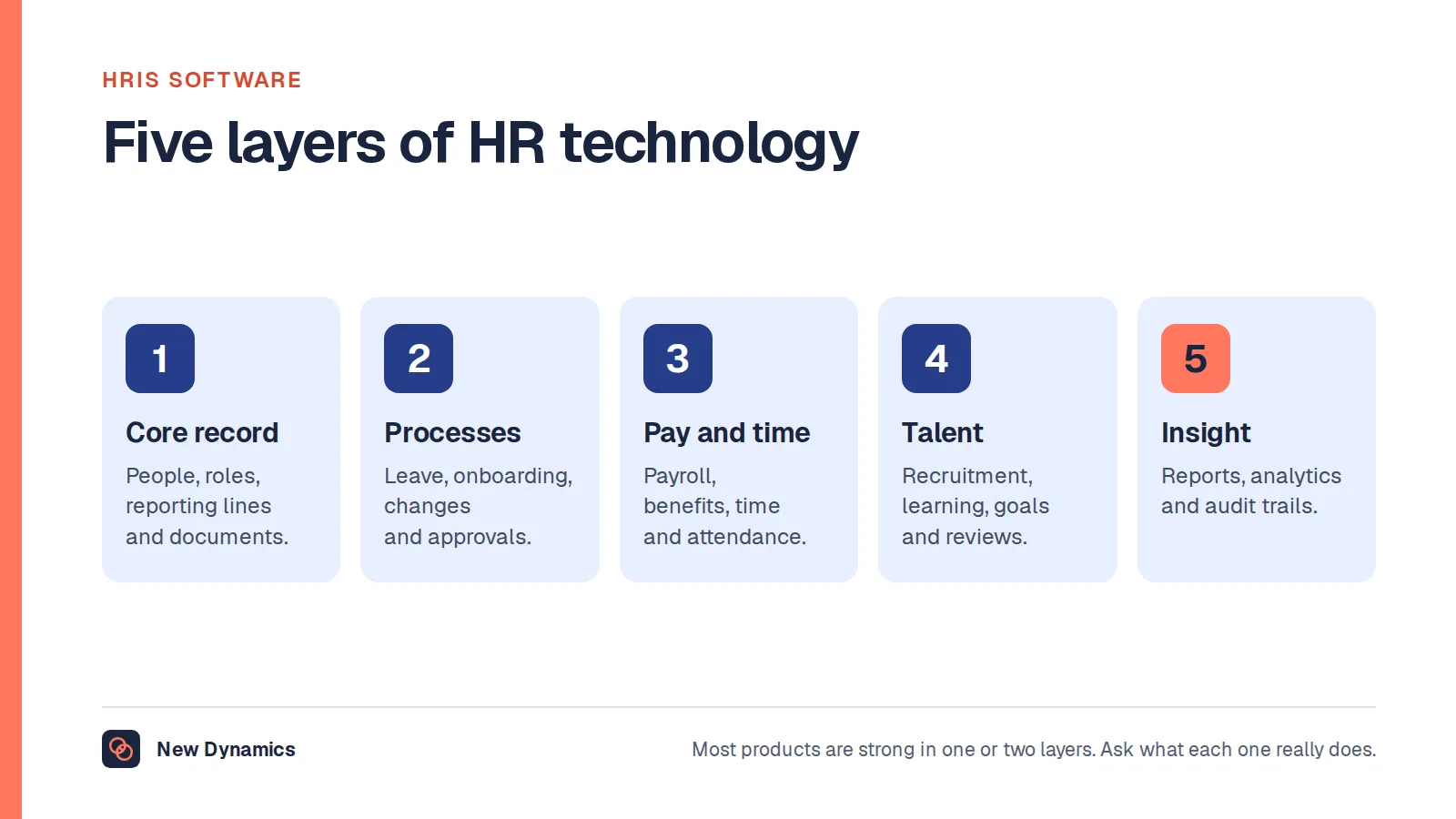
A system of record. This holds who works here, in which role, on what terms, reporting to whom, with which documents attached. It is the source other systems trust for the list of people and the reporting lines. Labels vary, which is why searches for HRIS, HRMS and HR system software land in the same place; our post on HRIS software sets out what sits inside one and how the three labels differ. The benefit of an HRIS, in plain terms, is a single list of people that other systems and other departments can rely on.
Payroll. This calculates gross to net, applies tax and deductions, produces payslips and files with the tax authority to a deadline. It is the one people process with a legal date attached, which is why it was digitised first. Our post on payroll software covers the category on its own terms.
An applicant tracking system. This runs hiring: vacancies, applications, screening, interviews, offers. It mostly deals with people who do not work for you yet, which is why it is usually separate. Our post on what an ATS means explains the mechanics.
A performance platform. This runs goals, feedback, recognition, review cycles and often onboarding. It deals with what people are working towards and how it is going, rather than with who they are.
Most organisations end up with several of these rather than one, for three reasons. First, the jobs genuinely differ, and depth in one tends to come at the cost of depth in another. Second, they arrive at different times: payroll exists from the first employee, a system of record arrives when spreadsheets stop coping, hiring software arrives during a growth year, performance software arrives when a review cycle fails publicly. Third, the suites that cover everything cover some modules thinly, and the thin module is rarely the one you were buying for.
So the useful first decision is not which supplier, but which of the four jobs you are buying for this time, and what the other three will keep doing while you do it.
Start from the three processes that hurt
A feature list is a poor starting point because every supplier can tick most of it, and because the list was usually written by reading supplier websites, which means it describes the market rather than your organisation.
Start instead with three processes that hurt this month. Write each as a short narrative, in your own words, with the awkward parts left in.
- The process, named as your colleagues name it. "The annual appraisal round." "New starter paperwork." "Getting absence off the wall planner."
- Who touches it, in order, and where it stops.
- How long it takes and how often it is late.
- What the failure looks like when it fails, and who notices.
- What evidence you would accept that it had improved.
Three narratives are enough. More than that and the selection becomes a programme, and programmes stall. Fewer and you will buy on impressions.
Two things fall out of this exercise immediately. One is the category: if all three narratives are about the review cycle, you are not shopping for a system of record. The other is whether software is the answer at all. A process nobody has agreed does not get fixed by automation; it gets enforced faster. Our post on choosing a performance management system makes that point in detail for one category, and it generalises. Adoption is also not the same as use, and the figures on what is actually measured are in our post on HR software adoption.
Requirements people forget until implementation

Four requirements are missing from most HR software requirement lists. Each is cheap to ask about during selection and expensive to discover after signature.
Who owns the data. You hold the employment records; the supplier holds them on your behalf. The Information Commissioner's Office is clear about what that relationship means. Its guidance on what it means if you are a processor states that a processor has "less autonomy and independence over the data they process" and that "you can only process the personal data on instructions from a controller (unless otherwise required by law)", adding that sub-contracting part of the work "does not make you a controller in your own right, as overall control of the processing remains with the original controller". Read that as a selection requirement: you stay accountable, so the contract, the instructions and the sub-processor list all matter.
What the integration actually transfers, and how often. "Integrates with your HR system" is not a requirement, it is a category. HR systems integration only becomes real when four questions are answered in writing: which fields move, which direction each field moves in, how often the transfer runs, and what happens when the two systems disagree. A nightly one-way feed of names, job titles and managers is a different product from a live two-way sync of pay data, and only one of them needs a conversation with payroll. Ask who builds it, who fixes it when it breaks, and what it costs to change when your field list changes. Integrating HR systems is usually where the implementation estimate goes wrong.
What happens to the data at the end of the contract. Ask for the export format, not the promise of an export. Ask whether history comes with it: completed review forms, attachments, audit trails, comments, not just the current record. Ask what deletion means, when it happens and what evidence of it you receive. The ICO guidance on controller and processor contracts says the contract must provide that the processor will "delete or return to the controller all the personal data it has been processing for it" and "delete existing copies of the personal data unless UK law requires it to be stored". Build that clause into the selection, because it is the one requirement you will only use when the relationship has already gone wrong.
Whether it works for staff with no work email and no desk. A large part of the workforce in construction, retail, hospitality, care and manufacturing has neither. If sign-in needs a work email address, if notifications only arrive by email, if the forms assume a laptop, or if a shared device means a shared account, the system will work for head office and fail everywhere else. Ask how a site-based employee signs in, on what device, and what happens when they forget their password with no inbox to reset it from. Ask for it in the demo rather than in a brochure.
The data protection questions to ask before a demo
Ask these before the demo, not during contracting, because the answers change the shortlist rather than the paperwork.
- What is the lawful basis, and is the data set necessary? The ICO guidance on collecting and keeping employment records states that "you must apply at least one lawful basis whenever you are keeping records of your workers' personal information", and that "you must make sure the personal information you hold is adequate, relevant, and limited to what you need for your purposes". A system that insists on fields you have no reason to hold is a compliance problem rather than a feature.
- Can retention be configured? The same guidance states that "the storage limitation principle says you can only keep personal information for as long as you need it". Ask whether retention periods can be set per record type and what the system does when one expires.
- Will the records stay accurate? The guidance states that "the accuracy principle says you must take all reasonable steps to keep any personal information you hold about your workers accurate and up-to-date". In a multi-system estate, accuracy is an integration question.
- What are the security measures? The guidance states that "the security principle says you must have appropriate security measures in place to prevent the personal information you hold about workers being accidentally or deliberately compromised". Ask about access control, multi-factor authentication, who inside the supplier can see your data, and independent evidence.
- Is the processor contract fit to sign? The ICO's guidance on what needs to be included in the contract lists the minimum terms: processing only on the documented instructions of the controller, a duty of confidence, appropriate security measures, using sub-processors, data subjects' rights, assisting the controller, end-of-contract provisions, and audits and inspections. It also says the contract must set out "the subject matter and duration of the processing; the nature and purpose of the processing; the type of personal data and categories of data subject; and the controller's obligations and rights".
- Can you answer a subject access request from it? Someone will ask for everything the system holds about them, including comments and drafts. Ask to see how that is produced.
Ask for the data processing agreement and the sub-processor list at first contact. A supplier who can send both the same week is telling you something useful about the implementation to come. If your organisation has a data protection lead, involve them now rather than at contract stage; our employee data protection guide covers the wider ground. This is general information and not legal advice.
What HR software costs, and why comparisons do not work
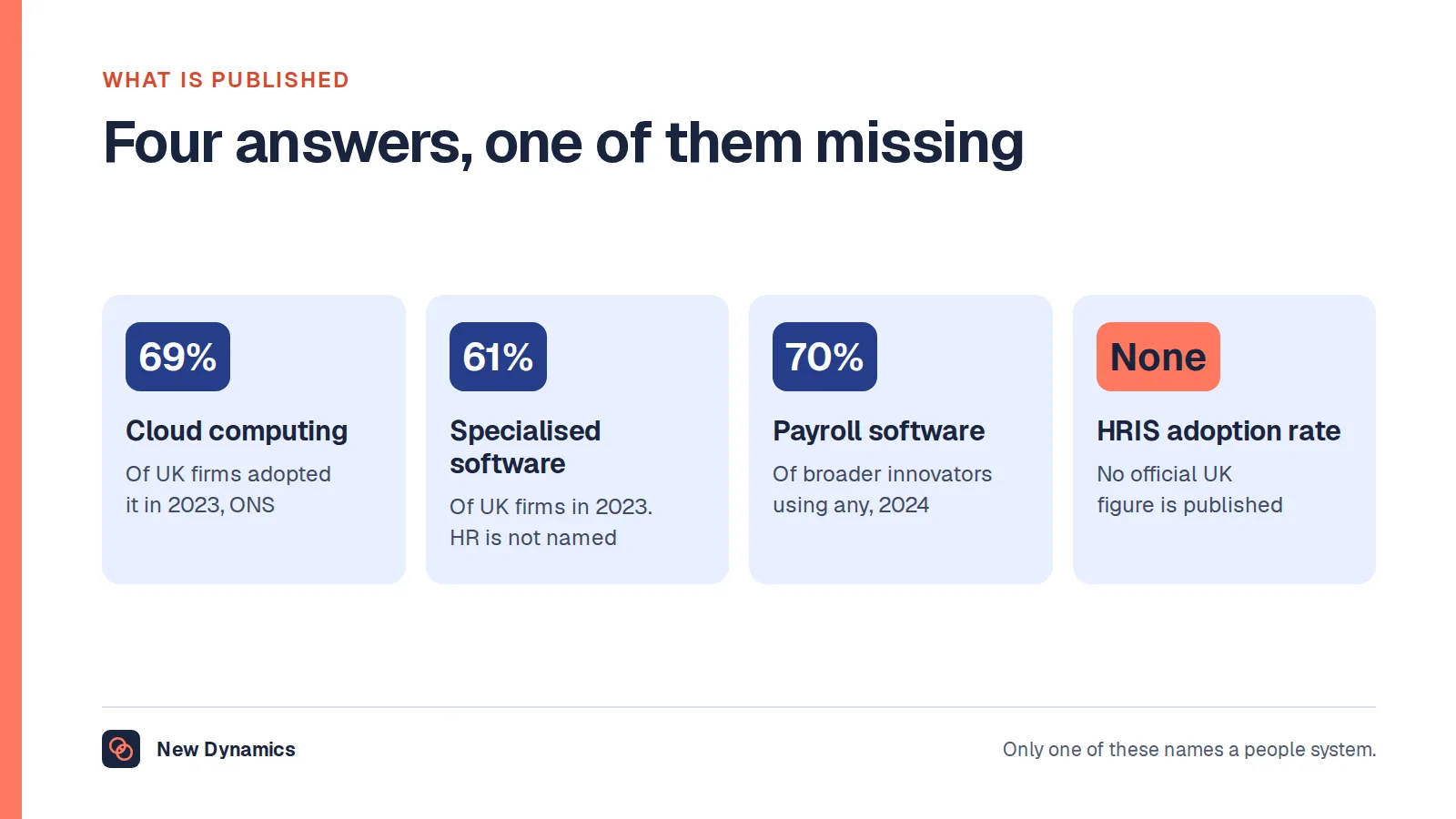
Published prices are rare in this market, and the ones that exist are often a starting tier rather than the thing you would buy. That is frustrating, and it is also the honest position: no figures appear in this article because no figure here would survive contact with your headcount, your modules and your implementation.
What matters more is that the unit differs between suppliers, so two quotes are rarely comparable even when both are transparent. Common units include price per employee per month, price per user per month where a user is only someone who signs in, a banded price per headcount range, a platform fee plus a smaller per-person charge, and a module price where the module you need is in the higher bundle. Converting one to the other needs an agreed headcount definition, which is itself a question: do you count leavers in the cycle, part-year starters, contractors, seasonal staff, people on long-term leave?
Then there is the part that is usually the larger number. Implementation, data migration, integration build, configuration of your own forms, training, and the internal time of the people doing all of it. Internal time rarely appears on anybody's quote and is often the biggest single cost. Ask each supplier to quote implementation separately, to say what is included and what is extra, to state the minimum term and the minimum seat count, and to confirm what a mid-term change of headcount does to the price. Then add your own estimate of internal days.
Compare total cost over three years, including the exit, not a monthly per-person figure. A cloud based HR solution that is cheap per person and needs six months of internal effort is not cheap.
Running the selection: shortlist, scripted demo, references, pilot

- Shortlist three. By category first, then by fit with your three narratives. Three is enough to see the range of approaches and few enough to evaluate properly. Resist a longlist of ten; it produces a spreadsheet, not a decision.
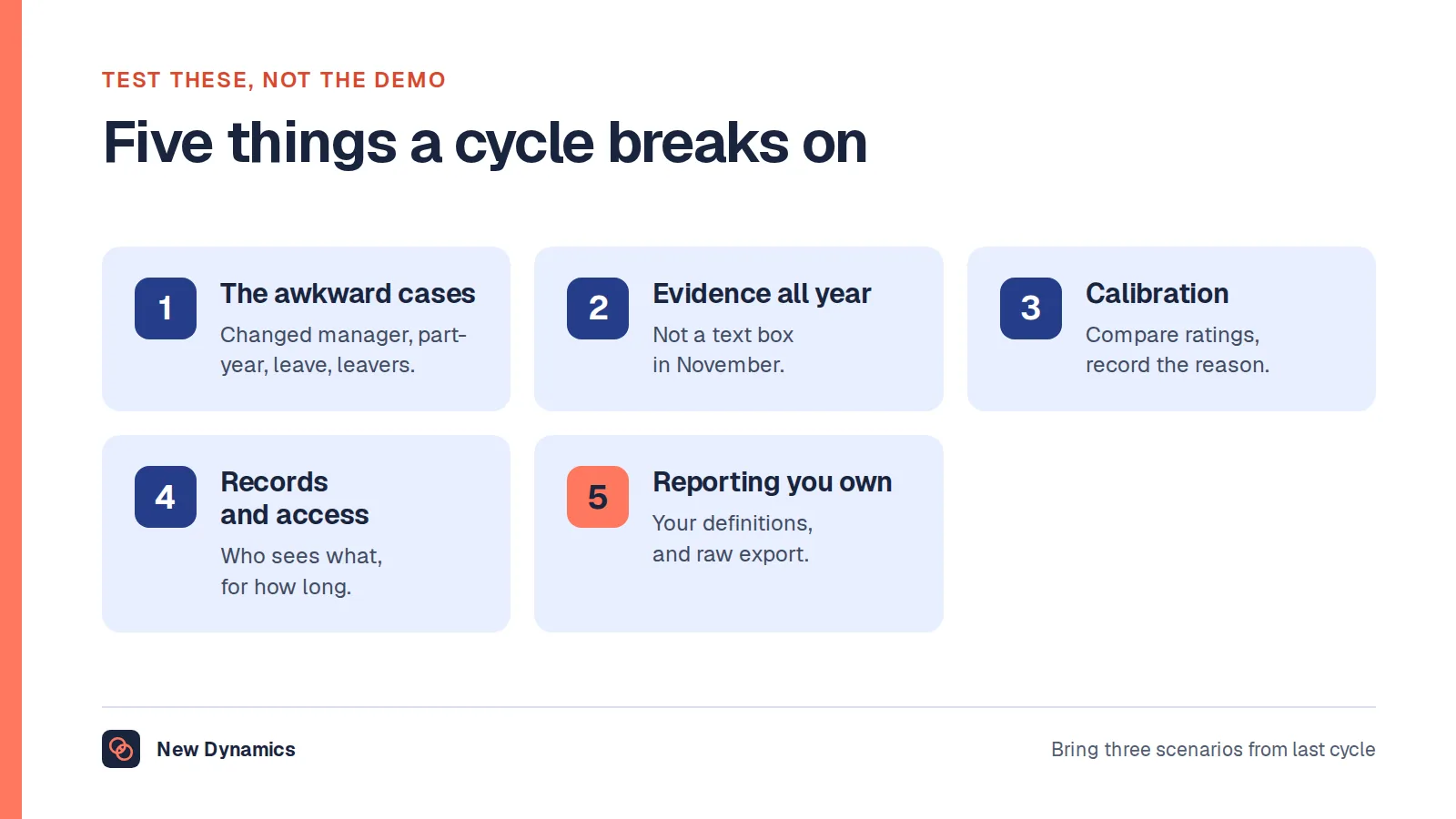
- Script the demo and send the script in advance. Ask every supplier to show the same things, in the same order, using your forms and a sample of your own data. Include the awkward cases from your narratives: the person who changed manager mid-cycle, the part-year starter, the employee on leave, the leaver, the person with two managers. A demo built by the supplier shows the easy path. A demo built by you shows the product.
- Ask the same questions of everyone, in writing. A structured question set makes answers comparable and gives you something to hold the supplier to later. Our post on RFP meaning explains the format if it is new to you.
- Take references, and ask better questions. Pick organisations of your size and sector. Ask what the implementation actually took in weeks and internal days, what they would scope differently, what support is like once the sales team has moved on, what broke in year two, and what they cannot do that they expected to.
- Pilot with one team, one cycle. Agree before the pilot what would make it a success, in a measure you already collect. Keep the fallback running until the pilot has proved itself.
- Name the owner for after go-live. One person, named, with time in their week for the system. This is the single cheapest thing on this list and the most frequently skipped.
For a structured question set, the performance management software RFP template shows how to lay out supplier questions so the answers can be compared, and our HRIS selection guide carries a scorecard and an implementation checklist.
What goes wrong
- Buying a suite to avoid integration. It is a reasonable instinct, and it has a predictable failure: you accept a weaker version of every module to avoid one interface. If one module is the reason you are buying, judge the suite on that module alone and assume the rest is adequate at best.
- Choosing on feature count. Longer feature lists win comparison spreadsheets and lose implementations, because features you do not use still have to be configured, explained and switched off. The narratives are the test, not the count.
- No owner after go-live. Systems do not decay because they were the wrong choice. They decay because the project team disbanded, nobody maintained the data, and the next review cycle quietly went back to a spreadsheet.
- Letting the demo set the process. If a product can only run one process, you have chosen that process. Decide how much of your own way of working you are prepared to give up, and write it down before you are impressed by a screen.
- Treating the shortlist as the decision. The decision is made by the pilot. The shortlist only decides who gets to try.
- Forgetting the staff who are not at a desk. See above. It is the most common reason a rollout succeeds in head office and never reaches the rest of the organisation.
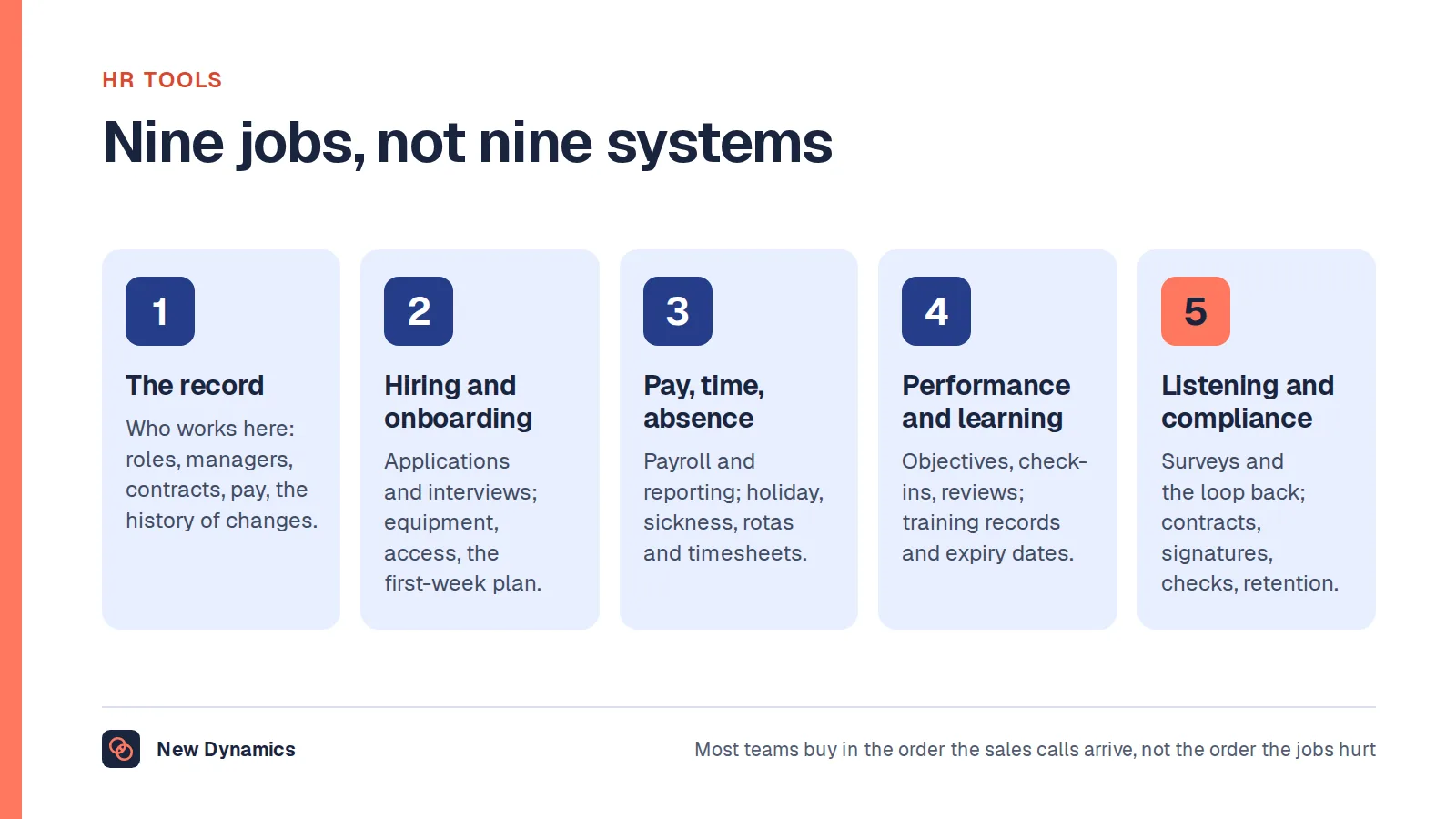
Our guide to HR tools maps the wider stack if you are trying to work out what you already have before you add anything.
Frequently asked questions
What are the main types of HR software?
Four jobs sit behind the phrase. A system of record holds people, roles, terms and reporting lines. Payroll calculates pay, tax and deductions and files to a deadline. An applicant tracking system runs hiring. A performance platform runs goals, feedback, reviews and often onboarding. Suites combine several, usually with more depth in some modules than others.
Do we need one HR system or several?
Most organisations run several. The jobs differ, depth in one tends to come at the expense of another, and they are bought at different times for different reasons. The practical question is which system is the source of the people list and reporting lines, and how the others get that data from it.
What should be on an HR software requirements list?
Start with three processes that hurt, written as narratives with the awkward cases left in. Then add the four requirements people forget: who owns the data, which fields the integration moves and how often, what happens to your data when the contract ends, and whether staff with no work email or desk can use the system.
How much does HR software cost?
Published prices are rare, and quotes are hard to compare because the unit differs: per employee per month, per user, per headcount band, or a platform fee plus a per-person charge. Implementation, data migration, integration build, configuration and internal time are usually the larger number. Ask for implementation to be quoted separately and compare total cost over three years.
What should a small business look for in HR software?
Fewer modules, maintained properly. Decide which single process is costing the most time, check how pay data will reach whoever runs payroll, confirm one named person will own the system, and make sure you can export everything in a usable format. Simple and current beats powerful and out of date.
Why does this article not rank the top HR systems?
Because a ranking cannot know your size, sector, countries, payroll arrangements or processes, and "best" only means anything in relation to those. We also sell software in one of these categories, so a league table from us would not be worth reading. The method above replaces it.
Your next step: turn the narratives into a shortlist brief
- Write the three processes that hurt, in your own words, before you look at any supplier.
- Decide which of the four categories you are buying for, and write down what the other three keep doing.
- Add the four forgotten requirements and the data protection questions to the same page.
- Shortlist three, script one demo with your own forms, then pilot with a single team against a measure you already collect.
For the supplier question set, use the performance management software RFP template, and for a scorecard and implementation checklist, read and download our HRIS selection guide. Both are free to read, and the PDFs use our short download form.
Want to see what a scripted demo looks like when the forms are yours? Book a New Dynamics demo and send the review form you use today. You can also email contact@new-dynamics.com.