TL;DR
- The pay run has a fixed clock, and automation does not change it. GOV.UK: send the FPS "on or before your employees' payday, even if you pay HMRC quarterly instead of monthly", an EPS "by the 19th of the following tax month", and pay HMRC "the 22nd of the next tax month if you pay monthly", or the 19th by post.
- Auto-enrolment is the clearest case of work that automation reduces but never ends. The Pensions Regulator tells employers to "Monitor the ages and earnings of your staff every time you pay them", and to enrol and write to a worker "within six weeks from the day they meet the age and earnings criteria".
- Late filing is priced by headcount. GOV.UK's monthly penalty table: £100 for "1 to 9" employees, £200 for "10 to 49", £300 for "50 to 249" and £400 for "250 or more". Run more than one PAYE scheme and "you can be charged penalties for each".
Most payroll automation projects are sold as a way to save time. They are better understood as a way to decide, in advance, which parts of the pay run a person will still look at. The United Kingdom pay run is driven by submission deadlines that do not care how your software is configured, and the work that automation removes is not evenly spread across them. Some of it genuinely disappears. Some of it just moves upstream, from the payroll desk to the manager or the recruiter who should have told payroll something three weeks earlier.
This article is about that boundary. It covers what Real Time Information actually requires, what a Full Payment Submission and an Employer Payment Summary are each for, the payment dates, the auto-enrolment assessment that repeats every pay period, starters and leavers, year end, and the checks a human still has to make before approving a run. It is general information about the position in the United Kingdom and not legal or tax advice. It names no products and ranks nothing.
Automation only helps if the inputs arrive on time with an owner attached. See how New Dynamics workflows route a leaver, a contract change or an approved pay decision to payroll with a date and a named approver, so the cut-off is met by the process rather than by someone chasing.
The clock you are automating against
PAYE runs on tax months. GOV.UK's running payroll guide opens by saying that "Tax months run from the 6th of one month to the 5th of the next." Four things then hang off that calendar, and every one of them is a deadline rather than a task you can reschedule.
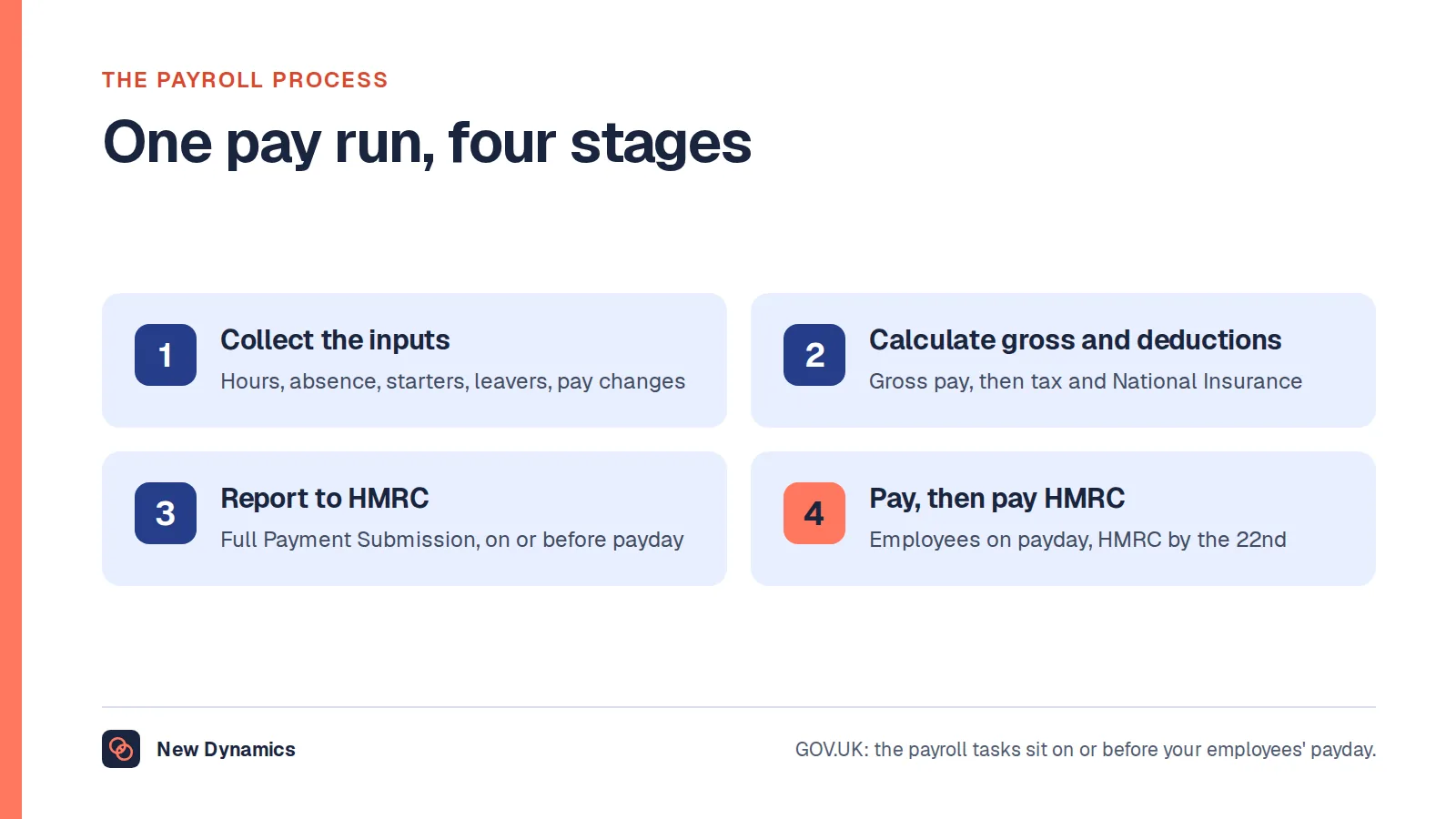
First, the Full Payment Submission. GOV.UK is unambiguous on reporting to HMRC: "Send the FPS on or before your employees' payday, even if you pay HMRC quarterly instead of monthly." The same page adds the instruction that catches employers who pay early for a bank holiday: "You must enter the usual date that you pay your employees, even if you pay them earlier or later."
Second, the Employer Payment Summary. It is not a second version of the FPS. GOV.UK's EPS page lists the reasons you send one alongside an FPS, including reclaiming "statutory maternity, paternity, adoption, neonatal care, parental bereavement or shared parental payments", claiming the Employment Allowance ("do this once each tax year"), reclaiming Construction Industry Scheme deductions as a limited company, and paying the Apprenticeship Levy. It also carries the case that trips up small employers: "Send an EPS instead of an FPS if you've not paid any employees in a tax month." The deadline is "by the 19th of the following tax month".
Third, payment. GOV.UK's pay employers' PAYE page gives two dates and a third case. You must pay by "the 22nd of the next tax month if you pay monthly", or "the 22nd after the end of the quarter if you pay quarterly - for example, 22 July for the 6 April to 5 July quarter". And if you still pay by cheque: "If you pay by cheque through the post, it must reach HMRC by the 19th of the month."
Fourth, the quarterly option itself, which depends on a threshold rather than a preference. GOV.UK says: "If you usually pay less than £1,500 per month, you may be able to pay quarterly instead of monthly."

Our post on the payroll process walks the full pay run step by step. The point here is narrower. Those four dates are the fixed points, and the only honest question about automation is which of the actions around them stop needing a person.
What automation genuinely removes
Three categories of payroll work do disappear into software, and GOV.UK says so directly rather than leaving it to a vendor to claim.
Statutory calculations. On student loans, GOV.UK's new employee guidance tells employers: "You do not need to calculate their loan recovery repayments - your payroll software will do this for you." On week 53 at year end, payroll annual reporting is just as plain: "Your payroll software will work out 'week 53' payments for you." Income Tax, National Insurance and statutory pay sit in the same category once the rates are current.
Transmission. Nobody keys an FPS into a website field by field. GOV.UK's find payroll software page states the baseline requirement: "You must get payroll software that reports PAYE information online, unless you're exempt." That is automation that has been mandatory for years, which is why it no longer feels like automation.
The payment itself. This is the most underused piece. GOV.UK's guidance on paying your PAYE bill by Direct Debit says HMRC "will automatically collect the payment from your bank account based on the amount in your return (also called a Full Payment Submission (FPS))", and that "You'll only need to set the Direct Debit up once." Collection happens "shortly after the 22nd of the month", or "4 working days after you file the return (if you file it after the 19th of the month)". There are limits worth knowing before you rely on it. You must "Set it up at least 4 working days before your payment due date", and GOV.UK is explicit that "You cannot set up a Direct Debit to automatically take payments for a PAYE penalty or PAYE Settlement Agreements."
What automation only moves
The rest of the work does not vanish. It relocates, usually to a point earlier in the month where nobody is watching a deadline.

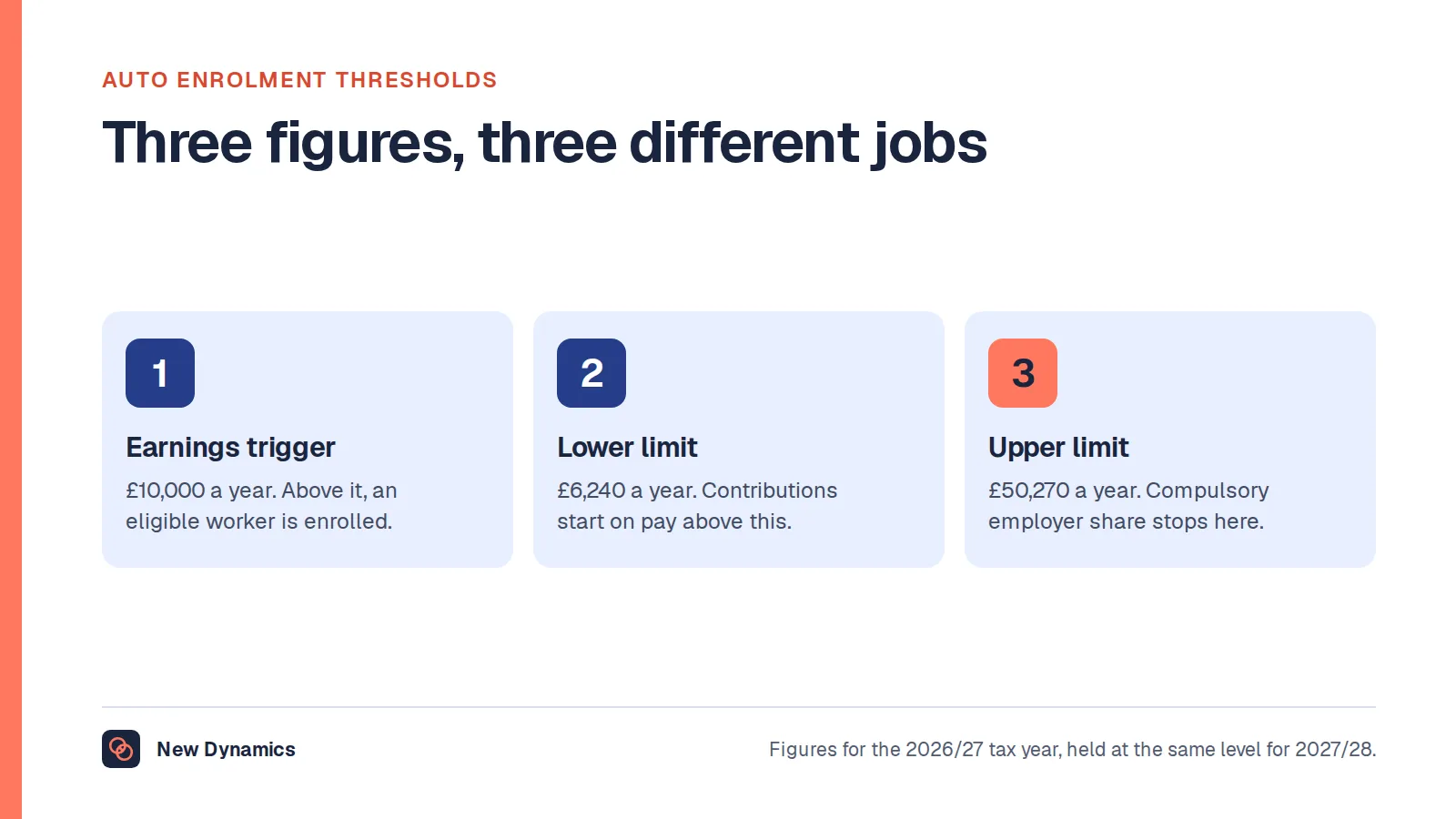
Auto-enrolment assessment. This is the clearest example in UK payroll of a task that automation makes faster without making it fewer. The Pensions Regulator's guidance on your ongoing duties puts it first in its summary of ongoing duties: "Monitor the ages and earnings of your staff every time you pay them to see if they need to be put into a pension scheme." The thresholds it publishes are staff "aged between 22 up to state pension age" who "earn over £10,000 per year, or £833 per month or, £192 per week".
Software can run that test on every line of every run. What it cannot do is meet the deadline that follows. TPR: "You must put them into a pension scheme and write to them within six weeks from the day they meet the age and earnings criteria." A single month of overtime can push a part-time worker over the earnings trigger, and the six weeks starts from that day, not from the day someone reviews a report. Opt-outs carry their own clock: a request to leave within one month of being enrolled means you "stop taking money out of their pay and arrange a full refund of what has been paid to date", and "This must happen within one month of their request." Re-enrolment arrives on a three-year cycle, with a re-declaration of compliance attached. Our post on auto-enrolment thresholds sets out the figures in detail.
Starters. A payroll record is only as good as the data behind it. GOV.UK's starter sequence requires employee information to work out a tax code, "if you do not have their P45, use HMRC's 'starter checklist' (which replaced the P46)", a student loan answer, and then registration "using a Full Payment Submission (FPS)". None of that is a calculation. It is a collection problem, and automation moves it to whoever owns onboarding.
There is one starter trap no automation will catch for you. GOV.UK on payroll IDs: "The ID must be unique", you must use a different one if "you re-employ someone", and "If you re-use a previous payroll ID, you'll create a duplicate record and report payroll incorrectly." The find payroll software page warns about the same thing when you change systems: set the "Payroll ID changed indicator", because otherwise "Your PAYE bill may be calculated incorrectly, and payroll records duplicated".
Leavers. The rule is date-sensitive in a way that defeats a single automated routine. GOV.UK's guidance on what to do when an employee leaves says that for a leaver inside the current tax year you "put their leaving date on their payroll record when you last pay them". But if they are leaving on or after the next 6 April, "do not put their leaving date in the same FPS as their final payment". Instead you include them in the first FPS of the new tax year with the leaving date, zero in "Pay and tax in this period" and zero in "Year to date". Get the two cases the wrong way round and you create exactly the duplicate record you were trying to avoid.
Year end: the one sequence worth automating end to end
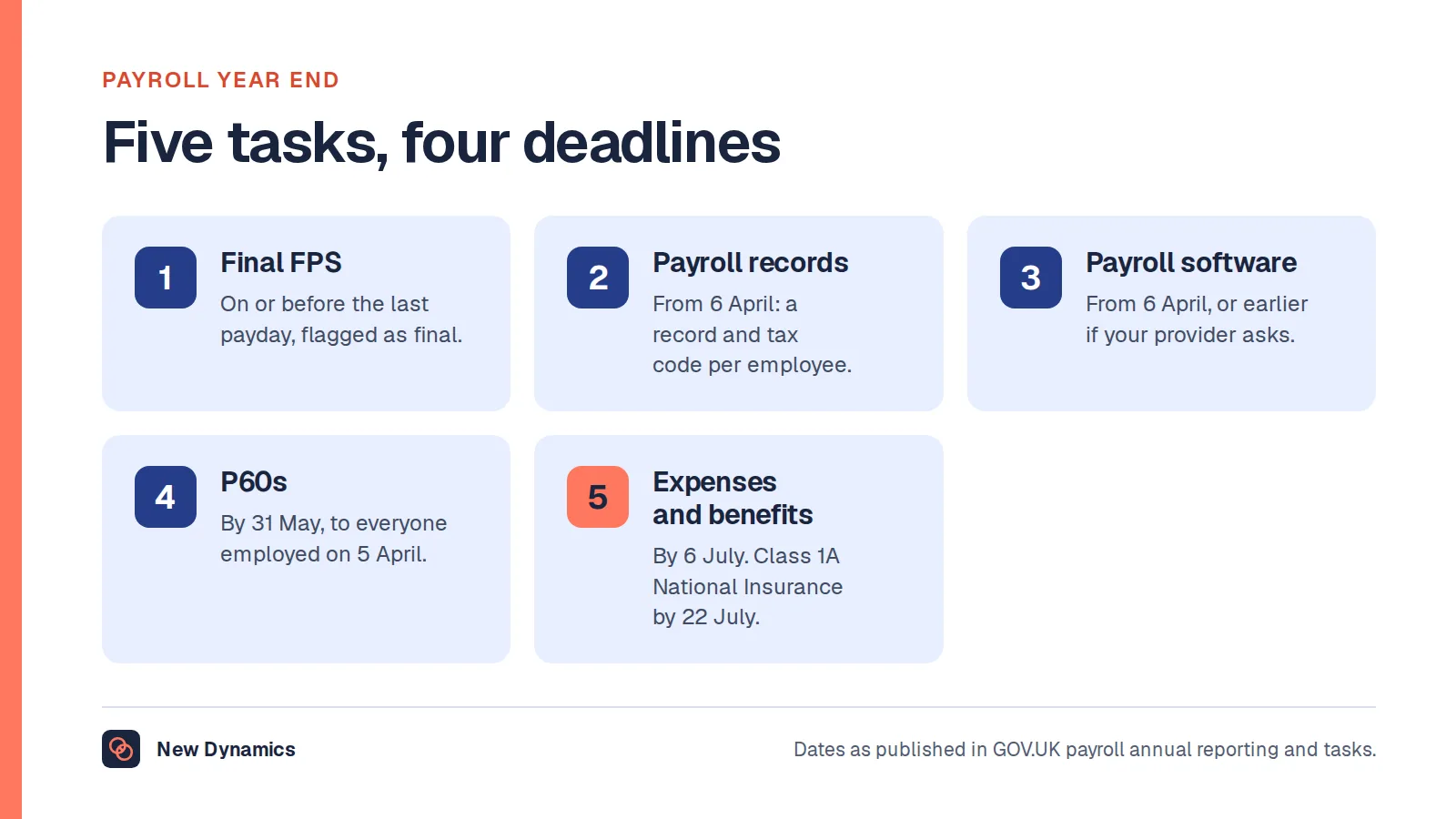
Year end is the strongest candidate for a scheduled, dated sequence, because the dates are published and identical every year. From GOV.UK's payroll annual reporting and tasks: send the final payroll report "On or before your employees' payday", update employee payroll records and payroll software "From 6 April, or earlier if the software provider asks you to", give employees a P60 "By 31 May", and report employee expenses and benefits "By 6 July", with any Class 1A National Insurance "received by 22 July (or 19 July if you're paying by post)".
Two parts of that still need a decision rather than a trigger. The final submission has to be flagged, by putting "Yes" in the "Final submission for year" field, and GOV.UK lists four situations where you should send the final report as an EPS instead of an FPS, including where "you did not pay anyone in the final pay period of the tax year". And tax codes arrive as notices, a P9T "for any employees who need a new tax code" and a P9X "with general changes for employees whose tax code ends with an 'L', 'M' or 'N'". Our post on payroll year end covers the full sequence, including week 53.
One change is worth putting in the calendar now. GOV.UK guidance on an exception to mandatory payrolling of benefits, updated on 5 November 2026, states: "From 6 April 2027, as an employer you must report these benefits in kind through your payroll: company cars and fuel, company vans and fuel, medical insurance." Employers who have treated benefits as an annual exercise will be moving them into the monthly run. Our post on P11D reporting explains the current forms.
The checks a human still makes before approval

The approval step is where automation earns its keep or quietly fails. Five checks have no mechanical substitute, because each one compares the run against something outside the payroll system.
- Headcount and joiners against the HR record. The FPS must include "everyone you pay, even if they get less than £96 a week". A missing starter is invisible inside payroll.
- Leavers and final payments. Right person, right date, right tax year, and a P45 issued, which GOV.UK requires: "You must give your employee a P45 when they leave."
- Variance against the previous period. Automation reproduces last month faithfully, including last month's error. A line that changed by an unexplained amount is the single most useful thing to look at.
- The auto-enrolment exceptions list. Not the assessment, which software runs, but the handful of workers it flagged and the six-week window each of them started.
- The payment date on the submission. Not the date you ran payroll. The usual payday, as GOV.UK requires, with a late reporting reason recorded if you are using one of the permitted situations.
That last point matters because the exceptions are narrow and codified. GOV.UK's page on sending an FPS after payday lists them with their own windows: a non-banking payday reports "On the next banking day", with code G; pay that cannot be calculated in advance, such as "harvest workers paid based on how much they pick", reports "Within 7 days of paying your employee"; certain non-cash payments report "within 14 days of the end of the tax month". And it adds the warning: "Put the reason for reporting after payday on your FPS for each late submission. If you do not, or if HMRC disagrees with the reason or you do not send an FPS, they may send you an online penalty warning message and a penalty."
What it costs when an automated run fails quietly
A manual run that fails is noticed. An automated run that fails is noticed when the penalty notice arrives, and HMRC sends those quarterly.
GOV.UK's guidance on what happens if you do not report payroll information on time, last updated on 11 July 2019, prices late filing by headcount. The monthly penalty is £100 for "1 to 9" employees, £200 for "10 to 49", £300 for "50 to 249" and £400 for "250 or more". It adds: "If you run more than one PAYE scheme, you can be charged penalties for each."
The same page sets out three cases where "HMRC will not charge a penalty", and one of them is routinely misread as a grace period. A late FPS is not penalised where "all reported payments on the FPS are within 3 days of your employees' payday", but the page immediately qualifies it: "employers who regularly file after the payment date but within 3 days may be contacted or considered for a penalty". The others are a new employer whose first FPS went in "within 30 days of paying an employee", and "your first failure in the tax year to send a report on time", which "does not apply to employers who register with HMRC as an annual scheme".
Not filing at all is worse than filing late, because HMRC fills the gap itself. It "may raise a specified charge based on an estimate of how much we think you should pay", and that charge "does not replace the need for you to send your FPS or EPS". There is also a hard stop for new employers on the running payroll page: "HMRC will close your PAYE scheme if you're a new employer and you do not send a report to or pay HMRC in 120 days."
One figure you will see quoted everywhere is how much time payroll automation saves. No official United Kingdom source publishes it. HMRC and GOV.UK publish the obligations and the penalties, not productivity claims, so treat any hours-saved number you are shown as a vendor's own measurement rather than a published benchmark. For figures that are published, see our HR statistics hub.
Frequently asked questions
Can payroll be fully automated in the UK?
No, and the reason is structural rather than technical. Calculation, submission and payment can all run without a person. The inputs cannot. A starter's tax code depends on a P45 or a starter checklist, a leaver's reporting depends on which tax year they leave in, and an auto-enrolment trigger starts a six-week deadline that someone has to own. GOV.UK also requires a reason code on any FPS sent after payday, which is a judgement about the situation rather than a setting.
What is the deadline for a Full Payment Submission?
GOV.UK states it as "on or before your employees' payday, even if you pay HMRC quarterly instead of monthly". You enter the usual payday on the submission, even when you pay early because the normal date falls on a weekend or a bank holiday.
When do I need to send an Employer Payment Summary?
You send one alongside an FPS to reclaim statutory parental or neonatal care payments, to claim the Employment Allowance once each tax year, to reclaim Construction Industry Scheme deductions as a limited company, or to pay the Apprenticeship Levy. You send one instead of an FPS if you paid nobody in a tax month. The deadline is the 19th of the following tax month.
When do I have to pay HMRC?
By the 22nd of the next tax month if you pay monthly, or the 22nd after the end of the quarter if you pay quarterly, which GOV.UK illustrates as "22 July for the 6 April to 5 July quarter". A cheque sent by post must reach HMRC by the 19th of the month. Quarterly payment depends on usually paying less than £1,500 per month.
Does automated payroll handle auto-enrolment?
It handles the assessment. The Pensions Regulator requires employers to monitor ages and earnings "every time you pay them", and payroll software does that on every run. What it does not do is complete the duty: enrolment and the letter to the worker have to happen "within six weeks from the day they meet the age and earnings criteria", and an opt-out refund has to be made within one month of the request.
What is the penalty for filing payroll information late?
GOV.UK publishes a monthly penalty based on headcount: £100 for 1 to 9 employees, £200 for 10 to 49, £300 for 50 to 249 and £400 for 250 or more. Penalties can be charged for each PAYE scheme you run. Interest is not charged if you pay the penalty within 30 days of the notice.
Can I automate the PAYE payment to HMRC?
Yes, by Direct Debit set up through your HMRC online account, which collects "based on the amount in your return". Set it up at least four working days before the due date. It cannot be used for a PAYE penalty or a PAYE Settlement Agreement, and if you have not used it for two years or more, GOV.UK advises checking with your bank that it is still in place.
Your next step: write down what stays manual
The useful output of a payroll automation review is not a list of features. It is a one-page note that says which of the four dated obligations are triggered automatically, which five checks a named person performs before approval, and who owns each input that has to arrive before the cut-off. Build it from the published dates rather than from your current process, so a missing input shows up as a gap rather than as a habit.
For a structured way to decide where automation is worth the change and where it is not, start with the AI in HR opportunity map. For the mechanics of the run itself, read the payroll process, and for what a system has to do before anything else, payroll software.
Want the leavers, contract changes and approved pay decisions to reach payroll before the cut-off, each with an owner and a date? Book a New Dynamics demo and bring your current payroll input list. You can also email contact@new-dynamics.com.