TL;DR
- A right to work share code is a nine-character code beginning with the letter W that a worker generates on the Home Office service so an employer can look up their immigration status. The employer enters the code and the worker's date of birth on the employer-facing GOV.UK page, and must satisfy themselves that the photograph shown is of the person in front of them.
- Codes are valid for 90 calendar days from issue and can be used as many times as needed in that window. Where someone holds an eVisa, the online check is the only route to a statutory excuse, and biometric residence permits and cards can no longer be accepted as documents.
- The check has to happen before employment commences, for every worker and not only the ones who sound foreign, and the retained evidence has to last the employment plus two years. This applies to the United Kingdom and is general information rather than legal or immigration advice.
Two very different people search for "share code right to work". One is an HR administrator with a start date on Monday and a candidate who has sent nine characters by email, wondering whether that is enough. The other is the candidate, trying to work out where that code comes from in the first place.
This article answers both, and leads with the employer, because the employer is the one carrying the liability. It sets out the three check types, which workers can only be checked online, exactly where the code goes, how long it lasts, what the photograph check means in practice, and the records that turn a check into a defence. Every rule is quoted from GOV.UK and linked at the point it is used. Then it covers the part a government page will never cover: how to run this as an HR process, with a named checker, a diarised expiry and no more identity data on file than you actually need.
If you want the right to work check sitting on the same visible path as the contract, the first day and the probation date, see how New Dynamics onboarding handles a task that has to be done before a start date rather than near it.
What a right to work share code is
A share code is a short code a person generates on the Home Office online service so that somebody else can look up their immigration status. There are several kinds, for several purposes, and only one of them is any use to an employer.
The Home Office employer's guide to right to work checks, in the version that came into force on 1 October 2026, describes the mechanism precisely. Individuals using the service "must select one of the three reasons for sharing their immigration status", and for work they must choose "Prove your right to work to an employer: get a share code". The guide then says the individual "can then generate a 9-character long share code which will begin with the letter 'W', that can be passed on to an employer which, when entered alongside the individual's date of birth, enables the employer to access the required information."
That is what a share code looks like: nine characters, starting with W, usually written in three groups of three. The guide is blunt about the alternatives. "Employers will not be able to accept or use share codes which begin with the letter 'R' or 'S' as these are designed for other services." A code beginning with S is for proving settled status to a landlord or similar, not to you. If a candidate sends one, the answer is not to try it anyway. It is to ask for a right to work code.
So "share code meaning", in an employment context, is narrow: a time-limited key to one person's right to work record, generated by that person, for a purpose they selected.
The duty: check before employment begins, and check everyone
GOV.UK's guidance on checking a job applicant's right to work opens with the duty in one line: "You must check that a job applicant is allowed to work for you in the UK before you employ them."
Before. Not in the first week, not once payroll asks. The employer's guide repeats the point for each check type, saying employers "need to complete all steps before employment commences in order to establish a statutory excuse".
The second half of the duty is the one employers get wrong, and it is the one with the worst consequences. The check is for everyone you employ, not for the people whose name or accent made you wonder. GOV.UK states plainly: "You must not discriminate against anyone because of where they're from." The employer's guide is firmer still, warning that "it is unlawful to discriminate against individuals on grounds of protected characteristics, including race, when carrying out right to work checks", and that those experiencing it "may bring a complaint before the courts or before" a tribunal.
There is a related trap. The same guidance says that although all prospective workers should be asked to demonstrate their right to work, "employers cannot mandate the method for how an individual does this", and that to avoid discriminating "they should provide reasonable opportunity to enable an individual to prove their right to work". You can ask everyone to prove it. You cannot demand that this particular candidate prove it with a share code because you have decided they are the kind of person who would have one.
The three types of check
The employer's guide lists the prescribed options. To establish a statutory excuse, employers must do one of the following before the worker commences employment:
- "a manual document-based right to work check"
- "a Home Office online right to work check"
- "a right to work check using a Right to Work digital verification service provider (RtW DVSP)"
The third is the one most people know as an identity service provider. GOV.UK's public-facing page describes it as the option to "check an applicant's right to work by using an identity service provider that offers Identity Document Validation Technology (IDVT)", and it is the digital route for British and Irish passport holders, who, as that page says, "cannot get an online share code to prove their right to work. You'll need to check their original documents...or use an identity service provider instead."
Which route you use is not purely your choice. The guide says the type of check "will depend upon the individual's nationality, what kind of permission they have to work in the UK and, where appropriate, the individual's preference".

Who can only be checked online
This is the part that has moved most, and the part where old internal guidance quietly becomes wrong.
Where a person holds an eVisa, the online check is not an option, it is the route. The employer's guide states that "where an individual has an eVisa, employers must use the Home Office online right to work checking service to establish a statutory excuse by accessing the individual's right to work information using a share code." It explains why: the Home Office began issuing eVisas in 2018 "with a wider rollout in 2024 as part of the transition to a fully digital immigration system", which "means individuals who have been issued with an eVisa will only be able to evidence their right to work using the Home Office online service."
Physical immigration cards have gone the same way. GOV.UK now tells employers directly: "You can no longer accept biometric residence cards or permits. Ask the applicant for a share code instead." If your onboarding pack still has a line about photocopying a BRP, that line is out of date and should come out.
EU Settlement Scheme status sits here too. The employer's guide says that most EEA citizens "establish their right to work through the Home Office online service", and that for holders of pre-settled or settled status under the EUSS, "a check is required only before employment begins; no repeat checks are required."
How a worker gets a share code
For the candidate reading this, or for the paragraph you paste into an offer email, here is the worker side.
GOV.UK's page on proving your right to work states the obligation from the worker's end: "You'll need to prove your right to work in the UK to your employer before you start working for them." Non-British and non-Irish citizens can do this with "a share code" or with "your eligible immigration documents".
To get a share code online, the worker signs in to their UK Visas and Immigration account using details such as their passport or national identity card. On the service they choose the work option, "Prove your right to work to an employer: get a share code", and the service produces the code. The employer then sees, as the employer-facing page puts it, "the types of work they're allowed to do, how long they can work in the UK for" and "if there's a time limit".
The worker can hand the code over directly or send it through the service. The employer's guide notes that where the worker sends it, the employer receives an email from the Home Office right to work service, sent from a notifications.service.gov.uk address.
So, for anyone searching "where do I find my share code": you do not find it, you generate it, and you generate a new one whenever the old one has expired.
How long a share code is valid
The employer's guide gives the number without ambiguity. "Share codes are valid for 90 calendar days from the point of issue. They can be used as many times as needed within that time but can only be used for the purpose they were originally selected for."
It also says what to do when the clock has run out: "If a share code has expired, or the individual has used a code generated by another service, the employer must ask them to resend a new right to work share code."
Ninety days sounds generous until you put it against a real recruitment timeline. A code generated on the day someone applies, in a process with two interviews, a reference wait and a notice period, can easily be dead by the start date. The practical rule for a hiring team is to ask for the code at offer stage rather than at application stage, and to ask again if the start date slips.
Where the employer enters it, and the photograph
The employer's guide sets out the steps. The employer needs to "access the service Check a job applicant's right to work: use their share code", then "enter the 'share code' provided", then "enter the individual's date of birth". That is the employer-facing GOV.UK service, which asks for exactly those two things: "You'll need the job applicant's: date of birth, right to work share code."
Two details on that page matter more than they look.
The first is that you must use the employer service, not whatever the worker shows you. The guide is explicit: "When conducting online right to work checks, it is not sufficient to simply view the details provided to the individual on the migrant-facing service or via printed copies of the service output for example." A screenshot the candidate sends you is not a check. The guide also defines the employer service as the only portal that counts, saying "no other online portal relating to immigration status may be used for right to work checking purposes."
The second is the photograph, and this is the step that gets skipped. Employers must "ensure that the photograph on the online right to work check is of the individual who is the subject of the check (i.e. the information provided by the check relates to the individual and they are not an imposter)." The guide allows flexibility in how: "this element of the check can be done in person, by video call or digitally using facial recognition technology", with the digital route reserved for a registered provider.
And it states the consequence of ignoring what you see. Employers must "not employ an individual on the basis of the check if it is reasonably apparent from the photograph that the worker is not the individual to whom the right to work check relates. The employer may face a civil penalty in the event of illegal working or risk being found guilty of a criminal offence."
There is a gentler version of the same problem. If the name does not match, or the image "is showing incorrectly or is of poor quality", the guide says employers "should advise the individual to update their Home Office account or update the image on their account". That is a fixable administrative problem, not a reason to withdraw an offer.

The statutory excuse, the records, and the penalty
Everything above exists to produce one thing: a statutory excuse. The guide defines it as "an employer's defence against liability for payment of a civil penalty, which is established where the employer carries out prescribed right to work checks before the worker commences employment, and where applicable, retains that excuse by carrying out required follow-up checks for workers with a time-limited right to work".
A defence you cannot evidence is not a defence, so the retention step is part of the check rather than an afterthought. For an online check, the guide tells employers to store a copy of the profile page securely, electronically or on paper. That copy, it says, "will include the photograph and date on which the check was conducted", and "should be retained for the duration of employment and for two years afterwards. The file/hard copy must then be securely destroyed." GOV.UK's summary for employers says the same in plainer words: "keep copies during the applicant's employment and for 2 years after they stop working for you".
Note the destruction half of that sentence. Two years afterwards is a deadline to delete, not a floor to ignore.
Without a prescribed check, the exposure is real. GOV.UK's page on penalties for employing illegal workers states the figure as a "civil penalty (fine) of up to £60,000 for each illegal worker", and the defence as "you will not have to pay the civil penalty if you can show you made the correct right to work checks." It also sets out the criminal limb: "You can be sent to jail for 5 years and have to pay an unlimited fine if you're found guilty of employing someone who you knew or had 'reasonable cause to believe' did not have the right to work in the UK." The employer's guide lists the same £60,000 per illegal worker alongside business closure, director disqualification and loss of sponsorship.
One more line in the guide is worth reading twice by anyone who has delegated checks to a branch manager. The responsibility "may be delegated to individuals or members of staff acting on behalf of the employer", but "the employer will remain liable for a civil penalty in the event the individual is found to be working illegally, and the check has not been carried out as prescribed."
Follow-up checks where permission is time limited
If the online check shows an expiry date, the check is not finished, it is scheduled.
The guide says employers "need to re-check the right to work of those individuals who have time-limited permission to work in the UK if they intend on continuing to employ them after their current permission expires", that the follow-up "does not have to be the same type of right to work check as the initial check", and that "they must do this on, or before, the date their permission comes to an end."
Two qualifications save a lot of needless work. Where "the initial check confirmed the worker has settled status in the UK, or status under the EU Settlement Scheme, then there is no requirement to carry out a follow-up check." And where a worker genuinely cannot produce evidence on the day, the guide points out that this "may not necessarily mean that they no longer have permission to work", because there may be an in-time application pending or "a technical issue beyond the worker's control which results in the production of an incorrect share code". Employers "should provide workers with reasonable opportunity to prove that they continue to have a right to work", and can contact the Employer Checking Service.
Running it as an HR process, not a favour
A government page tells you what a correct check is. It does not tell you how to make a correct check happen 40 times a year in four locations, which is the actual problem.
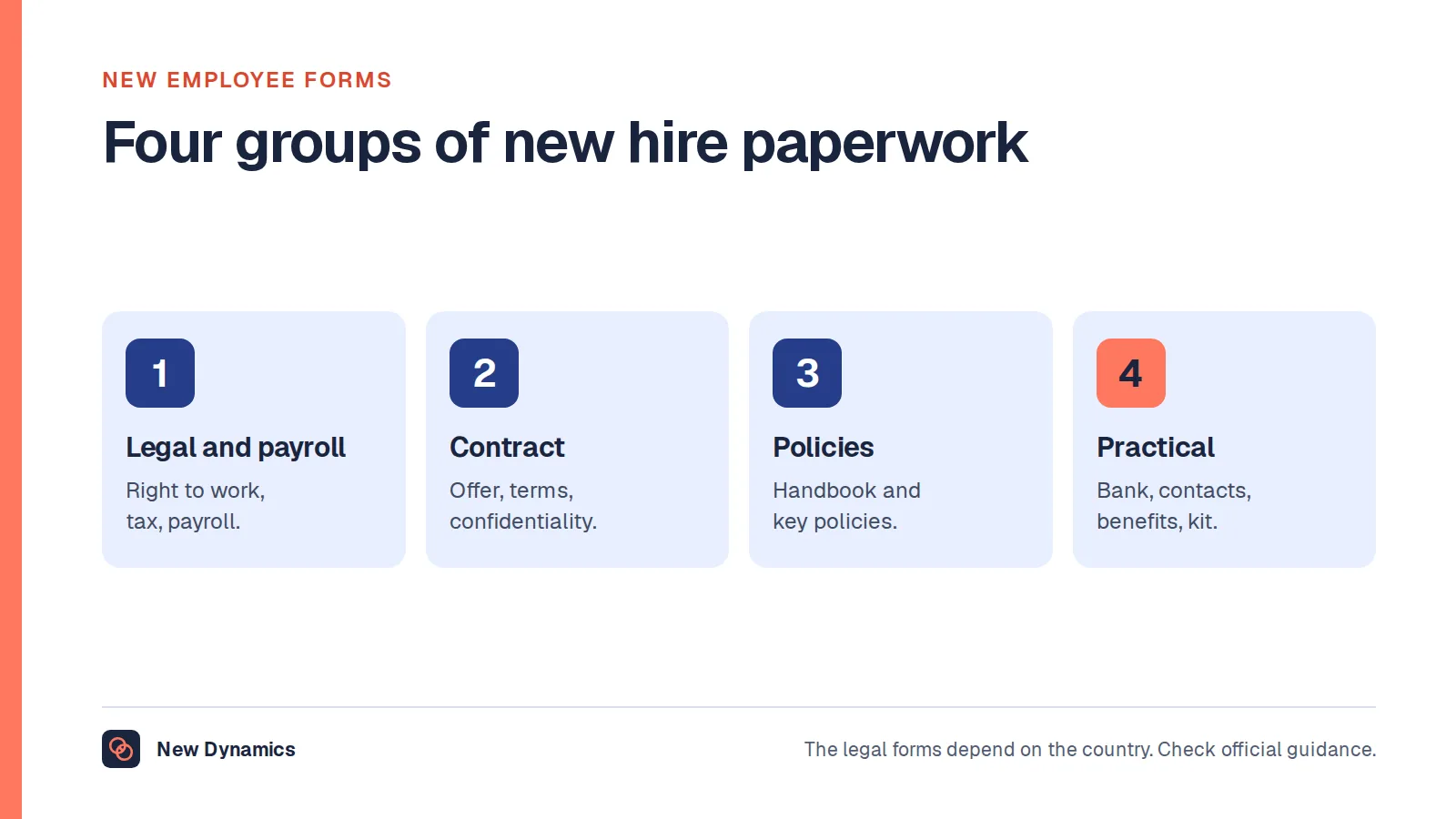
Put the check before the start date on the plan, not beside it. A right to work check is a gate, not a task. In practice that means it belongs with the offer and the contract, with a status that blocks a start date rather than a tick that somebody notices afterwards. Our employee onboarding checklist has the rest of the pre-start items, and new employee forms covers what else is collected in the same window.
Name who is allowed to do checks. Since liability stays with the employer however widely the task is delegated, the list of people who may conduct a check should be a short, written, trained list. One person per site, a deputy, and a rule that nobody else starts somebody without the gate being cleared. Record which of them did the check and on what date, because "the check was done" with no name beside it is the weakest kind of record.
Record the check, not the person's immigration history. This is where HR systems quietly go wrong. The prescribed evidence for an online check is the retained profile page. It is not a free-text note about someone's visa route, their family circumstances or why their status is what it is. The ICO's guidance on storage limitation sets the discipline: personal data must be "kept in a form which permits identification of data subjects for no longer than is necessary for the purposes for which the personal data are processed". The ICO says organisations should "establish and document standard retention periods for different categories of information you hold wherever possible", and should "review whether you still need personal data at the end of any standard retention period, and erase or anonymise it unless there is a clear justification for keeping it for longer." Employment plus two years is your documented period for this category. Put it in the retention schedule and let it actually fire.
Diarise the expiry on the day you do the check. A follow-up due "on, or before" an expiry date is a date-driven obligation, and date-driven obligations fail when they live in somebody's memory. Set the reminder while the profile page is still on screen, give it an owner, and set it early enough that a candidate has time to generate a fresh code, since the old one may have long since passed its 90 days.
Check your own back catalogue once. If your files still contain BRP photocopies taken when that was the prescribed route, those checks were valid under the guidance in force at the time, and the guide confirms a statutory excuse holds where checks were conducted "as set out in legislation and published guidance that applied at the time the checks were made". What needs changing is the template, so the next hire is not checked by a method GOV.UK no longer accepts.

Jurisdiction and limits
This article covers right to work checks in the United Kingdom. It is general information rather than legal or immigration advice, and it is not a substitute for the Home Office guidance it quotes. Take advice on your own circumstances, particularly where someone's status is unclear, where an application is pending, or where you are considering withdrawing an offer.
This area changes often, and it has changed twice in recent memory: physical cards stopped being acceptable documents, and the guidance was reissued on 1 October 2026. Always work from the current GOV.UK pages and the current version of the employer's guide rather than from a saved copy, an internal wiki page or this article.
Frequently asked questions
What is a right to work share code?
It is a nine-character code beginning with the letter W that a worker generates on the Home Office online service so an employer can look up their right to work. The Home Office employer's guide says the code "can be passed on to an employer which, when entered alongside the individual's date of birth, enables the employer to access the required information". Codes beginning with R or S are for other services and cannot be used for employment checks.
How long is a share code valid?
Ninety days. The employer's guide states that "share codes are valid for 90 calendar days from the point of issue" and that they "can be used as many times as needed within that time but can only be used for the purpose they were originally selected for". If a code has expired, the guide says the employer "must ask them to resend a new right to work share code". Ask for the code at offer stage rather than at application, so it is still live on the start date.
How do I check a share code as an employer?
Use the GOV.UK employer service, "Check a job applicant's right to work: use their share code". Enter the share code, enter the applicant's date of birth, and record your business name in full. Then satisfy yourself that the photograph shown is of the person in front of you, which the guidance allows you to do in person, by video call or digitally through a registered provider. Save a PDF or HTML copy of the profile page. A screenshot the candidate sends you does not count, because the guidance says it "is not sufficient to simply view the details provided to the individual on the migrant-facing service".
Can I do a right to work check without a share code?
Sometimes. There are three prescribed checks: a manual document-based check, a Home Office online check using a share code, and a check through a digital verification service provider using IDVT. British and Irish citizens cannot get a share code, so they are checked on documents or through a provider. But where someone holds an eVisa, the guidance says employers "must use the Home Office online right to work checking service", and GOV.UK now states that "you can no longer accept biometric residence cards or permits".
What happens if I do not do the check properly?
GOV.UK says you may face a "civil penalty (fine) of up to £60,000 for each illegal worker", and that "you will not have to pay the civil penalty if you can show you made the correct right to work checks". Knowingly employing someone without the right to work is a criminal offence carrying up to five years in prison and an unlimited fine. Delegating the check does not move the liability: the employer's guide says the employer "will remain liable" where a delegated check was not carried out as prescribed.
Do I need to check everyone, or only people who might need a visa?
Everyone you employ. GOV.UK says "you must not discriminate against anyone because of where they're from", and the employer's guide says it is unlawful to discriminate on grounds of protected characteristics, including race, when carrying out right to work checks. You also cannot dictate the method, because the guide says employers "cannot mandate the method for how an individual does this" and should give a reasonable opportunity to prove it. Checking only the people whose names or accents prompted a second thought is the discrimination risk, not a safeguard against it.
Your next step: make the check a gate with a name on it
- Move the right to work check to offer stage, so the 90-day window and the start date do not collide.
- Write down who in your organisation may conduct a check, train them, and record which of them did each one and on what date.
- Store the retained profile page and nothing more, and set the deletion date at employment plus two years in your retention schedule.
- Diarise every expiry date on the day you see it, with an owner and enough notice for a fresh code to be generated.
- Strip any reference to photocopying a biometric residence permit out of your onboarding template, and replace it with the share code request.
- Re-read the current GOV.UK employer's guide before you rewrite any internal policy, because the version in force changes.
For the pre-start sequence this check belongs in, including who owns each item and what blocks a start date, read our employee onboarding guide. For the retention schedule that decides when the evidence is destroyed, our employee data protection guide is the companion piece.
Want the right to work gate, the named checker, the retained evidence and the expiry reminder all on one visible path, so nobody starts on Monday on the strength of an emailed screenshot? Book a New Dynamics demo and bring your current pre-start checklist. You can also email contact@new-dynamics.com.