TL;DR
- Desk booking software allocates a shared desk for a day. The problem it is usually bought to solve is not a technology gap, it is a ratio: more people than desks on the two days everybody comes in. Work out the ratio first, because it decides which booking model can work.
- Two things go wrong even in a well-run rollout, and both are about adjustments. Somebody who needs a specific adjusted desk cannot gamble on availability, and nobody should have to rebook their adjustment every week. GOV.UK names a reserved desk instead of hot-desking as an example of a reasonable adjustment.
- A booking record shows where a named person was, on which day, and next to whom. The ICO's example of function creep is an employer collecting workspace data for capacity who then wants it for performance management, which it says needs a new lawful basis. This article describes the United Kingdom position and is general information, not legal advice.
The complaint that starts most of these projects is not "we need software". It is a Wednesday. Forty people came in, there were thirty usable desks, two teams ended up split across three floors, and somebody worked from a sofa in reception. On Friday the office was two thirds empty.
Desk booking software is the usual answer, and it is often the right one. But what decides whether it works is arithmetic you can do before you open a supplier's website, and what is most likely to go wrong is not a feature gap. It is the person whose desk is not interchangeable with anybody else's.
This article covers what the software does, the ratio underneath it, the four booking models and who each fails, the accessibility problems that rarely reach a requirements list, what the data can tell you, the United Kingdom duties on a record of where a named person sat, and what to check first. It names no products.
Whoever allocates the desks, the conversation about how somebody is actually doing is a different system. See how New Dynamics performance reviews run a review cycle around the form you already use.
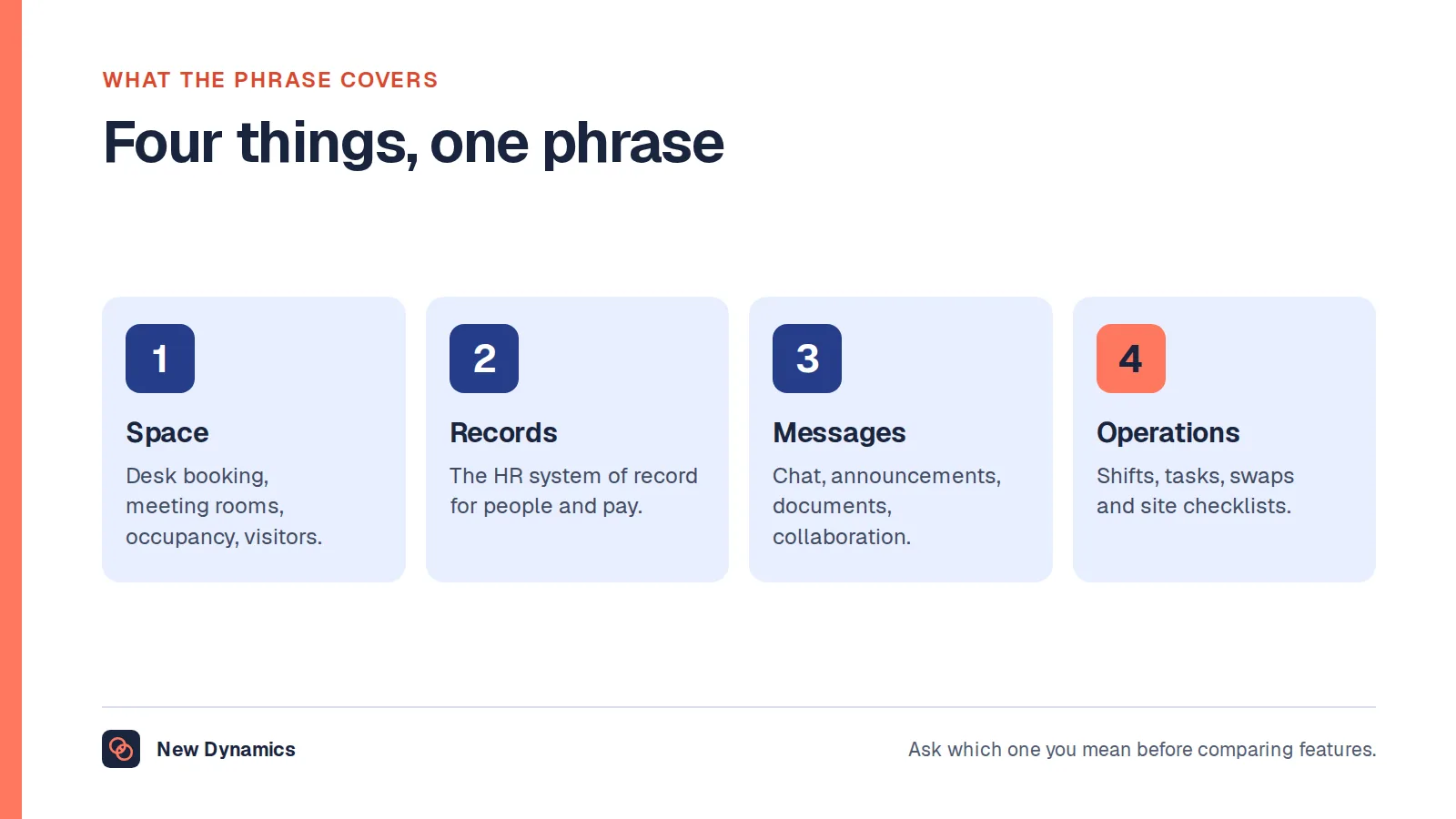
If you are not sure which kind of product you are shopping for, our post on workplace management software separates the four unrelated things sold under that one phrase. This article is the specific tool and the practice, and assumes you have already decided you are in the space and facilities sense.
What desk booking software actually does
Strip away the dashboards and a desk booking system does four things. It holds a map of bookable desks, with a floor, a zone and attributes such as a second monitor or a sit-stand frame. It takes a reservation against a person and a date, and enforces the rules you set. It releases a booking nobody turned up for, on a check-in signal or a timer. And it reports what was booked and used, by floor, day and team.
Everything else is packaging. The booking rules are where the differences that matter live: how far ahead people can book, whether a desk can be held permanently, how a team books together, and what happens when the office is full.
Hot desking, hoteling and desk reservation: the words
Hot desking is the practice: no personal desk, you take what is free when you arrive. Plenty of offices ran it on a first-come basis for years, and hot desk booking software is what you add when first-come stops being tolerable. Hoteling, and hoteling stations, is the same idea with a reservation attached: book a station for a day or a few hours, use it, leave it as you found it. A hoteling system and a desk booking system are the same product, so if a supplier distinguishes them, ask what differs in the booking rules. Desk reservation system and desk booking system are interchangeable, and desk sharing describes the ratio rather than the tool.
Keep the practice and the software apart: hot desking is a policy decision, and booking software is what makes a chosen policy survive contact with a Wednesday.
The real question: how many desks per person

Almost every desk booking requirement, written honestly, reduces to a ratio and a peak day. One usable desk for every person who could come in is not a booking problem, it is a layout or neighbourhood problem, and a booking tool will solve neither. Six desks for every ten people is a real allocation problem, and software is the fairest available way to run it. So count three things before you shortlist.
Usable desks, not the floor plan. Count what somebody can sit at and work from: power, a screen or dock, a chair that is there. Exclude the desks that are nominally shared but in practice belong to somebody.
People by team, not headcount. Thirty desks for forty people is fine if the forty are two teams who come in on different days, and painful if they all come in on Tuesday because that is when the all-hands is.
The peak day. Use what you have: door counts, aggregate badge data, catering numbers, a show of hands. You want the worst day, because that is the day the system will be judged on.
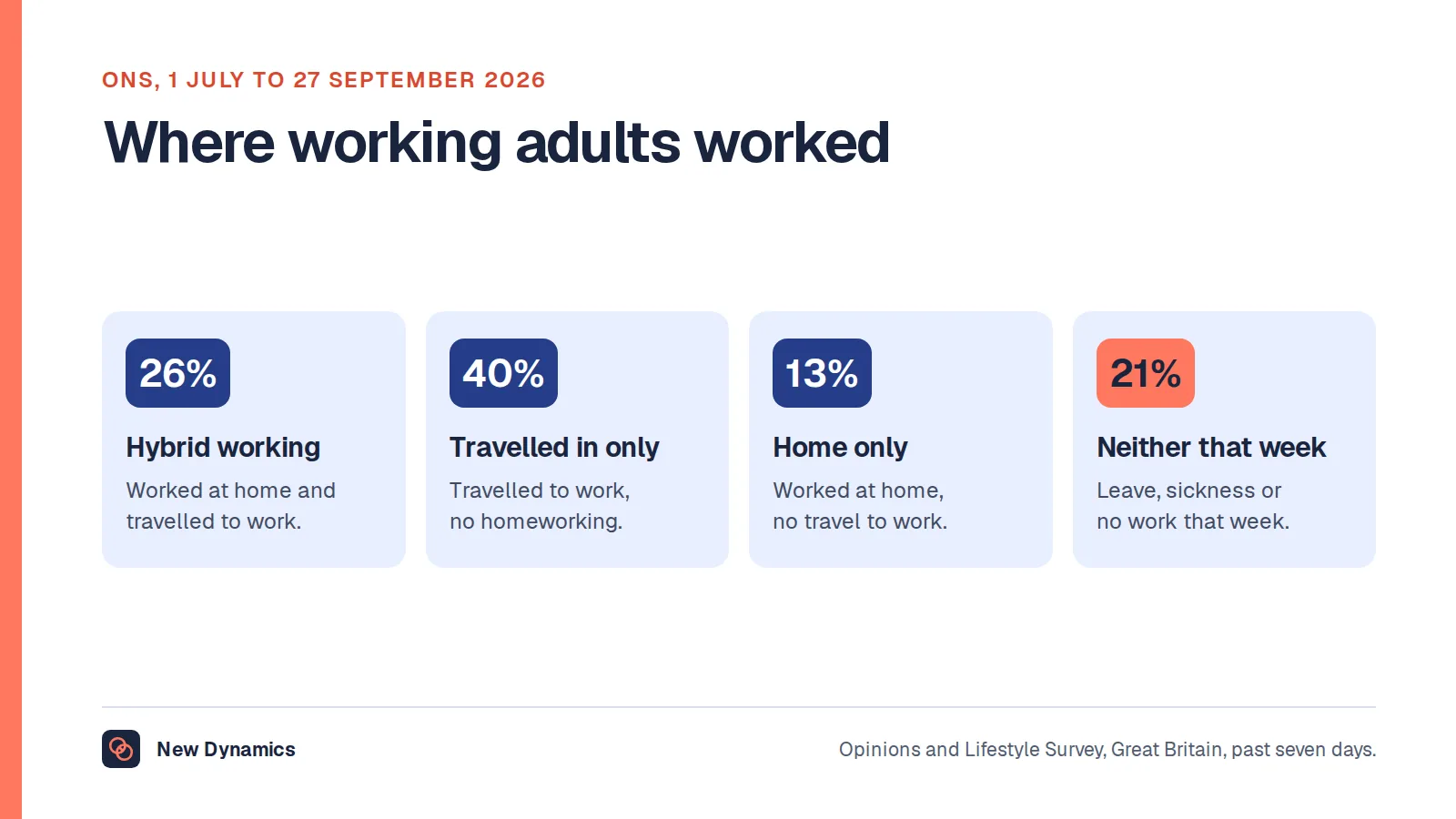
How much shared-desk pressure you have at all depends on how much hybrid working you have, and there is an official figure for that. The Office for National Statistics, in Who has access to hybrid work in Great Britain?, published on 11 June 2025, reported that "More than a quarter of workers in Great Britain (28%) were hybrid workers between 8 January and 30 March 2025." It also found that "Hybrid work was more common among full-time workers (34%) than adults in part-time jobs (18%)".
Those are survey figures for Great Britain over that reference period, not a benchmark for your building. They do tell you that the people least likely to be hybrid are often the people who need a desk every day, and that they are not spread evenly across teams. For the wider picture see the statistics hub and our post on hybrid working statistics.
One thing to be clear about: we could not find an official United Kingdom source publishing a desk-to-person ratio or a target utilisation figure. Property advisers and suppliers publish plenty, and those are marketing rather than statistics. Measure your own building.
Four booking models, and who each one fails

There are four models in practical use. Most offices need more than one at once, so the most useful question to ask a supplier is whether the product can run several in one building without a workaround.
Free-for-all. Any desk, any day, first come first served in the app. Simple to configure, and it rewards whoever books earliest and most confidently. It fails teams, because colleagues scatter, and it fails anybody who cannot plan a week ahead, including people with caring responsibilities and people whose week depends on a hospital appointment.
Zoned. Floors or areas are allocated to departments, and people book within their zone. Teams stay roughly together and each department owns its space. It fails cross-functional work, creates visible unfairness when one zone is empty and the next is full, and entrenches whoever got the good floor.
Team neighbourhoods. A team has an area, and bookings are made for the group rather than seat by seat. This is usually the model that answers the real complaint, because "there was no desk" is less common than "my team was spread over three floors". It fails if the product only understands individual bookings, and it needs somebody to own the team's day.
Fixed desks for those who need one. A named desk, permanently assigned, out of the pool. This is not a failure of the system but a requirement, and the next section is why.
Two rules make any of these work better. Release unused bookings automatically, and cap the booking window, because an unlimited one becomes a few people holding the best desks for the quarter.
The accessibility and fairness problem nobody lists
This is usually discovered after go-live, and it carries legal weight.
Consider somebody whose desk is not interchangeable with anybody else's: a specific chair, a sit-stand frame at a set height, a particular keyboard, the right light for lip reading. For that person a booking system is a gamble on availability, and if the adjusted desk sits in the general pool the right outcome depends on nobody else booking it first.
There is a second, quieter problem. A disabled employee should not have to request their adjustment every week. If the only way to get the adjusted desk is to book it each Monday, a settled adjustment has become a recurring negotiation, and the person keeps disclosing a need to whoever handles exceptions.
Official guidance addresses this directly. GOV.UK guidance on reasonable adjustments for workers with disabilities or health conditions states that "Employers must make reasonable adjustments to make sure workers with disabilities, or physical or mental health conditions, are not substantially disadvantaged when doing their jobs." Its examples include "doing things another way, such as allowing someone with social anxiety disorder to have their own desk instead of hot-desking", and "changing their equipment, for instance providing a special keyboard if they have arthritis".
Read the first of those examples again. Official guidance names a reserved desk instead of hot-desking as a reasonable adjustment. If your booking model assumes everybody competes for space each morning, the adjustment is a hole in the design.
The underlying duty is statutory. The Equality Act 2010, at section 20, sets out the duty to make adjustments in three requirements, the first worded this way: "The first requirement is a requirement, where a provision, criterion or practice of A's puts a disabled person at a substantial disadvantage in relation to a relevant matter in comparison with persons who are not disabled, to take such steps as it is reasonable to have to take to avoid the disadvantage."
A hot-desking policy is a provision, criterion or practice. The second requirement covers physical features and the third auxiliary aids, which is where a specific chair or keyboard sits. For a desk booking project that means three design decisions rather than three exceptions:
- Take adjusted desks out of the bookable pool, and assign them.
- Let an assignment persist without being rebooked, and without the person explaining it again.
- Decide who can see why a desk is reserved, because the reason is usually health information.
The third point is where accessibility and data protection meet: a field saying "reserved, accessibility" is better than one naming a condition, and the people who need to know are facilities and the person's manager, not everybody with a floor plan.
There is a fairness point running underneath all of this. The people least able to work from home when the office is full are often the people with the strongest claim on a predictable desk, and a model that allocates by who books fastest gets that backwards.
This is the position in the United Kingdom and is general information rather than legal advice. Your HR lead should be in the conversation before the floor plan is signed off.
Shared desks bring a workstation duty
There is a health and safety obligation attached to the practice, written down plainly. The Health and Safety Executive's guidance on working safely with display screen equipment states that "In law, employers must" do four things: "do a DSE workstation assessment", "reduce risks, including making sure workers take breaks from DSE work or do something different", "provide an eye test if a worker asks for one" and "provide training and information for workers". It then lists the situations the law covers, and one of them is named: "hot-desking (workers should carry out a basic risk assessment if they change desks regularly)". The regulations "apply to workers who use DSE daily, for continuous periods of an hour or more", which covers most office desk users.
So if your new system gives people a different desk every day, you have created the situation the guidance addresses. The fix is small, but it has to exist somewhere: a short self-assessment the first time somebody books an unfamiliar desk type, a route to request equipment, and a named person who acts on the replies. A product that can prompt and record that is useful. One that cannot is not disqualified, but you will build the step elsewhere. Our post on workplace safety tips covers the wider duty. United Kingdom position, general information, not legal advice.
What the booking data can honestly tell you
A booking system produces better space data than anything else you have, and answers questions you currently guess at.
- Booked against actually used. The most valuable number, and the one that justifies the release rule. If a quarter of bookings are never used, your capacity problem is partly a behaviour problem.
- The real peak. Not the average, but the worst hour of the worst day.
- Where the pressure is, and whether teams land together. By floor and zone, then by the days a team's bookings were in one area. The second measures the complaint which generated the project.
- What the attributes say. If every desk with a second monitor goes instantly while plain desks sit empty, you have an equipment problem, which is far cheaper to fix.
One caution runs through all of it: aggregate by default. Almost every genuine space question is answered by counts per floor, zone, day and team, and none needs a named person's history on screen. Ask each supplier whether aggregated reporting is the default view.
Booking records are personal data about named people

This is the legally serious part of the purchase, and it is usually handled last.
A booking record says that a named person was in a named building, on a named floor, on a particular day, for particular hours, and, because floor plans are seating plans, next to particular colleagues. Over a year that is a detailed picture of somebody's movements and associations. In the United Kingdom that is worker monitoring, and the duties attach whatever your reason for buying was.
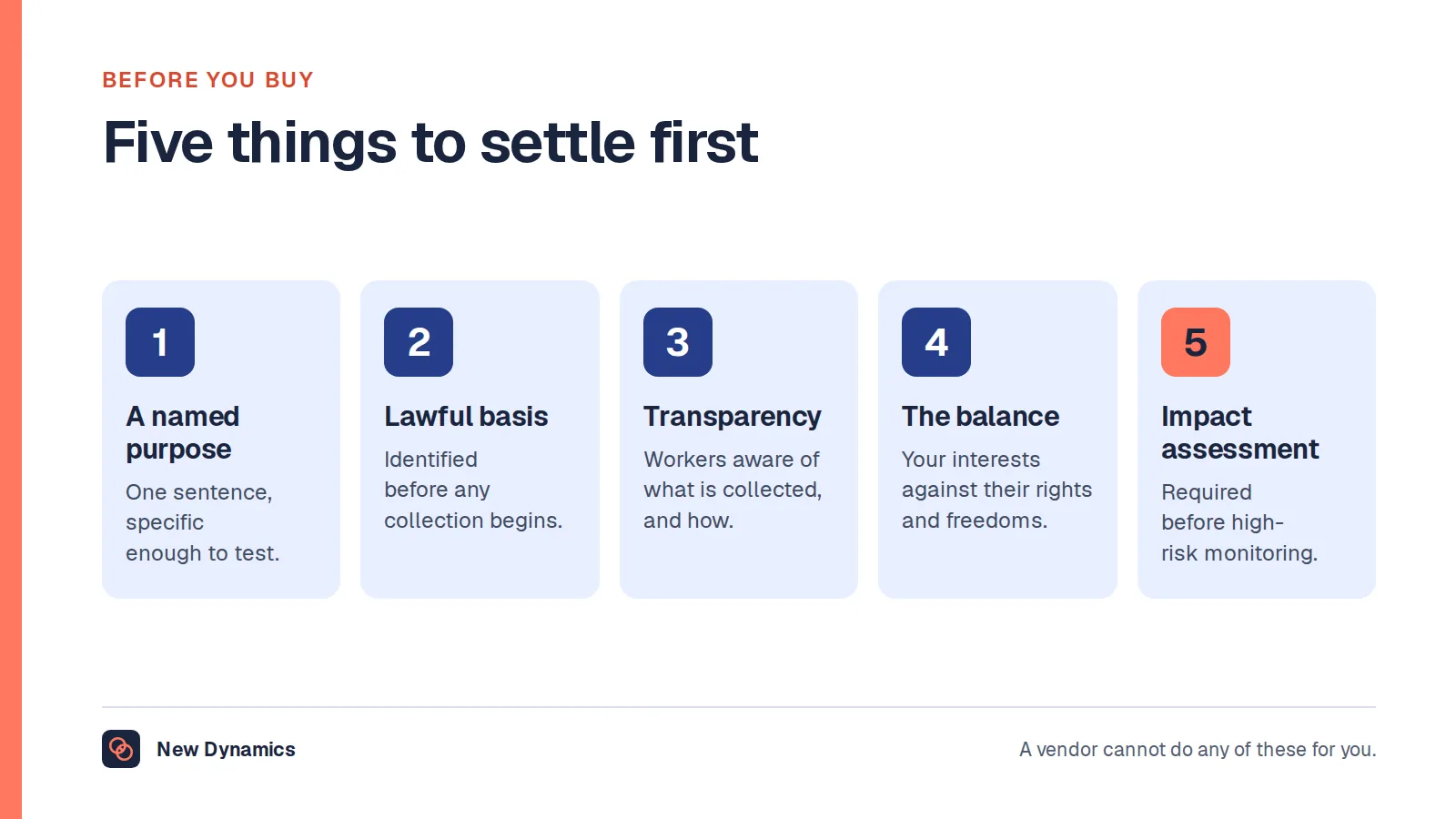
The Information Commissioner's Office guidance on monitoring workers is the right starting point. On the basic test it says: "You must be clear about your purpose and select the least intrusive means to achieve it."
Purpose limitation, in the ICO's words
Asked whether an employer has to define its purpose for monitoring, the ICO answers: "Yes. Purpose limitation is a key principle of data protection law. You must be clear about the purpose for monitoring." It continues: "However, you should not monitor workers 'just in case'. You must document why you are monitoring workers and what you intend to do with the information you collect."
It sets a hard limit on changing your mind later: "You can only change your purpose for monitoring if: your new purpose is compatible with your original purpose; you get consent; or you have a clear obligation or function set out in law."
On how much to collect it says: "The data minimisation principle means you must not collect more information than you need to achieve your purpose. It is closely linked to purpose limitation." And it names the risk: "This risks 'function creep', where information is used for wider purposes than the original intention. This can happen gradually over time, so you should review how you monitor workers regularly to prevent this."
Then comes the example that could have been written for this article. "An employer collects office ethernet connection data to monitor the use of workspaces and ensure there is sufficient capacity for workers. They should not re-use this information for performance management purposes without identifying a new lawful basis and establishing the necessity and proportionality of this new purpose."
That is the distinction this section turns on. Managing space is a purpose. Monitoring people is a different purpose. The data can be identical and the system unchanged, and the duty still differs, because it attaches to the purpose and not to the database.
What access and attendance records specifically require
The ICO's companion page on specific considerations for different methods of monitoring addresses access and attendance by name. It warns that such measures "may also pose a risk to workers' data protection rights and freedoms because of the level of knowledge and control they give you over workers' activities and movements", then states the duty: "You must be clear about your purpose for recording information about your workers' access and activities. You must not use the information for a different purpose unless: it is compatible with your original purpose; you obtain consent; or you have a legal obligation to do so."
Its worked example is a swipe card system on a server room, recording entrance and exit times for security. It closes with a sentence worth copying into your project documentation: "The employer does not use information about workers' access and exit times for any other purposes (eg for performance evaluation)."
Three things to put in the project plan
Tell people first, and ask them. The ICO says that "Workers have the right to be informed about the collection and use of their information, and you must tell workers about monitoring in a way that is accessible and easy to understand." It adds that "If you are planning to introduce monitoring, you should seek and document the views of your workers or their representatives (such as trade unions), unless there is a good reason not to." That consultation is also the cheapest way to learn that your booking model will not work.
Assess before rollout. "You must carry out a DPIA before undertaking any processing likely to cause high risk to workers' and other people's interests." A DPIA, a data protection impact assessment, is a written record of what you are doing, why, and what you did about the risks.
Set a retention period. The ICO says you "must not keep personal information obtained from monitoring workers for any longer than is necessary for your particular purpose or purposes", and that "You must ensure you have a retention schedule and delete any information you collect from monitoring workers in line with your schedule." Decide how long a booking record is kept, then check the product deletes on that schedule rather than archiving indefinitely. Our post on employee records retention covers the principle.
This describes the United Kingdom position. It is general information, not legal advice, and your data protection lead should see the plan before the purchase order.
The trap: occupancy data used to police attendance
Here is how it happens, and it is rarely anybody's plan. Facilities buys a system to allocate desks. A year later leadership wants people in more often, and somebody realises the system already knows who came in. A report appears, by name and team, showing days in the office against an expectation nobody wrote down. Within a month a manager is quoting it in a one-to-one.
Nothing about the software changed. The purpose changed, and the ICO's position is quoted above: a new purpose needs a new lawful basis, with its necessity and proportionality established. There are practical reasons to resist as well as legal ones.
The data is a poor measure of work. A booking is not attendance, attendance is not presence, and presence is not contribution. Somebody who books a desk and spends the day in a meeting room registers the same as somebody at the desk all day.
It is unfair in a documented way. The ICO gives an example about reports that ignore adjustments: "An employer uses a software tool to monitor how long workers spend using a case management system. They use the monitoring reports to assess the performance of workers. The reports do not take into account the reasonable adjustments some workers have, which mean they work outside of the system for some tasks. Unless the employer takes into account the work done outside the system, the monitoring is unfair and inadequate." The same logic applies to office attendance. Somebody with a home working arrangement, an adjustment or a long commute agreed at hire looks worse on a report that knows none of that.
It destroys the data you bought. Once people understand that bookings are read as attendance, bookings stop describing space demand. People book defensively, hold desks they do not need and stop releasing them, so capacity planning gets worse.
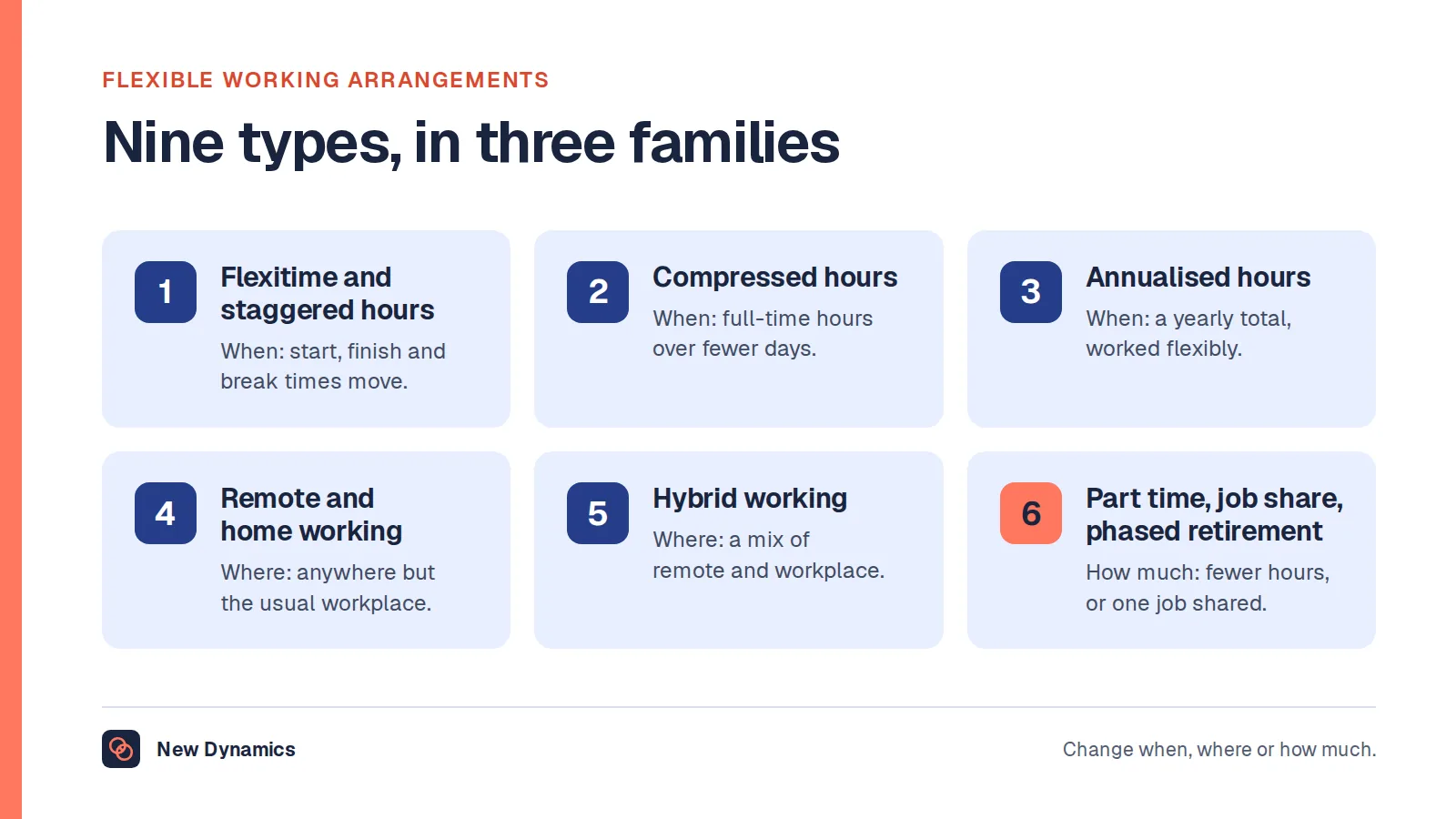
Attendance is also a policy question rather than a reporting question. If leadership wants more office days, the work is writing the expectation down, saying who it applies to, and deciding what happens when it conflicts with an arrangement somebody already has. Our post on flexible working arrangements covers the request process, and our post on employee monitoring software covers the case where monitoring is the product rather than a side effect.
So write the line down before go-live, in the policy and the privacy information: what the booking data will be used for, and what it will not. Then restrict individual-level reports to the few people with a reason to see them.
What to check before you buy
Eight questions, roughly in order of importance. Ask every supplier the same ones and write the answers down.
- Can it run more than one booking model at once? Fixed desks, neighbourhoods and a general pool in one building, without a workaround.
- Can a desk be permanently assigned, and reserved quietly? With control over who sees the reason.
- Can a team book as a team? A group booking for a neighbourhood, not ten individual seats.
- Does it release unused bookings automatically, and can you cap the booking window? On what signal, after how long, and with different limits for different groups.
- Is aggregated reporting the default? And can individual booking history be restricted to named roles.
- What is the retention setting? Can it delete booking records on a schedule, and show you that it did.
- How does it get its list of people? Single sign-on and automated provisioning from your identity directory, not a spreadsheet upload. Test the leaver path: somebody removed from the HR record should lose the booking account.
- Is the product itself accessible, and can it carry a workstation self-assessment? Keyboard operation, screen reader support, contrast and touch targets. For a public sector buyer accessibility is a procurement answer rather than a demo answer, so ask for the accessibility statement and a recent test result.
Two more that are not features: who owns this system in eighteen months, and what you are switching off. Our guide to HR tools maps this family of systems.
Why there is no best desk booking system here
If you arrived looking for a ranked list, a top five or a free tool, we do not publish one. This site publishes no vendor rankings, in any category, and that is a standing editorial position rather than a gap. The reasoning is set out in why we do not publish a top 5 HRIS list, and all of it applies here: a ranking cannot know your building, your ratio, your peak day or your adjustments, and some rankings are shaped by commercial relationships the reader cannot see.
What we publish instead is the method above. Our performance management software RFP template shows how to structure supplier questions, and the shape transfers here.
Where New Dynamics sits, and where it does not
Desk booking is not a product we sell. New Dynamics is a performance management platform: goals and OKRs, feedback, recognition, performance reviews, multi-manager reviews for people who report to more than one person, and onboarding. It does not book desks or rooms, hold a floor plan, record occupancy or sign visitors in, and it is not a core HR system of record.
We write about desk booking because the most common way such a project goes wrong is that its data arrives in a performance conversation it was never collected for, and a review cycle is where that lands. Our workflows feature exists so the evidence in a review is the evidence you chose to put there.
Frequently asked questions
What is desk booking software?
Desk booking software holds a map of the desks in an office, takes reservations against a person and a date, applies the booking rules you set, releases bookings nobody turned up for, and reports what was booked and used. It is bought when there are fewer usable desks than people who want one on the busiest day of the week.
What is the difference between hot desking and hoteling?
Hot desking is the practice of having no personal desk and taking whatever is free when you arrive. Hoteling is the same arrangement with a reservation attached, so you book a station in advance. In software terms the two are the same product, and the difference is in the booking rules.
How many desks do we need per person?
There is no published United Kingdom benchmark we could verify, so measure your own building. Count usable desks rather than the floor plan, count the people who could come in by team rather than in total, and find the busiest day. The ratio on that day is your requirement.
Does a disabled employee have to book an adjusted desk every week?
They should not have to. GOV.UK guidance gives a reserved desk instead of hot-desking as an example of a reasonable adjustment, and the duty in the Equality Act 2010 covers practices, physical features and auxiliary aids. Take adjusted desks out of the pool, let the assignment persist without being rebooked, and control who can see why the desk is reserved. General information about the United Kingdom, not legal advice.
Can we use desk booking data to check who is coming into the office?
Not as an afterthought. The Information Commissioner's Office says you must be clear about your purpose, must not monitor workers just in case, and can only change your purpose if the new purpose is compatible, you get consent, or you have an obligation set out in law. Its own example describes an employer collecting workspace data for capacity, which should not be reused for performance management without a new lawful basis and an assessment of necessity and proportionality.
Do we need a risk assessment for hot desking?
The Health and Safety Executive's display screen equipment guidance lists hot-desking among the situations the law covers, and says workers should carry out a basic risk assessment if they change desks regularly. In practice that means a short self-assessment prompt, a route to request equipment and somebody who acts on the replies. United Kingdom position, general information rather than legal advice.
Your next step: measure before you shortlist
- Count usable desks, people by team and the busiest day. If the ratio is close to one desk per person, look at your layout instead.
- Choose your booking models, and list every desk that must come out of the pool because somebody needs it.
- Write the data protection line: the purpose, who sees individual records, how long they are kept, and what the data will never be used for.
- Start the DPIA and ask your workers or their representatives what the model should be, before the shortlist.
- Ask three or four suppliers the eight questions above, with your own floor plan on screen.
For the data protection half of this properly, read and download our employee data protection guide. The guide is free to read, and the PDF uses our short download form.
Want to make sure your review cycle runs on evidence you chose rather than data somebody exported? Book a New Dynamics demo and bring your current review form. You can also email contact@new-dynamics.com.