TL;DR
- Workplace management software is sold under one name by four unrelated categories: space and facilities, the HR system of record, communication and collaboration, and frontline operations. Most failed shortlists start by comparing two of them against each other.
- The question that sorts them is not which features you want. It is which group is not served today, which record is wrong, and who owns the answer. If no answer names a system, you have a policy problem with a software budget attached.
- Anything that records where a person was and when is worker monitoring. The ICO says access and attendance measures "may also pose a risk to workers' data protection rights and freedoms because of the level of knowledge and control they give you over workers' activities and movements". This article describes the United Kingdom position and is general information, not legal advice.
Somebody is asked to "look at workplace management software". They open ten tabs. Four sell desk booking, three an HR database, two a chat tool and one a shift app. Every one uses the phrase in the headline, and every one means something different.
This article is about that confusion, because it is the actual problem. It sets out the four things sold as workplace management software, how to tell which one your situation needs, what it costs to run more than one, the data protection duties on anything recording where a person was, the accessibility questions that get deferred, and what to do when the real problem is a policy. It names no products.
Whichever of the four you buy, the conversation about how someone is actually doing is a separate system. See how New Dynamics performance reviews run a review cycle around the form you already use.
For the HR database sense, our post on HRIS software covers the system of record in depth. For the communication sense, our post on internal communication tools covers the channels. This article deliberately does not repeat either.
Four things called workplace management software

Here they are, in the order a search result is likely to mix them up.
Space and facilities. Desk booking, meeting room scheduling, occupancy reporting, visitor sign-in, floor plans, maintenance requests, sometimes parking and lockers. The buyer is facilities, property or workplace operations, and the budget often sits with estates rather than HR. This is the sense that grew fastest with hybrid working, because an organisation that no longer knows how many people will be in on Thursday has a new problem.
The HR system of record. Employee records, job and pay history, reporting lines, absence, onboarding paperwork, self-service. The buyer is HR. The purchase is a database, and almost every other people system depends on it being right.
Communication and collaboration. Messaging, announcements, document stores, an intranet, a staff app. The buyer is internal communications, HR or IT. The purchase is a set of channels and, more importantly, a set of rules about which message goes where.
Frontline and deskless operations. Rotas and shift patterns, swaps, task lists, opening and closing checklists, time capture, compliance sign-offs. The buyer is operations, with HR somewhere in the approval chain. The purchase is the daily running of sites, not the records about the people who staff them.
These four share almost nothing: different buyers, different data, different integration points, different legal exposure, different failure modes. A shortlist containing two of them is two projects wearing one spreadsheet.
The term that most often sits on top of all four is "employee experience platform". Treat it as a wrapper rather than a category. It tells you the supplier wants to be bought by whoever owns the whole staff relationship, and nothing about which of the four jobs the product does. Our post on employee experience covers the underlying idea, which is older and more useful than the label.
Sense one: space and facilities
This is the sense most people now reach first, and it has the clearest trigger. Once attendance became unpredictable, the assumption that every person has a desk stopped being true, and the cost of the building did not change in step.
The scale is measured. The Office for National Statistics, in Who has access to hybrid work in Great Britain?, published on 11 June 2025, reported that "More than a quarter of workers in Great Britain (28%) were hybrid workers between 8 January and 30 March 2025." It adds that "The proportion of hybrid workers has risen, whereas those who travel to work only has declined." For the wider picture, see the statistics hub and our post on hybrid working statistics.
Two things follow, and only one is usually noticed. The noticed one is capacity: if a quarter of your office population is in on some days and not others, you need a way to allocate space, and a booking system is a reasonable answer.
The unnoticed one is that hybrid working is not evenly distributed, so a space tool solves a problem for part of your workforce only. The ONS article is explicit that workers in retail, construction and hospitality were among the least likely to work in a hybrid pattern. A desk booking rollout, however good, changes nothing for a warehouse, a ward or a store. So be careful about calling the project "workplace management", because the name implies a scope the purchase does not have.
The workstation duty that comes with hot-desking
Shared desks bring a health and safety obligation that buyers routinely leave until after go-live, and it is written down. The Health and Safety Executive's guidance on working safely with display screen equipment, updated on 20 March 2025, states that in law employers must "do a DSE workstation assessment", "reduce risks, including making sure workers take breaks from DSE work or do something different", "provide an eye test if a worker asks for one" and "provide training and information for workers". It sets out that the law applies to users who are at a fixed workstation, mobile workers, home workers and "hot-desking (workers should carry out a basic risk assessment if they change desks regularly)".
Read that last clause next to a desk booking product. If people now change desks regularly because your new system allocates them a different one each day, you have created the situation the regulations address. The practical consequence is small but it has to exist: a short self-assessment in the booking flow, a route to request equipment, and somebody who acts on what comes back. A tool that cannot prompt or record that is not disqualified, but you will be building the step somewhere else. This is the United Kingdom position and is general information rather than legal advice.
What a space tool should be able to show you
- Bookings against actual arrivals, so you can see how much space was held and not used.
- Desks and rooms separately, because meeting room pressure and desk pressure have different fixes.
- A view by team, because the complaint is rarely "there is no desk" and usually "my team was scattered".
- Visitor records with a retention period, which is a data protection decision, not a feature.
Sense two: the HR system of record
This is the people database: who works here, in which role, reporting to whom, on what terms. If a search for workplace management software led you here, you are looking for an HRIS, and the vocabulary is worth learning because it changes what you compare.
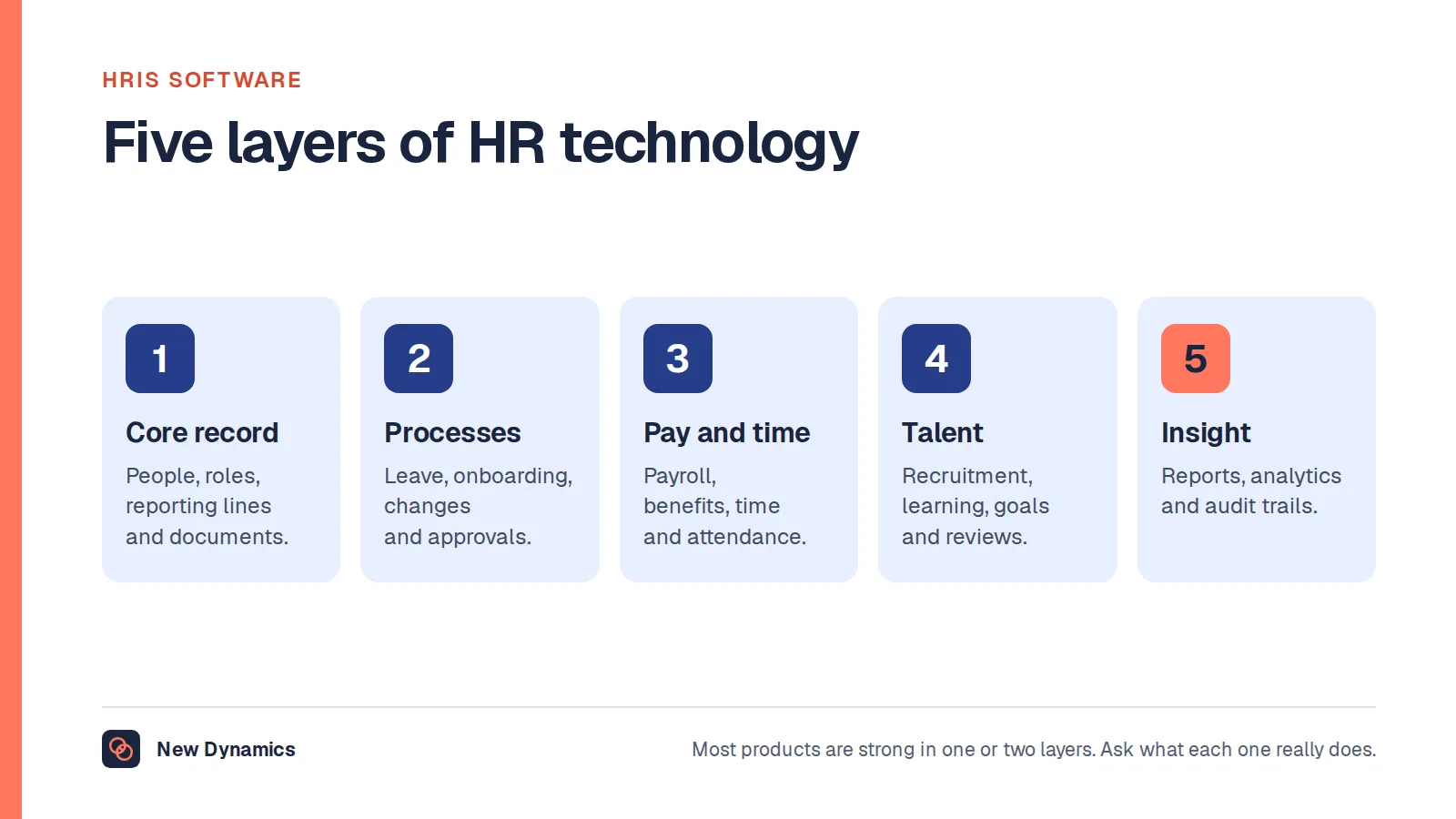
We cover that purchase in full in our post on HRIS software, including how the HRIS, HRMS and HCM labels differ and the five layers to compare a product against. Our post on the employee management system covers what the underlying record holds, and our post on the ERP system covers the case where it sits inside a wider back-office platform.
Two things are worth adding here rather than there.
First, the system of record is the one purchase in this article that nearly everything else depends on. A desk booking tool needs a list of employees. A staff app needs reporting lines to target a message. A rota tool needs contracted hours. If the record is wrong, every tool downstream inherits the error, and you will spend year one arguing about whose data is correct.
Second, this is the sense where ranked lists do the most damage, because "best" is meaningless without knowing your size, country and payroll arrangement. We set out why we publish a method instead in why we do not publish a top 5 HRIS list, and the same reasoning applies to all four categories here. For the selection process, see our post on choosing HR software.
Sense three: communication and collaboration
If the complaint that started this was "people do not know what is going on", you are not buying a space tool or a database. You are in the channels question, which has its own logic.
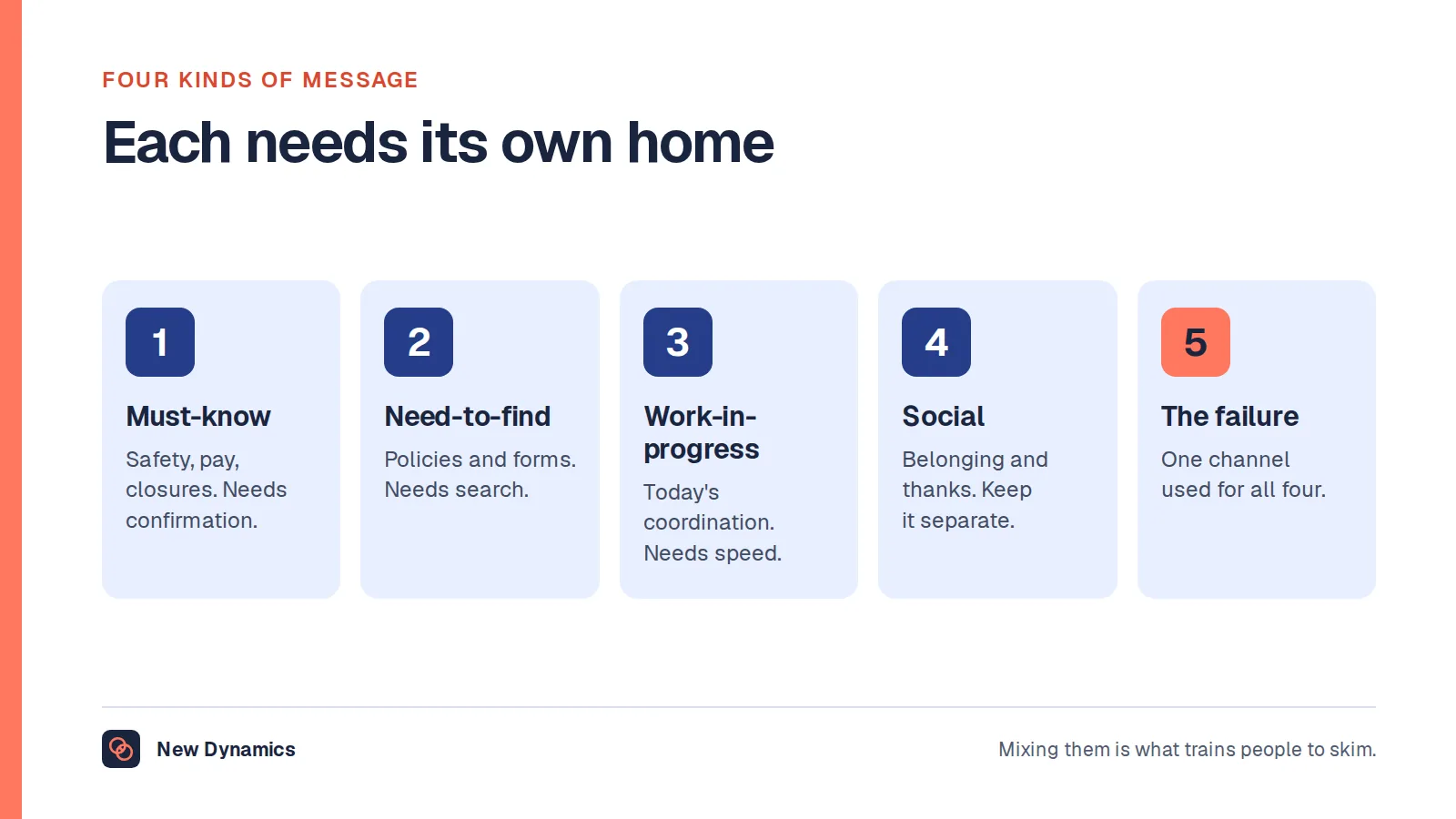
Our post on internal communication tools covers it properly: the four kinds of message that travel inside an organisation, why reaching someone without a work email is the requirement that decides the purchase, and why the channel rules matter more than the product. Our post on intranet software covers the half about finding documents rather than receiving messages.
The point to add here is overlap. Space and communication products increasingly ship each other's features: a desk booking app adds announcements, a staff app adds a room booking tile. Neither is dishonest, and both are a reason to be precise about which product is the system of truth for which record. Two places to book the same room is not an integration, it is a double booking waiting for a Monday.
Sense four: frontline and deskless operations
This is rotas, swaps, task lists, checklists and the daily evidence that a site did what it was supposed to do. The buyer is operations, and the test is whether a supervisor can run a shift from a phone, in a corridor, in under a minute.
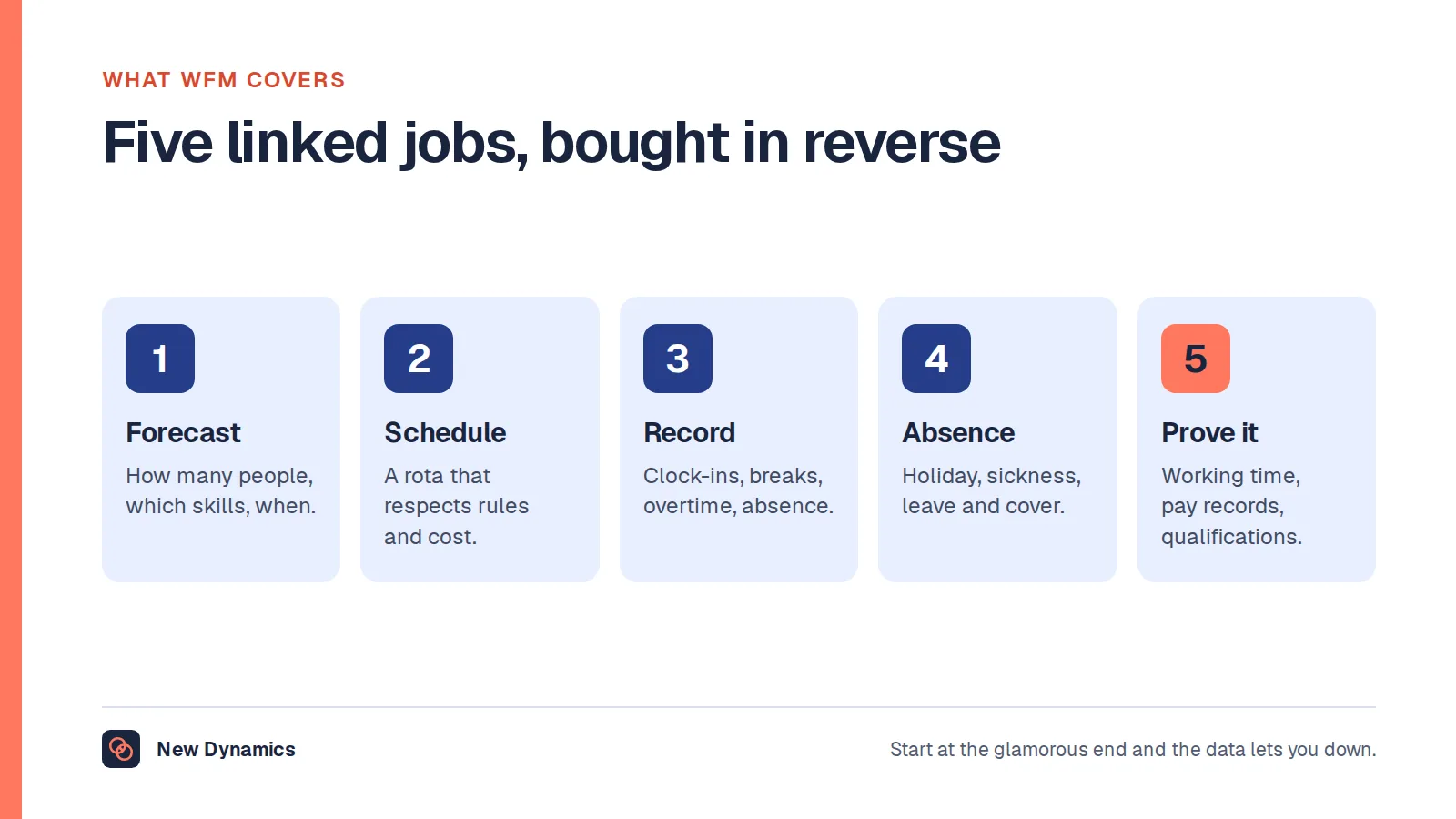
Our post on workforce management software covers the five linked jobs in this category and the order to buy them in, which matters more than the feature comparison. Our posts on employee scheduling software and time and attendance software cover the narrower purchases inside it.
This sense belongs in a disambiguation article because it is most often bought by the wrong department. A head office project that defines "the workplace" as the office will specify desk booking, roll it out, and find most of the workforce was never in scope. Deciding that consciously is fine. Discovering it in month nine is expensive.
Which one does your problem need

Four questions separate the four. Answer them in writing, in this order, before you look at a single product.
Who is not served today? Name the group. "People who come in on Tuesdays and cannot find a desk near their team" points at space. "Managers who do not know who reports to whom after the restructure" points at the record. "Night staff who hear about policy changes from a colleague" points at channels. "Supervisors rebuilding the rota in a notebook after a shift swap" points at operations. If you cannot name a group, you do not yet have a requirement.
Which record is wrong? Each of these systems exists to make one record reliable: a room's availability, a person's reporting line, a message's delivery, a shift's coverage. Say which you cannot trust and the category usually names itself.
Who owns the answer? Facilities, HR, IT or operations. Not who pays, who is accountable for it working in eighteen months. A system with no owner degrades quietly, and one whose owner did not choose it degrades faster.
What breaks if you do nothing? The question that saves the most money. If the answer is "nothing breaks, but it feels disorganised", you have a policy or communication problem, and a tool will add a login while leaving the feeling in place.
Two more are worth asking out loud. Does this reach the people furthest from head office, today, for someone with no work email and a personal phone? And what are you retiring, since adding a system without removing one divides attention?
What it costs to buy more than one
Most organisations of any size end up with at least two of the four. That is normal. The cost is not the second licence, it is the joins, and they are worth pricing before you sign.
The identity join. Each of these systems needs to know who your people are. Taking that from your identity provider, with single sign-on and automated provisioning, is the difference between a system that stays current and a spreadsheet upload somebody forgets in August. Treat provisioning as a feature, not plumbing, and ask each supplier what they support by name.
The joining field. Two systems can only be reconciled on a shared key. Work email is the usual candidate and it fails exactly where it matters, because the staff who most need a frontline app are the least likely to have one. Payroll number is often the honest answer, and it is usually held by the system nobody wants to be the master.
Direction of truth. For each shared field, name the one system that owns it and the ones that read it. Reporting lines should have exactly one home. Where two systems both believe they own the org structure, you get a reorganisation that half-applied.
Leavers. This is where multi-system estates quietly fail. Someone removed from the HR record who keeps a badge, a desk booking account and a shift app login is both a security and a data protection problem. Test the leaver path end to end in every demo.
The connector you are not being sold. A directory listing is not a working connector. Ask what exists today, what is built to order, what the sync interval is and what happens when the sync fails. Our integrations directory lists the platforms we discuss during planning, and the same caution applies to us. For the wider map, our guide to HR tools covers the nine jobs HR software does.
Occupancy and location data: the part most readers underestimate

A desk booking system, a badge reader, a visitor log and an occupancy sensor all produce the same kind of record: this person was in this place at this time. In the United Kingdom, that is worker monitoring, and it carries duties regardless of why you bought the system.
The Information Commissioner's Office guidance on monitoring workers is the right starting point, and it is specific. It defines the scope broadly: "We use the term 'monitoring workers' to mean any form of monitoring of people who carry out work on your behalf. This can include monitoring workers on particular work premises or elsewhere, and can include monitoring during or outside work hours." Its list of monitoring technologies and purposes includes "technologies for monitoring timekeeping or access control", which is exactly what a badge reader and a booking system are.
It also sets a test that rules out a great deal of what gets built by default: "Just because a form of monitoring is available, does not mean it is the best way to achieve your aims. You must be clear about your purpose and select the least intrusive means to achieve it." The ICO illustrates this with an employer that responded to a few remote workers starting late by rolling out webcam access for senior management, which it says "is likely to infringe data protection law because it is disproportionate, and there are less intrusive ways to check start times".
On access and attendance specifically, the ICO's companion page on specific considerations for different methods of monitoring addresses this category by name. It lists the normal uses, including "controlling access to buildings or areas of buildings", "recording who is on site for fire safety purposes" and "recording attendance for payroll purposes", then says plainly: "These measures can form an important part of your security measures and provide an audit trail. However, they may also pose a risk to workers' data protection rights and freedoms because of the level of knowledge and control they give you over workers' activities and movements."
The operative duty follows. "You must be clear about your purpose for recording information about your workers' access and activities. You must not use the information for a different purpose unless: it is compatible with your original purpose; you obtain consent; or you have a legal obligation to do so." The ICO's worked example is a swipe card system recording entrance and exit times for server room security, and it closes with a sentence worth putting straight into your project documentation: "The employer does not use information about workers' access and exit times for any other purposes (eg for performance evaluation)."
That is the scope creep to name and prevent. Occupancy data collected to plan floor space is routinely repurposed, a year later and by a different team, to work out who is complying with an attendance expectation. The system did not change. The purpose did, and the duty attaches to the purpose, so a new purpose needs a new assessment.
Three further points from the same guidance belong in the project plan.
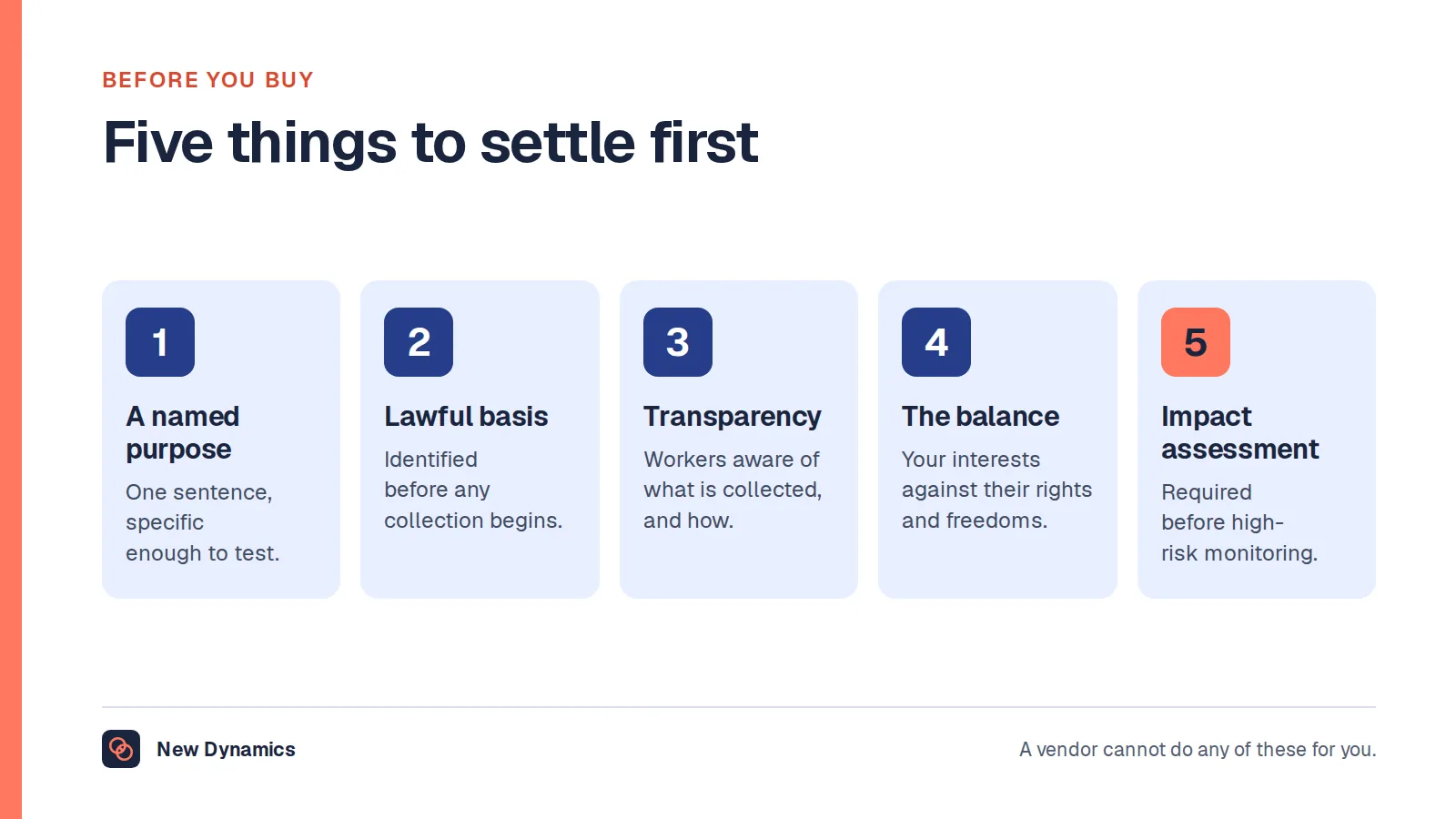
Transparency. "Workers have the right to be informed about the collection and use of their information, and you must tell workers about monitoring in a way that is accessible and easy to understand." The ICO adds that "Apart from in very exceptional circumstances where covert monitoring is justified, you must inform workers about any monitoring."
Assessment before rollout. "You must carry out a DPIA before undertaking any processing likely to cause high risk to workers' and other people's interests", and the ICO advises doing one even where no high risk is identified "as it is a flexible and scalable tool which can assist your decision-making". A DPIA is a data protection impact assessment: a written record of what you are doing, why, and what you did about the risks.
Consultation. "If you are planning to introduce monitoring, you should seek and document the views of your workers or their representatives (such as trade unions), unless there is a good reason not to." The ICO frames this as part of the DPIA rather than a separate courtesy.
Then retention, which nobody specifies and everybody accumulates. Decide how long a desk booking, a badge swipe and a visitor record are kept, and check the system can delete on that schedule rather than archive forever. Our post on employee records retention covers the principle, our post on employee monitoring software covers the harder case where monitoring is the product, and our employee data protection guide is the practical companion.
This section describes the position in the United Kingdom. It is general information, not legal advice, and your data protection lead should see the plan before the purchase order.
Accessibility is not a later phase
Two accessibility questions sit inside a workplace management purchase, and they are different from each other.
The first is the physical arrangement the software imposes. GOV.UK guidance on reasonable adjustments for workers with disabilities or health conditions states that "Employers must make reasonable adjustments to make sure workers with disabilities, or physical or mental health conditions, are not substantially disadvantaged when doing their jobs", and lists among the examples "doing things another way, such as allowing someone with social anxiety disorder to have their own desk instead of hot-desking". That is official guidance naming hot-desking as a thing an adjustment may need to displace. If your booking system assumes everyone competes for space each morning, build the reserved desk into the design rather than leaving it as an exception somebody has to keep asking for.
The point is sharper because hybrid access is already unequal. The ONS article cited above reported that "Disabled workers (24%) were less likely than non-disabled workers (29%) to hybrid work between January and March 2025."
The second question is whether the software itself can be used: screen reader support, keyboard operation, contrast, touch targets, and a reception kiosk that works for a wheelchair user. For public sector readers this is not a preference. GOV.UK guidance on accessibility requirements for public sector bodies states that "Intranet and extranet websites are covered by the accessibility regulations. These are internal websites which disabled employees working in or with the public sector may use", and that "Public sector intranets and extranets need to be accessible and publish an accessibility statement." An internal booking or staff tool bought by a public sector body sits inside that scope. Ask for the accessibility statement and a recent test result early, because it is a procurement answer rather than a demo answer.
When the real problem is a policy
Many workplace management projects are policy decisions nobody wanted to make, dressed as a system nobody needed.
Attendance is the clearest example. If leadership wants people in the office more often, a booking system will tell you who came in. It will not tell you whether the expectation was agreed, communicated, applied consistently to senior people, or compatible with the arrangements individuals already have. Those questions determine whether the change works, and none of them is a feature.
They also have a legal dimension in the United Kingdom. Acas guidance on requesting home or hybrid working, last updated on 19 December 2024, sets out that someone "legally classed as an employee" has "a statutory (legal) right to request flexible working", that "Employers can accept, partially accept or reject a statutory request" and that "An employer can only reject the request if there's a genuine business reason". Where someone asks to work from home because of a disability they can "make a flexible working request" or "request a reasonable adjustment", and "By law (Equality Act 2010), employers have a legal duty to make reasonable adjustments for disabled employees". Acas also notes that an agreed change usually alters the contract, and "If any contract terms change, your employer must put the changes in writing within one month of agreeing them." Our post on flexible working arrangements covers the request process. Again, this is general information about the United Kingdom and not legal advice.
So before the shortlist, write the policy. On one page:
- What the expectation is, in days or in outcomes, and who it applies to.
- What happens when someone's existing arrangement conflicts with it.
- Who decides exceptions, and how long a decision takes.
- What the attendance data will and will not be used for.
- What you will stop doing, because the new system replaces it.
If you cannot write that page, no product will write it for you. If you can, the software requirement turns out smaller and far easier to specify than it looked.
The same applies to the other three senses. Channels fail because nobody decided which message goes where. Records fail because nobody owns them. Rotas fail because the rules about swaps were never agreed. In all four cases the system makes a decision visible. It does not make it.
Where New Dynamics sits, and where it does not
New Dynamics is none of the four categories above. It is a performance management platform: goals and OKRs, feedback, recognition, performance reviews, multi-manager reviews for people who report to more than one person, and onboarding.
It is not a core HR system of record, so it does not hold payroll, absence balances or contractual terms as its primary purpose, and expects to take people and reporting lines from the system that does. It is not a facilities or space tool, so it does not book desks or rooms, record occupancy or sign visitors in. It is not a communication platform, and not a rota or shift system.
What it does is the review cycle, around the process you already run, which is what our workflows feature is for. If your shortlist contains a suite claiming all of these jobs and performance too, ask which it does well and which exist to win the evaluation. That is a fair question to ask us too.
Frequently asked questions
What is workplace management software?
The phrase has no single meaning. It is used for at least four unrelated products: space and facilities tools such as desk booking and room scheduling, the HR system of record, communication and collaboration platforms, and frontline operations systems for rotas, tasks and checklists. Before comparing anything, decide which of the four your problem sits in.
Is a workplace management system the same as an HR system?
No, although they are often sold with the same words. An HR system of record holds employee details, roles, reporting lines and terms of employment. A workplace management system in the facilities sense manages space and the building. Each usually needs the other, because the space tool needs a current list of people and that comes from the HR record.
Do we need both a workplace management platform and an HRIS?
Often, and that is a normal outcome rather than a failure. Price the joins before you sign: single sign-on and automated provisioning, one shared joining field that works for staff without a work email address, a named owner for each shared field, and a tested leaver path. The second licence is rarely the real cost.
Is desk booking data covered by data protection law in the UK?
Yes. A record of who was at which desk, and when, is personal data about a worker, and the Information Commissioner's Office treats timekeeping and access control technologies as worker monitoring. Document one purpose, choose the least intrusive method, tell workers in advance, carry out a data protection impact assessment and set a retention period. This is general information, not legal advice.
Can we use office attendance data in performance reviews?
Not without going back to the beginning. The ICO's guidance says you must be clear about your purpose for recording access and activity information, and must not use it for a different purpose unless that purpose is compatible, you obtain consent, or you have a legal obligation. Its own example of good practice is an employer that does not reuse access and exit times for performance evaluation. Treat any such reuse as a new decision with its own assessment.
What does an employee experience platform actually do?
It depends entirely on the supplier, which is why the term is better treated as positioning than as a category. Ask which of the four jobs it does, which record it owns, which systems it reads from, and what happens to each answer if you buy only part of the suite. That places it in one of the four senses above.
Your next step: name the sense, then the record
- Write down which of the four senses your problem sits in, and who is not served today.
- Name the record you cannot trust, and the department that will own the system in eighteen months.
- If anything will record where people were and when, start the data protection impact assessment and involve your data protection lead before the shortlist.
- Write the one-page policy. If you cannot, the software is premature.
- Shortlist no more than four suppliers, all in the same sense, and ask each the same questions.
For a selection method rather than a ranking, read and download our HRIS selection guide, whose scorecard works for any of these four categories. The guide is free to read, and the PDF uses our short download form. Our performance management software RFP template shows how to shape supplier questions.
Want to see where the review cycle sits alongside whatever else you run? Book a New Dynamics demo and bring your current system list. You can also email contact@new-dynamics.com.