TL;DR
- Every clock-in method proves something slightly different, and none of them proves who was standing there. A card proves the card arrived, a PIN proves somebody knew four digits, a phone proves a phone was in the car park. Choose for the risk you actually have.
- In the United Kingdom the clock sits inside two separate record duties with two different retention periods. National minimum wage records must be kept for six years. Working time records must be retained for two years. Set the clock to the longer one and you have met both.
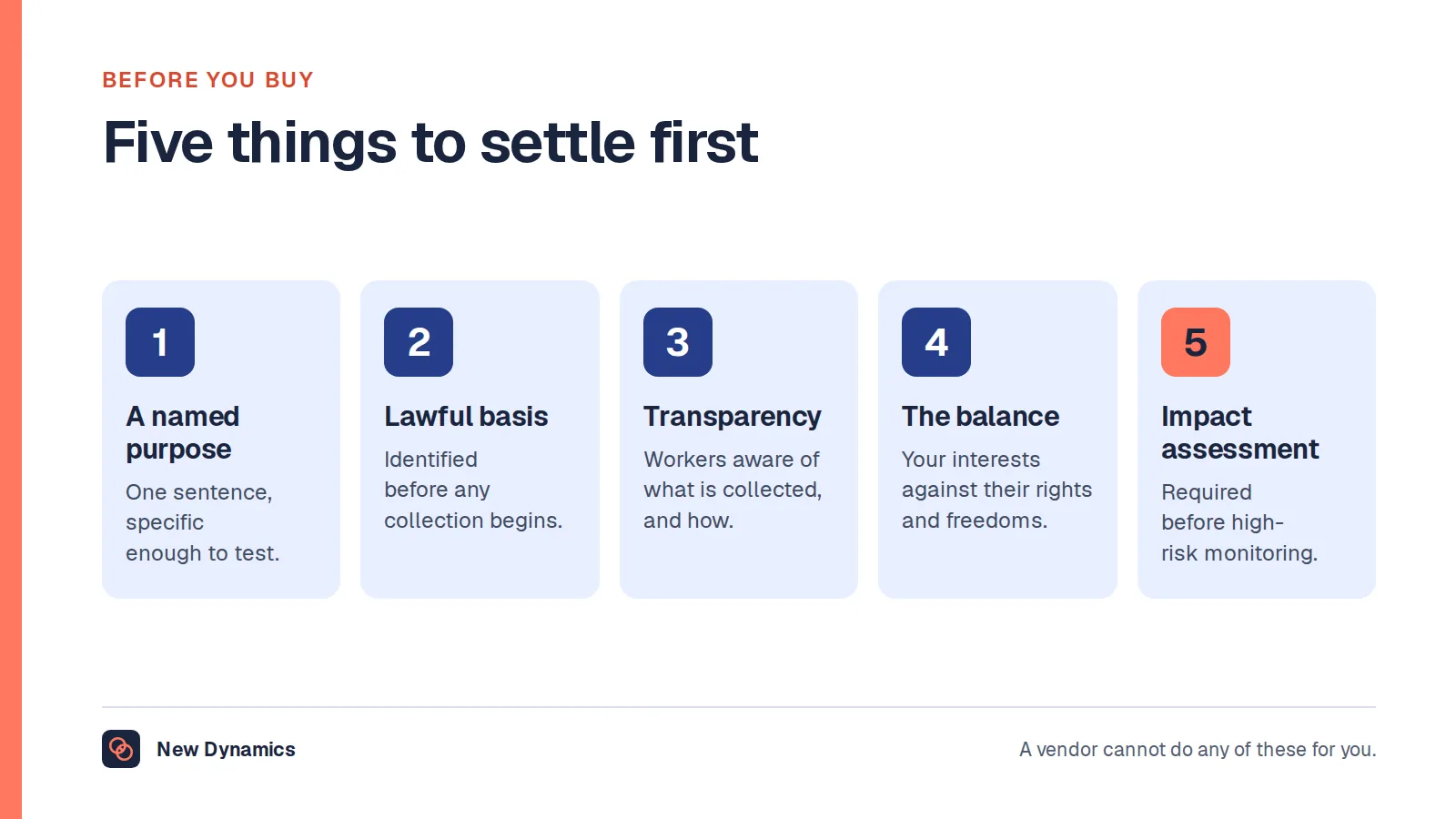
- Fingerprint and face clock-in is special category data. The Information Commissioner's Office requires an impact assessment before the processing starts, and says it is likely to be very hard to justify biometrics without an alternative for those who opt out. This article describes the United Kingdom position and is general information, not legal advice.
A time clock has one job. It records the moment a person started and the moment they stopped, accurately enough that the number can be paid, defended and produced years later if someone asks.
Almost everything that goes wrong happens in the gap between that job and what the clock can see. A card reader sees a card. A keypad sees four digits. A phone app sees a phone. A fingerprint reader sees a finger, and brings a separate body of data protection law with it.
This article is about the clock itself: the methods and what each gets wrong, buddy punching, rounding, the records a United Kingdom employer must keep, the cases that break every clock, remote work, and what "free" means. It names no products and no prices, and it is general information rather than legal advice.
New Dynamics is a performance management platform for goals, feedback, recognition, reviews and onboarding. A time clock is not a product we sell, so there is nothing to push here. If the question underneath the clock is what the work amounted to rather than when it started, see how New Dynamics performance reviews handle that half.
A time clock is not a time and attendance system
They are often the same purchase, but they answer different questions. A time and attendance system is the surrounding picture: the rota, absence balances, overtime rates, approval chains and the file that goes to payroll. If that is the project on your desk, our post on time and attendance software covers the records that system has to produce.
A time clock is the moment of capture, and everything downstream inherits whatever it got wrong. Three questions separate a good one from a bad one, none of them about features. What does the method prove, rather than what it is assumed to prove? What happens when it fails at six in the morning? And who can change the record afterwards, with or without a trace?
Six ways people clock in, and what each gets wrong

Card or fob on a reader. Cheap, fast, works with gloves on and survives dust better than anything with a lens. It proves a card arrived at a reader. Cards get lent, swapped and left in a van, and a lost one has to be revoked promptly.
PIN on a shared terminal. Nothing to carry and often the only practical option on a site. A PIN is also the easiest credential in the world to pass on, usually for sympathetic reasons, and it ends up written on the wall beside the terminal. Useful as the opt-out alternative beside another method.
Fingerprint or face. Closes the credential-sharing gap and opens a legal one, so it has its own section below.
Mobile app, usually with location. Works wherever the person is, which is the point for mobile and multi-site work. It proves a phone was in a place, and raises questions you may not want: whether location is captured once at the scan or continuously, and what happens to someone who does not want work software on their own phone. Our post on a BYOD policy covers the device half.
Browser clock-in on a laptop. The quiet default for office and hybrid staff. No hardware, no install, and it proves what your single sign-on proves. It is also the method most often forgotten, because no door reminds anyone.
The honour system. Someone writes their hours down at the end of the week. Memory is the problem, and the drift is not symmetrical: people under-report the extra twenty minutes far more often than the reverse. Even so, a record somebody completes beats a clock nobody uses.
Buddy punching, and what actually stops it
Buddy punching is one person clocking in for another. It is the most-cited reason for buying a stricter clock, and it is usually described as theft when it is more often a rota problem.
Start with the size of it. The GOV.UK current rates table gives the April 2026 rate for "21 and over" as £12.71 an hour, and notes that "The rates change on 1 April every year". Fifteen minutes a shift at that rate is about £3.18 per person. Across twenty people over a year that is a real number; across three it does not justify a surveillance programme. Work out your own figure first, and see our HR statistics hub for the wider picture.
Then look at why it happens. Somebody is late because the shift pattern is punishing, the clock is one terminal at the far end of a site, or the rota changed on Sunday. A colleague covers. Fix the clock and not the cause and you get the same behaviour with more friction.
What reduces it, roughly in order of how much it costs you in trust:
- Put the terminal where supervision already happens. Somebody who can see the scan is the most effective control available, and it costs nothing.
- Make the rota visible and stable. Our post on employee scheduling software covers notice, swaps and cover.
- Bind the credential to something: a photo captured at the scan, a device registered to one person, or a scan that only works on the site network.
- Run the exception report and act quietly. Identical times to the second, or two scans thirty seconds apart at opposite ends of a site.
- Write the rule down. A line in the handbook removes the "everyone does it" defence, and our post on the disciplinary procedure covers handling it fairly.
- Only then consider biometrics, with the duties below understood.
Biometrics are routinely sold as the answer here, and they do close the gap. They are also the most legally loaded option on the list, and a United Kingdom regulator has already ordered an employer to stop.
Rounding, and why rounding down is a wages problem
Mechanical clocks punched in quarter-hour increments, so quarter-hour rounding became normal and the setting outlived the machinery. Most time clock programs still ship with a rounding option, and plenty still default to one.

The arithmetic is unforgiving. Scan in at 08:52 and out at 17:06, recorded as 09:00 to 17:00, and fourteen minutes of worked time has gone. Over a five-day week that is about an hour and ten minutes.
Be precise about the law, because much of what is written about this is not. We could not find an official United Kingdom page that publishes a permitted rounding tolerance: no stated grace of seven minutes, or six, or any other number. What the sources do say is narrower and more useful:
- Records must be "sufficient to establish that the employer is remunerating the worker at a rate at least equal to the national minimum wage", under regulation 59 of the National Minimum Wage Regulations 2015.
- ACAS states that "Deductions must not take someone's pay below the National Minimum Wage", with limited exceptions, and that an unlawful deduction can go to an employment tribunal.
- GOV.UK counts "time spent at the workplace and required to be available for work" as hours for which the minimum wage must be paid, whether or not work is actually provided.
If a person is at your workplace, required to be available, and the clock rounds that time away, your record no longer establishes what you paid for the hours they were there. A rule that rounds both ways and nets to roughly zero is a different proposition from one that only ever rounds down, and only the second is a pay problem waiting to be found.
Three settings to check. The rounding interval and direction, separately for clock-in and clock-out, because some products round the pair asymmetrically by default. The grace period, which is rounding in a different hat: forgiving five minutes of lateness without paying five early minutes is a one-way rule. And automatic break deduction, which removes thirty minutes whether or not the break was taken. The safest configuration is the dullest: record the actual minutes, log every edit, and let payroll apply its rules.
Biometric clock-in: the part most guides get wrong
In the United Kingdom, fingerprint and face clock-in is not a configuration choice. It is the processing of special category data, and the duties attach before you switch anything on. The Information Commissioner's Office publishes dedicated guidance, Can we use biometric data for time and access control and monitoring?, last updated 06 June 2024. Read it before any supplier conversation. The quotations below are its wording.

A lawful basis is not enough on its own
Biometric data "is unique in data protection law as its status can change depending on the purpose you use it for", and "If you use biometric data to identify a specific person then it becomes special category data". Clocking in is that purpose, and the guidance names timekeeping expressly. So you "must also identify a condition for processing": a lawful basis and a separate special category condition, both written down.
The consent problem, and a tension between two official pages
Explicit consent is the condition most often reached for, and in an employment relationship it is the hardest to get right, because the employer holds the power. Two Information Commissioner's Office pages approach this differently, and we will not pretend they land in the same place.
The general guidance on monitoring workers says: "This means that consent is not usually appropriate in the employment context, due to the imbalance of power between you and your workers. Workers are likely to feel that they have no choice but to give you consent".
The biometric guidance says, in the context of access control with a genuine opt-out: "If you provide an alternative method for those who wish to opt out of the use of biometric data, and your workers are not disadvantaged for opting out, consent is the most likely lawful basis to apply to the use of biometric data for access control". It adds that "if there is no non-biometric alternative, then the consent basis will not be appropriate".
Both come from the same regulator. The apparent reconciling factor is the alternative: the general warning concerns consent where the worker has no real choice, while the biometric page describes consent where a card is freely available and carries no penalty. We flag the difference rather than resolve it, because resolving it is a legal judgement on your own facts.
The impact assessment comes first, not afterwards
There is no ambiguity here: "Yes, you must carry out a DPIA whenever you intend to process biometric data to uniquely identify a worker. This is because processing biometric data is considered high risk. You must complete your DPIA before starting the processing".
The assessment is also where your reasoning lives. You "should document your reasons for choosing to rely on biometric data, including any consideration of other less intrusive means and why you think they are inadequate", and the process "allows you to discuss the proposed use of biometrics with workers and their representatives before you introduce it". In most projects the order is wrong: hardware chosen, installation booked, assessment written afterwards to justify a decision already taken. In that order it is a document, not a safeguard.
A workable alternative, and what happens when a scan fails
The guidance puts the alternative as a "should" and then tells you the consequence: "You should not disadvantage workers who choose to use an alternative method. It is likely to be very hard to justify using biometric data for access control without providing an alternative for those who wish to opt out". The alternatives it names are swipe cards or PIN numbers.
"Not disadvantaged" has to mean something operationally: if the card queue is longer, or the card route needs a manager's signature each morning, the alternative exists on paper only.
Two points rarely survive a product demonstration. On fairness: "There is a risk that facial recognition works with less precision for some demographic groups", and "you must assess and mitigate the bias in your system". On failure: "You must ensure that manual reviews are therefore available if an automatic process has resulted in a possible access denial", because a worker whose face is not read can otherwise lose pay.
This has already been enforced here
In February 2024 the regulator recorded that an employer and associated trusts "have been unlawfully processing the biometric data of more than 2,000 employees at 38 leisure facilities for the purpose of attendance checks and subsequent payment for their time", and that it ordered them "to stop all processing of biometric data for monitoring employees' attendance at work" and to destroy the data they are not legally obliged to retain.
The reasons are the two above. Workers "have not been proactively offered an alternative", and the employer failed to show why its method was proportionate "when there are less intrusive means available such as ID cards or fobs". Worth remembering when a supplier assures you the templates are safe: "you can't reset someone's face or fingerprint like you can reset a password".
For the wider duties around worker data, retention and transparency, read and download our employee data protection guide. The guide is free to read, and the PDF uses our short download form.
The records you must keep, and for how long
Two United Kingdom duties sit under a time clock. They are separate, worded differently, and carry different retention periods.
Minimum wage records. Regulation 59 of the National Minimum Wage Regulations 2015 requires employers to keep records "sufficient to establish that the employer is remunerating the worker at a rate at least equal to the national minimum wage", in a form that allows a pay reference period "to be produced in a single document". They "must be kept by the employer for a period of six years beginning with the day upon which the pay reference period immediately following that to which they relate ends", the words "six years" having been substituted on 1 April 2021. GOV.UK puts it plainly: "It's the employer's responsibility to keep records proving that they are paying the minimum wage", usually payroll records showing total pay and "total hours worked - including absences and overtime". HMRC officers can carry out checks at any time and ask to see payment records.
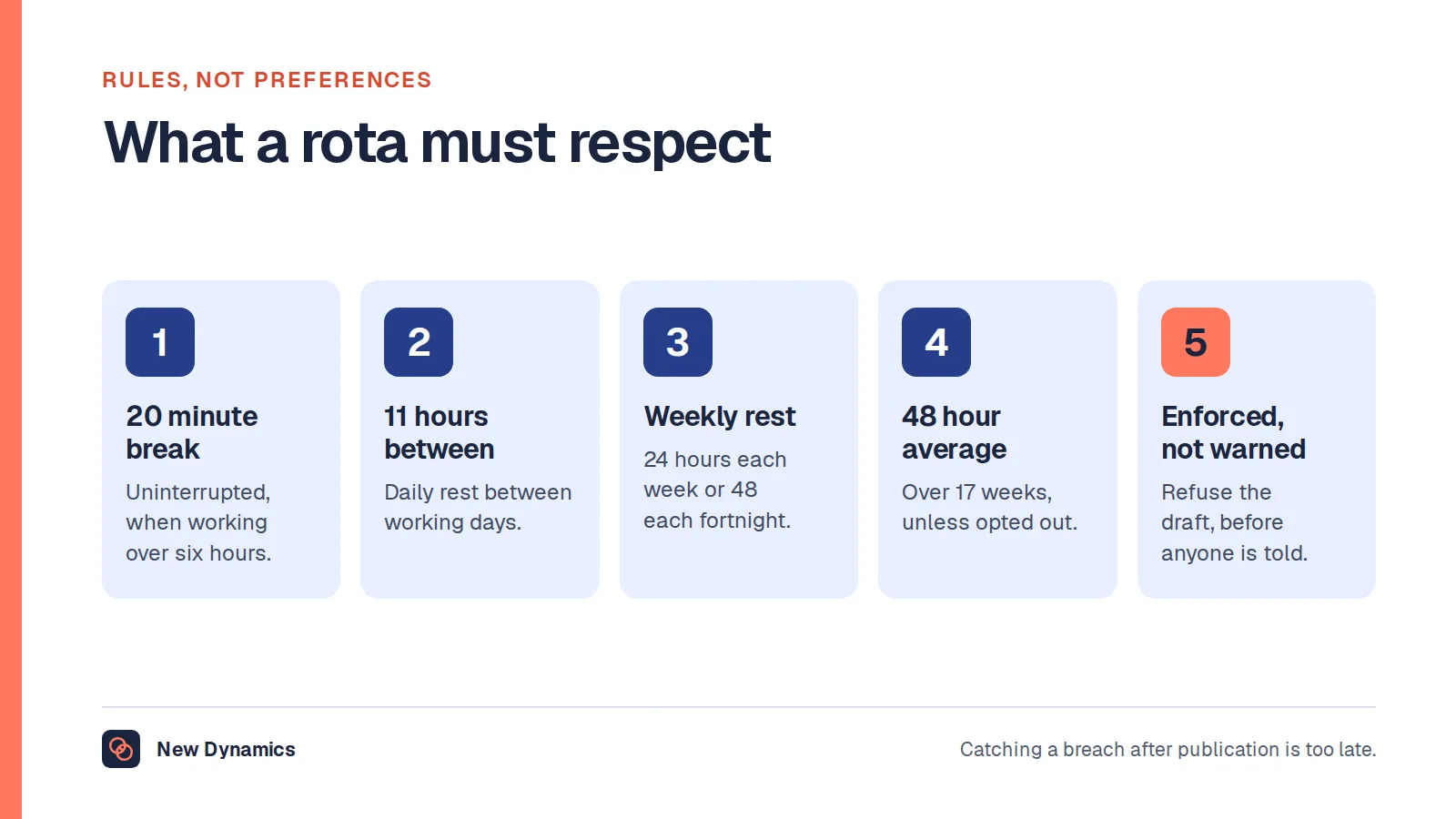
Working time records. Regulation 9 of the Working Time Regulations 1998 requires an employer to "keep records which are adequate to show whether the employer has complied with the limits" in the named regulations, and to "retain such records for two years from the date on which they were made". The same regulation is permissive about method: an employer "need not record each worker's daily working hours in order to comply" if compliance can be demonstrated without doing so. ACAS words it the same way, that "An employer does not need to keep records of all daily working hours" and must keep them for two years.
Two things follow. The periods differ, six years against two, and nobody maintains two retention policies on one table correctly, so setting the clock to the longer duty is simpler. And the duties pull different ways on detail: the working time rules do not require daily hours for every worker, while the minimum wage duty effectively does, because hours are half of the rate calculation. Read the working time wording as permission you probably cannot use, and work to the minimum wage standard.
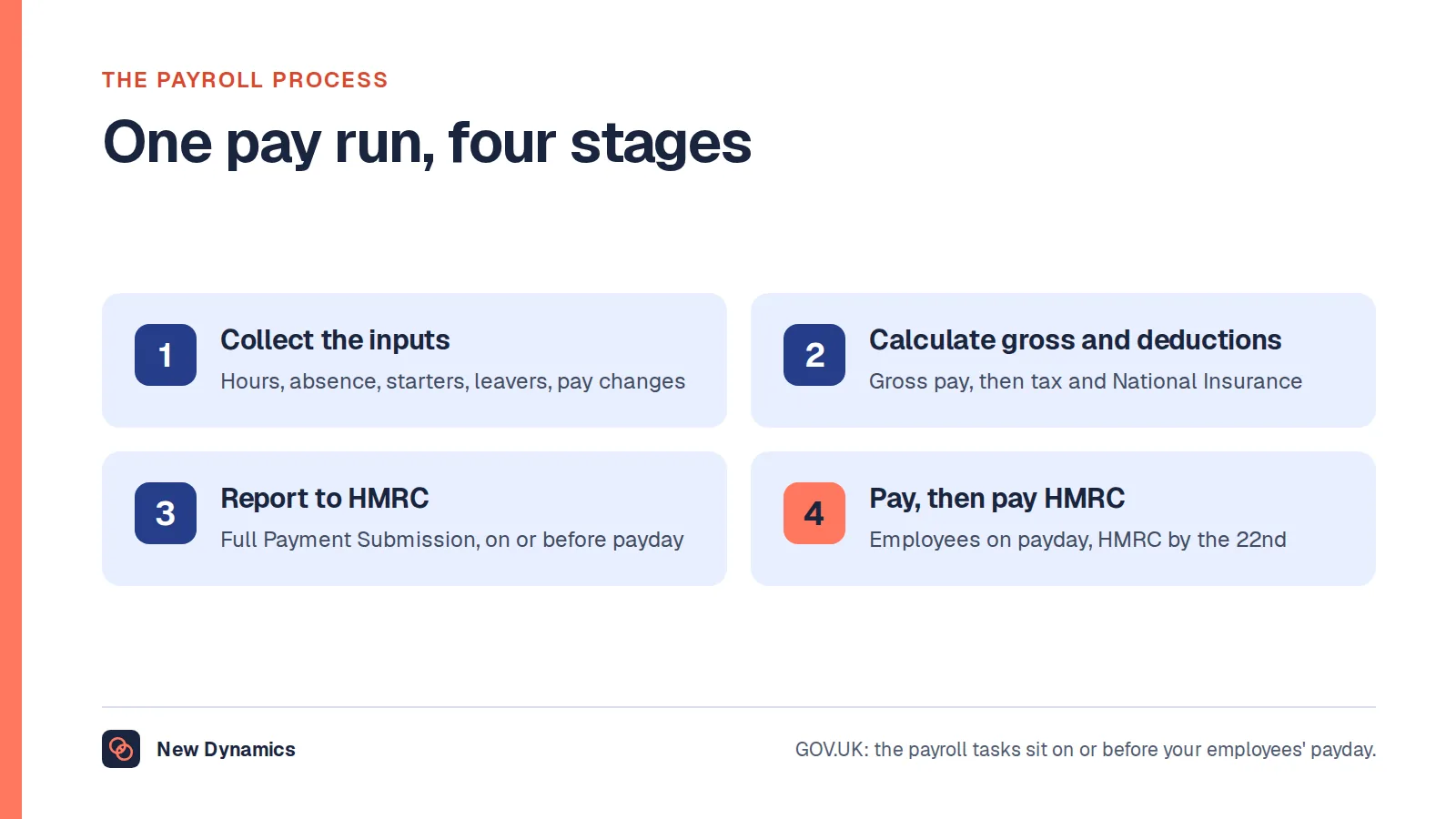
For how the hours then reach a pay run, our post on the payroll process covers the handover.
The special cases that break every clock
Every product handles the 09:00 to 17:00 shift. These are the cases where configurations quietly fail, and where the GOV.UK guidance on working hours for which the minimum wage must be paid is the page to have open.
Travel between assignments. Commuting "does not count as working time when the minimum wage is payable" unless the worker works while travelling. Travel inside the working day is different: counted periods include "travelling from one work assignment to another", with the example of a care worker driving between clients. A clock with one scan at each end of the day handles this badly. A clock with a scan per visit handles it worse, because the gaps then look like unpaid time when they may be nothing of the kind.
On call and standby. Counted hours include "time required to be available for work either on standby or on-call at or near their workplace, unless the worker is at home". Where a worker is called into a factory and the delivery is delayed, "While the worker is at the factory and required to be available for work you must pay them at least the minimum wage rate for the time", whereas if they wait at home, "you do not have to pay them the minimum wage for the time they are at home". The clock therefore needs a state that is neither working nor off, and a product with only two will record one of them wrongly.
Sleep-in shifts. The guidance records that "the Supreme Court's unanimous judgment clarified that sleep-in workers are only working and eligible for minimum wage when they are 'awake for the purposes of working'", naming the judgment of 19 March 2021 in Royal Mencap Society v Tomlinson-Blake and Shannon v Rampersad. Two qualifications matter as much as the headline. Where workers are expected to perform activities for most of a shift and can only nap between tasks, "it is likely that at least the minimum wage must be paid for the whole of the shift". And "If suitable sleeping facilities are not provided then the minimum wage must be paid for the entire shift". So a sleep-in cannot be a single pair of scans: it needs the shift boundary and, separately, the awake-for-work periods inside it.
Getting changed into personal protective equipment. Here we will not give you a tidy answer, because the official sources do not. The employer's side is clear: the Health and Safety Executive states that where equipment is necessary after a risk assessment, employers "have a duty to provide it free of charge", and that "You cannot charge workers for PPE they require to carry out their work". What no official United Kingdom page we opened states is whether the minutes spent changing into it are working time for minimum wage purposes. The nearest wording is "time spent at the workplace and required to be available for work", and whether a routine sits inside that depends on the facts. What is definite is the clock: a reader inside the changing area records one thing, a reader at the factory door another. Decide which you intend to pay for, put the reader in the matching place, and take advice before assuming the unpaid reading is safe. The same applies to security searches and handovers.
Training. The guidance lists "time spent training" among counted hours, so a clock that cannot record a training morning will have it logged as absence instead.
What changes for remote employee time tracking
Remote and hybrid work removes the terminal, and with it the anchor that made the record feel objective. The method narrows to software: browser clock-in or a mobile app, authenticated through the identity system you already run. The weakness is forgetting rather than cheating, so the features that earn their place are a visible running state, a nudge when a rostered shift has no clock-in, and a correction route that does not need an email to another time zone.
The temptation to add monitoring arrives immediately, and this is the biggest mistake in remote time tracking: a request for hours gets answered with a product that captures screenshots, keystrokes and idle time. The Information Commissioner's Office is clear that monitoring is not prohibited, stating that "Data protection law does not prevent you from monitoring workers, but you must do so in a way which is compliant with data protection requirements". It is equally clear about the conditions: "To lawfully collect and process information from monitoring workers, you must identify a lawful basis", "You must make sure workers are aware of how and what personal information you are collecting during any monitoring", and "You must carry out a DPIA before undertaking any processing likely to cause high risk" to workers' interests. If a product bundles activity capture with the clock, treat it as two decisions and leave the second off. Our post on employee monitoring software covers what that involves, and our post on remote working practice covers the habits that make the question go away.
Location becomes a choice you have to justify. For someone at home it adds nothing to the hours record and tells you where they live. For a mobile worker visiting sites, a single fix at the scan can be proportionate. The test is whether it does work the timestamp cannot.
For salaried remote staff, a clock is not always the right instrument at all. If the real question is whether the work is getting done, hours are a poor proxy, and our post on the remote performance review answers it.
What "free" actually means for a small employer
Many searches for a time clock include the word free. The honest answer has two halves.
This site does not publish vendor rankings, comparisons or prices. No best-free list, no product names, no feature tables. We cannot verify another company's current limits, pricing or security posture, and those change monthly, so any list would mislead within weeks. We also sell performance management software, which makes us the wrong people to rank other products.
What we can describe is what free tiers usually withhold, because the pattern is consistent and maps onto the duties above:
- Retention. Free tiers commonly hold history for a year or less, against a minimum wage duty of six years. If the plan cannot reach six years you need an export routine and somebody to run it.
- Export of the raw punch data, not a summary report. Without the underlying scans you cannot produce the single document for a pay reference period, and you cannot leave the product later.
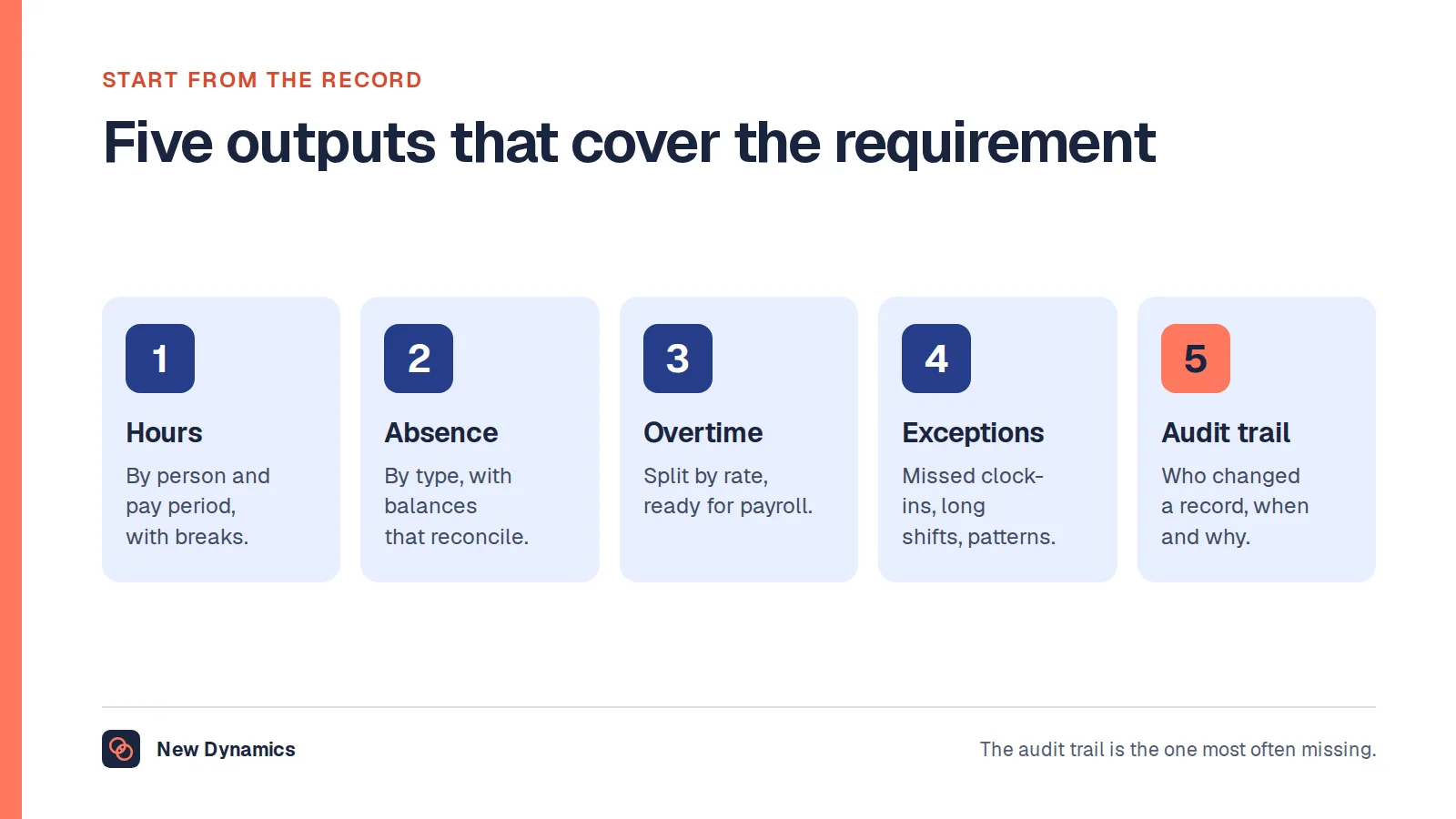
- The audit trail of edits: who changed a record, when, from what to what and why. It matters on the day a figure is disputed, and is frequently reserved for paid plans.
- Approval workflow and role permissions, so a manager can approve a correction and a supervisor sees only their team.
- Offline capture, because a clock needing connectivity loses scans in a basement.
- The paperwork: a data processing agreement, where the data is hosted, and a list of sub-processors. Needed regardless of what you pay.
One more point, which is not a trick: for a very small employer with stable hours, a shared spreadsheet or a paper book can be lawful and genuinely free. It puts hours and pay in one place, which is what regulation 59 asks for. Its weaknesses are the obvious ones: no audit trail, easy retrospective editing, and retention that depends on somebody remembering.
Frequently asked questions
What is an employee time clock?
An employee time clock is the method and the record of a worker starting and stopping work: a card or fob on a reader, a PIN on a shared terminal, a fingerprint or face scan, a mobile app, a browser clock-in, or a written record. It produces the timestamps payroll turns into pay, and is narrower than a time and attendance system, which adds rotas, absence balances and overtime rules around them.
Is a free time clock enough for a small business?
Sometimes, and the question to ask is not about features. Check whether the plan holds records for six years, exports the raw scans rather than a summary, logs every edit with who made it, and comes with a data processing agreement. Free plans commonly withhold those four. This site does not rank or name products, so measure what you are offered against that list.
Can a UK employer require a fingerprint or face scan to clock in?
Treat it as the processing of special category data in the United Kingdom, not as a setting. The Information Commissioner's Office requires an impact assessment before the processing starts, plus a lawful basis and a special category condition, and says it is likely to be very hard to justify biometrics without an alternative for those who wish to opt out. This is general information, not legal advice.
How do you stop buddy punching?
Supervision at the point of the scan does more than any technology, followed by a stable rota, a credential bound to a device or a photo, and an exception report somebody reads. Write the rule down and tell people it is a disciplinary matter. Work out what the loss is worth before reaching for biometrics, which bring their own duties.
Can an employer round clock-in times down?
No official United Kingdom page we could find publishes a permitted rounding tolerance, so there is no safe number to quote. The sources say minimum wage records must be sufficient to establish the rate paid, and that hours include time at the workplace required to be available for work. A rule that only ever rounds in the employer's favour removes paid time from the record, which is a wages problem rather than a preference.
How long must UK employers keep time clock records?
Two periods apply. National minimum wage records must be kept for six years, beginning with the day on which the pay reference period following the one they cover ends. Working time records must be retained for two years from the date they were made. One retention period set to the longer duty satisfies both.
Your next step: check what your clock is actually recording
- Write down what each method proves, and what it is assumed to prove. The gap is your real risk.
- Open the rounding, grace period and break settings and read them in both directions.
- Check the retention setting against six years, and if it cannot reach that, write down the export routine and who runs it.
- Test the audit trail by editing a timesheet and looking for the trace.
- If biometrics are on the table, complete the impact assessment first, name the lawful basis and the special category condition, and put a real alternative in place.
- Walk the special cases: travel between assignments, on-call waiting, a sleep-in shift, a training morning and getting changed.
For the wider duties around worker data, retention and transparency, read and download our employee data protection guide.
If the conversation you need is about what the work amounted to rather than when it started, book a New Dynamics demo and bring the review form you use today. You can also email contact@new-dynamics.com.