TL;DR
- Team building is anything a team does deliberately to improve trust, communication and the way it works together. Remote teams need it more, because distance removes the accidental contact that builds familiarity.
- The 35 activities here are grouped by time and purpose: five-minute openers, getting to know each other, working better together, learning, recognition, asynchronous ideas for different time zones and occasional longer sessions.
- Keep it optional where you can, short, inside working hours and open to everyone. One well-chosen activity a fortnight beats a quarterly hour of forced fun.
In an office, teams build themselves a little every day: a chat while the kettle boils, a joke on the way into a meeting, a question asked across a desk. Remote teams get none of that for free. If connection is going to happen, someone has to plan it.
This article gives 35 remote team building activities for virtual and hybrid teams, grouped by the time they take and what they are for. It also covers how to keep them inclusive, how to handle time zones and how to avoid the dreaded forced fun.
Recognition is one of the simplest ways to bring a scattered team together. See how New Dynamics employee recognition lets colleagues thank each other where everyone can see it.
What is team building?
Team building is anything a team does deliberately to improve trust, communication and the way it works together. It ranges from a two-minute question at the start of a meeting to a day away together. The activity matters less than the outcome: people who know each other a little better and work together a little more easily.
It is different from socialising, although the two overlap. A quiz is social. Agreeing how the team wants to handle disagreement is team building of a more lasting kind. Good teams do some of each.
Why remote teams need it more
Isolation is a recognised risk. The UK Health and Safety Executive, in its guidance on stress and mental health for home workers, notes that with home workers “it can be more difficult to provide adequate support and maintain social links”. It adds that people “who are deprived of social contact through work can feel isolated or disconnected”, and advises employers to keep in regular contact with home workers, “as a team and one to one”.
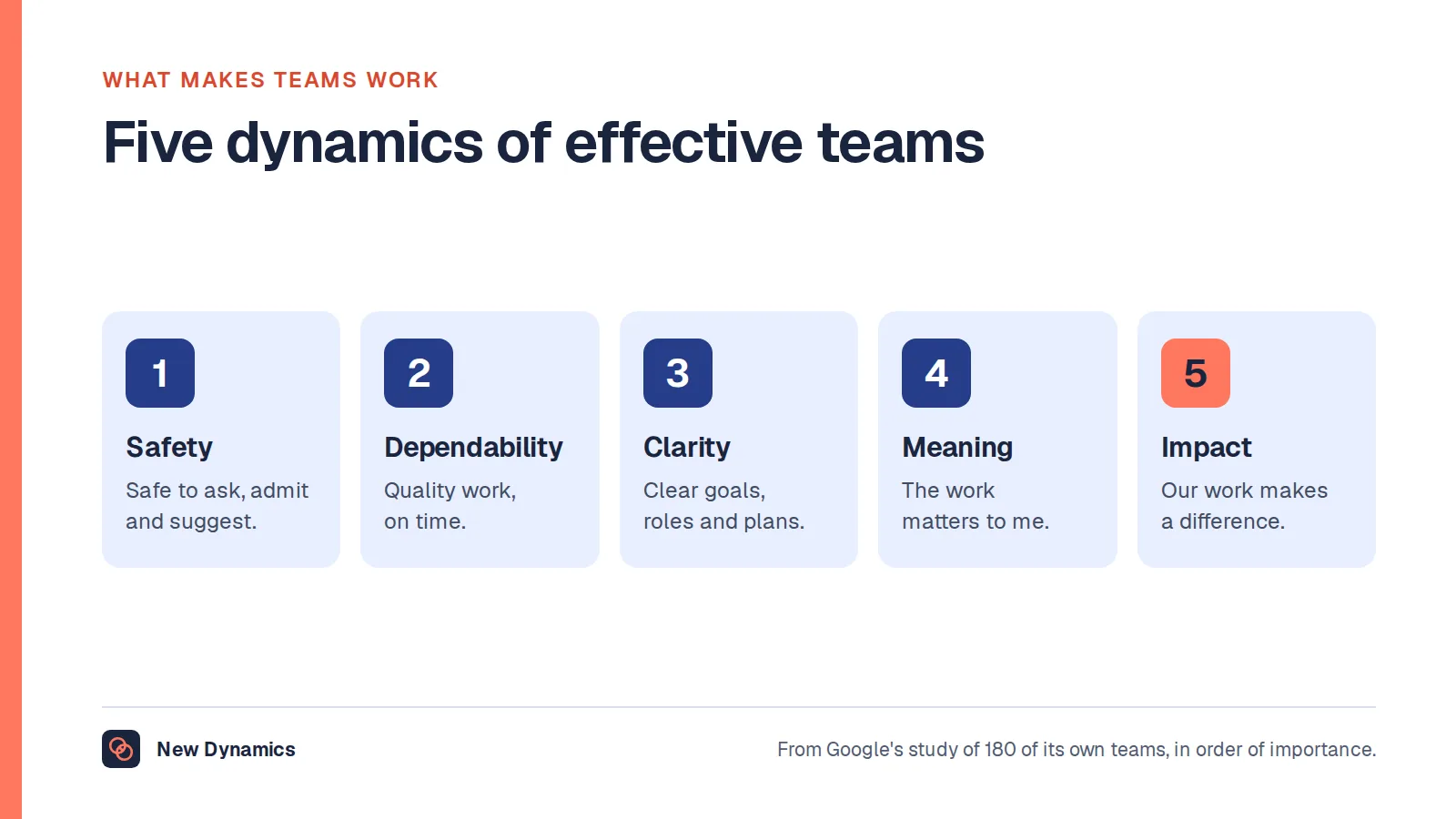
Trust underpins performance. Google's research into what makes teams effective found that who was on a team mattered less than how the team worked together. The most important dynamic was psychological safety, where people “feel safe to take risks around their team members”. That kind of safety grows from familiarity, and familiarity is harder to come by at a distance.
It can be overdone. Acas, in its guidance on managing employees who work from home, recommends providing different ways for people to stay in touch “to prevent feelings of loneliness and isolation”. It also warns that “constant or unnecessary contact can cause stress and affect morale”, and that online meetings need enough gaps between them. The aim is connection. More calls, for their own sake, do not achieve it. For the wider picture, see the benefits of working from home and the drawbacks to manage.

35 remote team building activities
These ideas are ours. None needs special software beyond a video call, a chat tool and a shared document. Adapt them to your team's size and taste.
Five-minute openers for regular meetings
- One-word check-in. Everyone gives one word for how their week is going. No explanations needed.
- Rose and thorn. One good thing and one difficult thing since the last meeting.
- Question of the week. Rotate who chooses it. “What was your first job?” works better than anything clever.
- Show and tell. One person shows an object from their desk and says why it is there.
- Small win. Each person names one thing that went well, however minor.
- Two-minute tip. One person shares a shortcut, tool or habit that saves them time.
Getting to know each other
- User manual of me. Everyone writes half a page: how I like to communicate, when I work best, what I find difficult, how to give me feedback. Share and discuss.
- Randomised coffee chats. Pair people at random for twenty minutes once a fortnight, in working time.
- Map of us. Pin where everyone lives, or grew up, on a shared map and tell one story each.
- Career timeline. Each person shares three turning points in their working life.
- Photo prompt. “Share a photo of your view, your lunch or your weekend.” Keep it opt-in.
- Team playlist. Everyone adds two songs. Guess who added what.
- Two truths and a wish. A gentler version of the old game: two true facts and one thing you would like to do.
Working better together
- Team agreement workshop. Agree response times, meeting rules, core hours and how decisions get made. Write it down. This may be the most valuable hour on the list.
- Blame-free review. After a project, ask what was expected, what happened, why and what you will change. See our guide to the learning organization.
- Start, stop, continue. Each person suggests one thing the team should start, stop and continue.
- Shadow session. Spend an hour watching a colleague do their job over a shared screen, and ask questions.
- Role swap question time. Each person explains what they wish others understood about their role.
- Problem-solving sprint. Pick one annoying team problem and spend forty-five minutes fixing it together.
- Goals walk-through. Everyone shares their goals for the quarter, so that people see how the work connects. Our team goals examples can help.
Learning together
- Lunch and learn. A team member teaches something for twenty minutes. Work topics and hobbies both count.
- Article club. Read one short article in advance and discuss it for half an hour.
- Customer call review. Listen to a customer call or read a piece of feedback together, and discuss what you notice.
- Skill swap. Pair people who each have something to teach the other.
- Guest from another team. Invite a colleague from elsewhere to explain what their team does and needs.
Recognition and celebration
- Thank-you round. End the week with each person thanking one colleague for something specific. Our positive feedback examples show how to word it.
- Wins channel. A chat channel only for good news and thanks.
- Milestone moments. Mark work anniversaries, completed projects and personal milestones that people choose to share. See our employee recognition ideas.
- Demo day. Once a month, people show work they are proud of for five minutes each.
Asynchronous ideas for different time zones
- Weekly written check-in. Three lines in a shared thread: what I did, what is next, where I am stuck.
- Photo or question thread. One prompt a week, answered when convenient.
- Recorded introductions. New starters record a two-minute video, and the team replies in kind.
- Shared challenge. A step count, a reading list or a recipe exchange over a month, with no pressure to join in.
Occasional longer sessions
- Online quiz or game, with mixed teams and questions written by team members. Keep it to forty-five minutes.
- In-person day. If budget allows, meet once or twice a year. Spend the time on relationships and on the hard conversations that video handles badly. Leave status updates for another day.
How to choose the right activity
Start with the purpose. Ask what the team needs most at the moment.
| If the team... | Try |
|---|---|
| Has new members | User manual of me, coffee chats, recorded introductions |
| Feels disconnected | Five-minute openers, wins channel, thank-you round |
| Has friction or confusion | Team agreement workshop, start-stop-continue |
| Works in silos | Goals walk-through, shadow session, guest from another team |
| Is tired | Fewer meetings first. Then something light and optional |
| Spans many time zones | Asynchronous ideas, with a rotating live session |
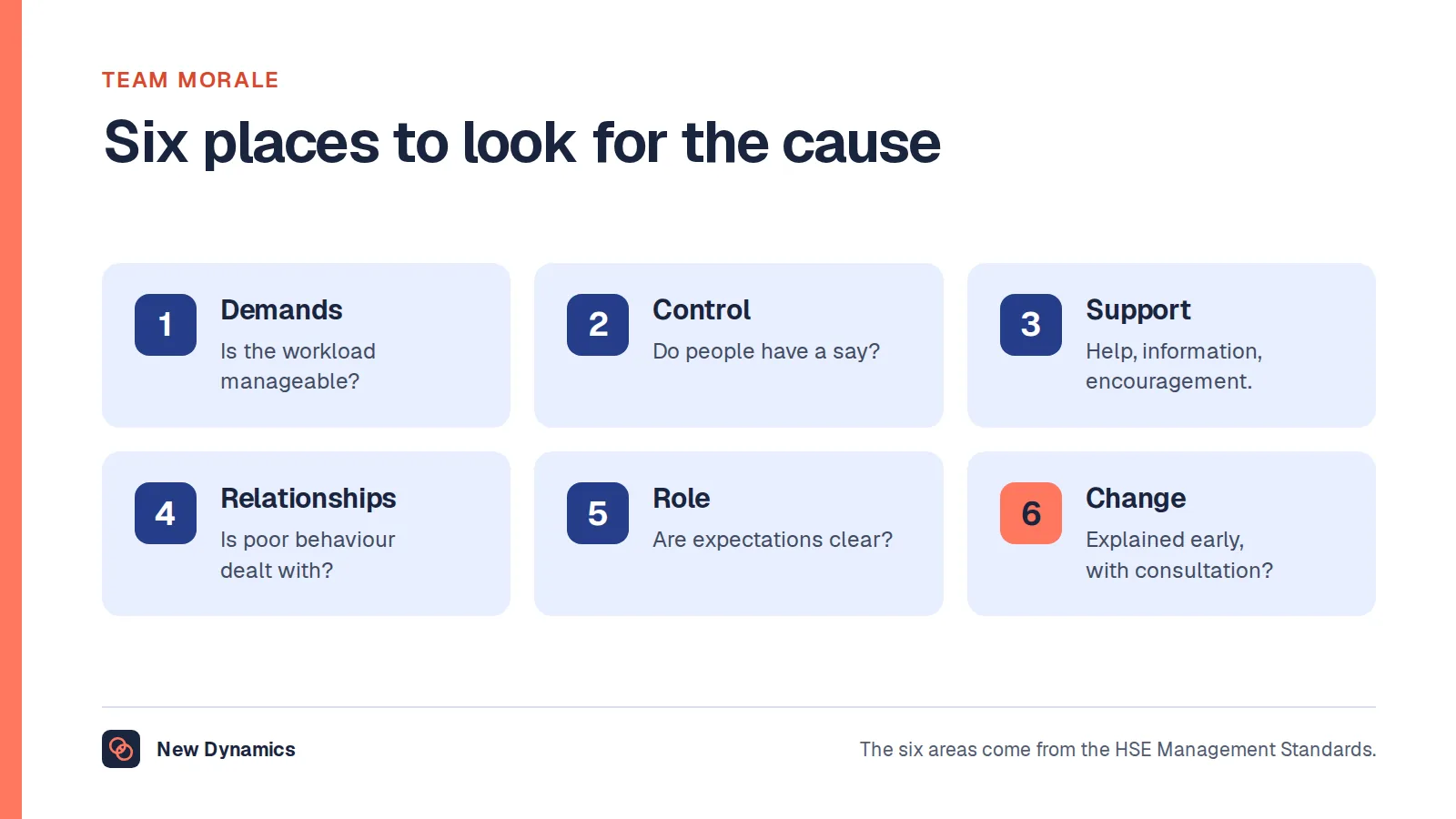
If morale is the underlying issue, deal with the cause. An activity will not fix an unmanageable workload. See our guide to team morale.

Six rules for remote team building
- Hold it in working hours. Evening events exclude carers and anyone with a life outside work.
- Make social activities optional, and mean it. Nobody should be marked down for skipping the quiz. Invite people to share, and never require personal stories or photographs.
- Keep it short. Little and often beats long and rare.
- Design for everyone. Think about introverts, people with disabilities, different cultures, people who do not drink and those with poor connections. Offer ways to take part without being on camera.
- Rotate times if the team spans time zones, so that the same people are not always up late.
- Let the team choose. Ask what people would enjoy, and rotate who organises.
The HSE makes the accessibility point directly: meetings “should be accessible to all your workers”.

Hybrid teams: avoid two classes
When some people are in the office and others are remote, the risk is that remote colleagues become spectators.
- If one person joins by video, consider having everyone join from their own screen.
- Share news with everyone at the same time, in writing.
- Make sure remote colleagues get the same access to the manager and to interesting work.
- Hold some activities that work equally well for everyone, wherever they are.
Our remote work guide covers policies and routines for distributed teams.
How to tell whether it is working
Attendance proves little. Look for changes in how the team behaves.
- People ask each other for help more readily, including across locations.
- Quieter members speak more in meetings.
- Disagreements are raised sooner and settled faster.
- New starters say they felt welcome and knew whom to ask.
- Survey items on belonging and speaking up improve. See our workplace engagement survey questions.
Ask the team every few months which activities to keep and which to drop.
Frequently asked questions
What are good remote team building activities?
Good options include a one-word check-in, randomised coffee chats, a “user manual of me”, a team agreement workshop, lunch-and-learn sessions, a weekly thank-you round and a wins channel. Choose activities that fit your team's needs, keep them short and hold them in working hours.
What is team building?
Team building is anything a team does deliberately to improve trust, communication and the way it works together. It includes social activities, and also practical sessions such as agreeing how the team communicates and reviewing projects without blame.
How often should remote teams do team building?
Little and often works best. Use a five-minute opener in regular meetings, a short activity every fortnight and an occasional longer session. Acas warns that constant or unnecessary contact can cause stress, so do not add meetings for their own sake.
How do you build a team across time zones?
Use asynchronous activities, such as a weekly written check-in, a photo or question thread and recorded introductions. When you hold live sessions, rotate the time so that the same people are not always inconvenienced, and record anything important.
Should virtual team building be mandatory?
Working sessions, such as agreeing how the team communicates, are part of the job. Purely social activities should be optional, with no penalty for skipping them. Forced fun can breed resentment, which defeats the purpose.
How do you make virtual team building inclusive?
Hold it in working hours, offer ways to take part without a camera, avoid activities centred on alcohol or personal disclosure, consider disabilities and connection quality, and ask the team what they would enjoy. Rotate who organises.
Your next step: try one activity this fortnight
- Ask your team which of the five purposes matters most at the moment.
- Pick one activity from that group.
- Try it for a month.
- Ask the team whether to keep it, change it or drop it.
For policies, routines and communication norms for distributed teams, read and download our remote work guide. The guide is free to read, and the PDF uses our short download form.
Want recognition, feedback and goals visible to everyone, wherever they work? Book a New Dynamics demo and bring your current routines. You can also email contact@new-dynamics.com.