TL;DR
- A workflow is a repeatable sequence of steps that turns a trigger into an outcome. Every workflow has five parts: a trigger, steps, an owner for each step, rules and a defined end.
- The 10 workflow examples here cover the people processes most organisations run: hiring approval, onboarding, probation, goal setting, performance reviews, leave, training requests, recognition, grievances and offboarding.
- Map the process as it really happens before you improve or automate it. Most delays sit in handovers and approvals, and a workflow that needs a manual to follow will be bypassed.
Every organisation has workflows, whether or not anyone has written them down. When a new starter's laptop arrives on day four, or a review form sits unapproved for a month, an unwritten workflow has failed. Writing it down is the first step to fixing it.
This article explains what a workflow is, gives 10 workflow examples from HR and people management mapped step by step, and shows how to design one that people will follow.
Performance reviews are one of the most important workflows to get right. See how New Dynamics workflows let you shape review stages, participants and rules around how your organisation works.
What is a workflow?
A workflow is a repeatable sequence of steps that turns a trigger into an outcome. It says who does what, in what order and by when.
Every workflow, however simple, has five parts.
- A trigger. The event that starts it: an offer is accepted, a date arrives, a form is submitted.
- Steps. The tasks, in order. Some run one after another, and some run in parallel.
- An owner for each step. A named role, never “HR and the manager”.
- Rules. Deadlines, approvals and conditions, such as “if the cost is over £1,000, the director approves”.
- An outcome. A clear end, so that everyone knows when the workflow is finished.
A workflow differs from a policy. The policy says what is allowed. The workflow says how it gets done. It also differs from a checklist, which lists tasks without saying who does them or in what order.

10 workflow examples for HR and people teams
These examples are starting points. Your steps, owners and time limits will differ, and legal requirements vary by country. Where we mention UK guidance, it is general information, not legal advice.
1. Hiring approval
Trigger: a manager wants to fill a new or vacant role.
- The manager completes a short request: the role, the reason, the budget and the start date.
- Finance confirms that the budget exists.
- The department head approves, changes or declines the request within five working days.
- HR agrees the job description and the advert with the manager.
- The role is advertised, and the manager is told the timeline.
Outcome: an approved, advertised vacancy. Watch for: requests waiting on one busy approver. Name a deputy.
2. New starter onboarding
Trigger: the candidate accepts the offer.
- HR sends the contract and collects the new starter's details. In the UK this includes the right to work check. GOV.UK says you must check that an applicant is allowed to work for you in the UK “before you employ them”.
- IT orders equipment and sets up accounts, to be ready two days before the start date.
- The manager prepares a first-week schedule and names a buddy.
- On day one: welcome, introductions, equipment and essential policies.
- In week one, the manager agrees a 30-60-90 day plan.
- At days 30, 60 and 90, the manager and the new starter review progress.
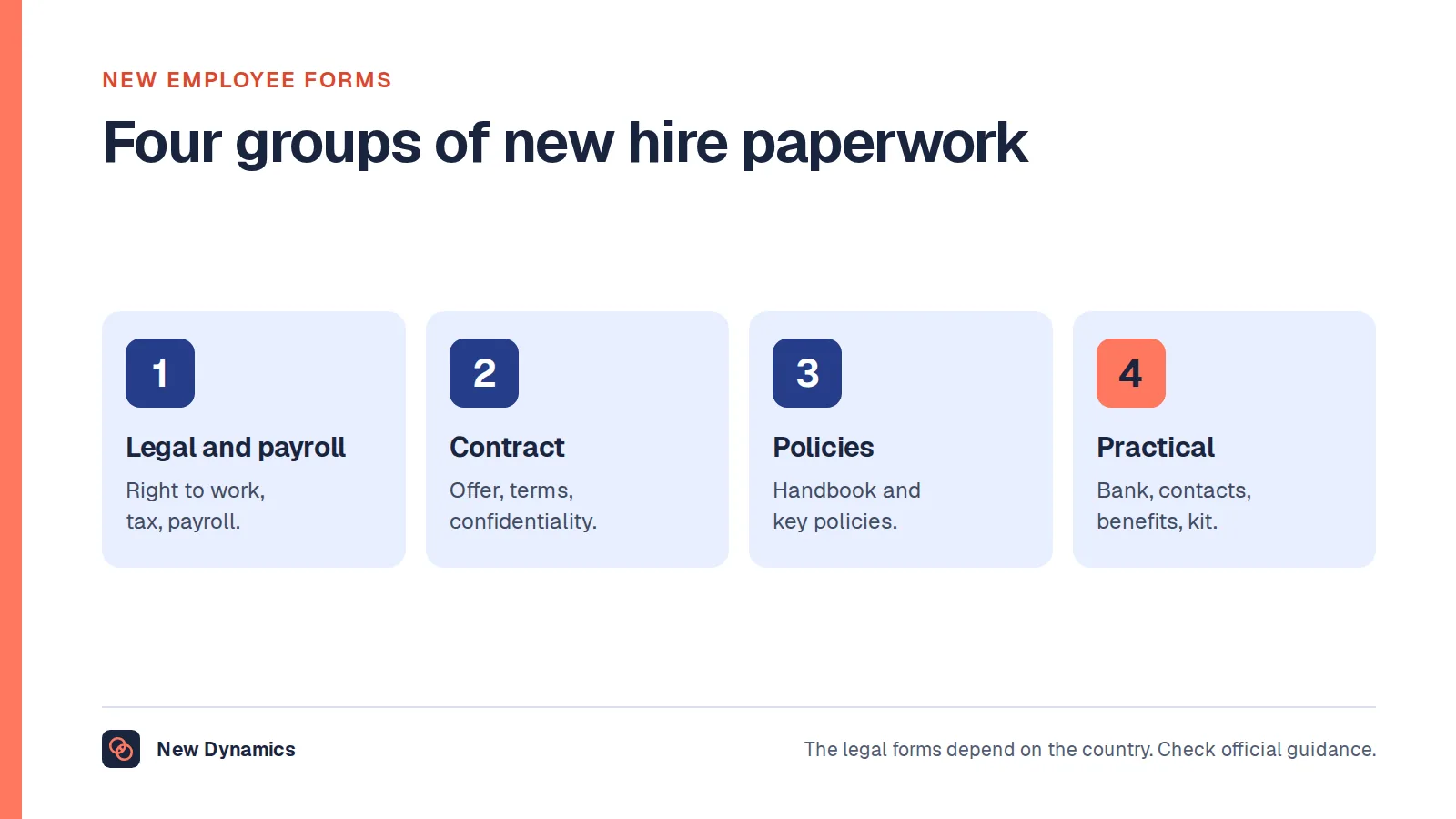
Outcome: a productive, settled colleague at day 90. Watch for: steps that depend on a start date nobody told IT about. See our checklist of new employee forms and our 90-day onboarding checklist.
3. Probation review
Trigger: a calendar date, four weeks before the probation period ends.
- HR reminds the manager that the review is due.
- The manager gathers evidence and feedback from colleagues.
- The manager and the employee meet.
- The manager recommends confirming, extending or ending the employment, with reasons.
- HR checks the recommendation and sends written confirmation before the probation end date.
Outcome: a documented decision, made in time. Watch for: the date passing unnoticed, which is a common failure.
4. Goal setting and check-ins
Trigger: the start of the quarter or the year.
- Leaders publish the team or company goals.
- Each employee drafts three to five goals.
- The manager and the employee agree the goals and record them in a performance plan.
- The employee updates progress before each monthly one-to-one.
- At the end of the quarter, both review results and set the next goals.
Outcome: agreed goals, reviewed all year. Watch for: goals agreed in January and never opened again.
5. Performance review
Trigger: the review cycle opens.
- Employee reflection. The employee completes a self-review.
- Project and peer input. Colleagues and project leads who saw the work give feedback.
- Manager review. The manager writes the assessment from the evidence.
- Calibration and approval. Managers compare assessments for consistency, and a senior leader approves.
- Development conversation. The manager and the employee meet.
- Follow-up. Actions are recorded and revisited in one-to-ones.
Outcome: a fair assessment and an agreed plan. Watch for: the form running the conversation. See our guide to performance appraisal methods.

6. Leave request
Trigger: the employee submits a request.
- The system checks the remaining entitlement.
- The manager checks team cover and approves or declines within three working days.
- If the request is declined, the manager gives the reason and suggests other dates.
- The team calendar updates, and payroll is informed if pay is affected.
Outcome: a clear answer, quickly. Watch for: silence. Set a rule that escalates an unanswered request to the manager's manager.
7. Training request
Trigger: an employee or a manager identifies a development need.
- The employee submits the request: the course, the cost, the time and the link to their development plan.
- The manager approves, up to an agreed limit.
- Above the limit, the budget holder approves.
- The employee books the course and attends.
- Within a month, the employee and the manager discuss how the learning will be used.
Outcome: learning that gets applied. Watch for: step 5 being skipped, which is where much of the value lies.
8. Recognition nomination
Trigger: someone sees work that deserves recognition.
- A colleague submits a short nomination that says what the person did and the difference it made.
- The manager is notified, and adds their own thanks.
- For larger awards, a small panel reviews nominations each month against published criteria.
- The recognition is shared, in the way the person prefers.
Outcome: timely, specific, fair recognition. Watch for: a panel that meets too rarely. See our employee recognition ideas.
9. Formal grievance
Trigger: an employee raises a formal grievance, in writing.
Acas sets out a formal grievance procedure step by step for Great Britain. Its six steps are: understanding the options, raising a grievance, responding to a grievance, the grievance meeting, deciding the outcome, and after the grievance. Acas adds that “it's usually a good idea” for the employee to raise a problem informally first.
Outcome: a fair, documented decision and a right of appeal. Watch for: delay, and an investigator who is too close to the people involved. Follow your own procedure and the Acas Code, and take advice on serious cases.
10. Offboarding
Trigger: a resignation is accepted, or notice is given.
- HR confirms the leaving date, the final pay and the outstanding leave in writing.
- The manager agrees a handover plan, and the leaver documents what they know.
- HR holds an exit interview. Our exit interview questions can help.
- IT schedules the removal of access for the last day and arranges the return of equipment.
- The manager tells the team and the customers, and says goodbye properly.
- HR closes the record, and provides a reference if asked.
Outcome: a secure, respectful exit with knowledge retained. Watch for: access that is still active weeks later.
How to design a workflow in six steps
- Name the trigger and the outcome. If you cannot say when it starts and ends, it is not yet a workflow.
- Map what really happens. Walk through the last three real cases with the people who did the work. The official version and the real version usually differ.
- Find the waits. In many processes the work takes hours and the waiting takes weeks. Look at handovers and approvals first.
- Simplify before you automate. Remove steps that add nothing, combine approvals and give each step one owner. Automating a bad process gives you a faster bad process.
- Write the rules down: time limits, approval thresholds, what happens when someone is away and when to escalate.
- Test with real cases, then review after three months. Ask the people who use it what gets in their way.

What to automate, and what to leave to people
Automate the parts that machines do well: reminders, routing, deadlines, status updates and record keeping.
Keep people in charge of the parts that need judgement: assessing performance, deciding a grievance, choosing between candidates and any conversation that matters to someone's working life. Software can prepare the ground for those decisions. It should not make them.
If AI is used in a workflow, for example to summarise feedback before a review, keep a human approval step and tell people how it is used. Our guide to AI in HR processes covers the safeguards.
Common mistakes with workflows
Shared ownership. A step owned by two people is owned by neither.
Too many approvals. Each approver adds days. Ask what each approval protects against.
No time limits. Without them, the workflow moves at the speed of the busiest person.
No route for exceptions. Real life will produce cases the workflow did not foresee. Say who decides.
Designing for the rare case. If 95% of requests are simple, give them a simple path.
Never reviewing it. Organisations change, and workflows quietly stop fitting.
Forgetting the person in the process. A new starter, a grieving employee or a leaver experiences your workflow as how the organisation treats them.
Frequently asked questions
What is an example of a workflow?
A leave request is a simple example. The employee submits a request, the system checks their entitlement, the manager checks team cover and approves or declines within three days, and the team calendar updates. It has a trigger, ordered steps, owners, rules and an outcome.
What are the main parts of a workflow?
Every workflow has five parts: a trigger that starts it, steps in a set order, an owner for each step, rules such as deadlines and approval thresholds, and a defined outcome that shows when it is finished.
What are common HR workflows?
Common HR workflows include hiring approval, onboarding, probation reviews, goal setting and check-ins, performance reviews, leave requests, training requests, recognition nominations, grievance and disciplinary procedures, and offboarding.
What is the difference between a workflow and a process?
The terms overlap. A process is the broader set of activities that achieves a goal, such as recruitment. A workflow is the specific, repeatable sequence of steps, owners and rules that carries out part of that process, such as hiring approval.
How do you create a workflow?
Name the trigger and the outcome, map what really happens today, find where work waits, simplify the steps, give each step one owner, write down the time limits and approval rules, test with real cases and review after three months.
What should you automate in an HR workflow?
Automate reminders, routing, deadlines, status updates and record keeping. Keep people responsible for judgement: assessing performance, deciding grievances, selecting candidates and holding important conversations.
Your next step: map one workflow this week
- Pick one process that frustrates people, such as onboarding or leave requests.
- Trace the last three real cases, step by step, with dates.
- Mark where each one waited, and why.
- Remove one step or one approval, and give every remaining step a single owner.
For a fair, well-structured review process from preparation to follow-up, read and download our performance review guide. The guide is free to read, and the PDF uses our short download form.
Want review stages, participants and reminders shaped around how your organisation works? Book a New Dynamics demo and bring your current process. You can also email contact@new-dynamics.com.