TL;DR
- An appraisal form is a design job, not a stationery job. Each field either changes a decision, prompts a better conversation or creates a record you need. Fields that do none of those three things are why managers leave the form until the last Friday.
- The decisions that matter are the self assessment, free text against rating boxes, how many points the scale has, whether there is a field for evidence, how the objectives section hands over to the next cycle, who countersigns and where the employee replies.
- A completed appraisal is personal data in the United Kingdom. The ICO says people have the right to obtain a copy of their personal information, and that data protection law sets no specific time limit for keeping workers' information, so you set and justify your own.
Most appraisal forms were not designed. They were inherited, then added to. Someone wanted a competency section, someone else a box for training requests, a rating scale arrived with a new policy, and nothing was taken out. The result is four pages that managers complete at speed on the last Friday of the cycle.
This article treats the appraisal form as the artefact it is: which fields earn their place and which to cut, the self assessment section, how many rating points to use and why an even number forces a choice, the evidence field, the objectives section, the countersign, the employee's right of reply, what a signature means, accessibility, and how long to keep the completed form. It ends with a form you can copy and adapt.
If you want the form, the evidence and the last cycle's objectives in one place rather than spread across a template, an inbox and a spreadsheet, see how New Dynamics performance reviews work.
This article describes the position in the United Kingdom and is general information, not legal advice.
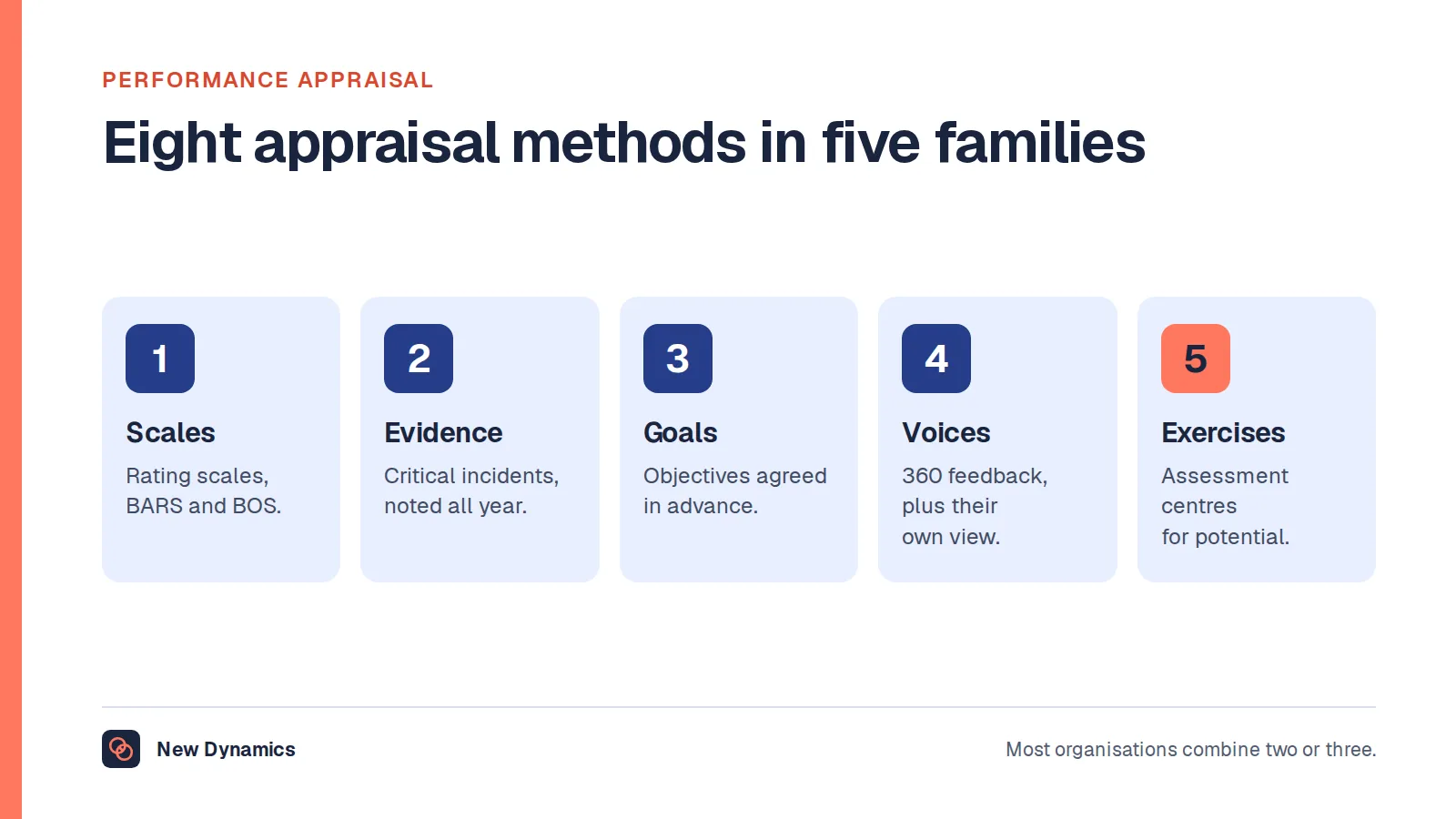
Two companion articles cover the ground this one leaves alone: performance appraisal for the definition, the eight methods and the rating errors, and our annual performance review sample for the wording of a completed review.
What an appraisal form is, and what it does
An appraisal form is the structure an organisation gives to one performance conversation, and the record that conversation leaves behind. It fixes the period covered, the questions both people answer, who else sees the result and what happens to it afterwards.
That makes it the most quietly influential document in a review cycle. Managers who have never read the performance policy have read the form, and a form that is nine tenths rating boxes will produce a cycle about ratings whatever the policy says about development.
Acas, the UK's workplace advice service, puts the record at the centre of the process. Its guidance on reviews and appraisals, last updated on 23 June 2026, says reviews are a chance to discuss what someone is doing well, any areas for improvement, whether they need more support or training, and their career and development objectives. It adds that "it's important to keep a written record of what is discussed", shared with the employee afterwards.
So the form has three jobs, and a field that does none of them is a candidate for deletion. It prompts the questions a manager would forget, it records what was agreed, and it feeds decisions about pay, promotion and the next cycle.

What no official source will tell you
There is no standard UK appraisal form. No statute prescribes one, and neither Acas nor GOV.UK publishes a required format, a list of mandatory fields, or a figure for how many employers use a written form at all. Anyone quoting such a figure is quoting a vendor survey, which may be honest and is still not an official statistic. Within data protection and equality law, the structure is yours to choose, so it can be as short as your process allows.
Which fields earn their place, and which to cut
Work through your form field by field and ask one question of each: what would change if this field were blank? If the answer is nothing, cut it.
Fields that usually earn their place
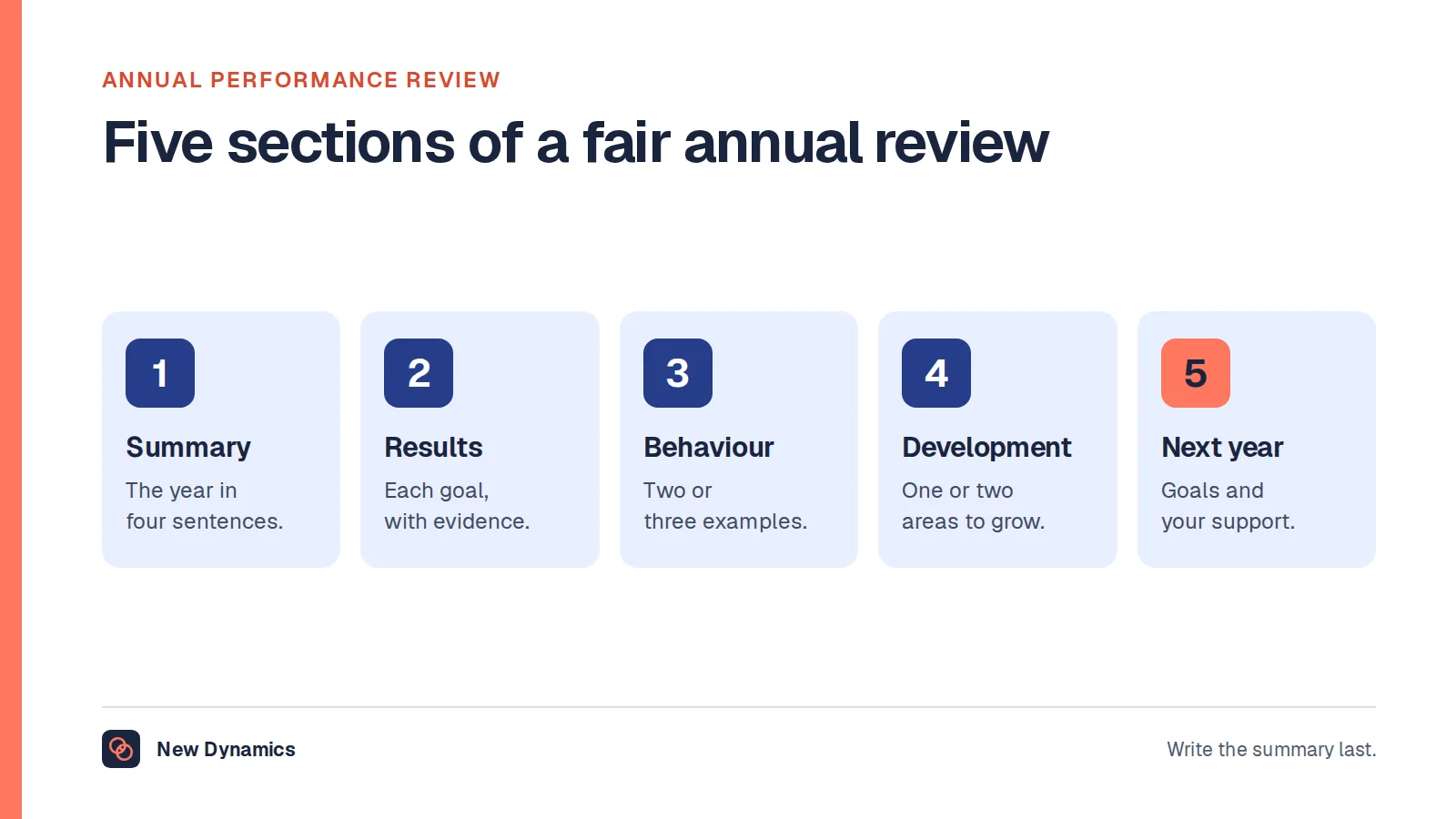
- Identity and period. Name, job title, manager, the period covered, the date of the meeting. Without the period, a form read two years later is useless.
- Objectives from the last cycle, with the result for each, the most useful block on any form.
- Evidence, meaning a field for the examples behind each judgement.
- Two or three behaviours. How the work was done, not only what was delivered.
- Development, next objectives and the support the manager commits to.
- The employee's own comments, unedited, and a dated signature with a line saying what signing means.
Fields that usually do not
- A long competency grid. Twelve competencies rated one to five produces twelve numbers and no sentences. Pick the three that matter here. Our guide to core competencies shows how to write them at several levels.
- Potential, rated separately, because potential ratings are rarely defined, rarely evidenced and often shape decisions the person never hears about.
- Anything a system already knows, such as start date or holiday taken, and any field duplicated elsewhere on the form.
- Training requests as a free-for-all, which without a budget and an owner manufactures disappointment. Tie development to the objectives instead.
- Attendance and sickness. Absence has its own process and its own data, and where a health condition is involved it needs its own care. It is almost never safe to fold into a performance score.
Two pages suits most roles, and the cut usually comes from rating grids rather than free text, because the grids take the most space and carry the least meaning. An over-long form is one of the main reasons cycles run late, which we cover in chasing performance reviews.
The self assessment section, and whether to have one
Most forms should have one. A self assessment asks the employee to answer the main questions before the manager writes anything, which surfaces work the manager did not see and turns the meeting into two views compared.
It also has failure modes. It can become the manager's first draft, so that a confident self promoter out-scores a modest colleague doing better work. Scoring yourself out of five in a document your manager will read rewards self belief rather than accuracy. And it can arrive too late to be read.
Three design choices fix most of that.
- Ask for evidence, not scores. "Which piece of work made the most difference this period, and why?" produces something useful. "Rate your teamwork from one to five" does not.
- Put the deadline on the form, a fixed number of working days before the meeting, so both people have read it beforehand.
- Keep it visibly separate. The employee's section and the manager's should be distinct blocks, each attributed, so nobody later wonders who wrote what.
If your people find the blank page hard, our self evaluation examples give wording to work from.
Free text, rating boxes, and how many points
Ratings and free text do different jobs. A rating sorts and compares. A sentence explains and can be acted on. The practical rule is that no rating should be recordable without a sentence next to it. Put the evidence box beside the rating box, not three pages later, and the form makes a lazy rating awkward to give.
Whether to keep ratings at all is a real argument, and we set it out in removing ratings from performance reviews. This section assumes you are keeping them.
Why an even number of points forces a choice
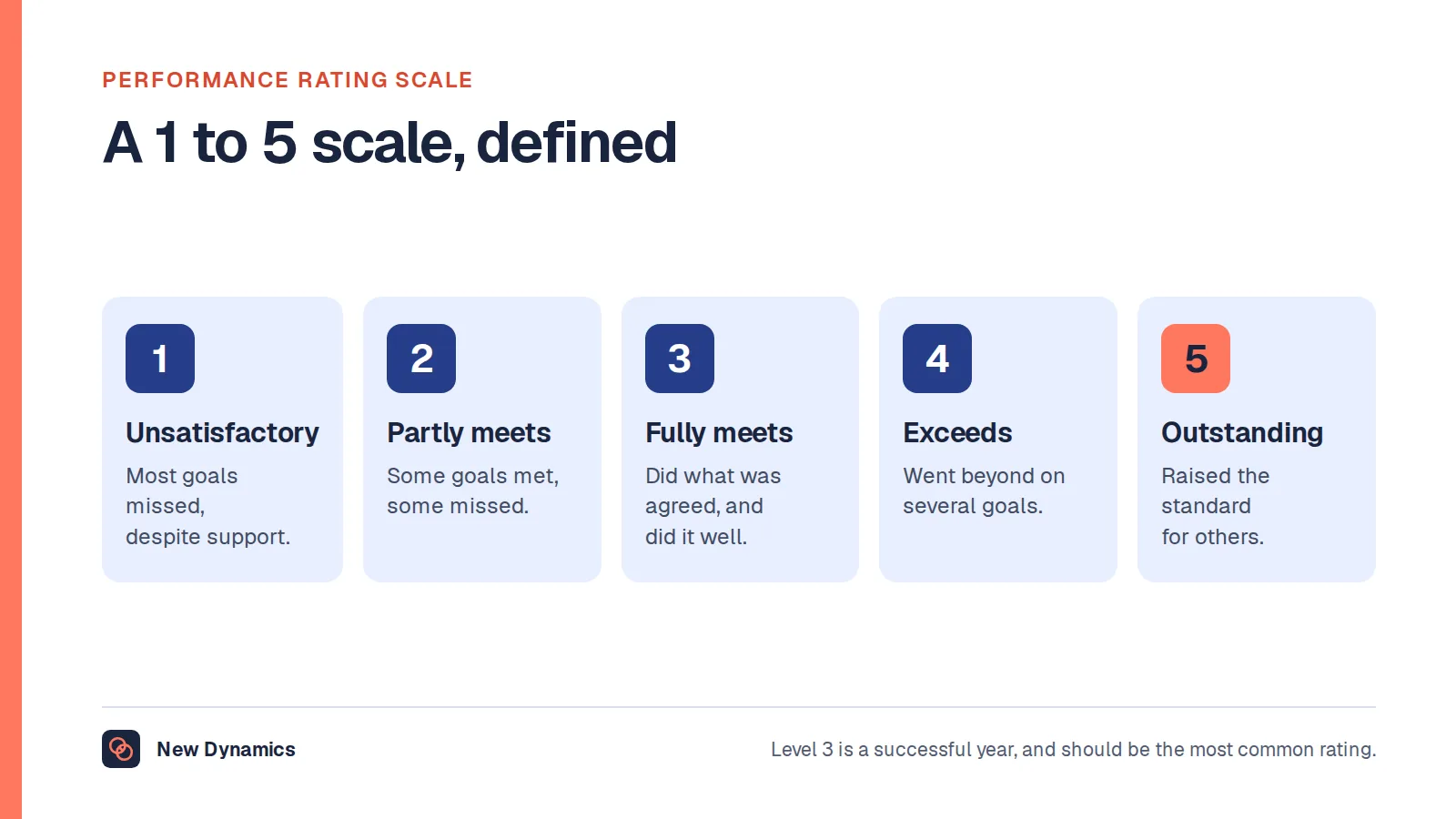
A five-point scale has a middle box, and the middle box is where uncertainty goes to rest. It can mean "met the objective", "nearly met it", "I did not really see this work" and "I would rather not have this conversation", and the form cannot tell those apart. The employee then has to guess which was meant.
A four-point scale removes the option. The manager must decide whether the objective was met, and then write the sentence that supports it. That is the argument for an even number: not that the middle is wrong, but that one box should not carry four meanings.

Two safeguards keep this fair rather than merely harder.
- Define every point in words, on the form. Not "3 = good" but a description of what a 3 looks like here. Our guide to the performance rating scale gives definitions for each level.
- Give context its own field. If an objective was missed because a supplier failed, that belongs in a context box, not in a squeezed rating. Acas says objectives "should be fair and reflect the employee's usual tasks and workload", and a form that cannot record changed circumstances quietly breaks that principle.
Use one scale across the organisation for a cycle. Two at once makes calibration impossible, and comparing ratings between managers is one of the few reliable ways to catch drift. Our performance calibration guide explains it.
The evidence field
This is the field most forms leave out, and the one that does the most work. It asks for the examples behind each judgement: what happened, roughly when, and where the manager saw it. It turns "communicates well" into something the person can repeat.
It also matters when someone else reads the appraisal later. The ICO's guidance on collecting and keeping employment records is direct about the status of an assessment: "A record of an opinion is not necessarily inaccurate personal information just because the worker disagrees with it or it is later proved to be wrong." It adds that "to be accurate, your records should make clear that it is an opinion, and, where appropriate, whose opinion it is". A form that separates the facts from the manager's view of them does exactly that, and is easier to defend.
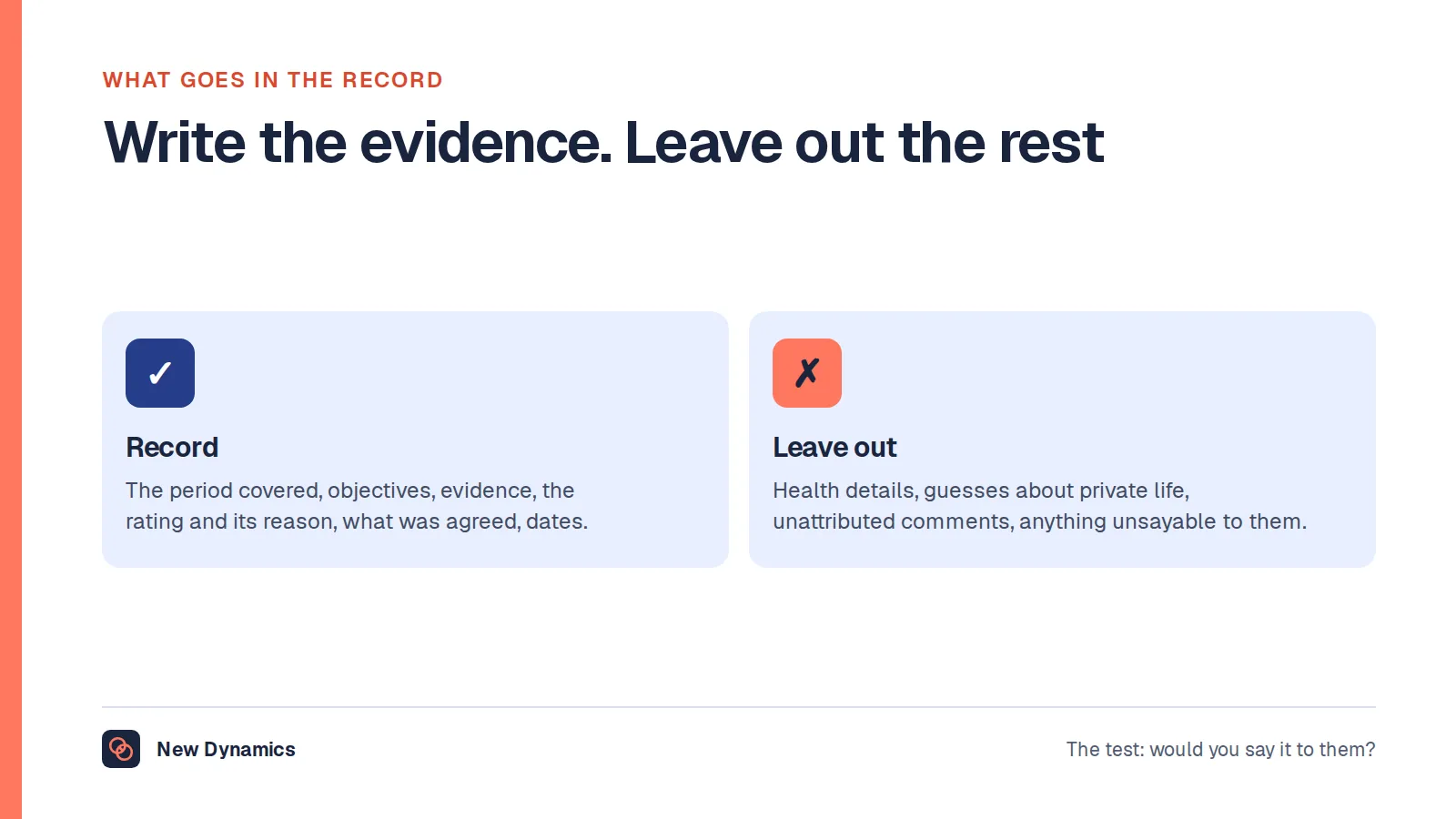
Keep the field narrow so that it gets filled: one or two examples per judgement rather than a diary, a date so that recency is visible, and the source where it is not the manager. Name no third party unnecessarily, and keep unattributed accusations off it.
What to write in the evidence field
| Instead of this | Write this |
|---|---|
| "Excellent communicator" | "Explained the October delay to the client plainly, took their questions and agreed a new date." |
| "Needs to be more organised" | "Three of the last ten monthly reports were late, in June, August and September." |
| "Attitude problem" | Nothing. Describe the behaviour, the occasion and its effect, or leave it out. |
Our performance review phrases offer wording for each skill area. The habit that makes the field fillable is a short dated note each month, not a scramble in review week.
The objectives section, and the link to the next cycle
A good appraisal form is a loop. Last cycle's objectives come in at the top, next cycle's go out at the bottom, and both sections are laid out identically, so that next year's form opens with what this year's closed with. Three details make the loop hold.
- Carry each objective forward in full, with its original wording and the date it was set. Rewriting it from memory is how an objective quietly becomes easier or harder than the one agreed.
- Record the result, the evidence and the context separately. Met, partly met or not met is a judgement. Why is a fact. Keeping them apart is what lets the form survive a change of manager, which we cover in reviewing an employee who changed manager.
- Make the support a field, not a sentiment. Next to each new objective, ask what the manager is committing to: a budget, an introduction, time, training, a decision. No support field puts the whole risk on the employee.
Acas recommends that objectives be specific, measurable, achievable, relevant and time-bound. Two or three carried properly beats eight recorded loosely. Our performance goals examples show how the wording works in different roles.

Manager comment, countersign, reply and signature
The manager comment
One box, placed after the evidence and the objectives, so that the summary follows from what is on the page. Three or four sentences is plenty: a view of the period, the one thing to continue and the one thing to change. Consider a word limit: two lines for one person and two pages for another, at comparable performance, is a fairness problem.
The countersign, and whether you need one
A countersign is a second manager, usually the manager's manager, confirming that they have read the appraisal. It earns its place when the appraisal affects pay or a formal process, when ratings are compared across teams, or when the relationship has been difficult and the employee has asked for someone else to see the record. Not out of habit, or in the hope that an extra signature will catch unfairness. It will not, unless the countersigner reads the evidence and can challenge a colleague's rating.
If you keep it, say on the form what the countersigner is attesting to, which is almost always that the process was followed and the record is complete, rather than that they agree with every judgement. For people with two managers or a dotted line, one countersignature is the wrong shape: both managers should contribute, which is a routing question more than a form question. See how New Dynamics workflows send a form through several reviewers in order.
The employee's right of reply
Every form should have a box for the employee's own comments, with their name next to it, filled in after the meeting rather than before.
This is not a courtesy. The ICO's employment records guidance gives an example that is exactly this situation: a manager records the facts of a performance review accurately and expresses the opinion that the worker is underperforming, the worker disagrees, and the disagreement does not make the information inaccurate, while "the manager could include a note in the assessment to record the worker's disagreement". If someone challenges the accuracy of an opinion, it adds, "you could add a note recording the challenge and the reasons behind it".
In form terms that means four things: their words, unedited, because a manager may correct a fact but may not rewrite a comment; their own attributed box; a deadline on the form, so it can be closed; and a named route if they still disagree, whether the countersigner, HR or your grievance procedure. If the employee is right about a fact, correct the record rather than defending it. Our examples of employee comments on a performance review give wording for this box.
What a signature does and does not mean
A signature can mean three things, and almost no form says which: that the employee received the document, that it was discussed with them on a given date, or that they agree with it. Employees assume the third. Employers almost never need it. Decide, then write one line next to the signature box:
"Signing confirms that this appraisal was discussed with me on the date shown and that I have had the opportunity to add my own comments. It does not mean that I agree with every judgement in it."
That line prevents most arguments about signing, because the fear behind a refusal is almost always that a signature equals agreement. If someone still declines, the appraisal stands as the manager's assessment: record that it was shared and discussed, with the date, and attach their comments. Our article on whether an employee can refuse to sign a performance review works through that. A digital acknowledgement raises the same question, so put the same sentence next to the button.
Making the form itself accessible
An appraisal form is a document every employee has to use, so its accessibility is a question about the form, not only the conversation. In the United Kingdom, employers must make reasonable adjustments by law. Acas, in its guidance on reasonable adjustments, last updated on 30 January 2025, lists "providing emails and documents in an accessible format" among the examples of equipment, services or support, and says employers must "make sure other people do what's needed for a reasonable adjustment to work", giving the example that "if someone needs information presented in a certain format, making sure other people at work do that".
The Department for Work and Pensions reported in the employment of disabled people 2026, published on 4 November 2026, that "there were 5.6 million disabled people in employment in the UK in April to June 2026 and the disability employment rate was 53%, compared to 82.4% for non-disabled people".
GOV.UK's guidance on publishing accessible documents, last updated on 9 October 2025, is written for publishing to the public and is the clearest practical checklist available. It says to "build forms in HTML where possible" and to "publish forms in OpenDocument (.odt) if you cannot use HTML". On layout it says "only use tables for data. Keep tables simple: avoid splitting or merging cells", and on type, "use a sans serif font like Arial or Helvetica. Use a minimum size of 12 points".
Applied to an appraisal form, that gives a short list.
- Headed sections, not a grid, because a wide table of merged cells is hard for a screen reader to read in order and breaks on a phone.
- Real heading styles and labels that make sense alone, no meaning carried by colour alone, and boxes that grow rather than truncating evidence.
- An alternative offered in advance: large print, a different format, more time, or someone to type while the employee talks, plus the accessibility checker in whatever software you use.
Ask people what they need before the cycle starts. This is general information and not legal advice.
An appraisal form to adapt
What follows is a complete form, laid out as headed sections so that it works on a phone and reads in order. Square brackets mark what you fill in. Copy it, cut what your process does not need, and use your own competency and rating wording.
Section 1: About this appraisal
- Employee name, job title and team: [name, title, team]
- Manager completing this form: [name]
- Period covered: [start date] to [end date]
- Date of the meeting: [date], with the self assessment due [10 working days before]
- Second reviewer, if any: [name and role]
Section 2: Employee self assessment
To be completed by the employee before the meeting.
- Which piece of work from this period made the most difference, and why?
- What progress did you make against each of your objectives? Note anything that changed, and why.
- What was difficult, and what did you learn from it?
- What support, training or information would help you do your best work next period?
- Is there anything you would like your manager to know before the meeting?
Section 3: Objectives from this period
Repeat for each objective, using the wording agreed at the start of the period.
- Objective as agreed: [full wording, and the date it was set]
- Result: [not yet met / partly met / met / exceeded]
- Evidence: [one or two dated examples, with the source]
- Context: [anything outside the employee's control that affected it]
Section 4: How the work was done
Choose two or three behaviours that matter in this role. Repeat for each.
- Behaviour: [name, with the definition your organisation uses]
- Evidence: [one or two dated examples, with the source]
- Rating: [not yet met / partly met / met / exceeded, as defined in section 1]
- Comment: [what to continue, or what to change]
Section 5: Manager's overall comment
Three or four sentences, written after the sections above.
- A view of the period as a whole: [comment]
- The one thing to continue, and the one thing to change: [comment]
- Overall rating, if you use one: [rating, with the reason for it]
Section 6: Development
- What the employee has learned or improved: [comment]
- One or two areas to develop next: [comment, described as behaviour]
- How: [on the job, coaching, training, a project]
- Who owns each action, and by when: [name and date]
Section 7: Objectives for the next period
Two or three objectives. Repeat for each.
- Objective: [specific, measurable, achievable, relevant and time-bound]
- How it will be measured: [source of the evidence]
- Date to review it: [usually a mid-period check-in]
- Support the manager commits to: [budget, time, training, a decision]
Section 8: Employee comments
To be completed by the employee after the meeting, in their own words, and not edited by the manager.
- Employee comments: [free text]
- Due by: [5 working days after the meeting]
- If they disagree with anything recorded here, they can raise it with: [name or role, and the procedure]
Section 9: Confirmation
- Employee signature and date: [signature] [date]
- Manager signature and date: [signature] [date]
- Second reviewer signature and date, if used: [signature] [date]
Next to the employee signature: "Signing confirms that this appraisal was discussed with me on the date shown and that I have had the opportunity to add my own comments. It does not mean that I agree with every judgement in it."
Section 10: Record keeping
- This form is held by: [role or system]
- It can be seen by: [the employee, their manager, the second reviewer, named HR roles]
- It will be kept until: [the period in your retention schedule]
For a shorter structure built around the conversation, our performance review template sets out the same cycle in four blocks, and our 100 performance review questions give alternatives for sections 2 and 5.
Whether you keep the form in a document or build it into a system is a separate decision. A document is fine when the cycle is small and someone owns the chasing. A system helps when last cycle's objectives should appear automatically, or several reviewers must sign in order. We do not publish vendor rankings, for the reasons in why we do not publish a top 5 HRIS list.
How long to keep the completed form, and who can see it
Once signed, the appraisal is personal data about an identifiable person, and in the United Kingdom the UK GDPR and the Data Protection Act 2018 govern how long you keep it. The ICO lists "appraisal or performance review records" among the kinds of records an employer may keep about workers. On how long, its guidance is clear that both the decision and the justification are yours: "Data protection law does not set specific time limits for how long you can keep your workers' personal information." It says you should set up a retention policy or schedule listing "the types of record or information you hold", "what you use it for" and "how long you intend to keep it", and warns against a one-size-fits-all approach.
In practice that means three lines on the form and one entry in a schedule. Say on the form where the appraisal is held and who can see it, because a sentence removes most of the anxiety about where it goes. Set a period you can explain, usually the time the record is needed for pay and progression decisions plus the period in which a dispute could arise. Then delete on time, because a retention period nobody acts on is not a policy.
The employee can also ask to see it. The ICO's guide to subject access, last updated on 16 July 2026, says that "people have the right to access and obtain a copy of their personal information and other supplementary information", that "in most circumstances, you cannot charge a fee to deal with a request", and that "you must respond without undue delay, and within one month of receipt of the request". It adds that "you may extend the time limit by up to a further two months where necessary, if the request is complex or you receive a number of requests from the person".
Two consequences follow for form design. Write every field as though the employee will read it, because they are entitled to, including any private comment box. And keep third party information to a minimum, because an appraisal that quotes named colleagues is harder to disclose than one that records behaviour and effect.
Our post on performance review record keeping goes further into what belongs in a record and who should have access, and our employee data protection guide covers the wider picture. This is general information, not legal advice.
The form carries an objectives section, and what goes in it is its own question. Our post on appraisal objectives covers how many are honest for one person, writing one so it can be judged a year later, and what to do when events overtake it.
Frequently asked questions
What is an appraisal form?
An appraisal form is the structured document an organisation uses to record one performance conversation. It fixes the period covered, the questions both people answer, the evidence behind each judgement, any ratings and the employee's own comments.
What should an appraisal form include?
Identity and the period covered, last period's objectives with the result and evidence for each, two or three behaviours with examples, a short manager comment, development actions with owners, next period's objectives and support, the employee's own comments and a dated signature.
How do you fill in a performance appraisal form?
Work in order. The employee completes the self assessment first, the manager gathers dated evidence and drafts the form, the two discuss it, then both agree the next period's objectives and support. The employee comments afterwards, and only then does anyone sign.
How many rating points should an appraisal form have?
Four is a good default. An even number removes the middle box, so a manager has to decide whether an objective was met. Define each point in words on the form, and give context outside the person's control its own field.
Should an appraisal form have a self assessment section?
Usually yes. It surfaces work the manager did not see and makes the meeting two-way. Ask for examples rather than self scores, set a due date, and keep the employee's section visibly separate from the manager's.
How long should we keep completed appraisal forms?
The ICO says data protection law does not set specific time limits for how long you can keep workers' personal information, so you set your own period and must be able to justify it. Record it in a retention schedule alongside what you hold and why, then delete on time. This is general information, not legal advice.
Your next step: cut three fields from your current form
- Print your current form and mark every field with what would change if it were left blank. Delete the three weakest.
- Add an evidence field next to every rating, and move the summary box to the end.
- Write the one line that says what a signature means, and put it next to the signature box.
- Check the form against the accessibility list above, and ask people what they need before the cycle opens.
For agendas, questions and a fair process from preparation to follow-up, read and download our performance review guide. It is free to read, and the PDF uses our short download form.
Want your own form, your own ratings and last cycle's objectives in one place when appraisal time comes? Book a New Dynamics demo and bring the form you use today. You can also email contact@new-dynamics.com.