TL;DR
- A document can hold the words of a review. It cannot run the cycle on dates, keep one version, control who reads what, compare two managers' ratings before they are final, or prove what was agreed and when. That list is the product.
- Most unhappy cycles fail in four places: deadlines with nothing behind them, a form with twelve questions, ratings that drift between managers, and no dated record of what was agreed. Software can fix three of them and will expose the fourth.
- A completed review is personal data about a named person, and the employee can ask for a copy. Judge any product on access control, retention, export and the audit trail as hard as you judge the review form.
A performance review is a short, dated record of a conversation about someone's work. That is all it is. The reason it needs software is everything that has to be true around it: that the conversation happened, that it happened roughly on time, that the person wrote their own part before they read their manager's, that the rating means approximately what another manager's rating means, that the employee saw the final version, and that in two years' time somebody can find it.
A Word document on a shared drive holds the words perfectly well. It holds none of the rest.
This article is about the review itself: what performance review software has to do, how a cycle actually runs stage by stage, the four things that break in practice, the data protection work nobody budgets for, accessibility, and what to make a supplier demonstrate live. We sell software in this category. That is the one piece of context to hold while you read, and it is why there are no product names anywhere below, including ours.
If you want to see one answer to the cycle, New Dynamics performance reviews is ours. Everything after that link is written as though you will buy from somebody else, because most readers of a page like this will.
This describes the position in the UK and Great Britain. It is general information, not legal advice.
One note on names before we start. People search for software for performance reviews, performance review programs, employee performance review software, performance appraisal software and performance evaluation software, and mean the same thing in almost every case. "Appraisal" is the older and more common word in UK public sector, healthcare and professional services. "Evaluation" tends to arrive from American sources. This page uses "review" and "cycle" throughout, and none of the distinctions change what the software has to do.
Choosing between suppliers is a separate job, and our post on choosing a performance management system covers it: the requirements a real cycle breaks on, the data questions, the pilot and the red flags. This page stays off that ground and talks about the review.
What review software has to do that a shared drive cannot

Strip away the marketing and a review product has nine jobs. Every one of them is something a document cannot do.
- Run a cycle on dates. Open on a date, prompt people in order, chase without anyone writing emails, and close. A cycle is a sequence with deadlines, not a folder.
- Hold one version. Not three attachments called final, final2 and final-JS. One record per person per cycle, with the period it covers written on it.
- Control who reads what. The employee, the manager, the next manager up, HR, and nobody else. On every screen and every export, not by convention.
- Count completion to a definition you set. Started, written, discussed, signed. Our post on the performance review completion rate sets out why the definition matters more than the number.
- Carry evidence from the year into the form. Objectives, check-in notes, feedback from colleagues, recognition. If evidence has to be remembered in November, the review is fiction written under deadline.
- Compare ratings before they are final. Two managers writing in good faith will rate the same performance differently. Only software that can show their ratings side by side, with the evidence attached, can catch that.
- Prove what was agreed, and when. A dated record both people have confirmed, with an audit trail behind it.
- Answer a request from the employee for a copy. They are entitled to one, and the system either makes that a five-minute job or a week of searching.
- Give the data back. Full export of reviews, ratings and history, in a format you can read without the supplier.
Notice how few of those are about the form. The form is the visible part and the least interesting part. The record is the product.
The shape of a cycle, end to end

A review cycle has five stages. Products differ far more in how they handle the gaps between the stages than in how they render the questions.
Cycle setup decides scope, dates, the form and visibility. Self review comes first, written by the employee. Manager review follows, written against agreed objectives and behaviours. Calibration compares ratings across managers before anything is final. Sign off produces the dated record that both people have confirmed.
Acas describes the purpose plainly. Performance reviews, it says, are "a chance to discuss someone's work, including: what they are doing well, any areas for improvement, whether they need more support or training, their career and any development objectives". Five stages of software exist to make that conversation happen on purpose rather than by luck.
How often you run the cycle is a separate decision, and our post on performance review frequency covers the trade-offs between annual, twice-yearly and quarterly rhythms.
Setting up the cycle: the decisions you cannot avoid
Setup is where a product either fits your process or quietly replaces it. These are the decisions it will force, and it is better to make them deliberately.
Who is in scope. Everybody, or everybody confirmed in post, or everybody above a certain length of service. Then the awkward ones: probationers, part-year starters, people on maternity or long-term sick leave, people working their notice, and contractors. Our posts on performance reviews during maternity leave and reviews during long-term sickness cover what the process has to do for those cases.
The period the review covers. Written on the record, not implied by the date it was completed. This single field is what makes a review fair for somebody who joined in September or changed role in March.
Who writes the manager review. Obvious until somebody changed manager mid-cycle or reports to two people. Our post on reviewing an employee who changed manager sets out the options, and if dual reporting is normal in your organisation, multi-manager reviews is the shape of the problem.
The form. Keep it short. More on that below, because it is where most cycles are lost.
The rating scale, or no scale at all. If you use one, the labels need definitions managers can apply, which our post on the performance rating scale works through. Some organisations drop ratings entirely, and our post on removing performance ratings covers what you lose along with what you gain.
Visibility, stage by stage. When can the manager see the self review. When can the employee see the manager's draft. Who upstream can read a completed review. Get this wrong and people write for the wrong audience.
A deadline per stage. Not one date at the end.
A useful test: write your cycle on one page before you look at any product, then ask a supplier to configure that page in front of you. If the product can only run a different cycle, you want to know in week one.
Who writes what, and when
The sequence matters more than the questions.
The employee writes first. A self review written after reading the manager's assessment is a negotiation, not a reflection. Software should hold the manager's draft back until the self review is submitted, and should make that rule visible to both people rather than relying on good manners. Our self evaluation examples show what a useful self review looks like when somebody has evidence to hand.
The manager writes against agreed objectives, with the evidence attached. If the product cannot pull in the objectives, the check-in notes and the feedback from colleagues, the manager is writing from memory, and memory is weighted heavily towards the last six weeks. Goals and everyday feedback are the raw material here, which is why goals and OKRs and continuous feedback matter to a review cycle even though neither is part of it.
Colleague input is optional and should be labelled. If you gather 360 feedback into the review, say before the cycle opens how it will be used. Our employee feedback software post covers why keeping 360s at arm's length from pay decisions produces better feedback.
Then the conversation. The meeting is the point. Everything the software does before it exists to make the half hour useful, and everything it does afterwards exists to record what was decided. Our post on what happens after a performance review covers the part most cycles neglect.
A short form, written in order, with evidence to hand, takes a manager about forty minutes per person. A long form written from scratch the night before the deadline takes two hours and says less.
Calibration: the step most products treat as a meeting
Calibration is where managers compare their ratings before any of them are final, so that "meets expectations" means something close to the same thing across teams. It is the single most commonly missing feature in review software and the one that decides whether your ratings can be defended.
What the software actually has to do:
- Show the proposed ratings for a group side by side, by manager, with the evidence one click away.
- Allow a rating to be changed, and record who changed it and why. A rating that moves without a reason attached is worse than no calibration at all.
- Resist forced distribution. A product that bakes in a required curve is making a policy decision on your behalf. If you want a distribution target, that is your choice to make and to defend, not a default.
- Report distribution by manager afterwards, so you can see which managers rate consistently high or low and have a conversation about it next cycle.
Our post on rating employees fairly covers the judgement side, and the performance calibration guide sets out how to run the meeting itself. The reason this matters beyond fairness is that a rating often feeds a pay decision, and our post on performance reviews and pay covers how to keep that link honest.
Sign off, and the record of what was agreed
Sign off is not a formality. It is the moment a draft becomes a record.
Decide what a signature means in your organisation before you configure it, because products use the word loosely. Acknowledgement means "I have read this". Agreement means "I accept the content". Those are different things, and an employee who disagrees needs somewhere to say so on the record. Our post on the performance review signature covers the wording and what to do when somebody refuses to sign.
Acas is direct about the record: "It's important to keep a written record of what is discussed. This should be shared with the employee afterwards." Software that completes a cycle without the employee ever holding the final version has missed the point of the exercise.
Behind the record sits the audit trail, which should answer four questions without anyone asking the supplier to run a query: who wrote this, who changed it, when, and why. An audit trail that an administrator can quietly edit is a log, not evidence.
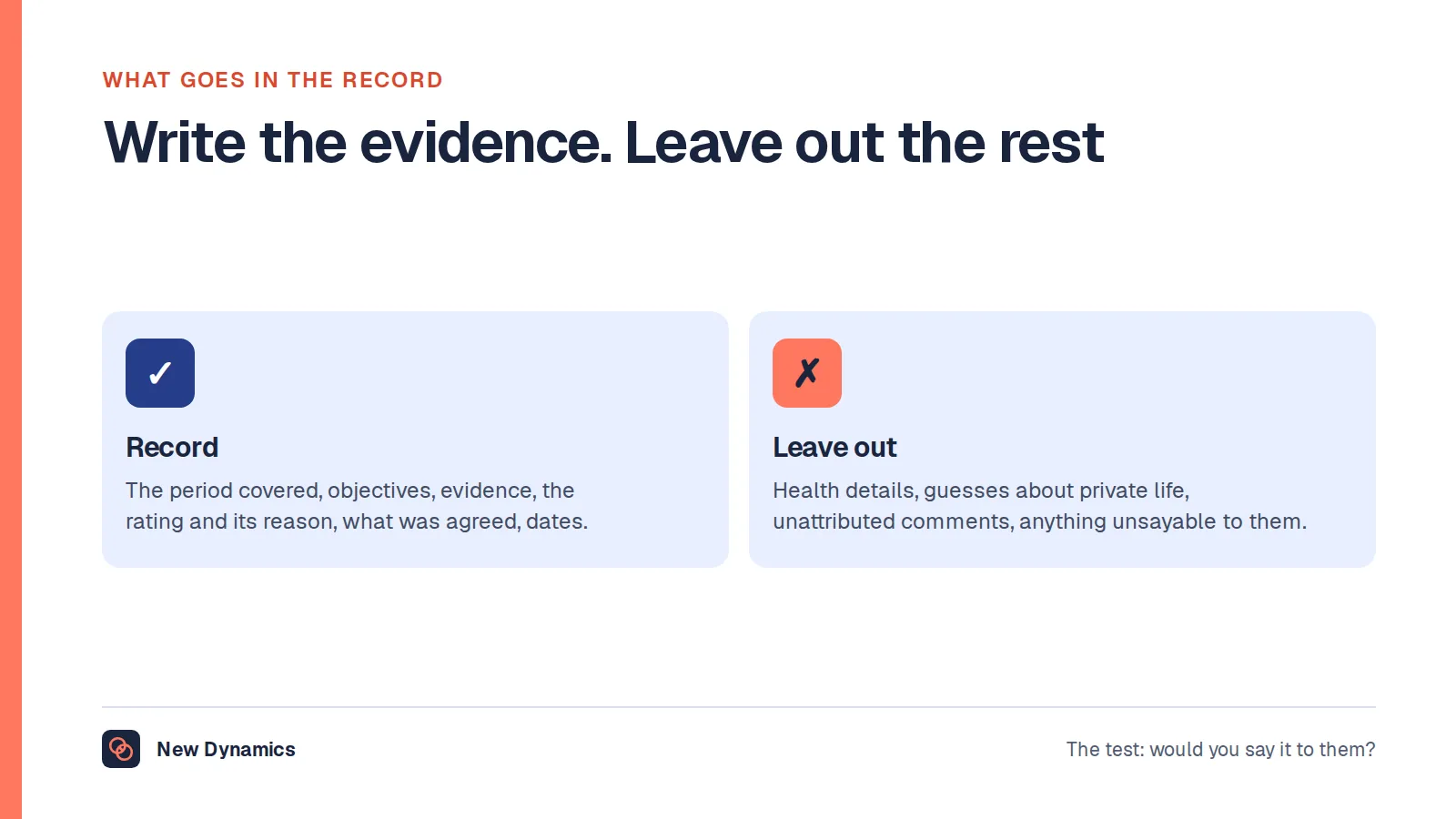
This becomes concrete when a working relationship ends badly. The Ministry of Justice release Tribunal Statistics Quarterly: April to June 2026, published on 20 October 2026, reports that "In Q1 2026, the Employment Tribunal received 14,000 single claim receipts", that quarter being April to June 2026 in the series. Most of those claims have nothing to do with performance reviews. The ones that do turn on whether concerns were raised, recorded and shared at the time, and a performance record assembled afterwards from recollection is worth very little. Our post on performance review record keeping sets out what belongs in the record and how long to keep it.
What actually breaks, and what fixes it

Four failures account for most unhappy cycles. Three of them are design problems that software can fix. The fourth is a process problem that software will expose.
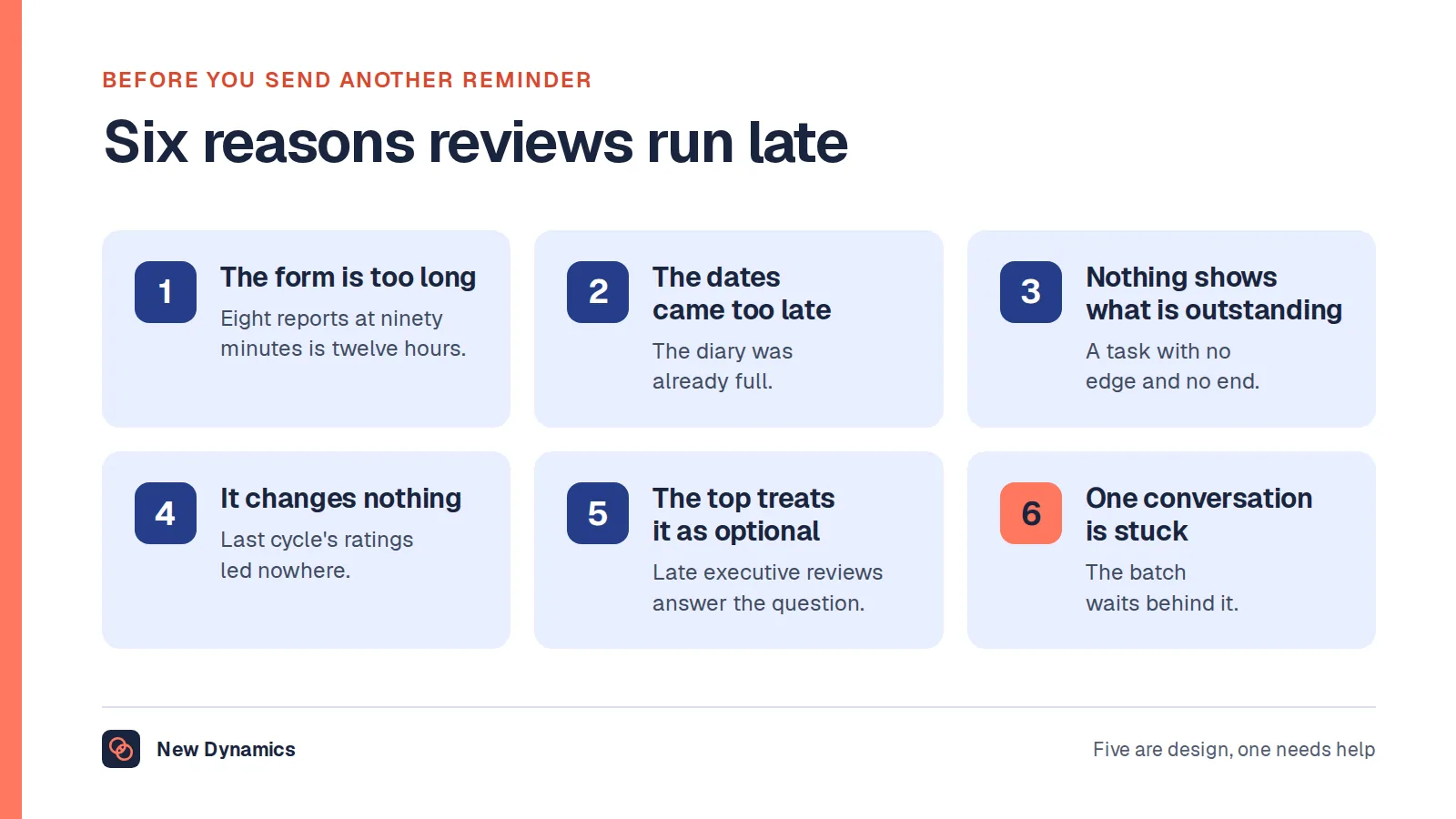
Deadlines nobody meets. A cycle with one date at the end is a cycle nobody starts. Give every stage its own deadline, make the first one the self review, and let the system chase. Reminders should go to the person who owes the work, escalate to their manager after a set delay, and stop when the work is done. Our post on chasing managers for performance reviews has the escalation ladder and the wording for each step, and the one on performance review reminder emails has the messages themselves. If a deadline genuinely has to move, move it openly, as our post on extending a performance review deadline describes, rather than letting it slip.
Forms that ask twelve questions. Length does not buy depth. It buys padding, copied text and managers who write "see above". Five questions answered specifically beat twelve answered dutifully, and our post on performance review length shows where the point of diminishing return sits. If a product makes a long form easy and a short form awkward, that tells you something about the process it was designed around. The performance review template is a starting shape if you are rebuilding yours.
Ratings that drift between managers. One manager's "exceeds" is another's "meets", and the difference usually tracks the manager rather than the performance. This is fixed by definitions, calibration and distribution reporting, in that order. Training helps as well, and our post on performance review training for managers covers what that training needs to include.
No record of what was agreed. Development actions that live in the meeting, a pay conversation nobody wrote down, a concern raised verbally and never again. Software fixes this almost by accident, provided sign off is real and the record is shared. If your current cycle has this problem, it is the one with the clearest return on fixing.
A fifth, less visible failure: nobody owns the cycle. If no named person is accountable for opening it, chasing it and closing it, the best product in the category will produce a half-finished cycle and a report nobody trusts.
A review is personal data the employee can ask to see
A completed review is personal information about a named person, usually including opinions about their work. In the UK that brings the whole of data protection law with it, and the right most often exercised is the right of access.
The Information Commissioner's Office puts it this way: "The right of access, commonly referred to as subject access, gives people the right to obtain a copy of their personal information from you, as well as other supplementary information." On employment records specifically, the ICO says "You must respond to a SAR from a worker without delay and within one month of receiving the request", and notes that "Workers are especially likely to exercise their right to access their employment records during grievance or disciplinary proceedings".
That single sentence should change how you look at a demo. Ask any supplier to produce everything held about one employee, including draft text, manager notes and the audit trail, and watch how long it takes.
Four more things the ICO expects, each of which is a question for the product:
- Access limited to those who need it. The ICO advises "ensuring that access to employment records systems is limited to HR staff only, and that managers only have access to the information they need to meet their obligations". Ask who can read a completed review three levels up, and whether the supplier's own support staff can.
- A retention schedule. The ICO expects you to document "the types of record or information you hold; what you use it for; and how long you intend to keep it", and warns against a one-size-fits-all approach to retaining workers' personal information. A product that cannot delete on a schedule cannot support one.
- Accuracy. You should "take reasonable steps to ensure the accuracy of any personal information", and the ICO says that where information is used to make decisions that significantly affect the worker, you should put more effort into accuracy. A review that feeds a pay or promotion decision is exactly that.
- A way to record disagreement. If the employee thinks the record is wrong, there has to be somewhere in the product for them to say so.
Our employee data protection guide covers the wider picture, including processing agreements and where the data sits. This section describes the position in the UK, and it is general information rather than legal advice. Involve your data protection lead before a contract, not after one.
Accessibility, and the people a cycle leaves out
Accessibility is the requirement most often discovered after signature, and it has two parts.
The first is the law for public bodies. In the UK, the Public Sector Bodies (Websites and Mobile Applications) (No. 2) Accessibility Regulations 2018 require sites and apps to "meet the Web Content Accessibility Guidelines (WCAG) 2.2 AA", and GOV.UK states that "All public sector bodies have to meet the requirements, unless they are exempt." Internal tools are not outside this. The same guidance says "Intranet and extranet websites are covered by the accessibility regulations. These are internal websites which disabled employees working in or with the public sector may use." If you are a council, a university, a trust or a school, a review platform your staff log into is in scope, and you should ask for the supplier's accessibility statement and their WCAG 2.2 AA audit before you shortlist, not after.
The second part applies to every employer, public or private. Separate from those regulations, employers in Great Britain have duties to disabled employees under the Equality Act 2010, including making reasonable adjustments. A review process that a screen reader user cannot complete independently, or that a dyslexic manager cannot work through in the time allowed, is a process that disadvantages people for reasons unconnected to their work. Again: general information, not legal advice, and your own circumstances matter.
Practically, in a demo, check these:
- Keyboard only. Complete a whole self review without touching the mouse, and watch where focus goes.
- Screen reader. Ask them to read a rating question and its scale aloud with a screen reader running.
- Colour. No rating or status conveyed by colour alone, and text contrast that holds up.
- Zoom and reflow. At 200 per cent magnification on a laptop, does anything disappear.
- Phone browser. Many people who will complete a review do not have a desk, and some do not have a corporate email address. Ask how they are invited and how they sign in.
- Time and language. Plain wording in the form, no hard timeouts that discard a half-written answer, and clarity about which languages the interface and the content support.
Accessibility work makes the cycle better for everyone, which is the usual pattern. A form that reads clearly with a screen reader reads clearly at 11pm on a Tuesday.
What to make them show you in the demo
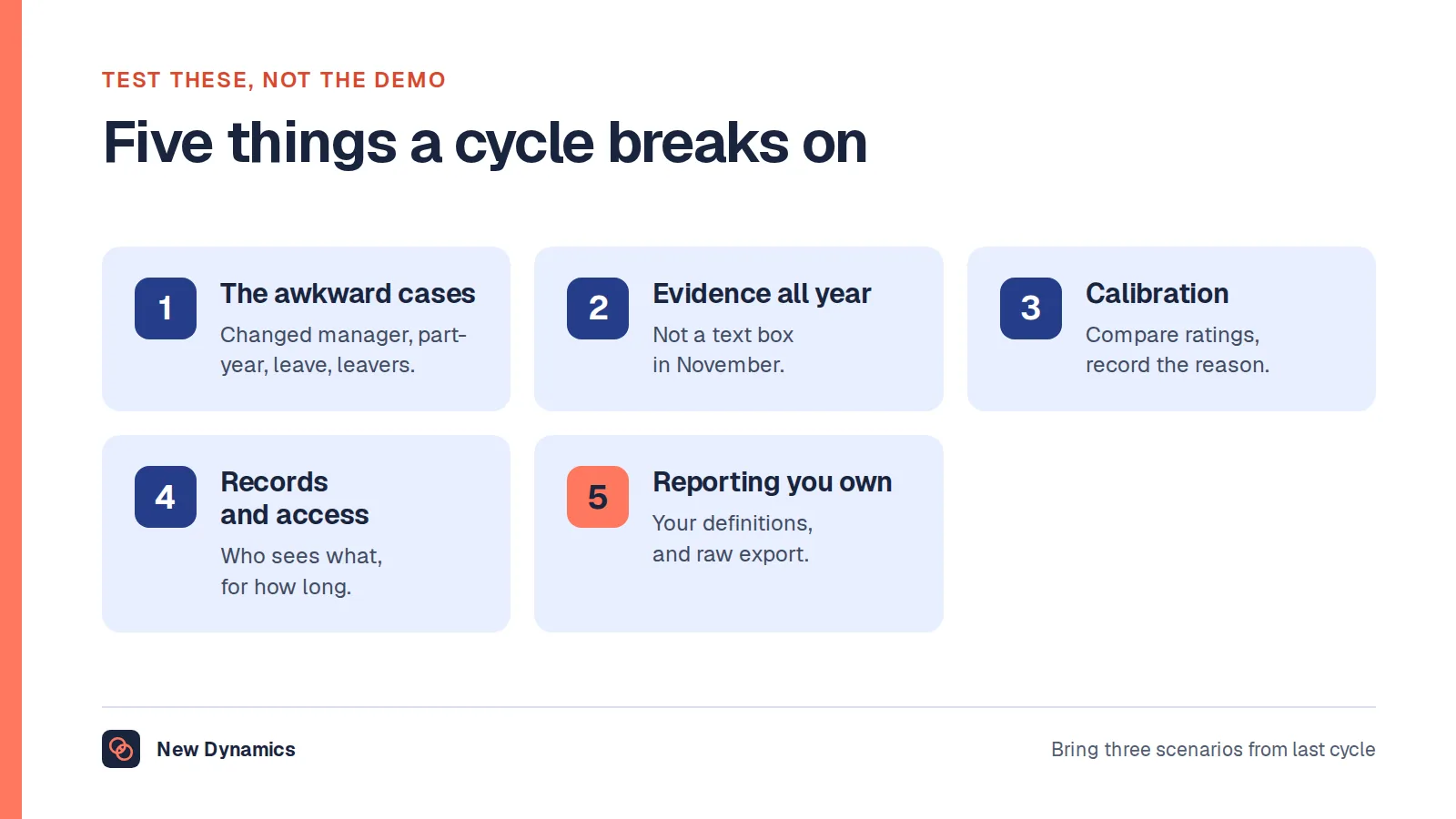
Demos are built for the easy case. Hand over a script instead, taken from your own last cycle, and ask for these live in a sandbox rather than on slides.
- Build my cycle. Here is my form and my five stage dates. Configure it now.
- Run the sequence. Show me the self review locked until submitted, then the manager draft, then what the employee sees and when.
- Show me a part-year case. Somebody who joined in September, with the period written on the record.
- Show me a changed manager. Two managers, one cycle, and who signs.
- Calibrate two managers. Side by side, evidence attached, one rating changed with the reason recorded.
- Produce everything about one employee, including drafts, notes and the audit trail, as you would for a subject access request. Time it.
- Export the lot. Reviews, ratings, history and dates, in a format I can open without you.
- Delete on a schedule. Show me the retention setting and what it actually removes.
- Complete a review by keyboard only, and show me your accessibility statement.
- Show me the completion report, with the definition of complete that produced the number.
Then run one real cycle with a couple of managers and a small group of employees before you commit everybody. A two-week trial shows you the interface. A cycle shows you the administrator's workload, which is the cost nobody estimates. If you need to put those questions to several suppliers in writing, the performance management software RFP template structures them.
What the software will not fix, and where we sit
Review software will not create agreement about what good performance looks like. It will not make a manager who avoids difficult conversations have one, although it will make the avoidance visible. It will not make a rating scale mean something if the labels were never defined. If your cycle is widely ignored, a product will give you an accurate measurement of how widely, which is useful and uncomfortable.
You will also find many articles ranking the best performance review software, the top performance appraisal software or the five best review programs. We do not publish those, for the reasons set out in why we do not publish a top 5 HRIS list: rankings can be shaped by commercial relationships a reader cannot see, and even an honest one cannot know your sector, your size, your rating policy or whether half your workforce has a corporate email address.
On figures, one honest note. No official UK source publishes how many employers use software for performance reviews, or what an average completion rate looks like. Numbers in that shape circulate widely and almost always trace back to a vendor survey rather than a statistical release. Where we can source a figure from a publisher, we do, and our HR statistics hub collects the ones we can.
And to be straight about where New Dynamics sits, since this is our own category. We are a performance management platform: goals and OKRs, feedback, recognition, performance reviews and onboarding. We are not a core HR system of record. We do not hold payroll, absence or recruitment, and if what you actually need is one place for employee records and contracts, our post on HRIS software explains that category and we are not it. Where both exist, the HR system holds who people are and the performance platform holds what they are working towards, connected so that people and reporting lines stay in step. Our integrations directory lists the platforms we discuss during planning, and a listing there is not a promise of a ready-made connector, so ask us, and ask any supplier, exactly which integrations exist today.
Frequently asked questions
What is performance review software?
Performance review software runs the appraisal cycle: it sets the scope and the dates, holds the form, sequences the self review and the manager review, supports calibration across managers, captures sign off and keeps a dated record with an audit trail. The form is the visible part. The record and the cycle are what you are actually buying.
What should performance review software do?
Nine things: run a cycle on dates, hold one version of each review, control who can read what, count completion to a definition you set, carry evidence from the year into the form, compare ratings before they are final, prove what was agreed and when, produce everything held about one employee on request, and export your data in a usable format.
Do you need software to run performance reviews?
Not always. Under about thirty people, a short form, a calendar and a disciplined owner will do it. Software earns its place when you cannot answer how many reviews were completed without a spreadsheet exercise, when evidence is reconstructed from memory each year, when ratings need comparing across managers, or when you need to find a review from two years ago quickly.
Can an employee ask to see their performance review?
Yes. A review is personal information about them, and in the UK the right of access lets people obtain a copy of their personal information along with supplementary information about how it is used. The ICO expects a response without delay and within one month. This is general information, not legal advice.
How is performance review software different from an HR system?
An HR system of record holds who people are: roles, reporting lines, pay, contracts and documents. Performance review software holds what they are working towards and how it went: objectives, feedback, reviews, ratings and sign off. Some suites include both. Many organisations run a specialist review platform alongside their HR system and connect the two.
What should you ask for in a performance review software demo?
Ask them to build your cycle from your own form and dates, run a part-year starter and a changed-manager case, calibrate two managers with the evidence attached, produce everything held about one employee as you would for a subject access request, export the data, complete a review by keyboard alone, and show you the completion report with its definition.
Your next step: write your cycle on one page
- Write the five stages of your cycle on one page, with a date for each and a named owner for the whole thing.
- Cut your form to five questions, and decide what a signature means in your organisation.
- Take two awkward cases from last cycle, a part-year starter and a changed manager, and make every supplier run them live.
- Time a subject access request in each demo, and ask for the accessibility statement before you shortlist.
For the questions, the wording and the cycle timetable, read and download our performance review guide. The guide is free to read, and the PDF uses our short download form.
Want to see your own review form running a cycle? Book a New Dynamics demo and send us the form you use today. You can also email contact@new-dynamics.com.